

 Abdullah Kabeer
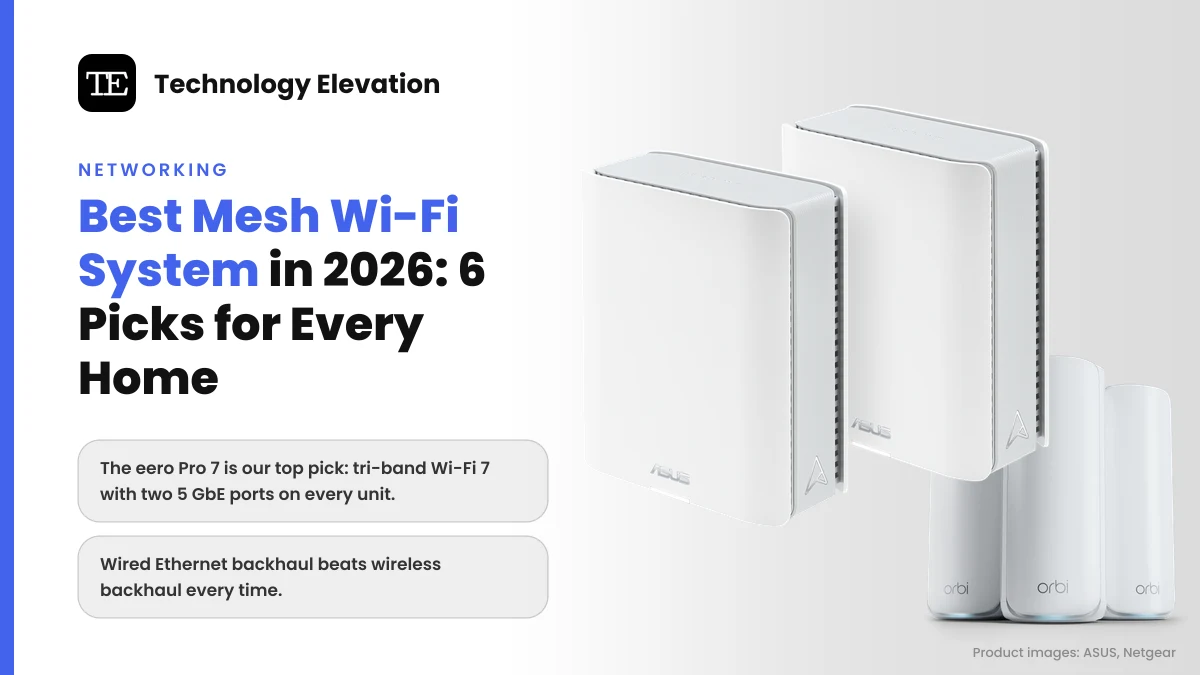
The internet comes into most American homes at one awkward spot: a cable outlet in the living room, a closet by the front door, a corner of the basement. The router sits there, and the back bedroom gets one bar. A mesh Wi-Fi system spreads two or three matching units around the house as one network, and the best mesh Wi-Fi system for you depends on your home size and internet speed.
Three things changed recently. Wi-Fi 7 kits dropped from $1,699.99 for an eero Max 7 three-pack in 2023 to $349.99 for an eero 7 three-pack. Multi-gig fiber plans spread, so Ethernet port speed matters more. And the US rules for selling routers shifted.
On March 23, 2026, the FCC added consumer routers made in foreign countries to its Covered List. New models now need a special Conditional Approval before they can go on sale. Models the FCC had already authorized can still be sold, and routers you already own keep working.
So we picked six mesh systems on sale in the US now and checked every spec against the maker’s own pages.
The best mesh Wi-Fi system for most homes is the eero Pro 7
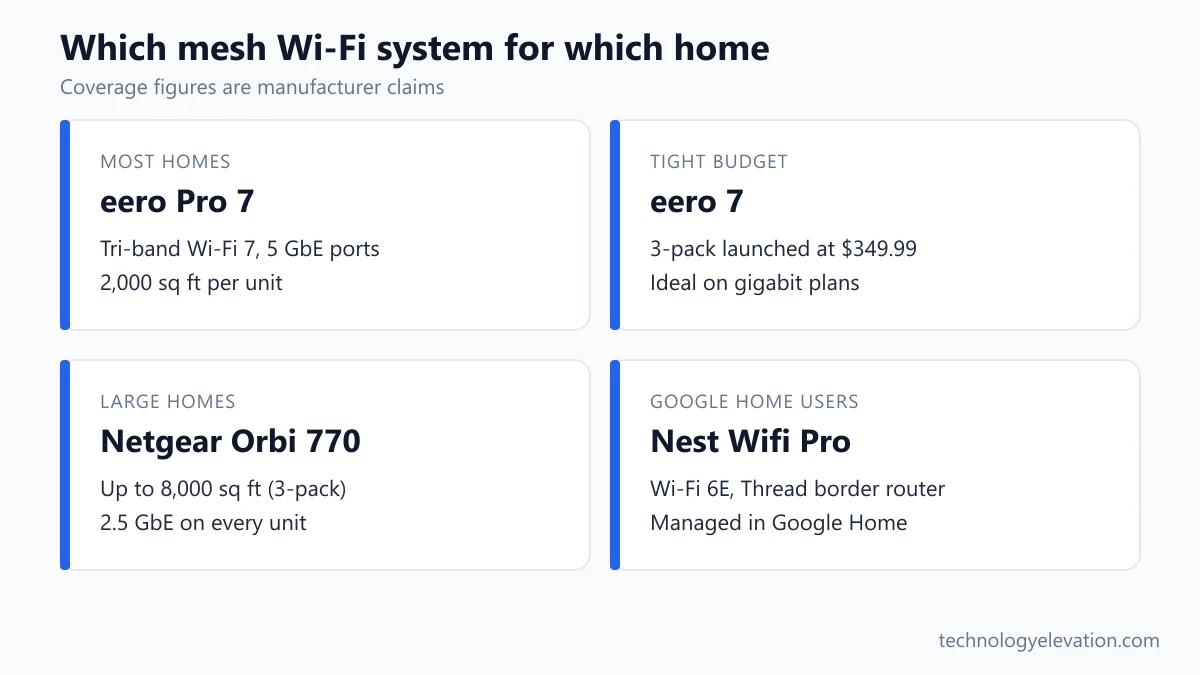
The eero Pro 7 is the best mesh Wi-Fi system for most homes. It is tri-band Wi-Fi 7, covers up to 2,000 square feet per unit by eero’s figures, has two 5 GbE ports on every unit, and launched at $699.99 for a three-pack.
Every pick, by the job it does best:
- Best overall: eero Pro 7
- Best on a budget: eero 7
- Best for large homes: Netgear Orbi 770
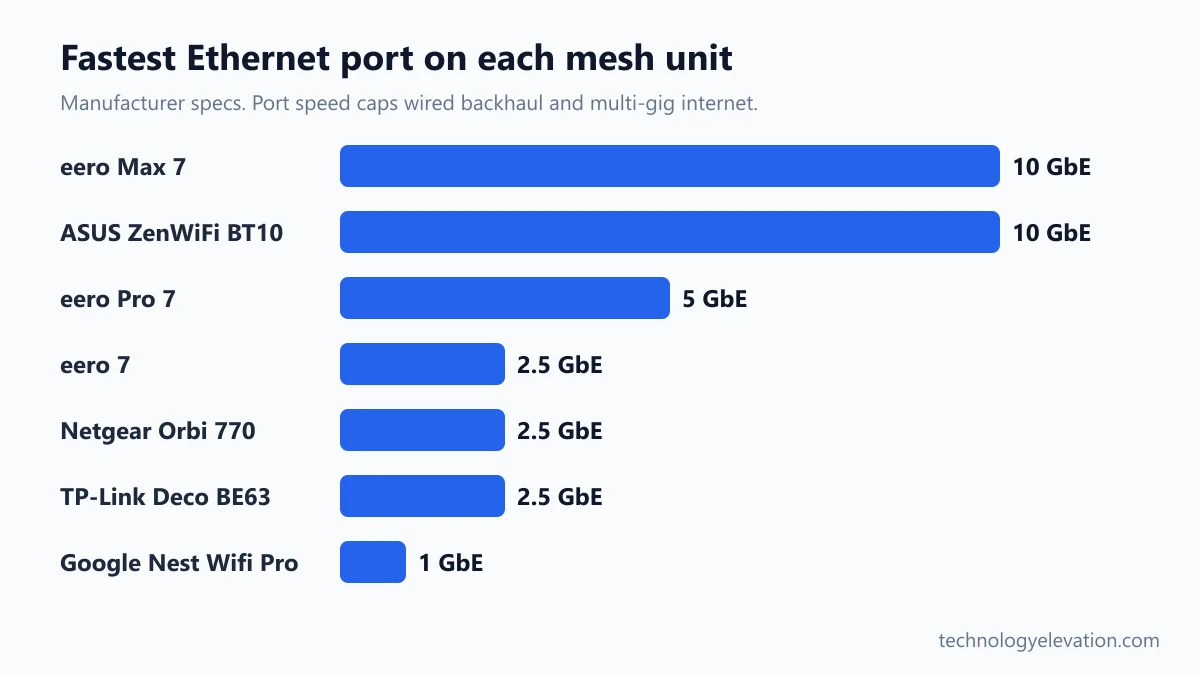
- Best for multi-gig internet: ASUS ZenWiFi BT10
- Best value tri-band Wi-Fi 7: TP-Link Deco BE63
- Best for Google homes: Google Nest Wifi Pro
| Model | Wi-Fi | Bands | Ethernet per unit | Maker coverage claim | Launch price |
|---|---|---|---|---|---|
| eero Pro 7 | Wi-Fi 7 | Tri-band | 2 x 5 GbE | 2,000 sq ft per unit | $299.99 / $549.99 / $699.99 (1, 2, 3-pack) |
| eero 7 | Wi-Fi 7 | Dual-band | 2 x 2.5 GbE | 2,000 sq ft per unit | $169.99 / $279.99 / $349.99 (1, 2, 3-pack) |
| Netgear Orbi 770 | Wi-Fi 7 | Tri-band | Router 4 x 2.5 GbE, satellite 2 x 2.5 GbE | 8,000 sq ft (3-pack) | $699.99 (2-pack) / $999.99 (3-pack) |
| ASUS ZenWiFi BT10 | Wi-Fi 7 | Tri-band | 2 x 10 GbE, 1 x 1 GbE | 6,000 sq ft (2-pack) | Varies by retailer |
| TP-Link Deco BE63 | Wi-Fi 7 | Tri-band | 4 x 2.5 GbE | 5,800 sq ft (2-pack) | $299.99 / $549.99 / $799.99 (1, 2, 3-pack) |
| Google Nest Wifi Pro | Wi-Fi 6E | Tri-band | 2 x 1 GbE | 2,200 sq ft per unit | $199.99 / $299.99 / $399.99 (1, 2, 3-pack) |
Coverage numbers come from the manufacturers and assume an open layout. Brick, plaster and long, narrow floor plans cut into them, so treat them as best-case figures.
eero Pro 7: the best mesh Wi-Fi system overall
The eero Pro 7 is the best all-round mesh kit because it balances speed, coverage, ports and setup without charging flagship money. It adds the 6 GHz band that the cheaper eero 7 lacks, and its 5 GbE ports leave room for faster internet plans later.
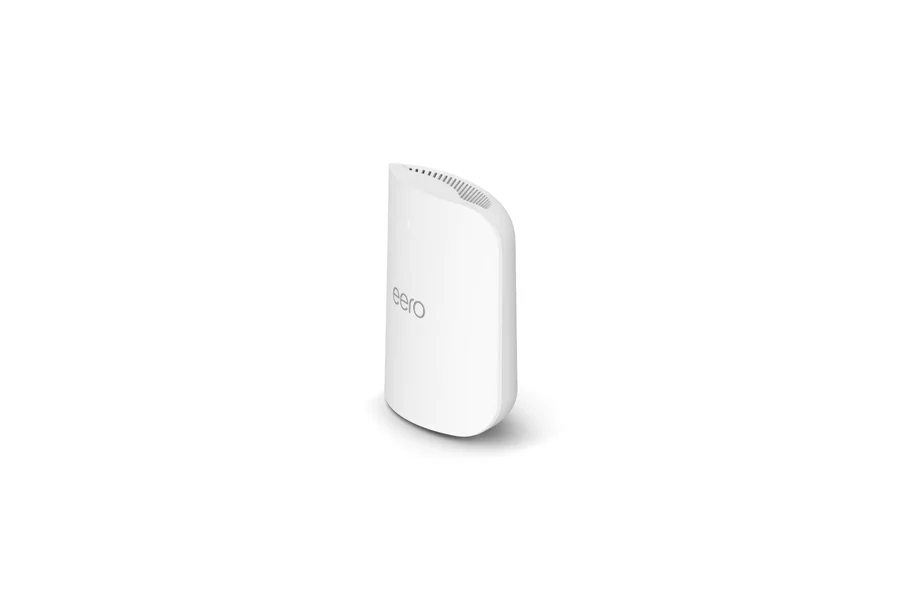
Key specs: tri-band Wi-Fi 7 (2.4, 5 and 6 GHz), wireless speeds up to 3.9 Gbps and wired speeds up to 4.7 Gbps by eero’s figures, two auto-sensing 5 GbE ports per unit, up to 2,000 square feet per unit, built-in Zigbee hub, Thread border router and Matter controller. Launch prices: $299.99, $549.99 and $699.99 for one, two and three units.
Setup is why eero keeps winning family homes. Plug in the first unit, open the eero app, and it walks you through placing the rest. Most people finish before the kettle boils.
The 6 GHz band is the real upgrade over the eero 7: a quiet lane that newer phones and laptops can use away from the neighbors’ networks.
The smart home extras are a bonus. A built-in Zigbee hub and Thread border router mean smart light switches, sensors and plugs can join the network without a separate hub.
The catch: the best parental controls and ad blocking sit behind eero Plus, a subscription. If your plan is faster than 5 Gbps, step up to the eero Max 7, which has two 10 GbE ports, covers 2,500 square feet per unit and launched at $599.99 for one unit or $1,699.99 for three.
Check the eero Pro 7 price on Amazon
eero 7: the best cheap Wi-Fi 7 mesh system
The eero 7 is the best mesh Wi-Fi system on a budget. A three-pack launched at $349.99, it covers up to 2,000 square feet per unit by eero’s figures, and its 2.5 GbE ports handle gigabit fiber and cable plans with room to spare.
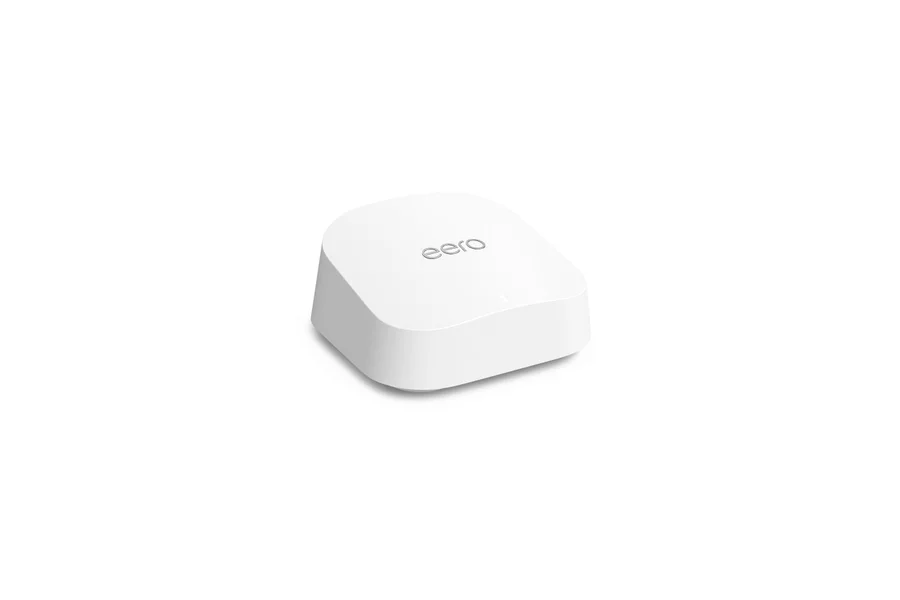
Key specs: dual-band Wi-Fi 7 (2.4 and 5 GHz only), wireless speeds up to 1.8 Gbps and wired speeds up to 2.3 Gbps, two auto-sensing 2.5 GbE ports per unit, Zigbee, Thread and Matter built in. Launch prices: $169.99, $279.99 and $349.99 for one, two and three units.
On a plan of 1 Gbps or less, it delivers nearly everything the Pro 7 does for half the three-pack price.
Dual-band is the trade-off. Without 6 GHz, the units share the 5 GHz band between each other and your devices. In an apartment you will not notice. In a sprawling ranch, the far unit slows down.
Run Ethernet between the units if you can.
Check the eero 7 price on Amazon
Netgear Orbi 770: the best mesh router for a large home
The Netgear Orbi 770 is the best mesh router for a large home. Netgear rates the three-pack for up to 8,000 square feet, its satellites are big units with strong radios, and every router and satellite has 2.5 GbE ports for wired backhaul.
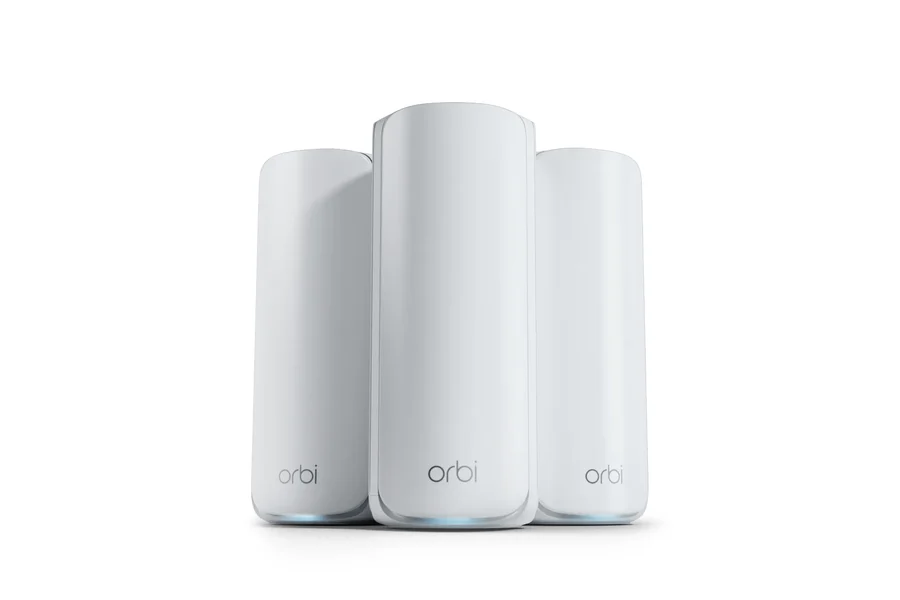
Key specs: tri-band Wi-Fi 7, up to 11 Gbps combined, router with a 2.5 GbE internet port and three 2.5 GbE LAN ports, satellites with two 2.5 GbE ports each, up to 100 devices by Netgear’s figure. Launch prices: $699.99 for a two-pack and $999.99 for a three-pack.
Orbi has long been the brand for houses where the garage, office and kids’ rooms sit at different ends.
The catch is size and the subscription pitch. These units are tall and hard to hide on a bookshelf. Netgear also sells Armor, a security subscription, but the basic protections and automatic updates work without it.
For the biggest homes on the fastest plans, the quad-band Orbi 970 launched at $1,699.99 for two units and $2,299.99 for three.
Check the Netgear Orbi 770 price on Amazon
ASUS ZenWiFi BT10: the best mesh Wi-Fi with 10 GbE ports and no subscription
The ASUS ZenWiFi BT10 is the best mesh system for multi-gig internet. Each unit has two 10 GbE ports, the two-pack covers up to 6,000 square feet by ASUS’s figure, and ASUS says its parental controls work without a monthly fee.
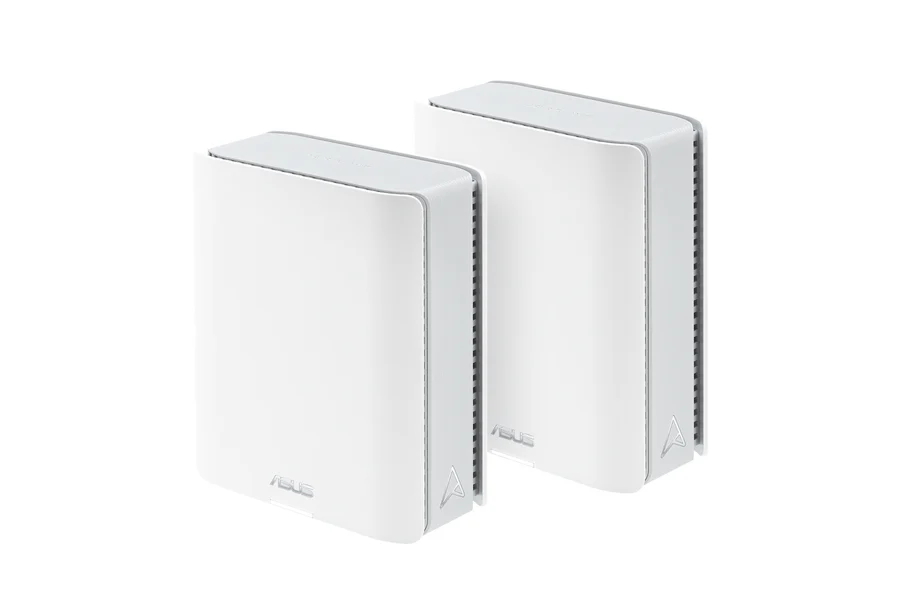
Key specs: tri-band Wi-Fi 7 rated up to 18 Gbps, two 10 GbE ports plus one 1 GbE port and one USB port per unit, up to 6,000 square feet for a two-pack, AiMesh support so it can link with other ASUS routers.
AT&T Fiber, Google Fiber and other providers now sell plans of 2 Gbps and faster. A 2.5 GbE port cannot pass those speeds along. The BT10’s 10 GbE ports can, and wired backhaul between units removes the other bottleneck.
ASUS also gives you far more settings than eero or Google. Tinkerers love that; others may find it busy.
BT10 prices swing between stores, so compare before buying. ASUS confirmed in April 2026 that its routers already on sale in the US are not affected by the new FCC rules.
Check the ASUS ZenWiFi BT10 price on Amazon
TP-Link Deco BE63: the best value tri-band Wi-Fi 7 kit
The TP-Link Deco BE63 is the best value tri-band Wi-Fi 7 kit. Each unit has four 2.5 GbE ports, the two-pack covers up to 5,800 square feet by TP-Link’s figure, and street prices have fallen far below its $799.99 three-pack launch price.
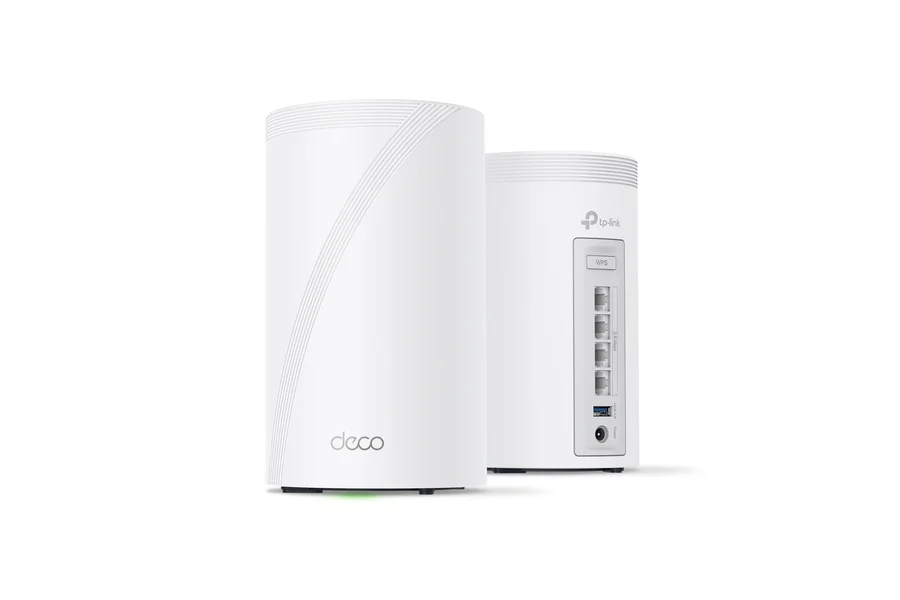
Key specs: BE10000 tri-band Wi-Fi 7, Multi-Link Operation, four auto-sensing 2.5 GbE ports per unit, up to 200 devices by TP-Link’s lab figure. Launch prices: $299.99, $549.99 and $799.99 for one, two and three units.
Four multi-gig ports per unit is generous. Wire the satellites together and still plug in a TV, console and PC without a switch.
The regulatory picture is the part to weigh. The Deco BE63 is an existing, FCC-authorized model, so it can still be sold and used. TP-Link’s request for Conditional Approval of new models was still pending in mid-November 2026, which affects its future US lineup, not the BE63 in your hallway.
HomeShield, TP-Link’s security suite, keeps its advanced features behind a paid plan.
Check the TP-Link Deco BE63 price on Amazon
Google Nest Wifi Pro: the best mesh Wi-Fi for Google homes
The Google Nest Wifi Pro is the best mesh system for homes built around Google Home. It is Wi-Fi 6E rather than Wi-Fi 7, covers up to 2,200 square feet per unit by Google’s figure, and doubles as a Thread border router for Matter devices.
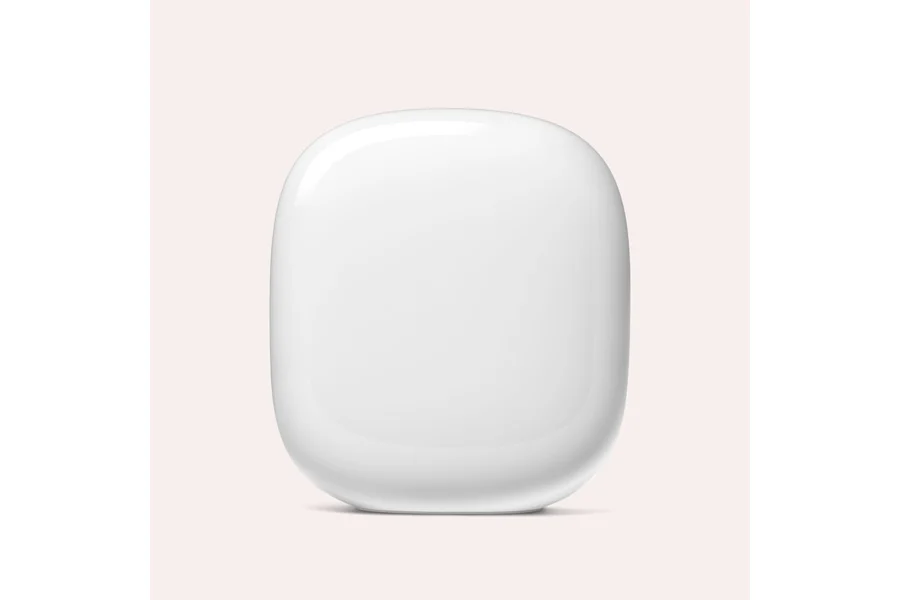
Key specs: tri-band Wi-Fi 6E (AXE5400), two 1 GbE ports per unit, Thread border router, managed in the Google Home app. Launch prices: $199.99, $299.99 and $399.99 for one, two and three units.
Google Home users get one app for the lights, the thermostat, the smart display in the kitchen and the Wi-Fi itself.
The ports are the weak spot. Two 1 GbE ports cap wired speeds at gigabit, and on the main unit one goes to your modem. Homes on a 2 Gbps plan should pick an eero or the ASUS.
Google has not released a Wi-Fi 7 router, and the Nest Wifi Pro cannot mesh with older Google Wifi or Nest Wifi units. For a gigabit plan in a mid-size home, it is still a tidy choice.
Check the Google Nest Wifi Pro price on Amazon
Wi-Fi 6, 6E and 7 explained in plain words
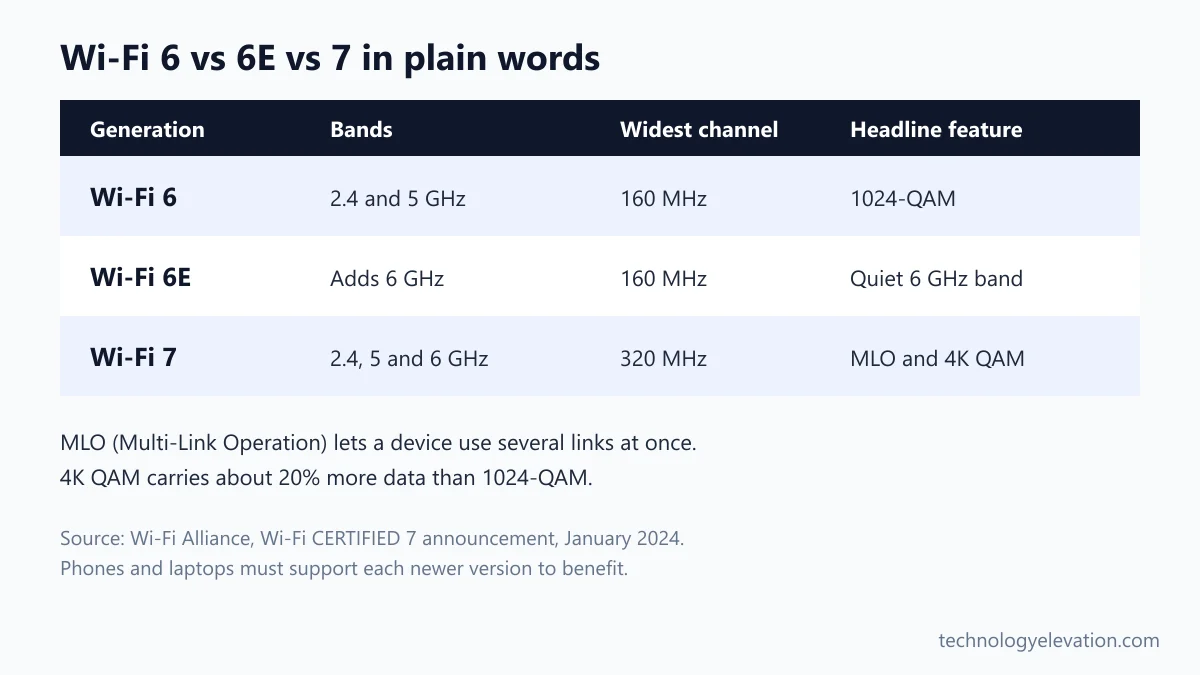
Wi-Fi 6 works on the 2.4 and 5 GHz bands, Wi-Fi 6E adds the less crowded 6 GHz band, and Wi-Fi 7 adds wider lanes and the ability to use several bands at once. Your phone and laptop must support each newer version to benefit.
Think of each band as a road. The 2.4 GHz road reaches far but is slow and crowded. The 5 GHz road is faster with shorter reach. The 6 GHz road is the emptiest, but walls stop it soonest.
The Wi-Fi Alliance lists the key Wi-Fi 7 features: 320 MHz channels that double the widest channel used before, Multi-Link Operation (MLO) that lets a device send and receive over several links at once, and 4K QAM, which packs data about 20% more densely than 1024 QAM. The Alliance began certifying Wi-Fi 7 gear in January 2024.
For a mesh system, MLO is the feature that matters day to day, because it makes connections steadier when one band gets busy. An older Wi-Fi 6 home network still works fine, but with Wi-Fi 7 kits starting at $349.99 for three units, new buyers should go straight to Wi-Fi 7.
Mesh Wi-Fi with Ethernet backhaul beats wireless every time
Mesh Wi-Fi with Ethernet backhaul is faster and steadier than wireless backhaul. Backhaul is the link between the mesh units. With a cable, that link gets full wired speed and leaves every wireless band free for your phones, TVs and laptops.
Without a cable, each satellite spends part of its radio time talking to the main unit. Tri-band kits have more room for that.
Some homes already have Ethernet jacks in a few rooms. Coax outlets work too, with MoCA adapters that carry network traffic over TV wiring.
Cat 6 cable handles 10 GbE over typical in-home runs, and Cat 5e is fine for 2.5 GbE. Gamers who want a cable straight to a console should also look at routers for PS5 that put gaming ports first.
Six steps to choosing a mesh router for your home
Choose a mesh router by home size first, then your internet speed, then the ports and the apps. Wi-Fi 7 is worth buying now because prices have dropped, but the right pack size and port speed matter more than the Wi-Fi version.
- Measure the home. Up to about 1,500 square feet, one or two units usually do. From 1,500 to 3,500 square feet, plan on two or three. Bigger homes, or homes with brick walls, need three or more.
- Check your internet plan. At 1 Gbps or below, 2.5 GbE ports are plenty. At 2 Gbps or more, buy units with 5 GbE or 10 GbE ports.
- Look for wired spots. Ethernet jacks or coax outlets in the right rooms let you use wired backhaul, which beats any wireless kit.
- Pick tri-band for big or busy homes. Dual-band is fine for apartments and small houses. Tri-band adds 6 GHz and more headroom.
- Match your smart home. eero suits Alexa homes, Nest Wifi Pro suits Google homes, and both can act as Thread border routers for Matter devices.
- Price the subscription. Decide whether you want parental controls and security extras, then add the yearly fee to the hardware cost.
For one dead room in a small apartment, a Wi-Fi extender costs less. Older desktop PCs that cannot see 6 GHz at all may need a new Wi-Fi adapter for gaming before any new router helps.
Mesh Wi-Fi subscriptions add up over a few years
Most mesh systems work fine without a subscription, but the extras cost real money. eero Plus is $9.99 a month or $99.99 a year, Netgear Armor starts at $99.99 a year, and TP-Link keeps advanced HomeShield features behind a paid plan.
eero Plus bundles threat and ad blocking, content filters, a VPN, activity history and priority support, and needs a Wi-Fi 6 or newer eero. Netgear Armor, powered by Bitdefender, covers device security and comes with a free trial.
Over five years, a $99.99 yearly plan adds about $500 to the system. ASUS says the BT10 parental controls need no monthly subscription.
A video doorbell and a dozen smart plugs are computers on your network too, and automatic firmware updates protect them whether you pay or not.
The 2026 FCC router rules protect routers you already own
The FCC’s 2026 router rules do not affect routers you already own. They block new foreign-made router models from FCC approval unless they hold a Conditional Approval, while existing authorized models can still be imported, sold and used.
The rule applies to every brand that builds routers abroad. By November 12, 2026, eero, Netgear and ASUS held Conditional Approval, along with several makers of internet provider equipment. TP-Link’s request was still pending.
Every pick on this list is an existing, authorized model. Keep automatic firmware updates on, whichever brand you choose.
Frequently asked questions about mesh Wi-Fi systems
What is the best mesh Wi-Fi system right now?
The eero Pro 7 is the best mesh Wi-Fi system for most homes. It offers tri-band Wi-Fi 7, two 5 GbE ports per unit and up to 2,000 square feet of coverage per unit by eero’s figures, at a launch price of $699.99 for three units.
Is Wi-Fi 7 mesh worth it in 2026?
Yes, for most buyers. Wi-Fi 7 kits have dropped sharply in price, and an eero 7 three-pack launched at $349.99. Your devices need Wi-Fi 7 support to use features like Multi-Link Operation.
Which is better, eero or Google Nest Wifi?
eero is the better choice for most homes because its current models support Wi-Fi 7 and faster Ethernet ports. The Google Nest Wifi Pro is Wi-Fi 6E with 1 GbE ports, but it suits homes already run through the Google Home app.
How many mesh units do I need for a large home?
Most homes over 4,000 square feet need three or more units. Netgear rates the Orbi 770 three-pack for up to 8,000 square feet, but walls and layout cut real coverage below the manufacturer’s claim.
What is Ethernet backhaul on a mesh system?
Ethernet backhaul means the mesh units connect to each other by cable instead of by radio. The link runs at full wired speed and leaves every Wi-Fi band free for your devices, so speeds stay higher at the far end of the house.
Do mesh Wi-Fi systems need a subscription?
No. Every system here works without one. Optional plans add security and parental controls, such as eero Plus at $9.99 a month or $99.99 a year and Netgear Armor from $99.99 a year.
Are TP-Link mesh routers banned in the US?
No. Existing TP-Link models the FCC already authorized, such as the Deco BE63, can still be sold and used. Under the March 2026 FCC rules, new foreign-made router models need Conditional Approval, and TP-Link’s request was still pending in November 2026.
Last checked and sources
Last checked on 15 November 2026 by Abdullah Kabeer. We compared the mesh Wi-Fi systems on sale in the US using manufacturers’ spec pages and launch announcements, checked each pick for recalls and safety notices, and reviewed current FCC actions on consumer routers.
- eero: eero 7 and Pro 7 announcement, eero Max 7 specs, eero Plus pricing
- Netgear: Orbi 770 page and launch release, Armor pricing
- ASUS: ZenWiFi BT10 release and US regulatory update, April 24, 2026
- TP-Link Deco BE63 and Google Nest Wifi Pro spec pages
- Wi-Fi Alliance, Wi-Fi CERTIFIED 7 announcement, January 8, 2024
- FCC, fact sheet on foreign-produced routers and the Covered List, March 23, 2026
- Light Reading, FCC Conditional Approvals report, November 12, 2026
We update this buying guide when mesh systems launch or are discontinued, and when US router rules change.
Technology Elevation is reader-supported. As an Amazon Associate, we earn from qualifying purchases. When you buy through links on this page, we may earn a small commission at no extra cost to you.


GIPHY App Key not set. Please check settings
One Comment