

 Haris Khan
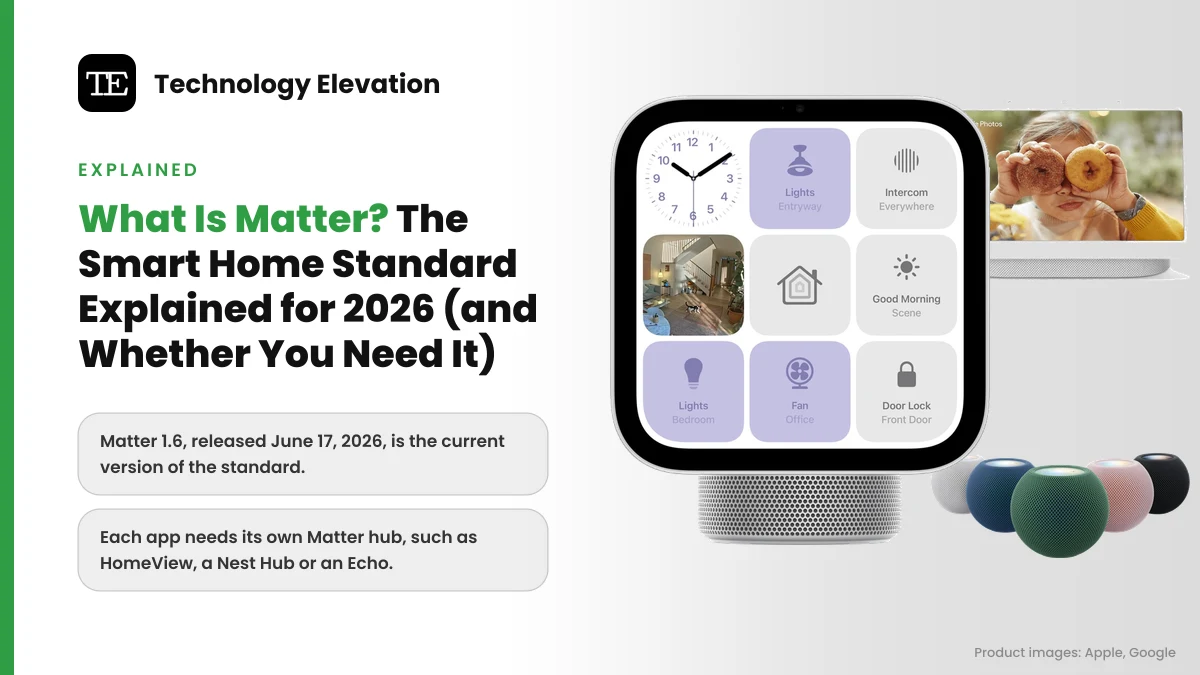
Pick up a smart plug or bulb box in a store today and you will often find a small Matter logo next to the usual Alexa and Google badges. That little logo is the reason a cheap plug from one brand can now show up in Apple Home, Google Home and Alexa at the same time.
So what is Matter in a smart home? Matter is a shared language for smart home gadgets. A Matter device does not care whether you own an iPhone, an Android phone or an Echo. You set it up once, and every major app can talk to it, usually without the cloud.
The standard comes from the Connectivity Standards Alliance (CSA), a group whose members include Amazon, Apple, Google and Samsung SmartThings. Matter 1.0 arrived on October 4, 2022, and the newest version, Matter 1.6, landed in June 2026.
Matter fixes a lot. It does not fix everything. Below is what it does, how Thread and Wi-Fi fit in, which hub you need, and the parts that still break when you mix brands.
Matter is one language that lets any major smart home app control your devices
Matter is an open smart home standard that lets devices from different brands work with Apple Home, Google Home, Amazon Alexa and Samsung SmartThings. You buy a device with the Matter logo, scan its code once, and it runs over your home network, mostly without the internet.
Before Matter, every gadget needed a “Works with” badge for each assistant. A lock might support Alexa and Google but not Apple. A sensor might need its own bridge and its own app. Matter replaces those one-off deals with one certified standard.
Three ideas sit underneath it:
- One setup code. Every Matter device has a QR code or numeric pairing code. Any Matter app can read it.
- Local control. Google says commands you give at home are sent directly to the device over your home Wi-Fi or Thread network, without going through the cloud.
- Multi-Admin. One device can be added to several apps at once, so the Android user and the iPhone user in the same house can both control the hall light.
Matter is not an app, and it is not a brand of hub. You never “open Matter”. You keep using Apple Home, Google Home or the Alexa app, and Matter quietly handles the conversation with the device.
Matter 1.6 is the current version, and it covers more than 30 device types
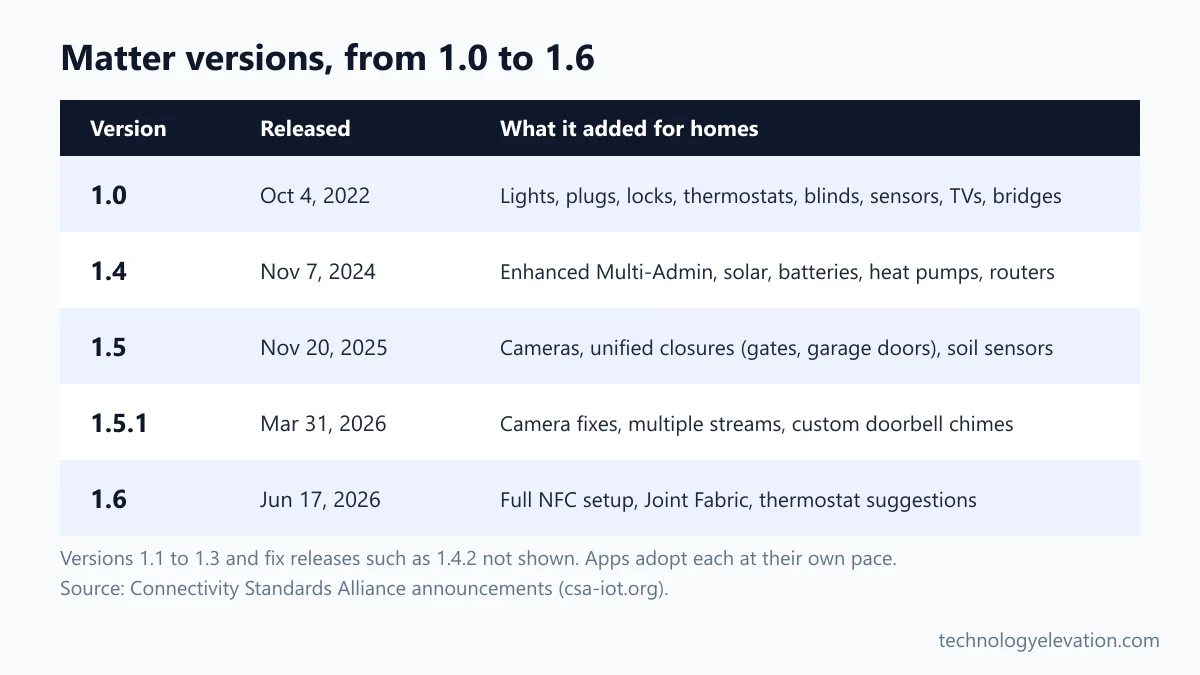
Matter 1.6 is the latest version, released by the CSA on June 17, 2026. The CSA says Matter now supports more than 30 device types, from lights, locks and thermostats to cameras, doorbells, energy gear and appliances. Version 1.6 improves setup and sharing rather than adding new device categories.
The CSA has shipped several updates since launch, with smaller fix releases in between. The ones that matter to a normal home:
- Matter 1.0 (October 4, 2022): lights and plugs, thermostats and other HVAC controls, blinds and shades, locks, safety and security sensors, TVs and other media devices, plus bridges that bring older Zigbee or Z-Wave gear in.
- Matter 1.4 (November 7, 2024): Enhanced Multi-Admin, which lets you agree once and have devices shared across ecosystems automatically. It also added solar, battery, heat pump and water heater device types, and let Wi-Fi routers be certified as Matter devices with a Thread border router built in.
- Matter 1.5 (November 20, 2025): cameras, with live video and audio over WebRTC, pan, tilt and zoom, and privacy zones. It also brought one unified system for shades, awnings, gates and garage doors, plus soil sensors for the garden.
- Matter 1.5.1 (March 31, 2026): camera fixes, multiple video streams at once, and doorbell chimes that can play a chosen sound.
- Matter 1.6 (June 17, 2026): full setup over NFC, so you can add a device by holding your phone to it; Joint Fabric, a new way for several apps to share one Matter network; smarter thermostat suggestions; and smoke and CO alarms that report when they have been taken off the ceiling.
One detail in the Matter 1.6 announcement is easy to miss. A thermostat can now ignore a suggestion from Google or Alexa if someone just changed the temperature by hand. Small thing. Anyone who has fought an app over the heating will appreciate it.
A new version number does not reach your home on release day, though. Your hub and your app have to update first, and every company moves at its own speed. More on that further down.
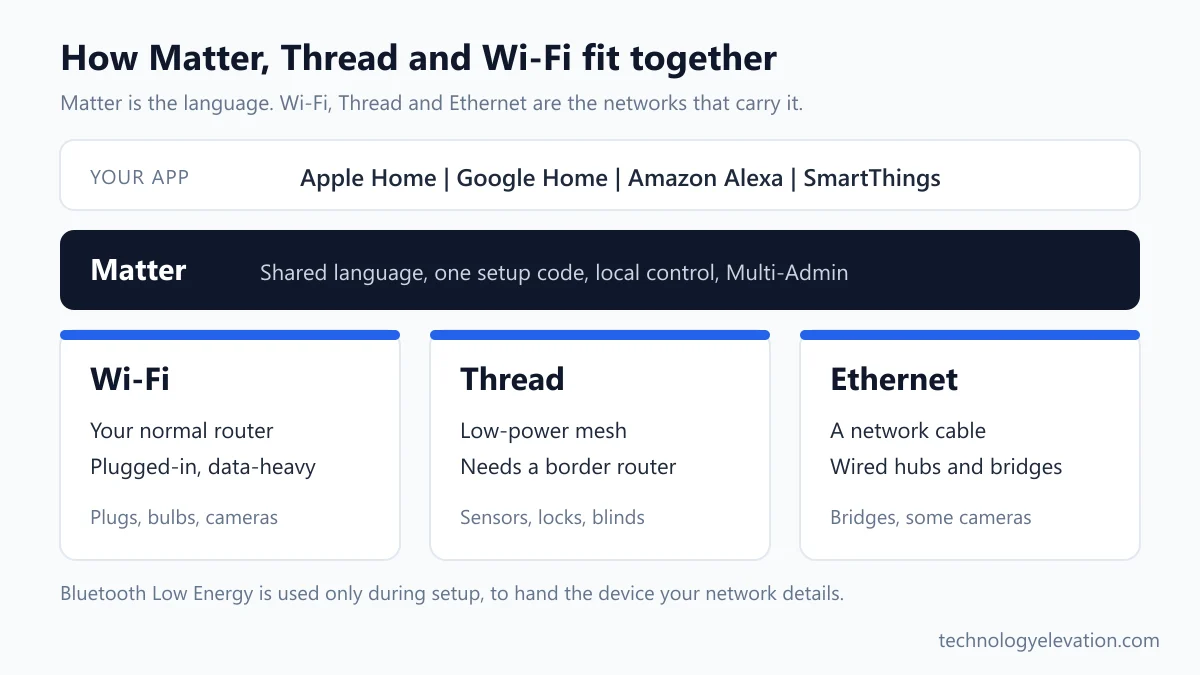
Matter, Thread and Wi-Fi do three different jobs
Matter is the language devices speak. Wi-Fi and Thread are the roads that carry it. Wi-Fi suits plugged-in devices that move lots of data, like cameras. Thread is a low-power mesh network built for battery devices such as sensors and locks. Ethernet works too.
The CSA built Matter to run over Ethernet, Wi-Fi and Thread, with Bluetooth Low Energy used only during setup to hand the device your network details. Most people only meet two of those.
Matter over Wi-Fi joins your normal router like a phone does. Smart plugs, bulbs, cameras and appliances usually go this way. The upside is that you need nothing extra. The catch is power: Wi-Fi radios are hungry, which is a problem for anything running on small batteries.
Matter over Thread uses a separate, very low-power radio network. The Thread Group describes it as an open, IPv6-based protocol built on the power-efficient IEEE 802.15.4 standard, calls it “the mesh network of choice for battery-operated and smaller IoT devices”. In a mesh, devices pass messages along for each other instead of all shouting at one router. The Thread Group counts more than 1,000 Thread certified products and components.
Thread has one hard rule. You need a Thread border router, a device that links the Thread network to your Wi-Fi. You probably own one already: most recent HomePods, Apple TVs, Nest Hubs and Echo Shows have one built in.
| Network | Best for | Extra hardware | Typical devices |
|---|---|---|---|
| Wi-Fi | Plugged-in, data-heavy devices | None, just your router | Plugs, bulbs, cameras, appliances |
| Thread | Battery and low-power devices | A Thread border router | Sensors, locks, blinds, bulbs |
| Ethernet | Wired hubs and bridges | A network cable | Bridges, hubs, some cameras |
Zigbee and Z-Wave, the older smart home radios, are not part of Matter. Bridges fill the gap. A Matter bridge presents the older devices behind it to your Matter app, and bridges have been part of Matter since version 1.0. Apple lists bridges as a supported Matter accessory type in its Home app.
You need a Matter hub from the app you plan to use
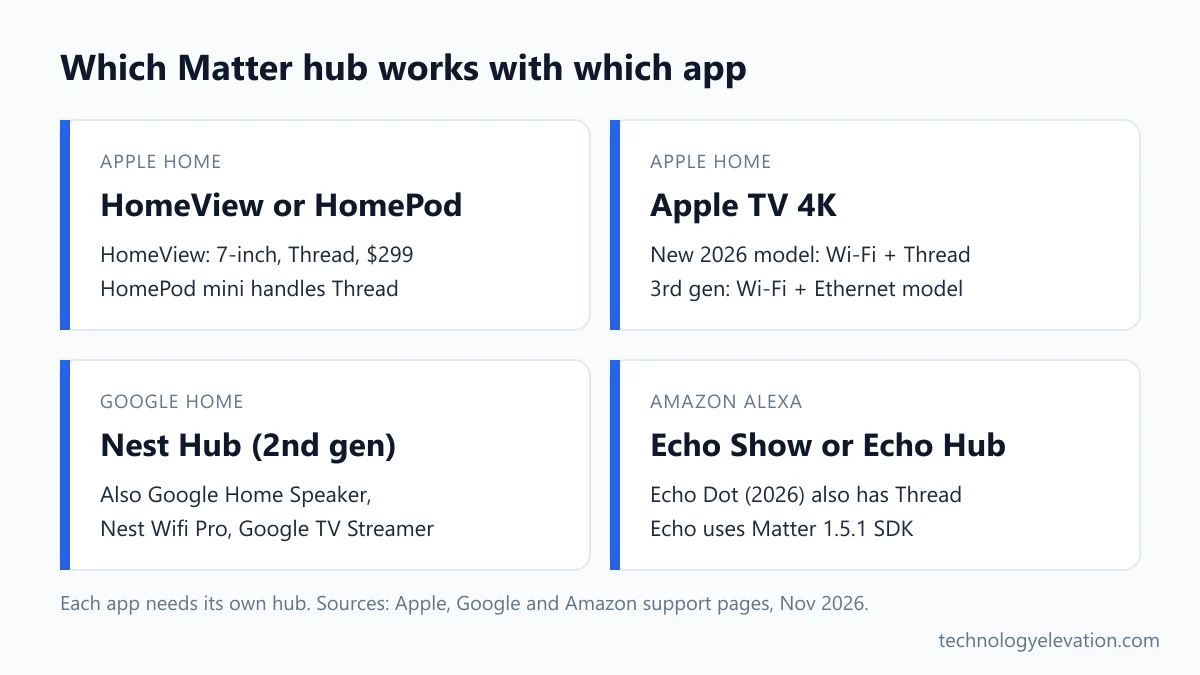
A Matter hub, also called a controller, is the device that runs your Matter home: it stays on, runs automations and gives you control when you are away. For Apple Home that is a HomePod, Apple TV or HomeView. Google uses Nest speakers and displays. Alexa uses Echo devices.
The good news is that most people already own one. A smart speaker or home assistant device bought in the last few years almost certainly counts. The table below shows which ones also handle Thread, according to each company’s own support pages.
| App | Matter hubs | Thread-enabled hubs |
|---|---|---|
| Apple Home | HomePod, HomePod mini, HomeView, Apple TV | HomePod mini, HomePod (2nd generation), HomeView, Apple TV 4K (3rd generation Wi-Fi + Ethernet and the new 2026 model) |
| Google Home | Google Home Speaker, Nest Audio, Nest Mini, Google Home Mini, Nest Hub (1st and 2nd gen), Nest Hub Max, Nest Wifi Pro, Google TV Streamer, select TVs | Google Home Speaker (2026), Nest Hub (2nd gen), Nest Hub Max, Nest Wifi Pro (Wi-Fi 6E), Google TV Streamer (4K) |
| Amazon Alexa | Most Echo, Echo Dot, Echo Show and Echo Studio models, Echo Hub, Echo Pop, Echo Flex and current eero routers | Echo (4th Gen), Echo Dot (2026), Echo Dot Max, Echo Hub, Echo Show 8 (3rd Gen, 2025 release), Echo Show 10 (3rd Gen), Echo Show 11, Echo Show 15 (2nd Gen), Echo Show 21, Echo Studio, and others |
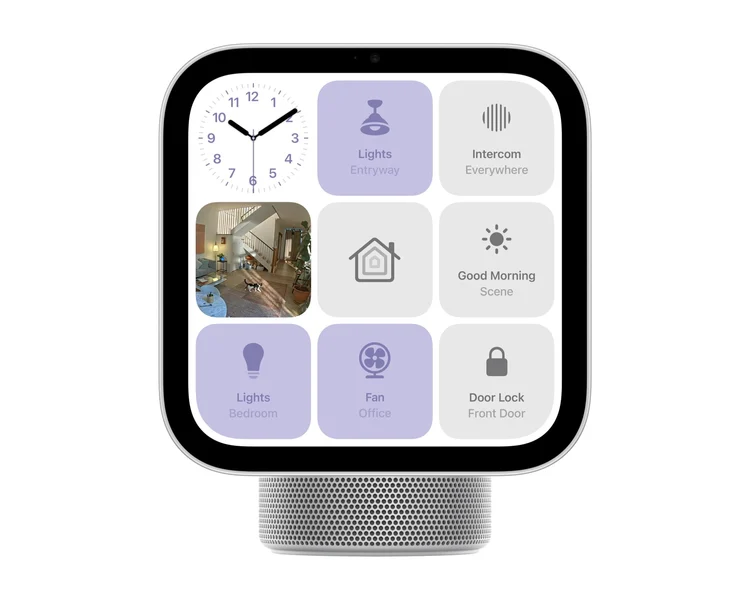
Apple’s newest hub is HomeView, its first smart home display. Apple announced it on October 13, 2026, with a 7-inch screen and the A18 chip, at $299 in the US, and it went on sale on November 13. Its spec sheet lists Thread, and Apple’s support page says HomeView automatically becomes a home hub when you set it up. The new Apple TV 4K, also $299, has Wi-Fi and Thread built in.
Why does the hub matter so much? Apple says a home hub is what lets you control accessories remotely, share access with others and run automations. Skip the hub and you lose all three.
Google’s setup page lists a Matter-enabled hub as a requirement, plus IPv6 switched on in your router. Google warns that without IPv6, setup can seem to succeed and then control fails later. If Matter devices drop off a Google home, check the router settings before blaming the bulb, or consider a mesh Wi-Fi system that handles IPv6 properly.
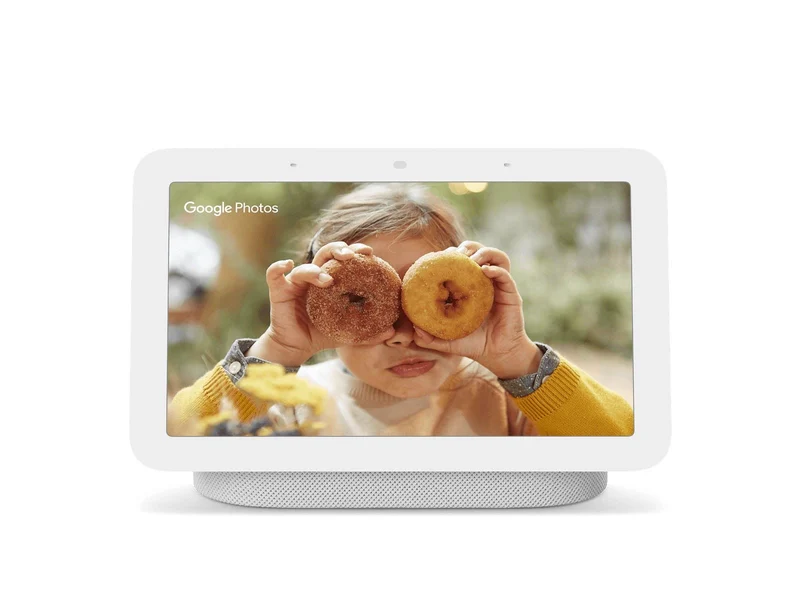
A screen-based hub is the comfortable middle ground for most homes. A smart display like a Nest Hub (2nd gen) or Echo Show 8 works as a Matter hub and a Thread border router, and gives you a touch panel for the lights in the kitchen.
Adding a Matter device takes one code scan in Apple Home or Google Home
To add a Matter device, power it on, put it in pairing mode, then scan its QR code in your app. In Apple Home, tap Add, then Add Accessory. In Google Home, tap Add Device and scan the code. The app finds the device and asks you to name it.
Apple’s steps, from its current support page:
- Update your iPhone or iPad to the latest software.
- Open the Home app and tap the Add button.
- Tap Add Accessory.
- Scan the code, or hold your iPhone near the accessory, and follow the onscreen instructions.
- If the accessory was already paired to another app, tap More options, then select it.
Google’s version is just as short. Make sure the device is in pairing mode, open the Google Home app, tap Add Device at the top right and scan the QR code. If the code will not scan, tap Add a different way and search for the brand. Google needs Android 8.1 or later, or iOS 16.5 or later, with Bluetooth Low Energy 4.2 on the phone.
Keep the code. Stick a photo of it in your notes app, or tape the little card inside a kitchen drawer. Google’s steps for moving a Matter device to a different home start with a factory reset and end with scanning that same QR code again.
Multi-Admin lets one Matter device join Apple, Google and Alexa at once
Multi-Admin is the Matter feature that lets one device sit in several apps at the same time. You set it up in one app, then share it to another with a temporary pairing code. Each app then controls the device directly, and changes show up in both.
Google’s support page spells out the sharing steps:
- Open the Google Home app and tap Home, then All devices.
- Touch and hold the device’s tile, then tap Settings.
- Tap Linked Matter apps & services, then Link apps & services.
- Pick the other app from the list, or tap Use pairing code to make a temporary code.
- Open the other app, add a new device, and enter the code or scan the QR code.
Apple’s Home app works from the other side. When you add an accessory and tap More options, it lists Matter devices that are already paired to another app on your iPhone. Your iPhone also keeps a list of every Matter accessory you have paired, in Settings, General, Matter Accessories, synced with iCloud Keychain.
Each app still needs its own hub. Google is clear on this: you need one Matter hub for each Matter app you want to control a device from. So a lock shared between Google Home and Alexa needs a Nest hub and an Echo in the house.
Mixed homes are where this pays off. If one partner has an iPhone and the other uses Alexa for everything, a Matter smart light switch or a set of Matter smart lights ends the argument about whose app runs the house.
Cameras, extra features and routines still do not work the same everywhere
Matter guarantees the basics, but each app supports its own set of device types and updates at its own pace. Cameras are the biggest gap: Apple and Amazon do not list Matter cameras as supported yet. Brand extras and routines also stay inside each app.
Google says it plainly on its setup page: all Matter platforms “update to support different Matter-enabled device types and categories at different times.” Here is what that looks like right now.
- Apple Home lists air conditioners, bridges, lights, locks, outlets, switches, thermostats, blinds and shades, and motion, light, contact, temperature and humidity sensors on its Matter support page. Its Home app page adds Matter robot vacuums. Cameras are not on the list.
- Amazon Alexa says its Echo devices use the Matter 1.5.1 software kit but support only “a subset of device types” from it. Its categories cover lights, plugs, buttons, sensors, locks, blinds, thermostats, fans, air purifiers, air conditioners, dishwashers and robot vacuums. Cameras are not among them.
- Feature depth varies. Apple’s Siri can send a robot vacuum to a specific room only if the vacuum supports Matter 1.4. An older Matter vacuum still works, just with fewer tricks.
Brand extras are the other gap. Matter defines a shared set of controls for each device type: on, off, brightness, colour, lock, unlock, temperature. Anything beyond that set stays in the maker’s own app, which is why Apple and Google both point you to the manufacturer’s instructions for some steps.
Cameras deserve their own warning. Matter 1.5 added camera support in November 2025, but until your app lists Matter cameras, a camera’s best features still depend on its own ecosystem. If you live in Google Home, pick from Google Home compatible security cameras rather than betting on Matter camera support arriving soon.
Routines do not travel either. Multi-Admin shares the device, not your setup. A “good night” scene you build in Apple Home will not appear in Alexa, and you will set the room and name again in each app.
Thread networks used to be another headache, with each brand building its own. The Thread Group says Thread 1.4 unlocks credential sharing, which lets border routers from different makers join one network. Support is arriving brand by brand, so a mixed Thread home can still behave like two separate networks for now.
Matter is worth it when you buy new devices, not a reason to replace old ones
You do not need to replace working smart home gear to get Matter. Keep what works, and choose Matter-certified devices when you buy something new. They will work with whichever app you use today, and with the next one if you switch phones or assistants.
Go Matter first in these cases:
- Your household mixes iPhone and Android, or Alexa and Siri.
- You want sensors, locks or blinds that run on batteries for a long time (choose Matter over Thread).
- You want lights and switches that keep responding at home when the internet drops.
- You might change ecosystems in the next few years.
Stick with what you have if your Zigbee or Hue setup already runs smoothly in one app. A bridge can bring it into Matter later. Cameras and video doorbells are the one place to stay brand-first for now. A video doorbell that works well with your current app beats a Matter one your app cannot fully use yet.
Before buying, check three things on the box or listing: the Matter logo, whether it runs over Thread or Wi-Fi, and that you have a hub for your app. If you need a hub with a screen, the picks in the best smart display roundup all work as Matter hubs.
Frequently asked questions about Matter
What is Matter in a smart home?
Matter is an open smart home standard from the Connectivity Standards Alliance. It lets devices from different brands work with Apple Home, Google Home, Amazon Alexa and SmartThings, using one setup code and mostly local control over your home network.
What is the latest version of Matter?
Matter 1.6 is the latest version, released on June 17, 2026. It adds full setup over NFC, a new sharing method called Joint Fabric and smarter thermostat suggestions. Matter 1.5 in November 2025 added cameras.
Do I need a hub for Matter?
Yes, for a full setup. Google Home requires a Matter hub such as a Nest speaker or display, and Apple says a home hub is needed for remote control and automations. Thread devices also need a Thread border router, which most recent hubs include.
What is the difference between Matter and Thread?
Matter is the language smart devices speak, and Thread is one of the networks that carries it. Thread is a low-power mesh network for battery devices like sensors and locks. Matter can also run over Wi-Fi and Ethernet.
Does Matter work without the internet?
Mostly yes. Google says Matter commands given at home go straight to the device over Wi-Fi or Thread without the cloud. Control from outside the house still needs the internet, because the request travels through the cloud to your hub.
Can one Matter device work with Alexa and Apple Home at the same time?
Yes. Matter Multi-Admin lets one device be added to several apps at once. You set it up in one app, share it with a temporary pairing code, and each app needs its own hub in the home.
Is Apple HomeView a Matter hub?
Yes. Apple says HomeView automatically becomes a home hub when you set it up, and its spec sheet lists Thread. Apple launched it on November 13, 2026, at $299 in the US.
Do Matter cameras work with every app?
Not yet. Matter 1.5 added cameras in November 2025, but Apple Home and Amazon Alexa do not list cameras among their supported Matter device types. For now, choose a camera that works with your app directly.
Last checked and sources
Last checked on 15 November 2026 by Haris Khan. We read the CSA’s release announcements for every Matter version and checked each hub list, menu name and setup step against Apple, Google and Amazon’s own support and developer pages.
- Connectivity Standards Alliance: Matter 1.0, 1.4, 1.5, 1.5.1 and 1.6 announcements, and the Matter solutions page (csa-iot.org)
- Thread Group: Thread overview and the 1,000 certified products announcement (threadgroup.org)
- Apple Support: “Pair and manage your Matter accessories” and “Set up your HomePod, HomePod mini, Apple HomeView, or Apple TV as a home hub”
- Apple Newsroom: HomeView and Apple TV 4K announcements, October 13, 2026, and the HomeView technical specifications
- Google Home Help: “Prepare your smart home for Matter” and “Set up, manage, and control Matter-enabled devices with Google Home”
- Amazon Alexa developer documentation: “Connect Your Device to Alexa with Matter”, last modified November 13, 2026
We update this explainer when the CSA releases a new Matter version or when Apple, Google or Amazon change their hub lists.


GIPHY App Key not set. Please check settings