

 Abdullah Kabeer
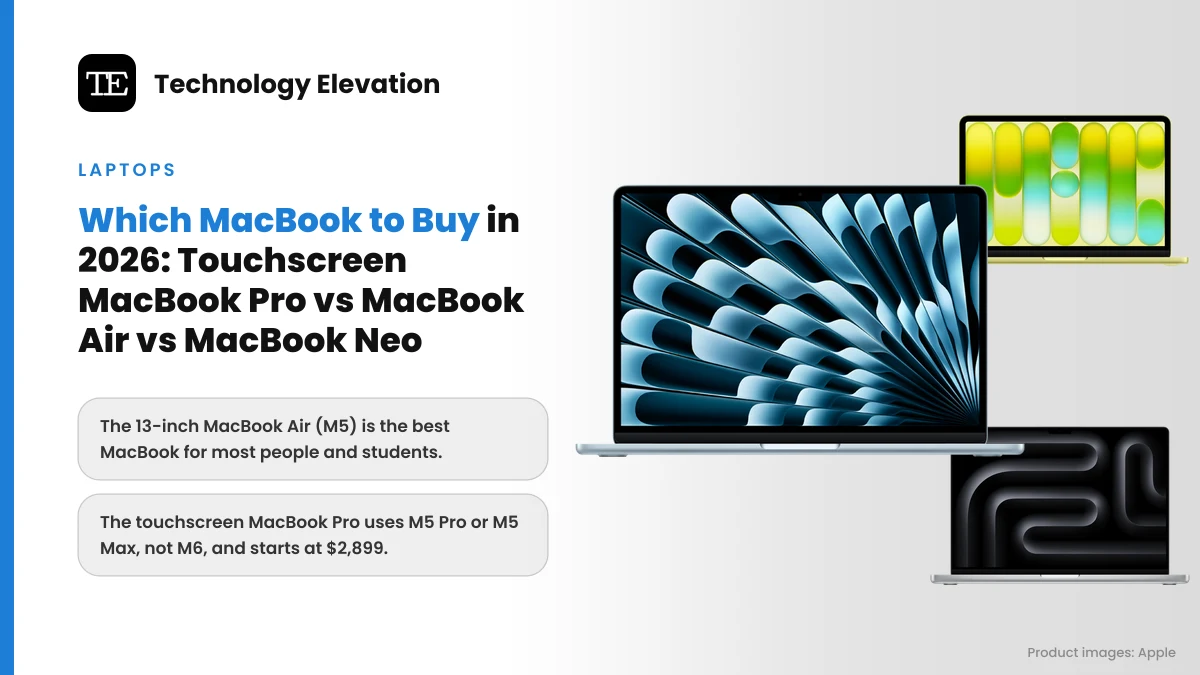
Walk into an Apple Store this month and the laptop table looks crowded. Bright blush and citrus MacBook Neos sit at one end, sky blue MacBook Airs in the middle, and at the far end a MacBook Pro that people keep poking with a finger, because for the first time in Mac history the screen pokes back. Working out which MacBook to buy in 2026 has never involved this many real choices.
The headline launch is the MacBook Pro with PROLED XDR Display, Apple’s first touchscreen Mac. Apple announced it on October 28, 2026, and it went on sale on November 6 in 14-inch and 16-inch sizes, starting at $2,899.
One detail trips up a lot of buyers. The touchscreen models do not use the new M6 chip. They run the M5 Pro and M5 Max. The M6 went into a different laptop: a regular, non-touch 14-inch MacBook Pro that starts at $1,999.
So the 2026 lineup has four families: MacBook Neo, MacBook Air, MacBook Pro with the familiar mini-LED screen, and MacBook Pro with the new touch OLED screen. We compared every model on Apple’s spec sheets and price lists, and read the first independent reviews, to match each one to a type of buyer.
The best MacBook for most people is the 13-inch MacBook Air (M5)
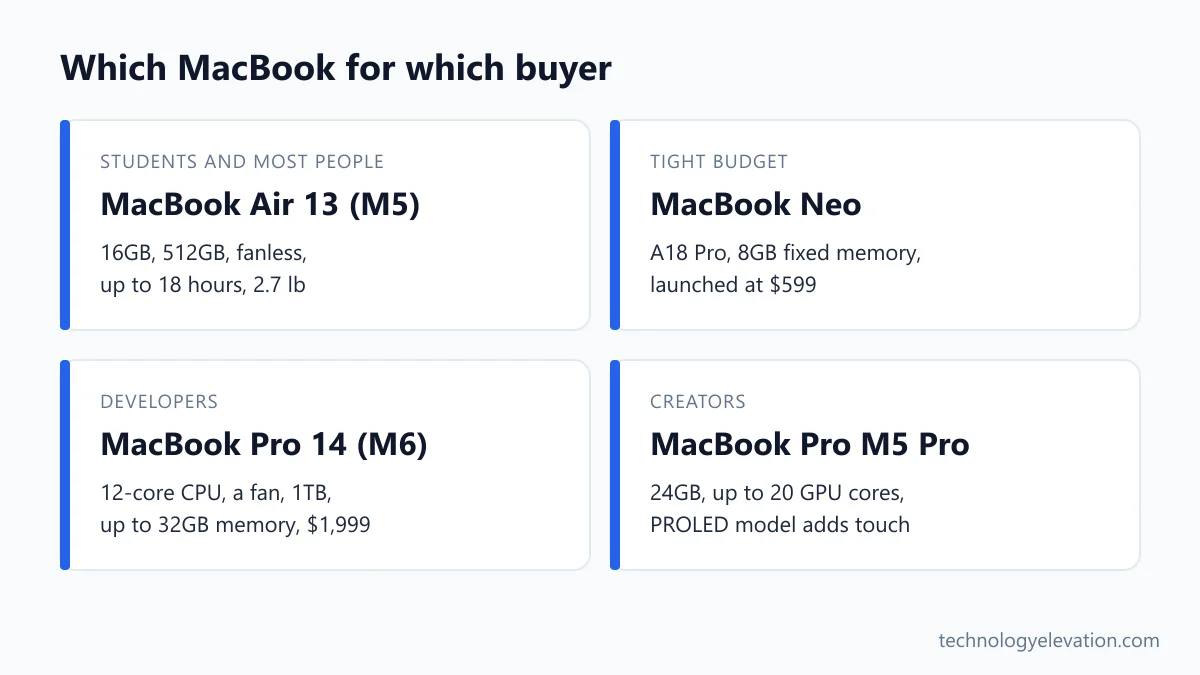
The 13-inch MacBook Air with M5 is the best MacBook for most people. It pairs a 10-core M5 chip with 16GB of memory, 512GB of storage, a silent fanless design and up to 18 hours of battery life, for an Apple list price of $1,299.
Every pick, by the buyer it suits best:
- Best overall and best for students: MacBook Air 13-inch (M5)
- Best on a budget: MacBook Neo
- Best big screen without Pro pricing: MacBook Air 15-inch (M5)
- Best for developers: 14-inch MacBook Pro (M6)
- Best for creators: MacBook Pro with M5 Pro (Liquid Retina XDR)
- Best touchscreen MacBook: MacBook Pro with PROLED XDR Display
| Model | Chip | Screen | Base memory and storage | Weight | Battery (Apple) | Price |
|---|---|---|---|---|---|---|
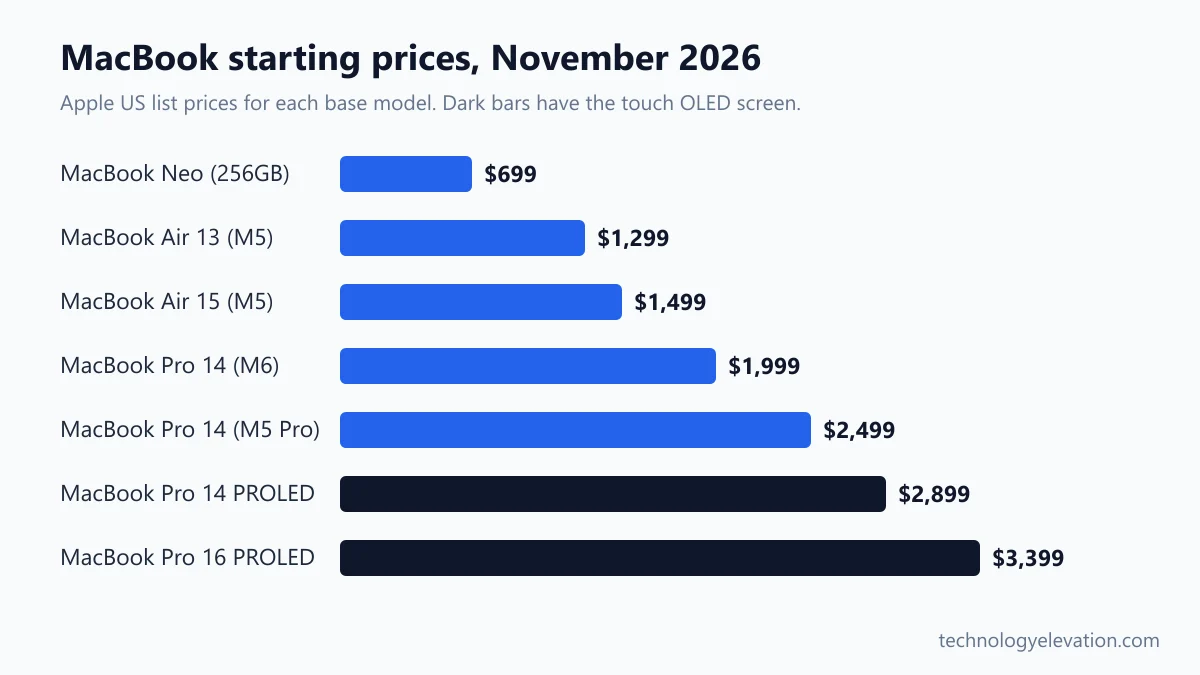
| MacBook Neo | A18 Pro | 13 in | 8GB, 256GB | 2.7 lb | Up to 16 hrs | $599 launch, $699 list now |
| MacBook Air 13 (M5) | M5 | 13.6 in | 16GB, 512GB | 2.7 lb | Up to 18 hrs | $1,099 launch, $1,299 list now |
| MacBook Air 15 (M5) | M5 | 15.3 in | 16GB, 512GB | 3.3 lb | Up to 18 hrs | $1,299 launch, $1,499 list now |
| MacBook Pro 14 (M6) | M6 | 14.2 in mini-LED | 16GB, 1TB | 3.4 lb | Up to 24 hrs | $1,999 launch |
| MacBook Pro 14 (M5 Pro) | M5 Pro | 14.2 in mini-LED | 24GB, 1TB | 3.5 lb | Up to 22 hrs | $2,499 list |
| MacBook Pro 14 PROLED XDR | M5 Pro | 14.2 in OLED, touch | 24GB, 1TB | 3.0 lb | Up to 22 hrs | $2,899 launch |
| MacBook Pro 16 PROLED XDR | M5 Pro | 16.3 in OLED, touch | 24GB, 1TB | 4.0 lb | Up to 24 hrs | $3,399 launch |
Apple raised most Mac prices on June 25, 2026, blaming a sharp jump in memory chip costs. That is why the Neo and Air show two numbers: what they cost at launch in March, and what Apple charges now. Retail sales often land somewhere between the two.
MacBook Air 13-inch (M5): the best MacBook for students and most people
The 13-inch MacBook Air (M5) is the right MacBook for students and most home users. It has twice the memory of the MacBook Neo, a faster M5 chip, Thunderbolt ports and two external display outputs, and it still weighs only 2.7 pounds.
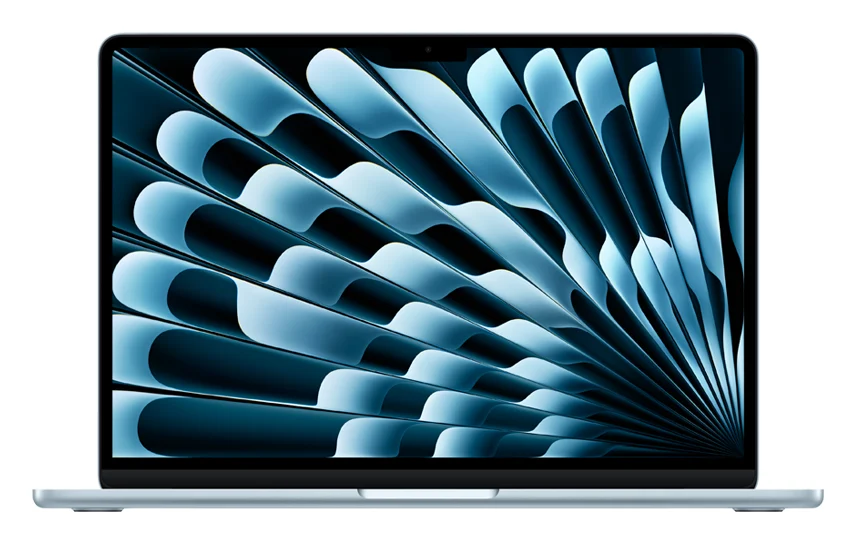
Key specs: M5 chip with a 10-core CPU and 8-core GPU (10-core GPU option), 16GB unified memory configurable to 32GB, 512GB SSD configurable to 4TB, 13.6-inch 2560 x 1664 display at 500 nits, two Thunderbolt 4 ports plus MagSafe, Wi-Fi 7, 12MP Center Stage camera. Launched March 11, 2026, at $1,099. Apple list price now $1,299.
The Air is the safe answer because it has no obvious weak spot for normal work. Lecture notes, a dozen browser tabs, Zoom, Spotify and a photo edit all at once is exactly the load 16GB was made for.
Apple doubled the base storage this year, from 256GB to 512GB. That sounds dull until you remember how fast a phone backup, a semester of slide decks and a few downloaded films fill a small drive.
No fan means no noise. In a silent library or a lecture hall at 8 a.m., that is worth more than any benchmark.
The catch is ports. You get two Thunderbolt 4 ports and MagSafe, and that is it. Most students end up adding one of the small USB-C hubs and docking stations for a USB-A stick or an HDMI cable in a classroom. A fanless chip also slows down under long, heavy loads such as a 20-minute video export, which is where the Pro models earn their keep.
Buy the MacBook Air 13-inch (M5) now on Amazon
MacBook Neo: the best MacBook on a budget
The MacBook Neo is the best MacBook on a budget. Apple’s cheapest laptop ever runs on the A18 Pro chip from the iPhone 16 Pro, weighs 2.7 pounds, lasts up to 16 hours and comes in four bright colors. Its fixed 8GB of memory is the trade-off.
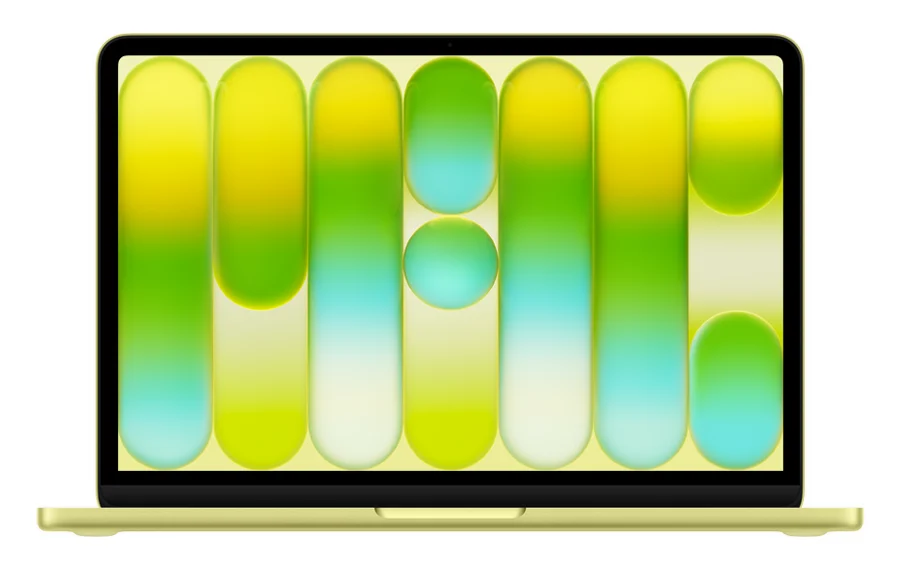
Key specs: A18 Pro with a 6-core CPU and 5-core GPU, 8GB unified memory (not upgradeable), 256GB or 512GB SSD, 13-inch 2408 x 1506 display at 500 nits, one USB 3 and one USB 2 USB-C port, headphone jack, Wi-Fi 6E, 1080p camera. Touch ID only on the 512GB model. Launched March 11, 2026, at $599. Apple list prices now: $699 (256GB) and $799 (512GB).
The Neo is for people who need a real Mac for email, schoolwork, streaming and web apps, and nothing more. Parents buying a first laptop for a teenager are the obvious audience. So is anyone replacing an old Chromebook who wants iMessage and AirDrop to just work with their iPhone.
Apple cut real corners to hit the price, and you should know them before you pay. The keyboard has no backlight, which reviewers flag as the biggest miss for late-night typing. The right-hand port is USB 2, so it charges and handles a mouse but transfers files slowly. Only the left port drives an external monitor.
Touch ID is another quiet split. The 256GB model has a plain lock key where the fingerprint reader would sit. If you want to unlock with a finger and pay with Apple Pay, buy the 512GB version.
Then there is memory. Eight gigabytes is fine today for browsing and documents, but you can never add more. If the laptop needs to last four years of college or handle any video editing, the Air is the smarter buy. Families comparing the Neo with laptops for college students under $500 or a Chromebook for students will find the Neo costs more but feels far more polished.
Buy the MacBook Neo now on Amazon
MacBook Air 15-inch (M5): the best big screen without Pro pricing
The 15-inch MacBook Air (M5) is the best choice if you want a big screen without paying for a MacBook Pro. It has the same M5 chip and 16GB of memory as the 13-inch, a roomier 15.3-inch display and the full 10-core GPU as standard, at 3.3 pounds.
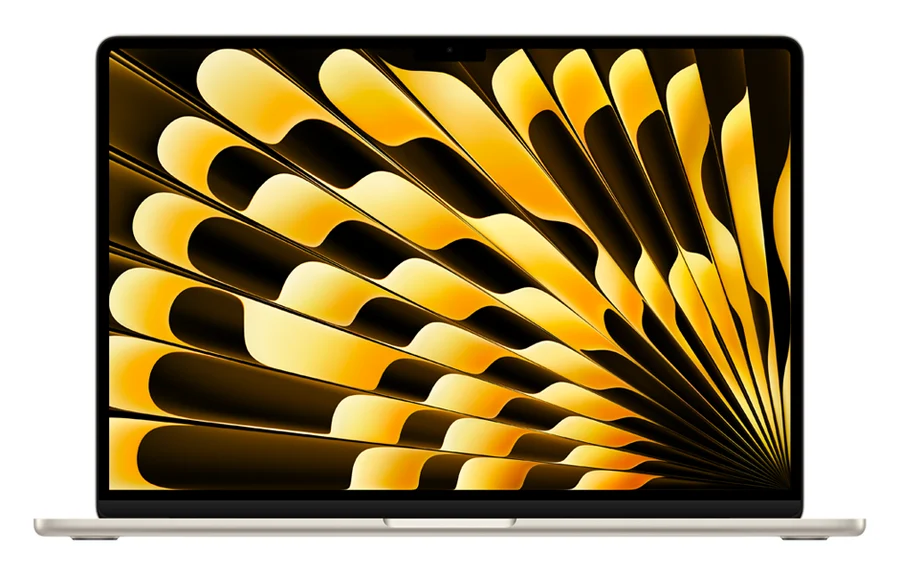
Key specs: M5 with 10-core CPU and 10-core GPU, 16GB unified memory configurable to 32GB, 512GB SSD, 15.3-inch 2880 x 1864 display at 500 nits, two Thunderbolt 4 ports plus MagSafe, up to 18 hours of battery life, fanless. Launched March 11, 2026, at $1,299. Apple list price now $1,499.
Big-screen Airs suit people who work at a kitchen table more than on a train. Spreadsheets with 30 columns, two documents side by side, or a long timeline in a video app all feel less cramped at 15 inches.
Every 15-inch model gets the 10-core GPU that costs extra on the 13-inch. If you were going to pay for the faster graphics anyway, the step up to the bigger screen costs less than the $200 gap in base prices suggests.
The downside is portability. At 3.3 pounds, it fills a backpack and hangs over a small airline tray table. For daily commuting, the 13-inch is easier to live with.
Buy the MacBook Air 15-inch (M5) now on Amazon
14-inch MacBook Pro (M6): the best MacBook for developers
The 14-inch MacBook Pro with M6 is the best MacBook for developers and anyone who needs Pro features without M5 Pro pricing. It adds a fan, a brighter mini-LED XDR screen, HDMI, an SD card slot and up to 24 hours of battery life.
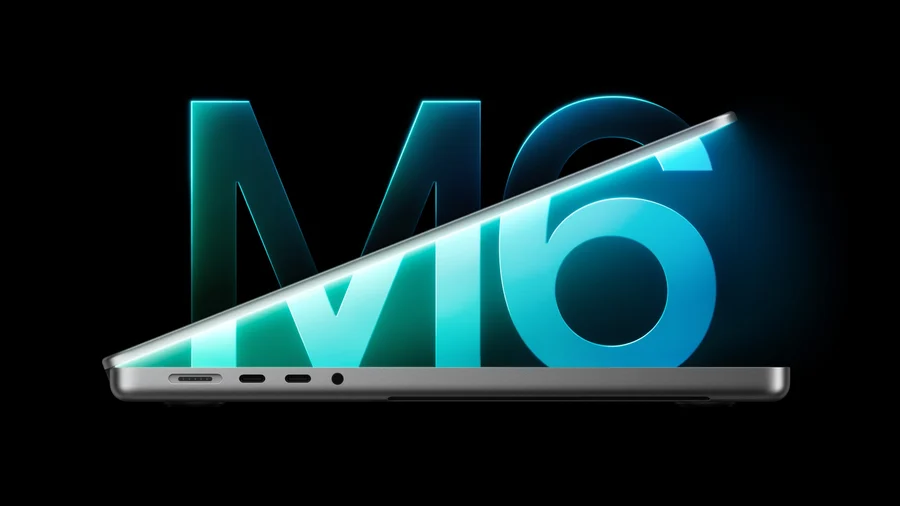
Key specs: M6 chip with a 12-core CPU and 12-core GPU, 16GB unified memory configurable to 24GB or 32GB, 1TB SSD configurable to 4TB, 14.2-inch Liquid Retina XDR at 1,000 nits sustained and 1,600 nits peak HDR, three Thunderbolt 4 ports, HDMI, SDXC slot, MagSafe 3, Wi-Fi 7, 3.4 pounds. Launched November 6, 2026, at $1,999 ($1,899 with education pricing).
Apple says the M6 builds Xcode projects up to 1.3 times faster than the M5 and gets two extra CPU cores. Reviewers report a smaller but real jump of roughly 10 to 15% in everyday CPU work. For compile-test-repeat loops, that adds up over a working day.
The fan matters more than the chip for coding. A long build or a test suite that runs for ten minutes keeps full speed on a Pro, where the fanless Air slows down to stay cool. You also get three Thunderbolt ports, which makes a two-monitor desk setup easy.
Pay attention to memory. The base model ships with 16GB, which is enough for web development and most apps. If you run Docker containers, Android emulators or local AI models, the 24GB or 32GB upgrade is money well spent. People choosing between this and Windows laptops for Python programming will find macOS handles Python, Node and Homebrew tools natively.
The honest catch: if you already own an M5 MacBook Pro, the M6 is not a must-have. The screen, design and weight are unchanged.
Buy the 14-inch MacBook Pro (M6) now on Amazon
MacBook Pro with M5 Pro (Liquid Retina XDR): the best MacBook for creators
The MacBook Pro with M5 Pro and the standard Liquid Retina XDR screen is the best MacBook for video editors, photographers and music producers. It starts with 24GB of memory, a much bigger GPU than the M6 and support for up to three external displays.
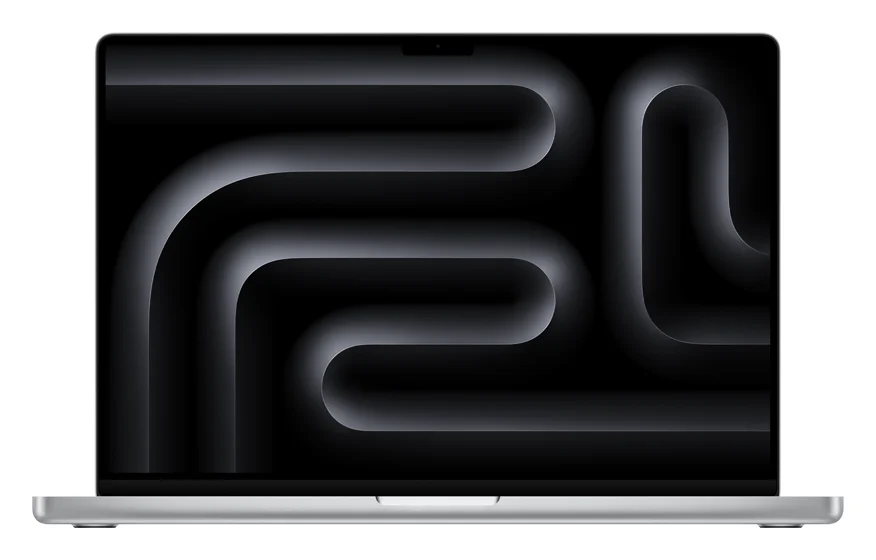
Key specs: 14-inch: M5 Pro with 15-core CPU and 16-core GPU, 24GB unified memory, 1TB SSD, up to 22 hours of battery life, 3.5 pounds, Apple list price $2,499. 16-inch: M5 Pro with 18-core CPU and 20-core GPU, 24GB, 1TB, up to 24 hours, 4.7 pounds, Apple list price $2,999. M5 Max versions start at $4,099 (14-inch) and $4,399 (16-inch). On sale since March 11, 2026.
Creators should look at the GPU core count before the CPU. The base M6 has 12 GPU cores. The 16-inch M5 Pro has 20, and the M5 Max goes up to 40. Video exports, color grading and 3D renders scale almost directly with that number.
Memory headroom matters just as much. A 4K multicam edit or a big Lightroom catalog eats memory fast, and the M5 Max can be configured with up to 128GB.
Why not the new OLED model? For most creators, the mini-LED screen is already excellent, and the same chip costs $400 less here. Put that money toward a calibrated monitor for photo editing or a bigger SSD and you get more out of your workflow.
Pick the 16-inch if you edit for hours at a desk. The bigger chassis gets the 18-core CPU on its base M5 Pro, plus a longer rated battery life. Pick the 14-inch if you shoot on location and carry the laptop all day.
Buy the MacBook Pro (M5 Pro) now on Amazon
MacBook Pro with PROLED XDR Display: the best touchscreen MacBook
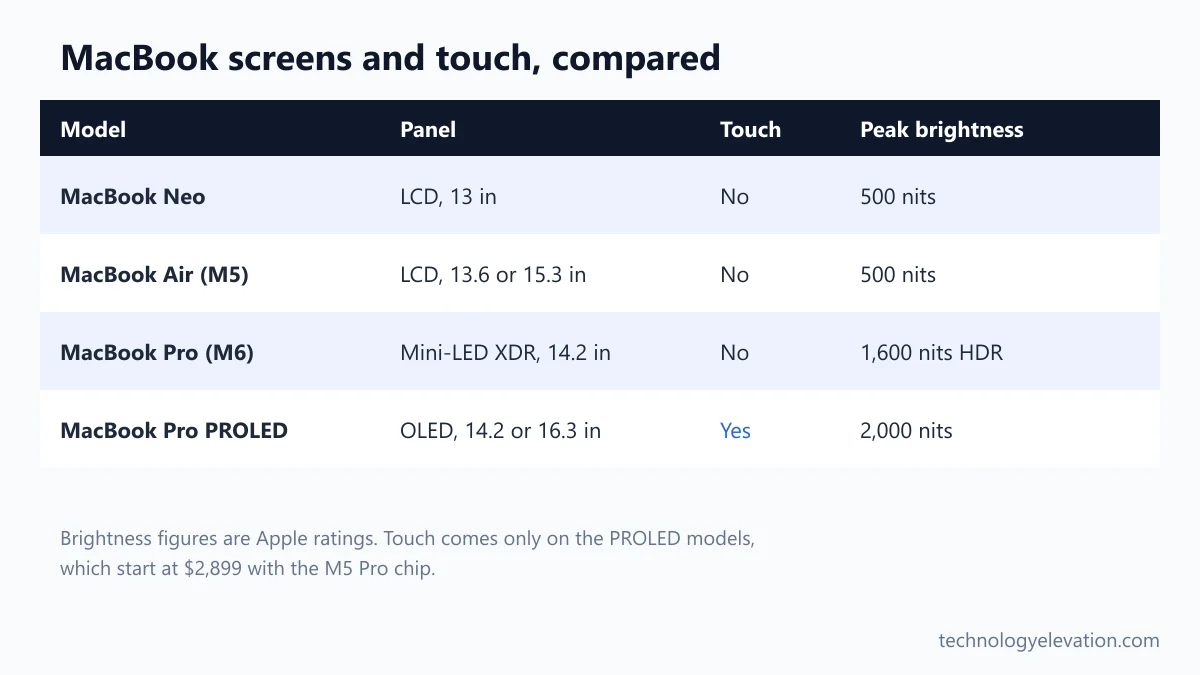
The MacBook Pro with PROLED XDR Display is the best MacBook for anyone who wants touch and the best laptop screen Apple has made. Its tandem OLED panel hits 2,000 nits, and the 14-inch model weighs just 3 pounds. You pay a $400 premium for it.
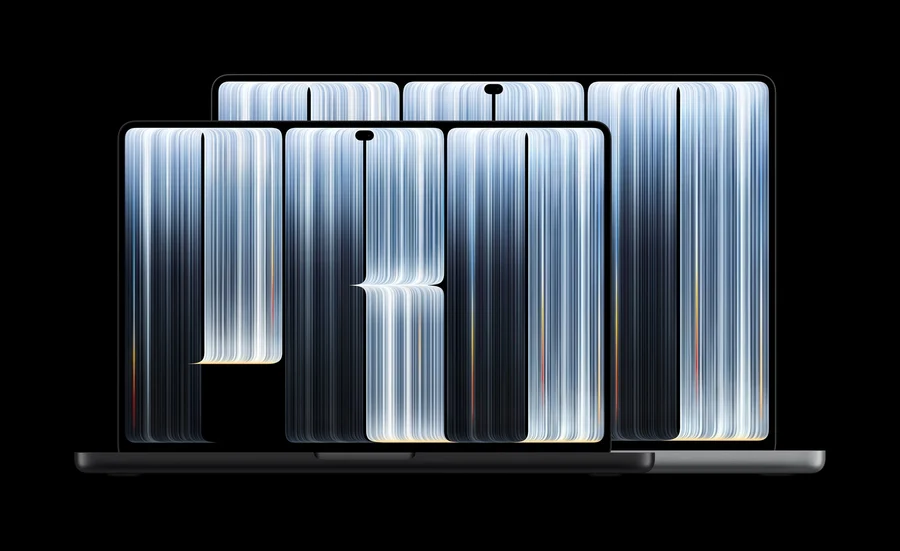
Key specs: M5 Pro or M5 Max, 24GB to 128GB unified memory, 1TB to 16TB SSD, 14.2-inch or 16.3-inch tandem OLED with touch, up to 2,000 nits peak HDR and SDR, 10,000,000:1 contrast, 120Hz ProMotion, Dynamic Island, three Thunderbolt 5 ports, HDMI, SDXC, MagSafe, Wi-Fi 7. Weight: 3.0 pounds (14-inch) and 4.0 pounds (16-inch). Launched November 6, 2026, from $2,899 (14-inch M5 Pro), $3,399 (16-inch M5 Pro), $4,499 (14-inch M5 Max) and $4,799 (16-inch M5 Max).
The display is the reason to buy. OLED means each pixel lights itself, so black areas are truly black and HDR video looks like it was mastered to be seen. Reviewers have called it the best laptop screen they have seen, and it covers both the P3 and Adobe RGB color spaces that photographers and print designers work in.
The weight drop is the sleeper feature. Apple shaved half a pound off the 14-inch and 0.7 pounds off the 16-inch compared with the mini-LED versions. A 16-inch Pro at 4 pounds is a very different bag to carry.
Touch itself is good but limited. You can scroll, pinch to zoom, drag slides, double-tap a window to fill the screen and flick it to one side. Existing apps work because macOS turns a tap into a click. Apple lists finger gestures only, so artists who want to draw with a pen should still look at an iPad.
Reviewers are split on how much touch adds. Some found themselves reaching for the screen often. Others called it a bonus they rarely used. Nearly all agreed the OLED panel, not the touch layer, justifies the price.
Buy the MacBook Pro with PROLED XDR Display now on Amazon
The touchscreen matters less than the OLED panel behind it
Touch on the Mac is useful, but it is not a reason to spend $400 more on its own. Buy the PROLED model for the OLED screen and the lighter body. Treat touch as a nice extra on top, not the main event.
Think about how you already work. If your MacBook mostly sits on a desk connected to a monitor, you will rarely reach past the keyboard. If you present slides, scroll long documents on the sofa or show photos to a client across a table, tapping the screen feels natural within a day.
Apple built the touch sensor into the display panel instead of adding a layer on top, and redesigned the hinge so the screen wobbles less when you tap it. Both choices fix the two classic complaints about touchscreen laptops: lag and a bouncing lid.
Fingerprints are the everyday cost. Any touchscreen picks up smudges, so keep a microfiber cloth in the laptop sleeve.
Touch also arrives only on the expensive models. No MacBook Air, MacBook Neo or M6 MacBook Pro has it, so the cheapest touchscreen Mac costs $2,899. If touch is the only feature you want, an iPad with a keyboard costs far less.
Chip and RAM: 16GB is the real starting point in 2026
For most buyers, 16GB of memory is the sensible minimum, and every MacBook except the Neo now starts there. Choose the chip by workload: M5 for everyday use, M6 for steady heavy work, M5 Pro or M5 Max for video, 3D and large projects.
Apple’s laptop chips stack up in a simple ladder. The A18 Pro in the Neo is a phone chip, fast for single tasks but with only 5 GPU cores. The M5 in the Air adds a 10-core CPU and up to 10 GPU cores. The M6 brings 12 CPU and 12 GPU cores plus a fan. The M5 Pro and M5 Max jump to as many as 18 CPU cores and 40 GPU cores.
Unified memory is shared by the CPU and GPU, and you cannot upgrade it after purchase on any MacBook. That makes memory the one spec worth overbuying. Storage can be extended with an external SSD. Memory cannot.
- 8GB (Neo only): web, email, documents, streaming, light photo edits.
- 16GB: most students, office work, coding, casual video editing.
- 24GB to 32GB: developers running containers or emulators, serious photo work, 4K editing.
- 36GB and up (M5 Max): 8K video, big 3D scenes, running large AI models locally.
Storage follows a similar rule. The 512GB in the Air is enough for most people who keep photos in iCloud. Video editors should start at 1TB, which is why every MacBook Pro now begins there.
Older M4 and M5 MacBooks are worth buying only at a real discount
An older M4 or M5 MacBook is worth buying only if the discount is big enough to matter. Apple no longer sells the M5 14-inch MacBook Pro or any M4 MacBook new, so you will find them as leftover retail stock or refurbished units.
The M5 14-inch MacBook Pro, launched in October 2025, is the most common leftover. Reviewers measured the M6 at roughly 10 to 15% faster, with the same screen, body and weight. A discounted M5 is a perfectly good buy, but only if it saves you at least a few hundred dollars against the $1,999 M6 with its 1TB of storage. Check the storage too, because the M5 was also sold with 512GB.
M4 MacBook Airs are still worth considering for light use if the price lands well below a new M5 Air. Look for 16GB of memory, and skip any older 8GB MacBook, because a new MacBook Neo gives you the same memory with a fresh battery.
Apple’s own certified refurbished Mac store is the safest place to shop for older models. Every unit goes through Apple’s certification process, and AppleCare is available on refurbished Macs too.
Already own an M4 or M5? Keep it. Neither the M6 nor the touchscreen model changes daily life enough to justify selling a laptop that is a year or two old. Owners of Intel Macs and M1 or M2 models are the people who gain the most from upgrading now.
Your workload, budget and screen size decide which MacBook to buy
Decide which MacBook to buy by starting with what you do every day, then your budget, then the screen size you can carry. The chip and memory follow from the workload, and features such as touch and OLED come last, once the basics are covered.
- Name your heaviest regular task. Documents and web: Neo or Air. Coding or long exports: MacBook Pro M6. Pro video or 3D: M5 Pro or M5 Max.
- Set the memory floor. Pick 16GB unless the laptop is only for browsing. Developers and editors should go to 24GB or more.
- Pick a size you will carry. 13 and 14 inches for commuting and classes. 15 and 16 inches if the laptop mostly stays at a desk.
- Count your ports. Neo and Air have two USB-C ports. Every MacBook Pro adds HDMI, an SD card slot and a third Thunderbolt port.
- Decide on touch and OLED. Only worth the $400 premium if you care about the screen itself, not touch alone.
- Check education pricing. Apple’s education store cut $100 off the M6 MacBook Pro and $150 to $300 off the PROLED models at launch.
Budget for the extras too. A sleeve, a hub and a decent pair of headphones for MacBook Air or Pro can add $150 to $300 to the bill. Students in design-heavy courses who need CAD or rendering tools should compare the specs in a laptop for architecture students list before settling on an Air.
Frequently asked questions about which MacBook to buy
Is the touchscreen MacBook Pro worth it?
The touchscreen MacBook Pro is worth it if you want the best laptop display Apple sells and a lighter body. Touch alone does not justify the $400 premium over a mini-LED MacBook Pro with the same chip.
Does the touchscreen MacBook Pro have the M6 chip?
No, the MacBook Pro with PROLED XDR Display uses the M5 Pro or M5 Max chip. The M6 chip is in the regular 14-inch MacBook Pro with a Liquid Retina XDR screen, which has no touch support.
Is the MacBook Neo good for college students?
The MacBook Neo is good for college students who mainly write papers, browse and stream. Its 8GB of memory cannot be upgraded, so students in engineering, design or film should buy a MacBook Air with 16GB instead.
Should I buy the MacBook Air or the MacBook Pro?
Buy the MacBook Air if your work is documents, web, school and light editing. Buy a MacBook Pro if you run long exports, compiles or renders, because its fan keeps the chip at full speed and it adds HDMI and an SD card slot.
How much RAM do I need in a MacBook in 2026?
Most people need 16GB of RAM in a MacBook in 2026. Developers, photographers and video editors should choose 24GB or 32GB, and memory cannot be added later on any MacBook.
Should I upgrade from an M5 MacBook Pro to the M6?
You do not need to upgrade from an M5 MacBook Pro to the M6. Reviewers measured the M6 at roughly 10 to 15% faster, and the screen, design and weight are the same, so M1, M2 and Intel owners gain far more.
Does the MacBook Neo have Touch ID?
Only the 512GB MacBook Neo has Touch ID. The 256GB model has a lock key in the same spot, so you unlock it with your password instead.
Why did MacBook prices go up in 2026?
Apple raised Mac prices on June 25, 2026, citing a sharp rise in memory chip costs. The 13-inch MacBook Air went from $1,099 to $1,299, and the MacBook Neo base model went from $599 to $699.
Last checked and sources
Last checked on 15 November 2026 by Abdullah Kabeer.
We compared specs and prices on Apple’s own product, tech specs and store pages, read Apple’s launch announcements and cross-checked claims against independent reviews.
- Apple Newsroom: MacBook Pro with PROLED XDR Display (October 28, 2026), 14-inch MacBook Pro with M6 (October 27, 2026), MacBook Air with M5 (March 3, 2026), MacBook Neo (March 4, 2026), MacBook Pro with M5 Pro and M5 Max (March 3, 2026)
- Apple tech specs and compare pages for MacBook Neo, MacBook Air (M5), MacBook Pro (M6) and MacBook Pro with PROLED XDR Display
- Apple Store US price lists for every model, checked 15 November 2026
- Associated Press and TechRepublic reporting on Apple’s June 2026 Mac price increase
- Independent reviews from Engadget, Tom’s Hardware, TechRadar, Tom’s Guide and Macworld
We update this guide when Apple launches or discontinues a MacBook.
Technology Elevation is reader-supported. As an Amazon Associate, we earn from qualifying purchases. When you buy through links on this page, we may earn a small commission at no extra cost to you.


GIPHY App Key not set. Please check settings