

 Abdullah Kabeer
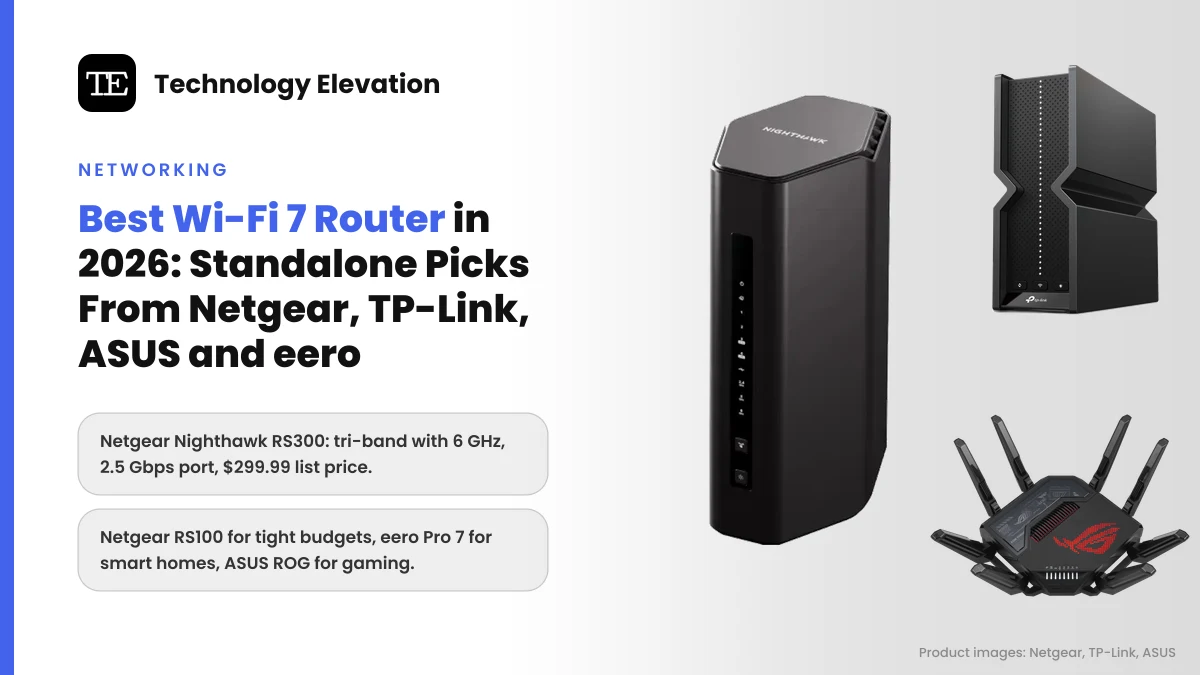
Look behind the TV in most homes and you will find the same thing: a router the internet provider handed over years ago, blinking away next to a tangle of cables. Meanwhile the phone in your pocket, the new laptop and maybe the PS5 Pro all speak Wi-Fi 7. Picking the best Wi-Fi 7 router is how you let them use it.
Prices have come down a long way. In November 2026, Netgear lists its tri-band Nighthawk RS300 at $299.99, with up to 2,500 square feet of coverage, and its entry model at $149.99.
Every pick here is a standalone router: one box that does the whole job. If your home is long, has thick walls or spreads over three floors, a mesh kit is the better buy, and we kept those separate.
We compared the official specs, ports and list prices of current Wi-Fi 7 routers from Netgear, TP-Link, ASUS and eero, and sorted them by the home and internet plan they suit.
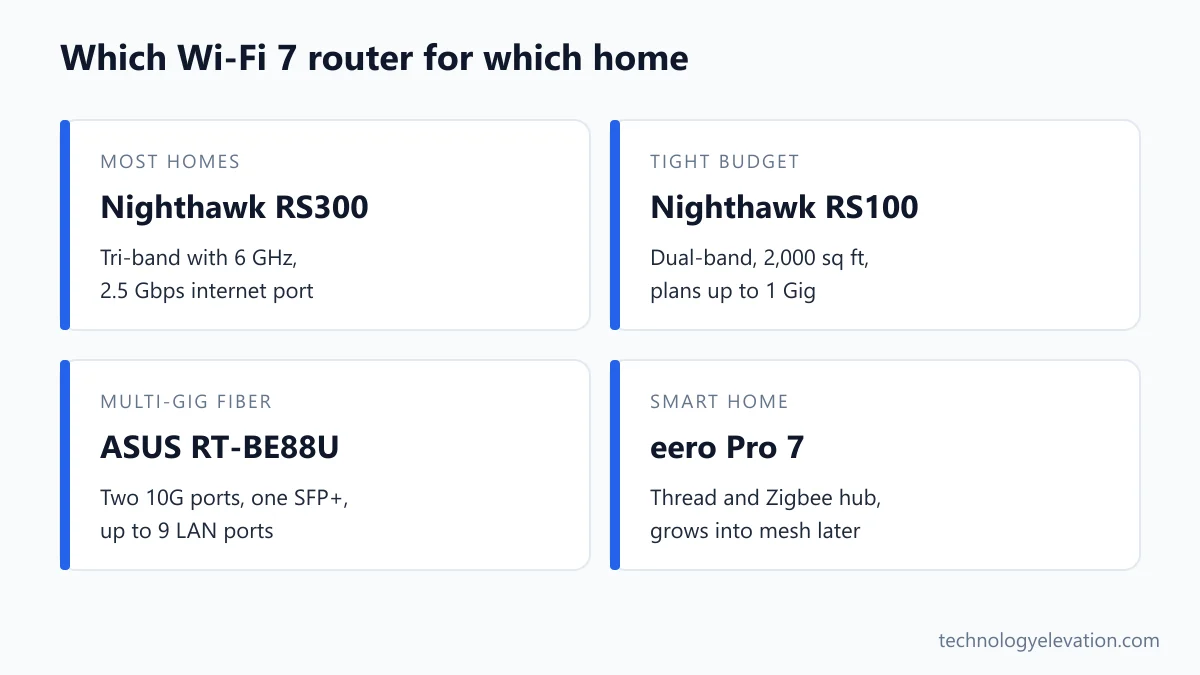
The best Wi-Fi 7 router for most homes is the Netgear Nighthawk RS300
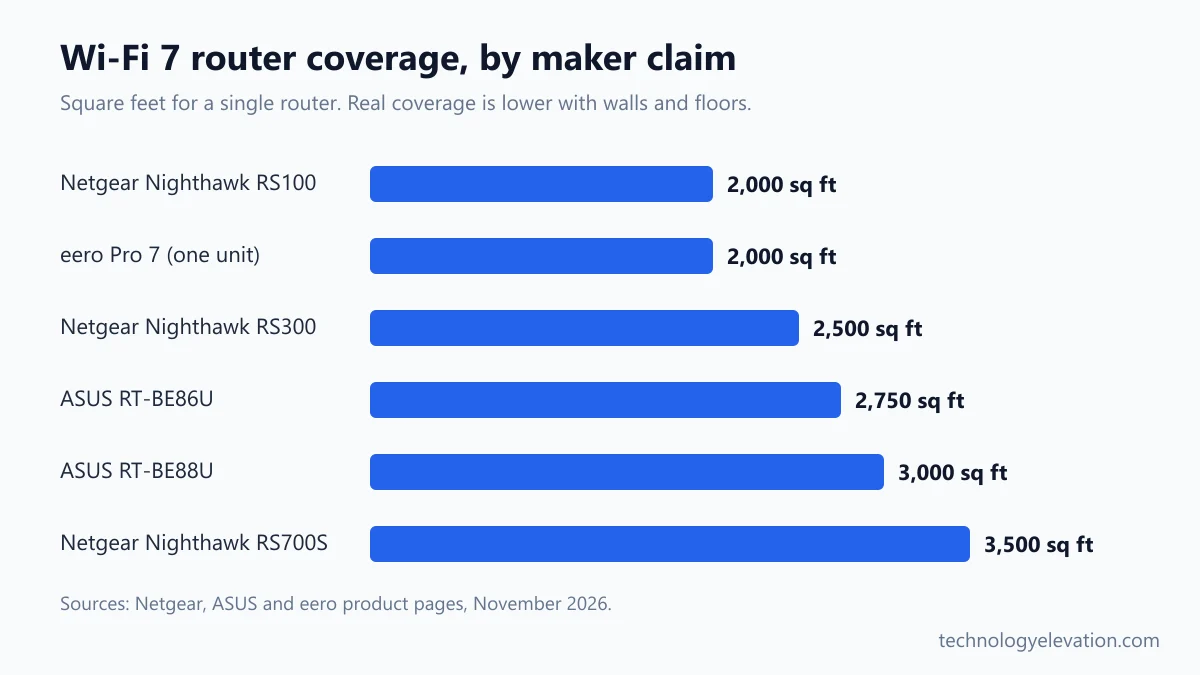
The Netgear Nighthawk RS300 is the best Wi-Fi 7 router for most homes. It is tri-band with a 6 GHz radio, has a 2.5 Gbps internet port, covers up to 2,500 square feet by Netgear’s figure and handles up to 100 devices, for a $299.99 list price.
Every pick, by the job it does best:
- Best overall: Netgear Nighthawk RS300
- Best value tri-band: TP-Link Archer BE550
- Best on a budget: Netgear Nighthawk RS100
- Best for easy setup and smart homes: eero Pro 7 (single unit)
- Best for multi-gig fiber: ASUS RT-BE88U
- Best for gaming: ASUS ROG Rapture GT-BE98 Pro
- Best for large homes: Netgear Nighthawk RS700S
| Model | Bands | Internet port | Maker coverage claim | List price |
|---|---|---|---|---|
| Netgear Nighthawk RS300 | Tri-band, BE9300 | 2.5 Gbps | 2,500 sq ft | $299.99 |
| TP-Link Archer BE550 | Tri-band, BE9300 | 2.5 Gbps | 4 bedroom house | Varies by retailer |
| Netgear Nighthawk RS100 | Dual-band, BE3600 | 2.5 Gbps | 2,000 sq ft | $149.99 |
| eero Pro 7 | Tri-band | 2 x 5 GbE (auto-sensing) | 2,000 sq ft | $299.99 |
| ASUS RT-BE88U | Dual-band, 7,200 Mbps | 10 Gbps, plus 10G SFP+ | 3,000 sq ft | Varies by retailer |
| ASUS ROG Rapture GT-BE98 Pro | Quad-band, 30 Gbps | 10 Gbps | Not stated | $699.99 |
| Netgear Nighthawk RS700S | Tri-band, BE19000 | 10 Gbps | 3,500 sq ft | $599.99 |
List prices are the maker’s regular store prices. Netgear’s own holiday deals already take $20 to $50 off some models, so treat the column as a ceiling.
Netgear Nighthawk RS300: the best Wi-Fi 7 router for most homes
The Nighthawk RS300 gets the balance right. You get all three bands, including 6 GHz, a 2.5 Gbps internet port that suits plans above 1 Gig, and enough range for a typical two or three bedroom home, without paying flagship money.
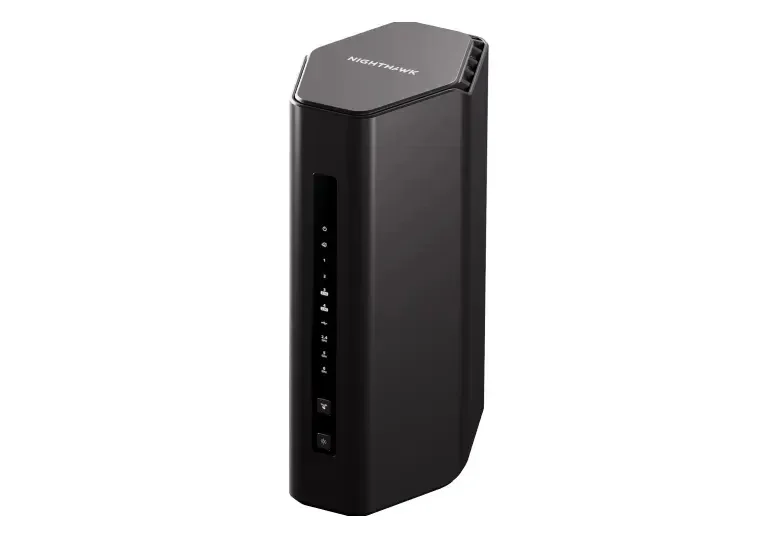
Key specs: BE9300 tri-band Wi-Fi 7 (2.4, 5 and 6 GHz), 1 x 2.5 Gbps internet port, 2 x 2.5 Gbps LAN ports, 2 x Gigabit LAN ports, 1 x USB 3.0, up to 2,500 sq ft and 100 devices by Netgear’s figures. List price: $299.99.
The 6 GHz band is the reason to buy tri-band. Wi-Fi 6E and Wi-Fi 7 phones and laptops can jump onto it and leave the crowded 5 GHz band to everything else. In an apartment block where you can see 20 neighbours’ networks, that is the difference between smooth video calls and stutter at 8 p.m.
The port layout is sensible. Two of the LAN ports run at 2.5 Gbps, enough for a gaming PC and a NAS drive, and the other two handle a printer and a smart home hub.
Now the catch. Setup through the Nighthawk app needs a free Netgear account, and Netgear Armor security comes as a trial that turns into an optional paid subscription. You can skip it. Netgear also says 6 GHz range is limited to indoors, which is true of every router on this list.
Buy it if you have a fiber or cable plan between 500 Mbps and 2 Gbps and a home that one router can reach.
Buy the Netgear Nighthawk RS300 now on Amazon
TP-Link Archer BE550: the best value tri-band Wi-Fi 7 router
The TP-Link Archer BE550 gives you the same BE9300 tri-band class as the RS300 but more fast ports: five 2.5 Gbps ports in total. It also supports 320 MHz channels on 6 GHz and Multi-Link Operation, and it usually sells for less.
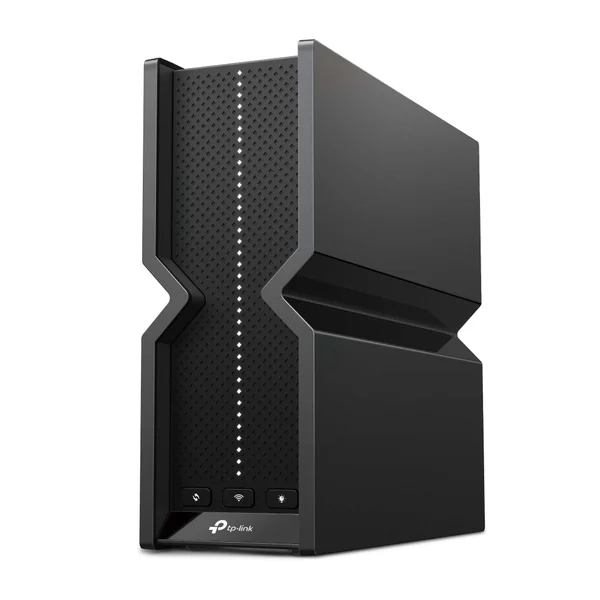
Key specs: BE9300 tri-band Wi-Fi 7 (5,760 Mbps on 6 GHz, 2,880 Mbps on 5 GHz, 574 Mbps on 2.4 GHz), 320 MHz on 6 GHz, Multi-Link Operation, 1 x 2.5 Gbps WAN, 4 x 2.5 Gbps LAN, 1 x USB 3.0, rated by TP-Link for a 4 bedroom house, EasyMesh compatible.
Port count is where the BE550 pulls ahead. Every Ethernet port runs at 2.5 Gbps, so a desktop, a console, a streaming box and a NAS can all go wired at more than Gigabit speed. Few routers at this level do that.
The 320 MHz channel is the headline Wi-Fi 7 feature. Think of it as a road twice as wide as Wi-Fi 6E allowed. A Wi-Fi 7 laptop sitting in the same room gets the biggest benefit, and the gain fades quickly through walls.
TP-Link includes a free basic HomeShield plan for security and parental controls. The Pro plan costs extra. Its six antennas are internal, so it looks tidier on a shelf than a spider of external aerials.
One thing to know about the brand. The FCC’s 2026 router rules cover new foreign-made models. Routers already authorized and on sale, like the BE550, can still be sold and used. Keep automatic firmware updates switched on.
Buy the TP-Link Archer BE550 now on Amazon
Netgear Nighthawk RS100: the best cheap Wi-Fi 7 router
The Netgear Nighthawk RS100 is the best cheap Wi-Fi 7 router. It is dual-band, with no 6 GHz radio, but it still brings Wi-Fi 7 to 5 GHz, adds a 2.5 Gbps internet port and covers up to 2,000 square feet, for a $149.99 list price.
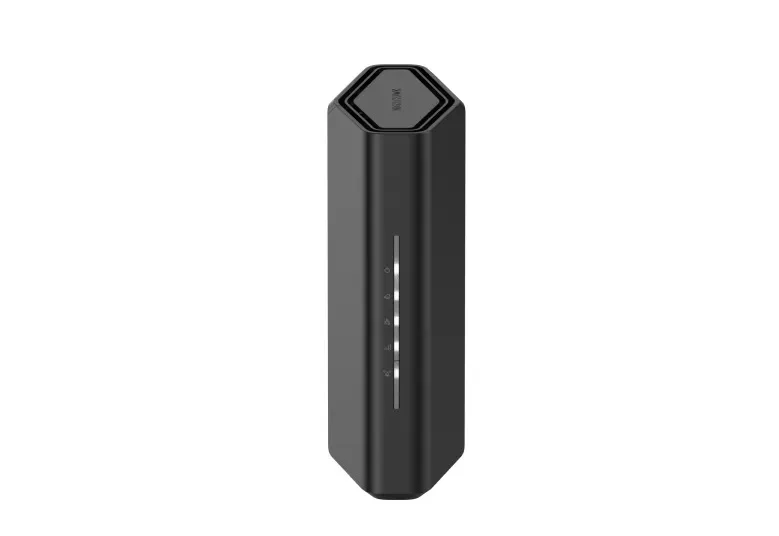
Key specs: BE3600 dual-band Wi-Fi 7 (2.4 GHz and 5 GHz, 2×2 each), 1 x 2.5 Gbps internet port, 4 x Gigabit LAN ports, up to 2,000 sq ft and up to 50 devices by Netgear’s figures. List price: $149.99.
The RS100 is the router to buy if your provider’s box is old and slow and your plan is 1 Gig or less. You get a real upgrade in range and stability for about the price of a year of router rental fees.
The limits are clear. There is no 6 GHz band, so no 320 MHz channels, and the 50 device ceiling is low for a family with a house full of smart plugs and cameras. The LAN ports are Gigabit only.
The TP-Link Archer BE230 is the close rival. It is also BE3600 dual-band, but adds one 2.5 Gbps LAN port next to its 2.5 Gbps WAN, plus a USB 3.0 port. Pick it if you want one fast wired device.
Buy the Netgear Nighthawk RS100 now on Amazon
eero Pro 7: the best Wi-Fi 7 router for easy setup and smart homes
The eero Pro 7 works perfectly well as a single router, and it is the easiest pick here to set up and live with. One unit covers up to 2,000 square feet, has two 5 GbE ports and doubles as a Thread and Zigbee smart home hub. It costs $299.99.
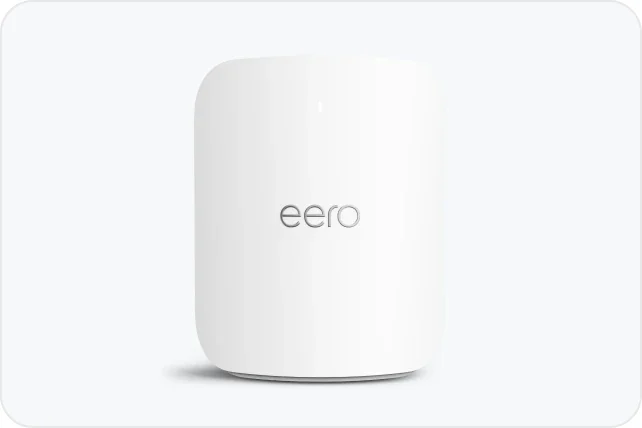
Key specs: tri-band Wi-Fi 7, wireless speeds up to 3.9 Gbps, 2 x auto-sensing 5 GbE ports, up to 2,000 sq ft and 200+ devices per unit, built-in Thread and Zigbee hub, Matter controller, works with Alexa. Price: $299.99 for one unit.
Most people buy eero as mesh, but the single unit is a sneaky good router. If you live in an apartment or a compact house, one box is all you need. When you move somewhere bigger, add a second eero and you have mesh, with no new network to set up.
The smart home hub is a real bonus. If you run Zigbee bulbs or Thread sensors with Alexa, the eero can replace a separate hub. Matter support is as a controller only, which matters if you want to understand how Matter smart home devices connect.
The trade-off is ports and control. Two Ethernet ports is not many, so a wired desk setup needs a switch. The eero app keeps settings simple, and extras like advanced security, ad blocking and parental controls sit behind the paid eero Plus plan.
Buy the eero Pro 7 now on Amazon
ASUS RT-BE88U: the best Wi-Fi 7 router for multi-gig fiber
The ASUS RT-BE88U is the router for homes with very fast fiber and lots of wired gear. It has two 10 Gbps ports, one of them SFP+ for fiber, plus eight more LAN ports, covers up to 3,000 square feet and supports Multi-Link Operation.
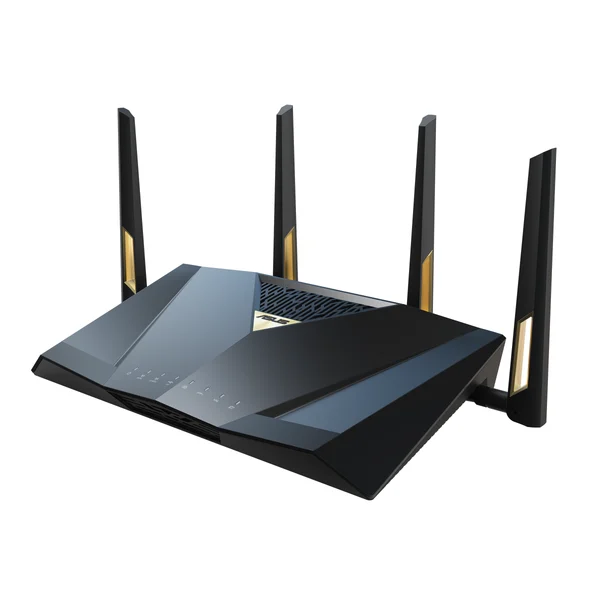
Key specs: dual-band Wi-Fi 7 (2.4 and 5 GHz), up to 7,200 Mbps combined, Multi-Link Operation, 1 x 10G SFP+ port, 1 x 10G WAN/LAN port, 4 x 2.5G ports, 4 x Gigabit ports, USB 3.0 for 4G and 5G phone tethering, AiMesh support, up to 3,000 sq ft by ASUS’s figure.
Look at the back panel and you see who this is for. Up to 9 LAN ports means a home office, a gaming room and a media server can all plug straight in without a separate switch. The SFP+ port takes a fiber module directly, which some multi-gig fiber setups use.
Here is the odd part: no 6 GHz band. ASUS went dual-band to push range and wired capacity instead. That makes sense in a house where the important devices are wired, and it means Wi-Fi 6E and 7 phones cannot use the cleaner 6 GHz air.
ASUS routers also give you a lot of settings without a subscription, including VPN options and parental controls. If that sounds like too much, eero is the calmer choice.
Want ASUS for less? The RT-BE86U keeps a 10G port with four 2.5G ports and covers 2,750 square feet, and the RT-BE58U is ASUS’s budget Wi-Fi 7 model, rated for 2,000 square feet.
Buy the ASUS RT-BE88U now on Amazon
ASUS ROG Rapture GT-BE98 Pro: the best Wi-Fi 7 router for gaming
The ROG Rapture GT-BE98 Pro is the best Wi-Fi 7 router for gaming. It is quad-band with two 6 GHz radios, so one can carry game traffic alone, and it has two 10G ports, four 2.5G ports and ASUS’s game acceleration tools. List price: $699.99.
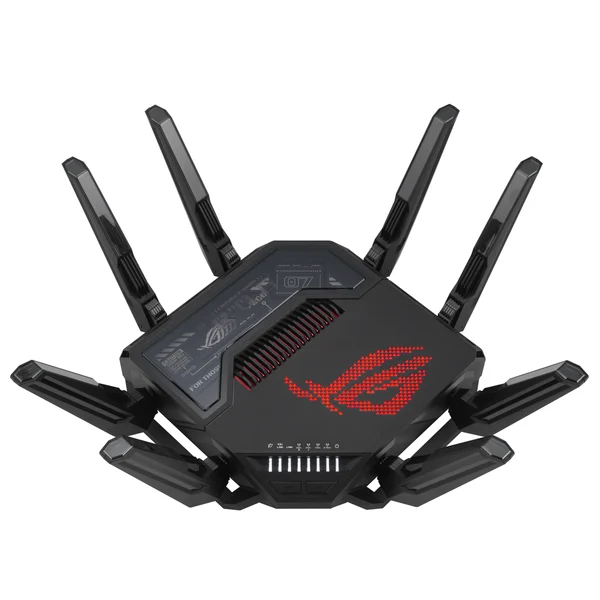
Key specs: quad-band Wi-Fi 7 (two 6 GHz bands at 11,529 Mbps each, 5 GHz at 5,764 Mbps, 2.4 GHz at 1,376 Mbps), 320 MHz on 6 GHz, 2 x 10G ports (one a dedicated gaming port), 4 x 2.5G ports, quad-core 2.6 GHz processor, eight external antennas, AiProtection Pro. List price on the ASUS store: $699.99.
Two 6 GHz bands is the clever bit. In a house where a teenager is gaming on a Wi-Fi 7 PC while everyone else streams, you can split the traffic so the game never fights a 4K Netflix stream for airtime.
ASUS also includes a dedicated gaming LAN port, Mobile Game Mode in the app and OpenNAT port forwarding, which helps consoles that struggle with strict NAT. Console players on a budget should know the routers for PS5 don’t need to cost this much.
The honest catch is size and money. Eight antennas make it look like a stealth fighter, and it costs more than two RS300s. Most gamers get the same ping from a good tri-band router with a wired console.
Buy the ASUS ROG Rapture GT-BE98 Pro now on Amazon
Netgear Nighthawk RS700S: the best single Wi-Fi 7 router for large homes
The Netgear Nighthawk RS700S is the best single Wi-Fi 7 router for a large home. It is BE19000 tri-band with 4×4 radios on every band, has a 10 Gbps internet port and a 10 Gbps LAN port, and Netgear rates it for 3,500 square feet and 200 devices.
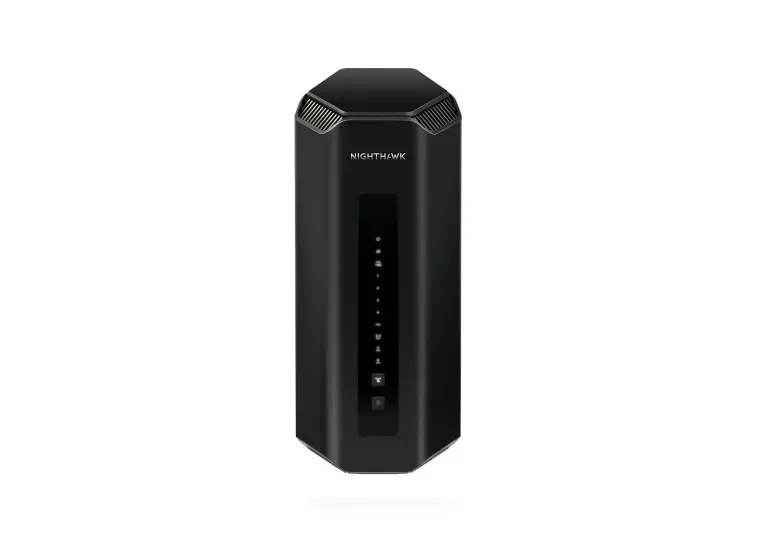
Key specs: BE19000 tri-band Wi-Fi 7 (4×4 on 2.4, 5 and 6 GHz), 1 x 10 Gbps internet port, 1 x 10 Gbps LAN port, 4 x Gigabit LAN ports, 1 x USB 3.0, up to 3,500 sq ft and 200 devices by Netgear’s figures. List price: $599.99.
Four streams on each band is what you pay for. More streams mean the router can talk to more devices at once without slowing down, which shows up on a Sunday night when every screen in the house is busy.
Placement matters even more with a big router. Put it high and central, on a bookshelf in the middle of the house, rather than at the end of the hall where the cable comes in.
The weak spot is the wired side. Apart from the single 10G LAN port, the other four are Gigabit. The TP-Link Archer BE800 is the alternative if you want more: BE19000 tri-band, two 10G ports including a fiber combo port, four 2.5G LAN ports and a small LED screen on the front.
Past 3,500 square feet, or across three floors, skip the big router and buy mesh instead.
Buy the Netgear Nighthawk RS700S now on Amazon
Your internet plan decides how much router you need
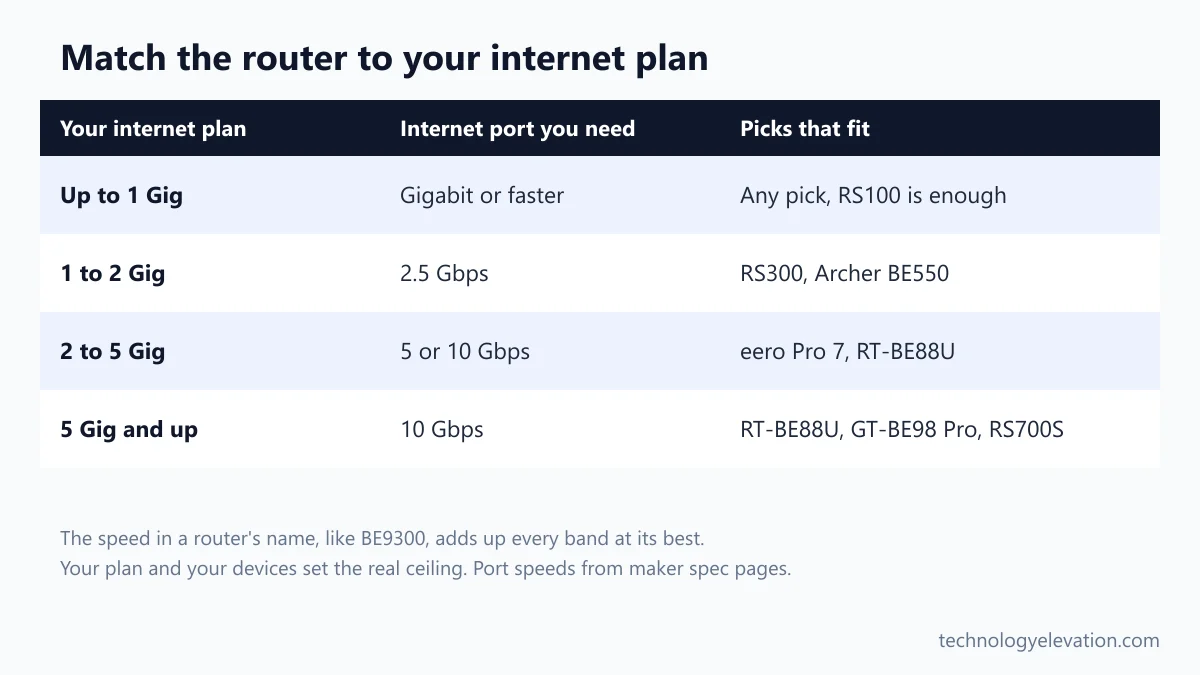
Your internet plan sets the ceiling. On a plan of 1 Gig or less, a Gigabit LAN is fine and a dual-band router like the RS100 is enough. Above 1 Gig you need a 2.5 Gbps or faster internet port, and above 2 Gig, a 5 or 10 Gbps port.
The big number in a router’s name is a sum of every band at its theoretical best. BE9300 means about 9.3 Gbps if you add all three radios together. No single phone or laptop gets anywhere near that, because each device talks to one or two bands with fewer antennas than the router has.
So match the ports to the plan, not the box. A $700 router on a 300 Mbps plan feels exactly like a $150 one when you load a web page. The bigger router only helps with range and with lots of devices at once.
Your devices matter too. Old Wi-Fi 5 and Wi-Fi 6 gadgets still connect to a Wi-Fi 7 router, but only Wi-Fi 7 devices get features like 320 MHz channels and Multi-Link Operation. Wi-Fi 7 explained in plain words covers which phones, laptops and consoles support it. PCs without Wi-Fi 7 can add a Wi-Fi adapter instead.
Choose a Wi-Fi 7 router in six steps
Start with your plan speed and your floor space, then check bands, ports, extras and software. Those six checks rule out most of the market in a few minutes, and they stop you paying for a 19 Gbps flagship when a $300 tri-band router would do.
- Check your plan speed. Under 1 Gig, any pick works. Between 1 and 2 Gig, get a 2.5 Gbps internet port. Above 2 Gig, look for 5 or 10 Gbps.
- Measure your home. Maker coverage figures are best-case estimates. Knock off a good chunk for brick walls, floors and a router stuck in a corner.
- Decide on 6 GHz. Tri-band routers with 6 GHz help most in crowded apartment blocks and with newer phones and laptops. Dual-band is fine for older gear.
- Count the wired devices. Consoles, desktops and NAS drives benefit from 2.5 Gbps LAN ports. Gigabit is fine for printers and hubs.
- Look at the extras. Smart home hubs (eero), VPN servers and 4G or 5G backup (ASUS), and gaming ports (ROG) only matter if you will use them.
- Read the subscription terms. Netgear Armor, TP-Link HomeShield Pro and eero Plus are optional paid plans. ASUS includes its basic security and parental controls without one.
Placement beats specs every time. A router on a shelf in the middle of the home, out in the open, will outperform a faster one hidden in a cupboard next to the front door.
One router covers most homes, and mesh covers the rest
A single Wi-Fi 7 router covers most apartments and homes up to about 2,500 square feet on one or two floors. Long houses, three floors, thick walls or a garden office are where mesh Wi-Fi systems do a better job.
Signs you need mesh: one bedroom always drops video calls, or the speed in the far room is a fraction of what you get next to the router. A bigger router pushes a little further, but it cannot push through a concrete floor.
An extender is the cheap fix for one stubborn room. A Wi-Fi extender plugged in halfway between the router and the dead zone can do the job for one or two devices, though it creates a weaker second hop.
Several picks here can grow later. The eero Pro 7 joins other eero units, ASUS models support AiMesh, and the TP-Link BE550 supports EasyMesh. That makes a single router a safe start if you are not sure.
The FCC’s 2026 router rules do not affect routers already on sale
The FCC’s 2026 rules on foreign-made routers apply to new models seeking approval, not to routers already authorized and on sale. Every pick in this guide is an existing model you can still buy and use, and ASUS says its current US routers are not affected.
ASUS put out a statement in April 2026 saying router products already available in the US are not affected, with warranties and services unchanged. All seven picks are current models listed on their makers’ US sites.
Whatever brand you pick, turn on automatic firmware updates in the app.
Wi-Fi 8 routers are coming, but Wi-Fi 7 is the one to buy now
Wi-Fi 8 routers have been announced, but they are not a reason to wait. TP-Link opened preorders for its first Wi-Fi 8 router in September 2026 outside the US, with no US price yet, and your phones and laptops would need Wi-Fi 8 too before it helps.
TP-Link says the Archer 8 Ultra opened for preorder on September 30, 2026 in the UK, Germany, Australia, Canada and other markets. Its focus is steadier speed at range and under interference, not a higher top speed.
That is a sensible direction, but it will take years for Wi-Fi 8 devices to fill a home. A Wi-Fi 7 router bought this Black Friday should stay the fastest link most of your devices can use for years. Learning how to spot a fake Black Friday deal helps here, because router prices swing a lot this month.
Frequently asked questions about Wi-Fi 7 routers
What is the best Wi-Fi 7 router?
The Netgear Nighthawk RS300 is the best Wi-Fi 7 router for most homes. It is tri-band with 6 GHz, has a 2.5 Gbps internet port, covers up to 2,500 square feet by Netgear’s figure and has a $299.99 list price.
Is a Wi-Fi 7 router worth it in 2026?
Yes, if you are replacing an old router or your provider’s box. Netgear’s cheapest Wi-Fi 7 router lists at $149.99, and even older devices get better range and stability. Only Wi-Fi 7 phones and laptops get the full speed gains.
Do I need a tri-band Wi-Fi 7 router?
You need tri-band if you have Wi-Fi 6E or Wi-Fi 7 devices and live somewhere with crowded Wi-Fi, such as an apartment block. The 6 GHz band is cleaner and supports 320 MHz channels. Dual-band is fine for older devices and smaller plans.
What is the cheapest good Wi-Fi 7 router?
The Netgear Nighthawk RS100 is the best cheap Wi-Fi 7 router, with a $149.99 list price. It is dual-band, has a 2.5 Gbps internet port and covers up to 2,000 square feet, which suits plans up to 1 Gig.
Is a single router or a mesh system better?
A single router is better for apartments and homes up to about 2,500 square feet on one or two floors. Mesh is better for bigger homes, three floors or thick walls, because it spreads several units around the house.
Will a Wi-Fi 7 router work with my old devices?
Yes. Wi-Fi 7 routers are backward compatible, so Wi-Fi 5 and Wi-Fi 6 phones, laptops and smart home gadgets connect as normal. They just use the older standard’s speeds and features.
Can I still buy TP-Link routers in the US?
Yes. TP-Link routers that were already authorized, such as the Archer BE550 and BE230, are still sold and can be used. The FCC’s 2026 rules apply to new foreign-made router models seeking approval.
Last checked and sources
Last checked on 19 November 2026 by Abdullah Kabeer. We compared the published specs, ports, coverage claims and list prices of current standalone Wi-Fi 7 routers on the makers’ own pages, and checked the CPSC recall database for each brand.
- Netgear product pages and US store listings for the Nighthawk RS100, RS200, RS300 and RS700S
- TP-Link US product pages for the Archer BE550, BE230 and BE800, and TP-Link’s Wi-Fi 7 router listing
- TP-Link press release, Archer 8 Ultra preorders, September 30, 2026
- ASUS product pages for the RT-BE88U, RT-BE86U and RT-BE58U, and the ROG Rapture GT-BE98 Pro page and ASUS store listing
- ASUS statement on US regulatory updates, April 24, 2026
- eero product and shop pages for the eero Pro 7 and eero 7
- US Consumer Product Safety Commission recall database: no recalls for any pick
We update this buying guide when new Wi-Fi 7 routers launch, older models are discontinued or list prices change.
Technology Elevation is reader-supported. As an Amazon Associate, we earn from qualifying purchases. When you buy through links on this page, we may earn a small commission at no extra cost to you.



GIPHY App Key not set. Please check settings