

 Haris Khan
Hold an older pair of AirPods up to a lamp and look at the little grille where the sound comes out. On most pairs that have done a year of commutes, it is no longer silver. A grey or orange film of earwax sits over the mesh, and the left bud usually sounds a little quieter than the right.
Learning how to clean AirPods properly fixes most of that, and the hands-on part is quick. The wait is the drying. The method is not a guess anymore. Apple’s own AirPods cleaning article now spells out a mesh routine with micellar water, distilled water and a soft children’s toothbrush, and it tells you to let the buds dry for at least two hours.
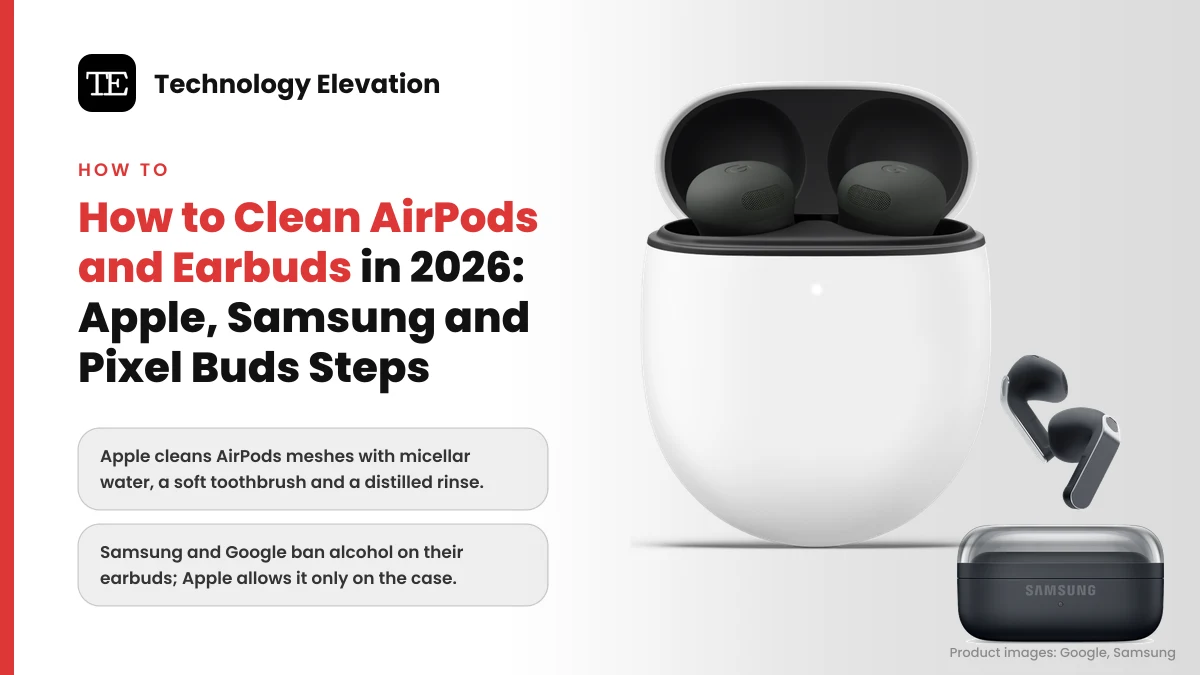
Other makers are stricter. Samsung tells Galaxy Buds owners to keep liquids off the buds entirely, and Google bans alcohol on Pixel Buds and their case. Below are the official steps for AirPods, AirPods Pro, AirPods Max, Galaxy Buds and Pixel Buds, checked against each maker’s support pages on 19 November 2026, plus the household cleaners that do real damage.
How to clean AirPods: the five-step routine Apple recommends
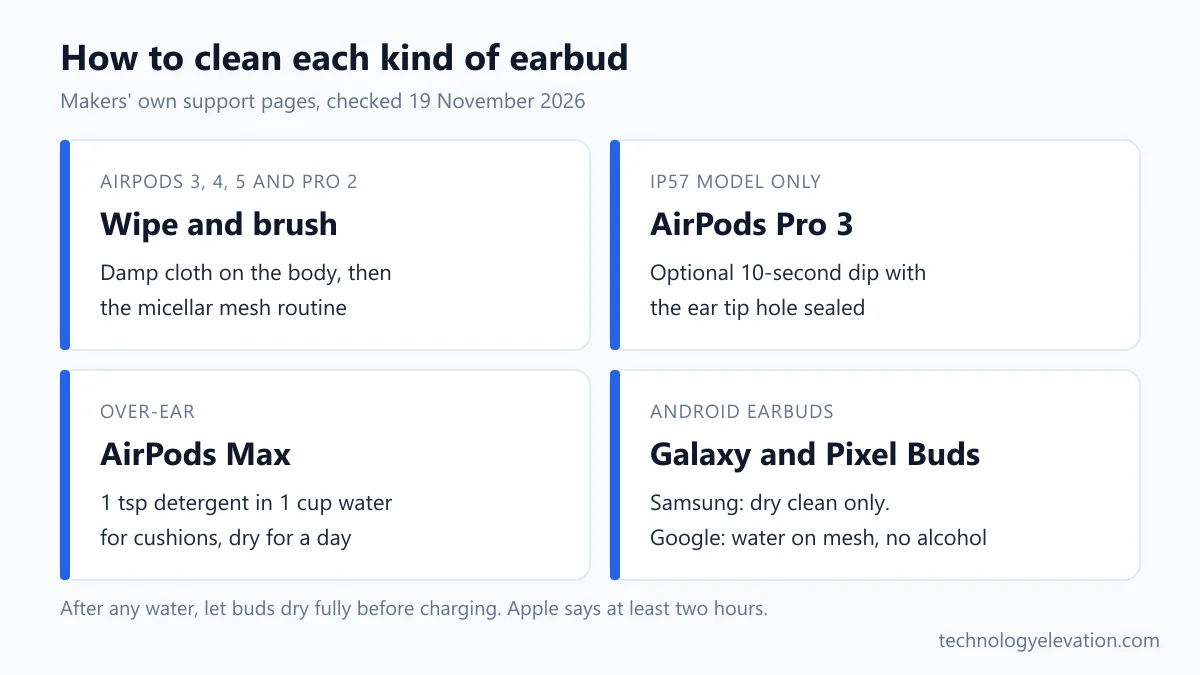
To clean AirPods, wipe the body with a cloth barely dampened with fresh water, brush the speaker meshes with micellar water and a soft toothbrush, rinse them with distilled water, clean the case with a dry cloth and brush, then let everything dry for two hours.
- Take the AirPods out of the case. On AirPods Pro, pull off the ear tips.
- Wipe the outside of each AirPod with a soft, lint-free cloth slightly dampened with fresh water, then dry it with a dry cloth.
- Clean the meshes with micellar water and a soft-bristled children’s toothbrush, then repeat with distilled water to rinse.
- Brush debris out of the case’s charging port with a clean, dry, soft brush, and wipe the case with a soft, dry, lint-free cloth.
- Let the AirPods dry completely, for at least two hours, before you put them back in the case or wear them.
Step 5 is the one people skip. Putting damp buds straight back on the charging contacts is how a cleaning session turns into a repair booking.
Apple also says to clean and dry your AirPods after workouts, or after they meet sweat, makeup, sunscreen or lotion. That matters for skin as much as sound, since Apple links those residues to skin irritation.
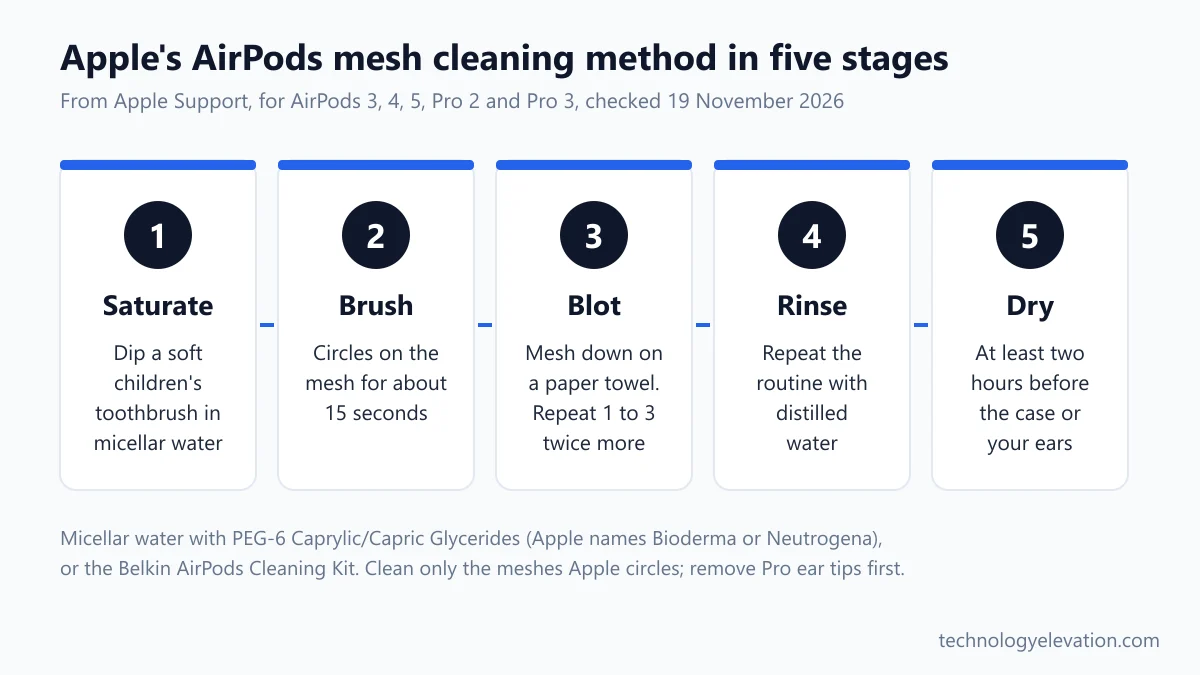
Cleaning the AirPods meshes takes micellar water and three passes
Apple’s mesh method uses micellar water that contains PEG-6 Caprylic/Capric Glycerides, such as Bioderma or Neutrogena, plus distilled water, a soft children’s toothbrush, two small cups and a paper towel. Each mesh gets three 15-second brushings, then a distilled water rinse.
Apple’s steps for AirPods 3, AirPods 4, AirPods 5, AirPods Pro 2 and AirPods Pro 3 are the same:
- Add a small amount of micellar water to a cup.
- Dip the toothbrush in the micellar water until the bristles are fully saturated.
- Hold your AirPod with the mesh facing up.
- Brush the mesh in circles for about 15 seconds.
- Turn the AirPod over and blot it on a paper towel, making sure the towel touches the mesh.
- Repeat steps 2 to 5 two more times, so each mesh gets three passes in total.
- Rinse the brush with distilled water, then repeat steps 1 to 5 with distilled water for each mesh you cleaned.
- Let the AirPods dry completely, for at least two hours.
Only clean the meshes Apple circles in its diagrams. On AirPods Pro 3, that includes the bottom microphone. Apple says to avoid cleaning any other areas.
If you would rather not mix your own, Apple names one shortcut: the Belkin AirPods Cleaning Kit, which it sells as an alternative to the micellar water setup.
Apple specifies distilled water for the rinse, and the rinse is not optional. Its job is to lift the micellar water back out of the mesh before the buds dry.
AirPods Pro ear tips come off and rinse with plain water
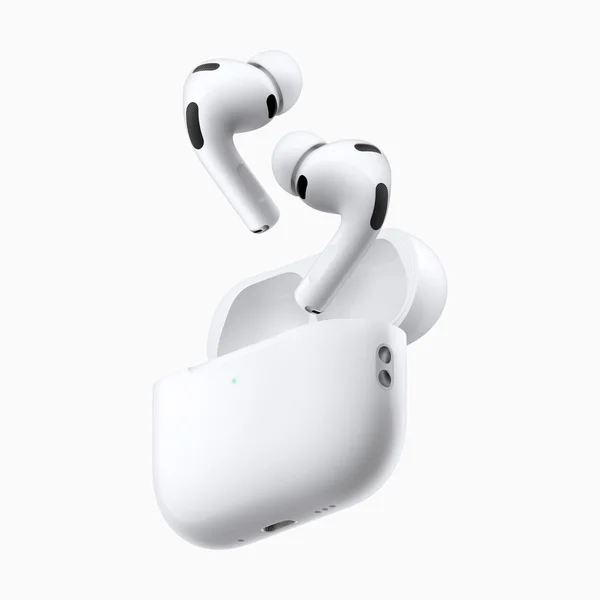
AirPods Pro ear tips come off for cleaning. Pull them off at the base, rinse them with plain water and no soap, dry them with a lint-free cloth, then click them back on. The tips are oval, so line them up before you press.
Removing them is the fiddly part. Apple says to pull firmly with your fingers at the base, where the tip meets the AirPod. If you need more grip, roll the rubber edge inside out, or use a clean cloth.
- If water has collected in an ear tip, tap the AirPod on a soft, dry, lint-free cloth with the tip opening facing down.
- Pull the ear tips off each AirPod and rinse them with water. Do not use soap or other household cleaners.
- Wipe the tips with a soft, dry, lint-free cloth and make sure they are completely dry.
- Click the tips back on each AirPod, lining up the oval shape first.
Soap is the trap here. A drop of hand soap seems harmless on silicone, but Apple lists soaps and detergents among the substances that can affect the water seals and acoustic membranes on AirPods.
Look at each tip while it is off. A torn tip will not seal in your ear however clean it is. If you are weighing a newer pair instead, which AirPods to buy compares the current models.
AirPods Pro 3 can take a 10-second rinse, but older AirPods cannot
AirPods Pro 3 are the only AirPods Apple allows you to rinse. Seal the ear tip hole with a finger, dip each bud in a bowl of water for 10 seconds while shaking it gently, then dab and dry it for two hours.
Apple lists the optional AirPods Pro 3 rinse in five steps:
- Place your thumb or index finger over the ear tip hole of each AirPod to seal it.
- Immerse the AirPod in a bowl of water for 10 seconds, shaking it lightly to wash away debris.
- Hold the stem and dab the ear tip on a dry, lint-free cloth for 10 seconds to remove excess water.
- Dry the AirPod with the lint-free cloth.
- Let it dry completely, for at least two hours.
The difference comes down to water ratings. Apple’s sweat and water resistance page rates AirPods Pro 3 and AirPods 5 at IP57, which means tested to 1 meter for up to 30 minutes. Older models carry IPX4 or IP54, which covers splashes and sweat only.
| Model | Rating (IEC 60529) | What Apple allows |
|---|---|---|
| AirPods Pro 3 and case | IP57 | Damp wipe, mesh routine, optional 10-second rinse |
| AirPods 5 and case | IP57 | Damp wipe and mesh routine |
| AirPods Pro 2 (USB-C) and AirPods 4 | IP54 | Damp wipe and mesh routine, never submerge |
| AirPods Pro 2 (Lightning) and AirPods 3 | IPX4 | Damp wipe and mesh routine, never submerge |
| AirPods Pro 1 | IPX4 (case not rated) | Damp wipe, never submerge |
Note what the AirPods 5 row leaves out. Despite the same IP57 rating, Apple publishes the rinse for AirPods Pro 3 only, so AirPods 5 owners should stick to the wipe and the mesh routine.
Apple adds one warning that applies to every model: water resistance is not permanent and can wear down over time, and AirPods cannot be resealed. A pair rated for a dunk at launch may not survive one after three years. For swimming or showers, look at waterproof designs in the best waterproof headphones instead.
The charging case needs a dry brush and a dry cloth
Clean an AirPods charging case with a soft, dry, lint-free cloth, and brush debris out of the charging port with a clean, dry, soft-bristled brush. If needed, dampen the cloth slightly with isopropyl alcohol. Never push anything into the port.
Apple’s case rules are short:
- Remove debris from the charging port with a clean, dry, soft-bristled brush.
- Do not put anything in the charging ports, to avoid damaging the metal contacts.
- Wipe the case with a soft, dry, lint-free cloth, slightly dampened with isopropyl alcohol only if necessary.
- Keep liquid out of the charging ports and let the case dry.
- Do not use abrasive materials.
Pocket lint packs into the bottom of each bud’s well over time. Samsung notes that debris can stop earbuds charging correctly, and Google says clean contacts help earbuds charge and update reliably. A soft brush lifts most of it. A toothpick or a SIM tool is exactly the kind of thing Apple tells you to keep out.
A case cover keeps most of the grime off in the first place. Fit-tested options for the Pro series are in the best AirPods Pro 2 compatible cases.
Clean contacts also help the battery report properly. If a bud still drains fast after cleaning, the cause is probably age, and how long AirPods last explains the battery service options.
AirPods Max cushions get a mild detergent wash and a full day to dry
To clean AirPods Max cushions and the headband, mix 1 teaspoon (5 mL) of liquid laundry detergent into 1 cup (250 mL) of water, rub each part gently with a damp cloth for 1 minute, wipe with fresh water, then dry flat for a day.
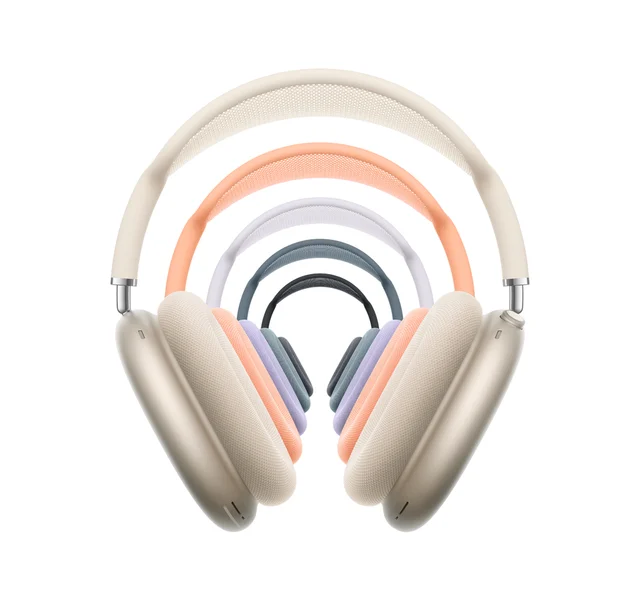
- Mix 1 tsp (5 mL) of liquid laundry detergent into 1 cup (250 mL) of water in a clean container.
- Remove the cushions from the ear cups.
- Hold the AirPods Max upside down while you clean the headband, so liquid cannot run into the headband attachment point.
- Dip a lint-free cloth in the solution, wring it out slightly, and rub the cushions and headband gently for 1 minute each.
- Wipe them clean with a separate cloth slightly dampened with fresh water.
- Dry them with a soft, dry, lint-free cloth.
- Lay the AirPods Max flat to dry for at least a day before you reattach the cushions.
For disinfecting, Apple allows a 70 percent isopropyl alcohol wipe, a 75 percent ethyl alcohol wipe or Clorox Disinfecting Wipes on the exterior surfaces only. Keep them off the knit mesh canopy and the ear cushions, and never use bleach or hydrogen peroxide.
Unlike the earbuds, AirPods Max have no water rating at all. Apple says neither the headphones nor the Smart Case are waterproof or water resistant. Over-ear rivals with their own care rules are compared in the best noise cancelling headphones.
Samsung Galaxy Buds get a dry clean, except the ear tips
Samsung’s rule for Galaxy Buds is dry cleaning only. Wipe the buds with a soft, dry cloth, clear the speaker mesh with a dry cotton swab or soft brush, and rinse only the removed ear tips with water. Samsung bans alcohol, acetone and other solvents.
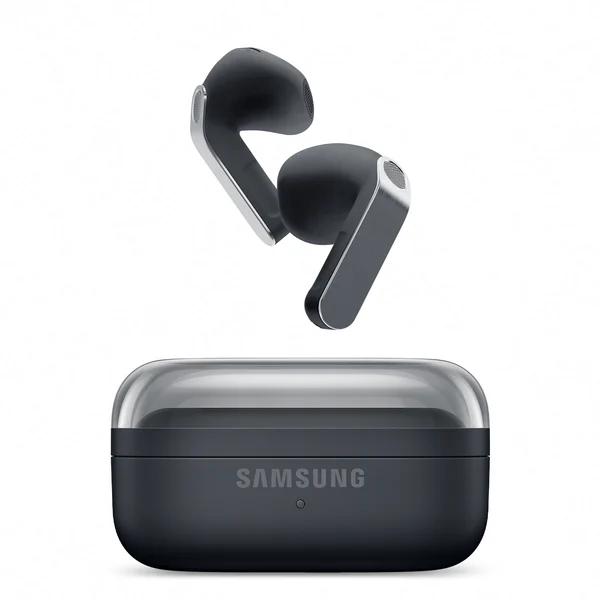
Samsung’s Galaxy Buds cleaning page lists these steps:
- Make sure the earbuds are not charging.
- Carefully remove the rubber ear tip from each bud.
- Use a dry cotton swab or dry brush to clean the speaker tip and the mesh covering.
- Use a soft, dry cloth to remove debris, dirt or earwax from the mesh.
- Rinse the ear tips with water and dry them completely.
- Put the ear tips back on, covering the latch at the bottom of each bud.
- Use a dry cotton swab to clean the charging contacts and sensors on the buds and the contacts in the case, then wipe the case inside and out with a soft, dry cloth.
Samsung adds two cautions. Do not use a metal brush, because it can damage the speaker. And do not hold the buds upright while you clean them, so loosened debris does not fall back inside.
Owners of the bean-shaped Galaxy Buds Live slide off the wingtips instead of ear tips, then follow the same dry routine. If you use Galaxy Buds with an iPhone or AirPods with a Samsung phone, AirPods with Android covers what works across brands.
Google Pixel Buds allow micellar or tap water on the mesh, but no alcohol
Google lets you deep clean the meshes on Pixel Buds Pro 2 and Pixel Buds 2a with micellar water or tap water and an extra soft toothbrush. Alcohol, detergent and sprays are banned on the buds and the case, and you should never clean them while charging.
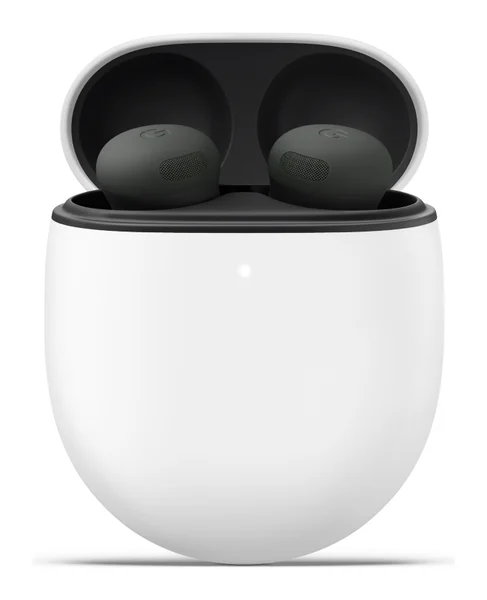
Google’s Pixel Buds cleaning article gives this mesh routine:
- Remove the ear tip, then pour regular or micellar water into a cup.
- Dip the toothbrush and swish to saturate the bristles, then brush the mesh in deep circles for 15 seconds.
- Blot the earbud on a paper towel. Repeat the brushing and blotting twice.
- Swirl the toothbrush in water to clear earwax from the bristles.
- Brush the mesh one last time for 15 seconds.
- Blot the earbud and let it air dry for up to 2 hours.
The microphone mesh step applies to the Pixel Buds Pro 2 only. On Pixel Buds 2a, Google suggests pressing Blu Tack putty against the microphone opening three times to lift earwax.
Keep all liquid out of the inside of the case, Google says, and clean its charging contacts with a cloth or swab. Pixel Buds also send an occasional reminder notification to clean them, which is a nice nudge most earbuds lack.
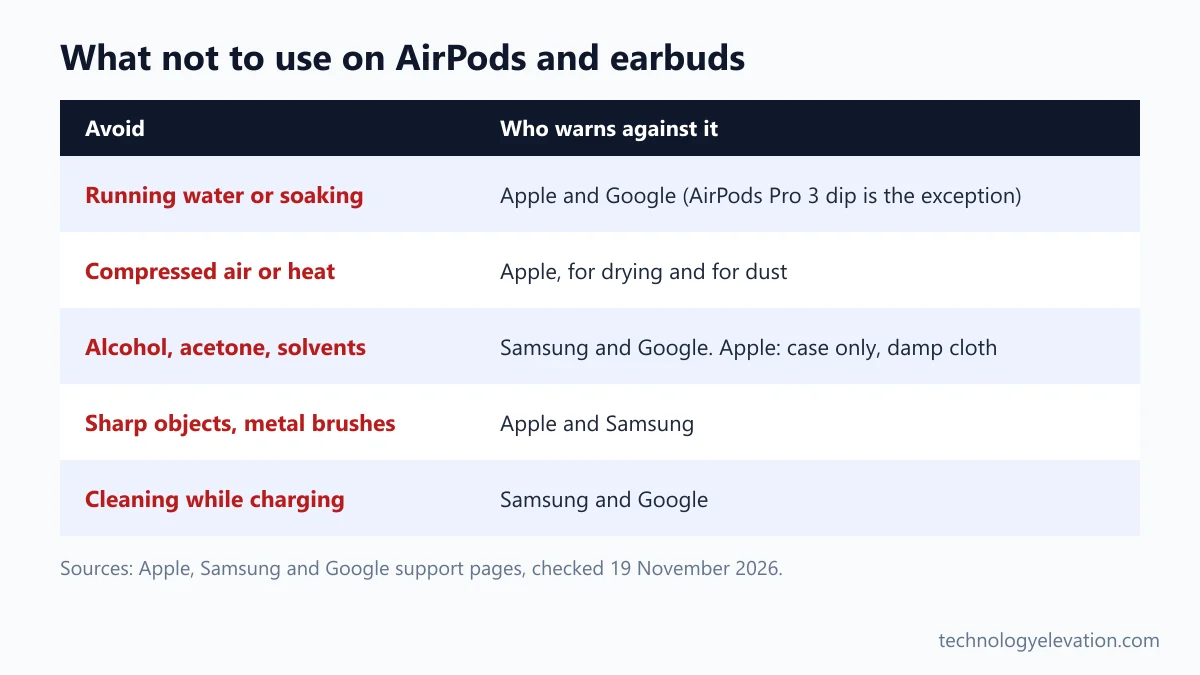
What not to use on AirPods and earbuds
Never use running water, soaking, compressed air, heat, sharp objects, metal brushes, soap on ear tips, bleach or hydrogen peroxide on AirPods or other earbuds. Alcohol is banned on Samsung and Google buds, and Apple allows it only on cases, slightly dampened on a cloth.
- Running water and soaking: Apple says never to run AirPods under a tap or shower, and not to submerge AirPods Pro 1, Pro 2, AirPods 3 or AirPods 4. Google says the same for Pixel Buds.
- Compressed air and heat: Apple says not to use heat or compressed air to dry AirPods, and not to use compressed air on dusty AirPods either.
- Sharp objects and metal brushes: Apple warns against sharp objects and abrasives. Samsung warns that a metal brush can damage the speaker.
- Alcohol, acetone and solvents: Samsung and Google ban them on their earbuds. Apple allows isopropyl alcohol only on a slightly damp cloth for the case.
- Soaps, lotions and sunscreen: Apple says these can affect water seals and acoustic membranes, so wipe them off with a damp cloth.
- Cleaning while charging: Samsung and Google both say to take the buds off the charger first.
The washing machine deserves its own line. Apple says not to put AirPods in a washer or dryer, and not to wear them in a sauna or steam room.
If a pair gets soaked anyway, Apple’s advice is to wipe it with a soft, dry, lint-free cloth and let it dry for at least two hours before you use it or put it in the case. If the sound is muffled or a bud stops working after that, Apple’s route is a service request or a replacement.
When cleaning does not fix quiet AirPods or earbuds
If one AirPod still sounds quieter after a full mesh clean and two hours of drying, the problem is probably not dirt. Apple and Google both point owners to service, warranty claims or paid replacements when cleaning does not fix the sound.
Apple says that if cleaning does not resolve the issue, you should get service for your AirPods, and that damaged AirPods can be replaced, for an out-of-warranty fee if Apple’s Limited Warranty, AppleCare+ or consumer law does not cover it.
Sometimes the honest answer is a new pair. A five-year-old set with a tired battery and a worn mesh is a poor candidate for a paid repair. The current lineup is in which AirPods to buy in 2026, and Android and Samsung owners can compare Sony, Samsung, Google and Bose models in the best wireless earbuds.
Runners who sweat through earbuds every week can skip the ear canal problem entirely with the best open-ear earbuds, which sit outside the ear canal instead of inside it.
Frequently asked questions about cleaning AirPods
Can I use alcohol wipes on AirPods?
Apple allows a cloth slightly dampened with isopropyl alcohol on the charging case, and alcohol or Clorox wipes on the outside of AirPods Max. For the earbuds themselves, Apple’s steps use fresh water, micellar water and distilled water instead.
Can you clean AirPods with a toothbrush?
Yes, Apple’s own mesh method uses a soft-bristled children’s toothbrush dipped in micellar water. Brush each mesh in circles for about 15 seconds, three times, then repeat with distilled water and let the AirPods dry for at least two hours.
Can I rinse AirPods under water?
No, Apple says never to run any AirPods under running water. AirPods Pro 3 are the only model with an official rinse: seal the ear tip hole with a finger and dip the bud in a bowl of water for 10 seconds.
How do you get earwax out of AirPods?
Brush the speaker mesh with a soft children’s toothbrush saturated in micellar water, blot it on a paper towel, and repeat three times before a distilled water rinse. Apple says to avoid sharp objects, so never dig at the mesh with a pin or toothpick.
Can I wash AirPods Pro ear tips?
Yes, pull the ear tips off and rinse them with plain water, without soap or household cleaners. Dry them completely with a lint-free cloth before you click them back on, lining up the oval shape first.
How do you clean Samsung Galaxy Buds?
Samsung recommends dry cleaning only: wipe the buds with a soft, dry cloth and clear the mesh with a dry cotton swab or soft brush. Only the removed ear tips can be rinsed with water, and Samsung bans alcohol and solvents.
Is it safe to use compressed air on AirPods?
No, Apple says not to use compressed air on AirPods, either to dry them or to remove dust. Use a soft, dry, lint-free cloth on the buds and a clean, dry, soft-bristled brush on the case port instead.
Last checked and sources
Last checked on 19 November 2026 by Haris Khan. We followed each step against the makers’ current support articles and kept only what they state.
- Apple Support: How to clean your AirPods; How to clean your AirPods Pro; How to clean your AirPods Max
- Apple Support: About the sweat and water resistance of AirPods Pro, AirPods 3, AirPods 4 and AirPods 5
- Samsung UK Support: How to clean your Samsung Galaxy Buds
- Google Pixel Buds Help: Clean your Google Pixel Buds
We update this guide when Apple, Samsung or Google change their cleaning instructions or release new earbuds.



GIPHY App Key not set. Please check settings