

 Haris Khan
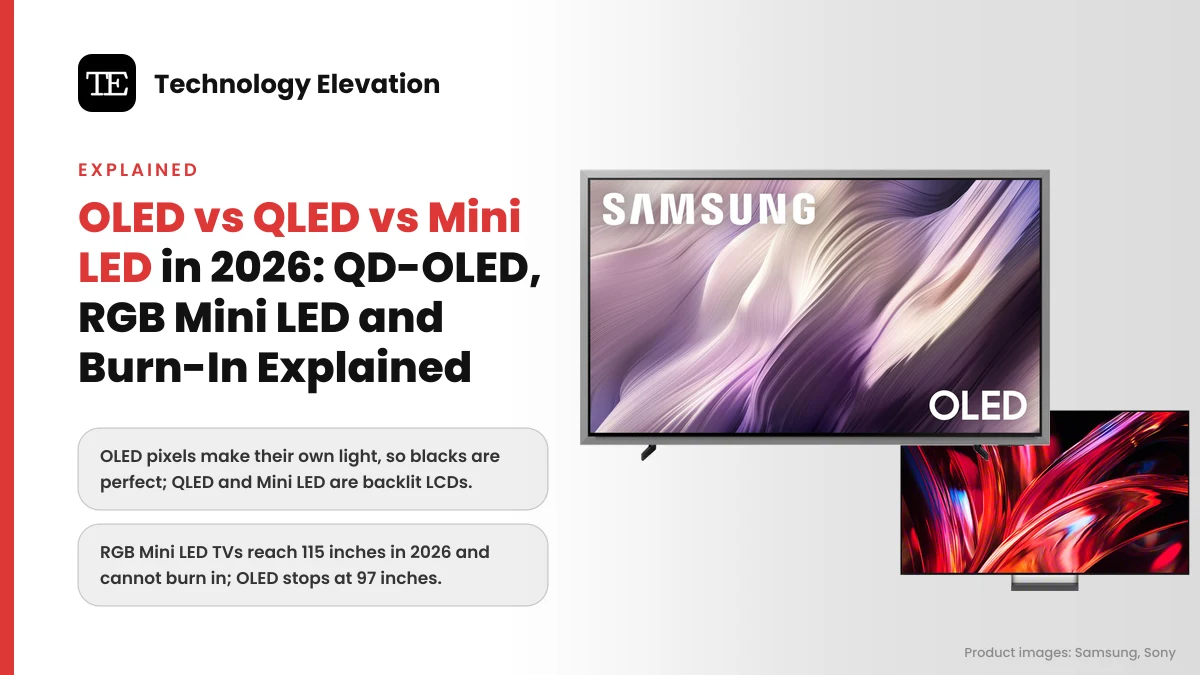
Turn off the lights, put on a film with a night sky, and look at the black bars above and below the picture. On one TV they vanish into the wall. On the next they glow a faint grey, and the stars carry a soft halo. That difference is most of the OLED vs QLED argument in one scene.
The labels on the box make it harder than it should be. OLED, QD-OLED, QLED, Neo QLED, Mini LED, SQD-Mini LED, Micro RGB, True RGB. Most of those names describe just two ways of making a picture: pixels that light themselves, or an LCD panel lit from behind.
2026 added a third wrinkle. Samsung, Sony, Hisense, LG and TCL all now sell TVs with red, green and blue LEDs in the backlight, and Samsung says its new Micro RGB range runs from 55 to 115 inches. So the old two-way fight now has a serious new contender at the big end.
Below, each panel type is explained in plain words, with what it means for blacks, brightness, burn-in and price, checked against the makers’ own pages on 19 November 2026.
OLED vs QLED vs Mini LED: OLED wins on contrast, Mini LED on brightness
OLED gives the best contrast and viewing angles because every pixel makes its own light and can switch fully off. QLED and Mini LED are LCD TVs with a backlight, so they get brighter for less money but never reach true black. RGB Mini LED narrows that gap.
Each technology in one line:
- OLED: self-lit pixels, perfect blacks, the best picture in a dark room, a small burn-in risk.
- QD-OLED: a type of OLED that adds quantum dots for brighter, purer color.
- QLED: an LCD with a quantum dot color layer. Bright and affordable, with greyer blacks.
- Mini LED: an LCD with thousands of tiny backlight LEDs in dimming zones. Very bright, much better contrast than plain QLED.
- RGB Mini LED: a Mini LED backlight made of separate red, green and blue LEDs. The newest and widest color, at sizes OLED does not reach.
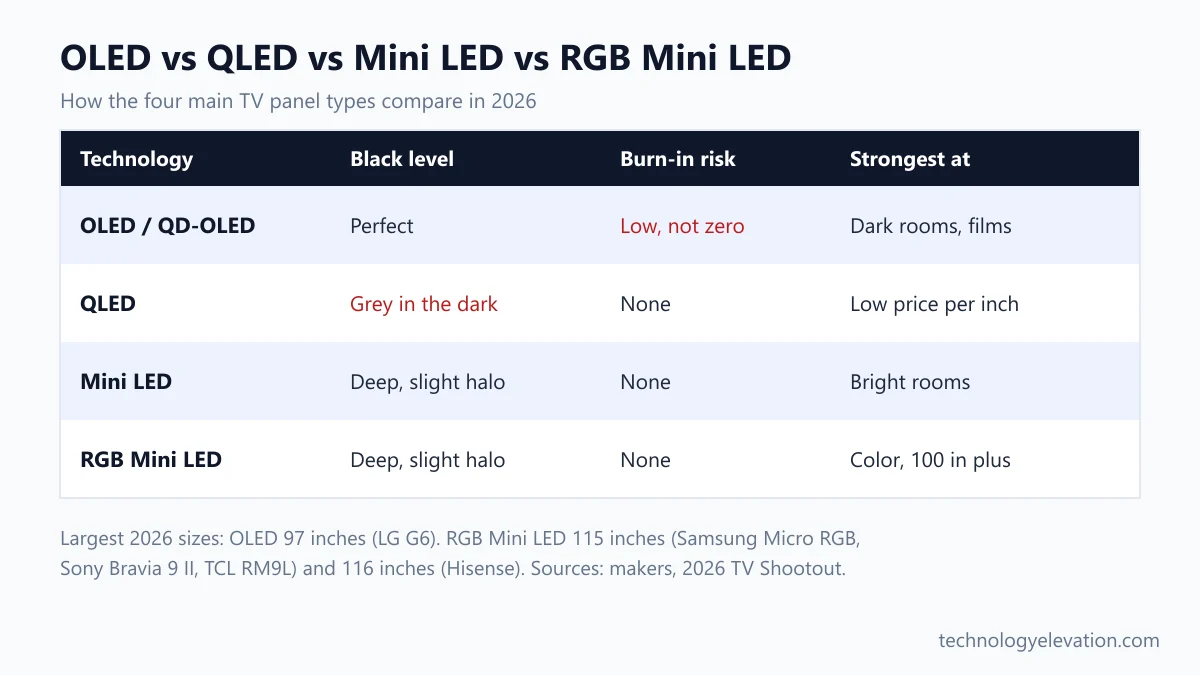
| Technology | Where the light comes from | Black level | Burn-in risk | Best room |
|---|---|---|---|---|
| OLED (WOLED) | Each pixel | Perfect | Low, not zero | Dark or dim |
| QD-OLED | Each pixel (blue OLED plus quantum dots) | Perfect | Low, not zero | Dark or dim |
| QLED | Backlight behind an LCD | Grey in the dark | None | Bright, budget |
| Mini LED | Thousands of tiny backlight LEDs | Deep, some halo | None | Bright |
| RGB Mini LED | Red, green and blue backlight LEDs | Deep, some halo | None | Bright, very large |
Price follows the same order, roughly. QLED is the cheapest route to a big screen, Mini LED sits in the middle, and OLED and RGB Mini LED fight over the top end. If you already know you want OLED, the best OLED TVs of 2026 are compared model by model.
OLED makes its own light, one pixel at a time
An OLED TV has no backlight. Each of its roughly 8.3 million 4K pixels is a tiny organic light source that glows when current passes through it and goes completely dark when it stops. That is why OLED blacks look like the screen is switched off.
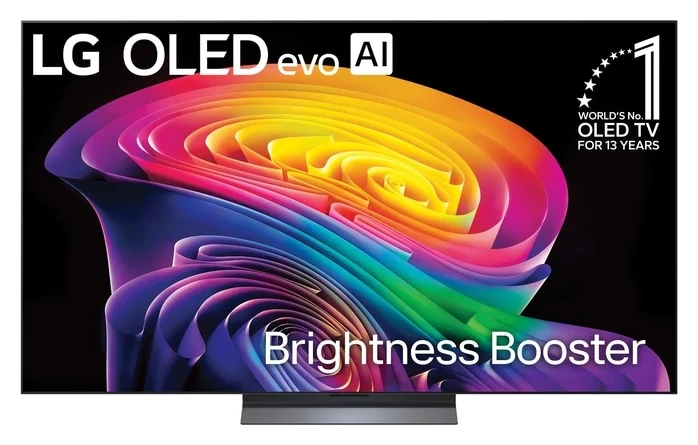
OLED stands for organic light-emitting diode. “Organic” just means the light-making layer is built from carbon-based compounds, the same family of materials used in phone screens and the OLED iPads Apple now sells.
Switching pixels off one by one has three big payoffs. Blacks are truly black, so contrast is effectively infinite. A single bright star on a black sky stays a single point, with no glow around it. And colors hold up when you sit off to the side, which matters on a wide sofa.
The weak spot is full-screen brightness. OLED TVs can push small highlights very hard, but they dim themselves when most of the screen is bright, to protect the panel. TechRadar measured the 2026 Samsung S95H at 2,739 nits on small HDR highlights in Filmmaker Mode, but only 449 nits with the whole screen lit. A bright snowfield or a hockey rink shows that limit more than a night-time film does.
Motion is the other quiet strength. OLED pixels change state almost instantly, so fast pans in sport and games stay crisp. Pair that with the HDMI cables for gaming that carry the full 48Gbps signal, and a PS5 or Xbox at 4K 120Hz looks as smooth as the console allows.
WOLED and QD-OLED are the two kinds of OLED panel
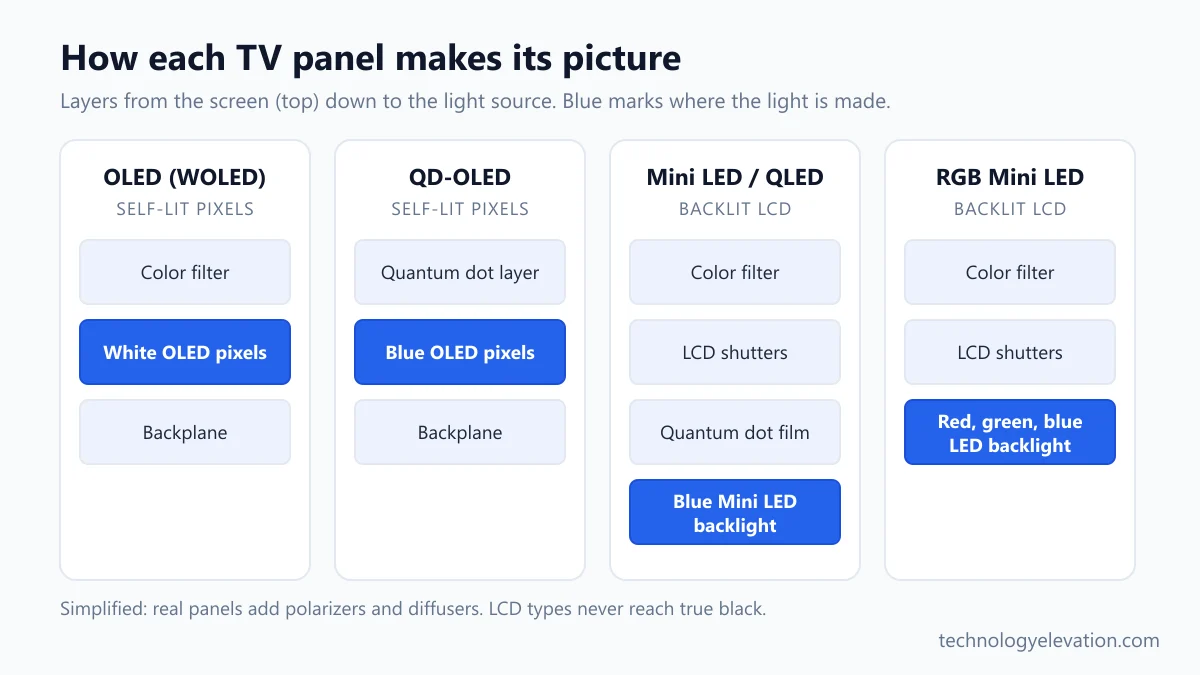
Almost every OLED TV uses one of two panel types. WOLED, made by LG Display, uses white OLED light with color filters. QD-OLED, made by Samsung Display, uses blue OLED light that quantum dots turn into red and green. QD-OLED usually shows purer, brighter color.
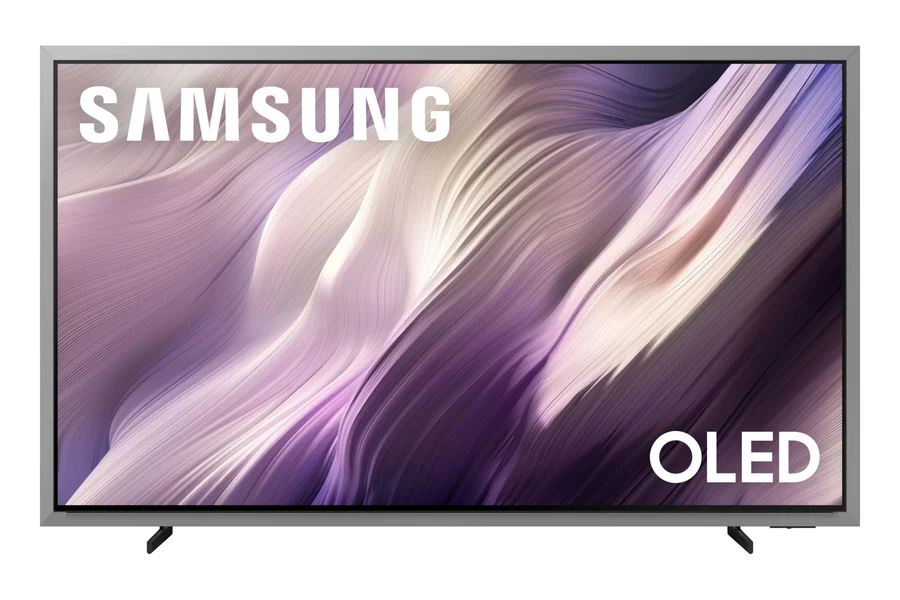
WOLED is the older design. Each pixel has red, green, blue and white subpixels, and the white one adds brightness. LG’s newest version stacks several light-emitting layers on top of each other, which LG calls Primary RGB Tandem. The 77 and 83-inch LG C6 use it, while the smaller C6 sizes keep the standard WOLED panel. Panasonic’s Z95B uses a four-layer tandem panel too.
QD-OLED starts with a blue OLED layer and puts a sheet of quantum dots on top. Quantum dots are microscopic crystals that glow a precise color when light hits them, so blue light becomes very clean red and green. Samsung’s S95H and Sony’s Bravia 8 II use QD-OLED.
Here is where the labels trick people. The same model can switch panel types by size. TechRadar and Tom’s Guide both report that the 83-inch Samsung S95H uses an LG WOLED panel, while the 55 to 77-inch sizes use QD-OLED. So “Samsung OLED” and “QD-OLED” are not always the same thing.
Does the difference matter at home? Less than the spec sheets suggest. The ecoustics report on the 2026 TV Shootout describes both types as capable of similar brightness and contrast, with QD-OLED holding a slightly wider color range. In a living room, the processing and the screen coating usually matter more than the panel family.
QLED is an LCD TV with a quantum dot layer
QLED is not a kind of OLED. A QLED TV is an LCD panel with a backlight, plus a quantum dot film that makes the colors richer and brighter. Samsung, TCL, Hisense and Panasonic all sell QLED models. Blacks stay greyer than OLED.
An LCD works like a window with shutters. The backlight shines all the time, and the liquid crystals in front open or close to let light through each pixel. Shutters never close perfectly, so a little light always leaks out. That leak is the grey glow you see in black bars in a dark room.
The quantum dot layer fixes color, not blacks. Samsung’s own buying guide describes QLED as delivering “vivid colors at a more affordable price”, and that is the honest pitch. A good QLED is bright, colorful and cheap per inch, which is why it fills the 75 and 85-inch shelves in most stores.
The weak point is the backlight. Basic QLED sets light the whole screen from the edges or from a small number of zones, so a bright logo on a dark scene can lift the grey across a wide patch of the picture. For daytime TV, kids’ cartoons and sport, few people notice. For films at night, almost everyone does.
QLED also never burns in. The pixels only filter light, so a news ticker left on all day cannot leave a mark. For a busy family TV that runs the same channel for hours, that peace of mind counts.
Mini LED shrinks the backlight to tighten contrast
Mini LED is still an LCD, but the backlight uses thousands of tiny LEDs grouped into hundreds or thousands of dimming zones. Each zone brightens or dims with the picture, so blacks get much deeper and highlights much brighter than on a standard QLED.
Local dimming is the key idea. When part of the picture is dark, the zones behind it turn down or off. When a headlight appears, the zones behind it go to full power. More zones means finer control and less glow leaking into the dark parts.
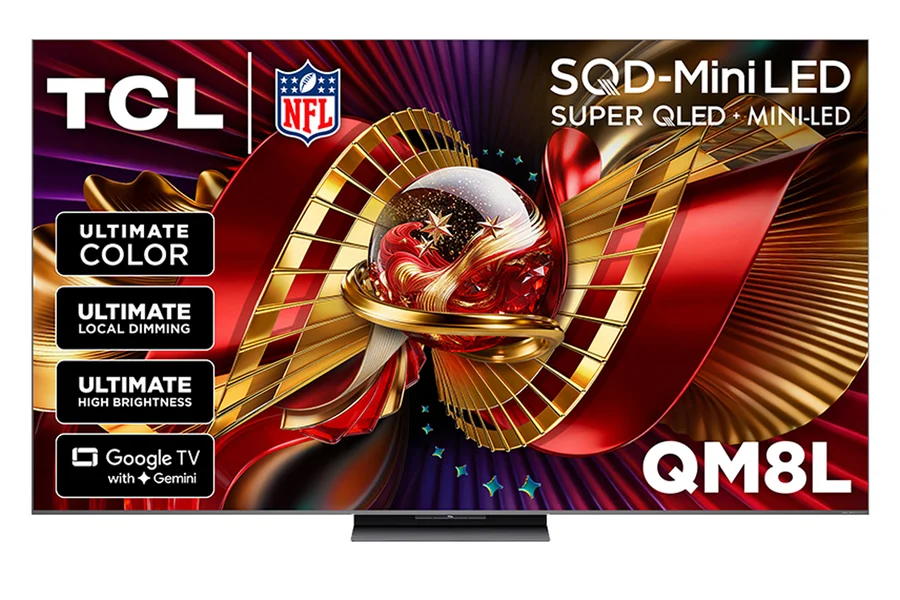
TCL’s 2026 QM8L shows how far that has gone. TCL lists it with more than 4,000 local dimming zones and up to 6,000 nits of peak brightness. No OLED TV gets close to that kind of full-screen punch, which is why Mini LED is the default pick for a living room with big windows.
Most Mini LED TVs also have a quantum dot layer, which is why the names stack up. Samsung calls its Mini LED range Neo QLED. TCL calls its newest version SQD-Mini LED, using what it describes as Super Quantum Dots, and claims 100% of the wide BT.2020 color range on its QM8L, QM7L and X11L.
The catch is blooming. A zone still covers many pixels, so a white subtitle or a bright moon on black can carry a soft halo. Good processing hides most of it. Cheap processing does not. If you watch from an angle, contrast also drops faster than on OLED, so a wide L-shaped sofa is worth thinking about. For rooms that get a lot of sun, the TVs for bright rooms lean heavily on Mini LED for this reason.
RGB Mini LED is the big new TV tech of 2026
RGB Mini LED replaces the single-color backlight with separate red, green and blue LEDs that each dim on their own. The backlight now controls color as well as brightness, which widens the color range and keeps colors rich at high brightness. Underneath, it is still an LCD.
Every maker gives it its own name. Hisense says RGB MiniLED, Samsung says Micro RGB, Sony says True RGB, and LG calls its first model Micro RGB evo. Hisense explains that these terms describe the same basic backlight approach, and that the label alone does not decide picture quality.
The 2026 lineup is already large:
- Samsung Micro RGB: 55, 65, 75, 85, 100 and 115 inches, with LEDs Samsung puts under 100 micrometers each and 100% BT.2020 color certified by VDE.
- Sony Bravia 9 II and Bravia 7 II (True RGB): the Bravia 9 II comes in 65 to 115 inches, the Bravia 7 II in 50 to 98 inches.
- Hisense UR9, UR8, 116UX and 116UXS: together they span 55 to 116 inches, and the 116UXS adds cyan as a fourth backlight color.
- TCL RM9L: 85 to 115 inches.
- LG Micro RGB evo (MRGB95): LG’s first RGB-lit TV.
So how good is it? The 2026 TV Shootout, a yearly head-to-head run by the New York dealer Value Electronics, judged three RGB sets against three OLEDs in July. The Sony Bravia 9 II won the RGB category. But the Samsung S95H OLED scored highest overall, and one of the judges wrote that OLED still led on uniformity, black levels and contrast.
Where RGB Mini LED wins is size and daylight. OLED tops out at 97 inches, with LG’s G6. RGB sets go to 115 and 116 inches, stay bright in a sunny room and cannot burn in. For a wall-filling screen, that combination is hard to beat.
Blooming has not gone away, either. A backlight zone still lights hundreds of pixels at once, so the halo problem is smaller, not solved. First-generation models from Sony and LG also mean processing is still maturing, and gamers should note that both True RGB Sony models have only two HDMI 2.1 ports.
OLED burn-in is real but rare for normal viewing
Burn-in is a faint, permanent ghost of a static image, such as a channel logo or a game’s health bar, left on an OLED screen. Mixed viewing rarely causes it. The risk rises when the same bright static image sits on screen for hours every day.
Burn-in happens because OLED pixels age a little every time they glow. Pixels that show the same bright logo all day age faster than their neighbours, and eventually that patch looks slightly dimmer. LCD-based TVs, including QLED, Mini LED and RGB Mini LED, do not have this problem, because their pixels only filter light from the backlight.
Modern OLEDs fight it quietly. They shift the picture by a few pixels over time, dim static logos, and run a panel refresh routine while the TV sits in standby. That last point matters: leave the TV plugged in rather than switching it off at the wall, so the refresh can run.
Warranties tell you how confident makers are. LG gives its G, Z and M Series OLEDs a 5-year limited panel warranty, with panel, parts and labor covered in year one and only the panel after that. Samsung’s standard TV warranty is one year, with paid Samsung Care+ plans adding 2 or 4 years. Most warranties do not spell out burn-in cover, so read the terms before you buy.
Who should actually worry? People who leave a 24-hour news channel running, play the same game with a fixed HUD for six hours a day, or use an OLED as a PC monitor with a static taskbar. Everyone else, watching a normal mix of shows, films and sport, is very unlikely to see it.
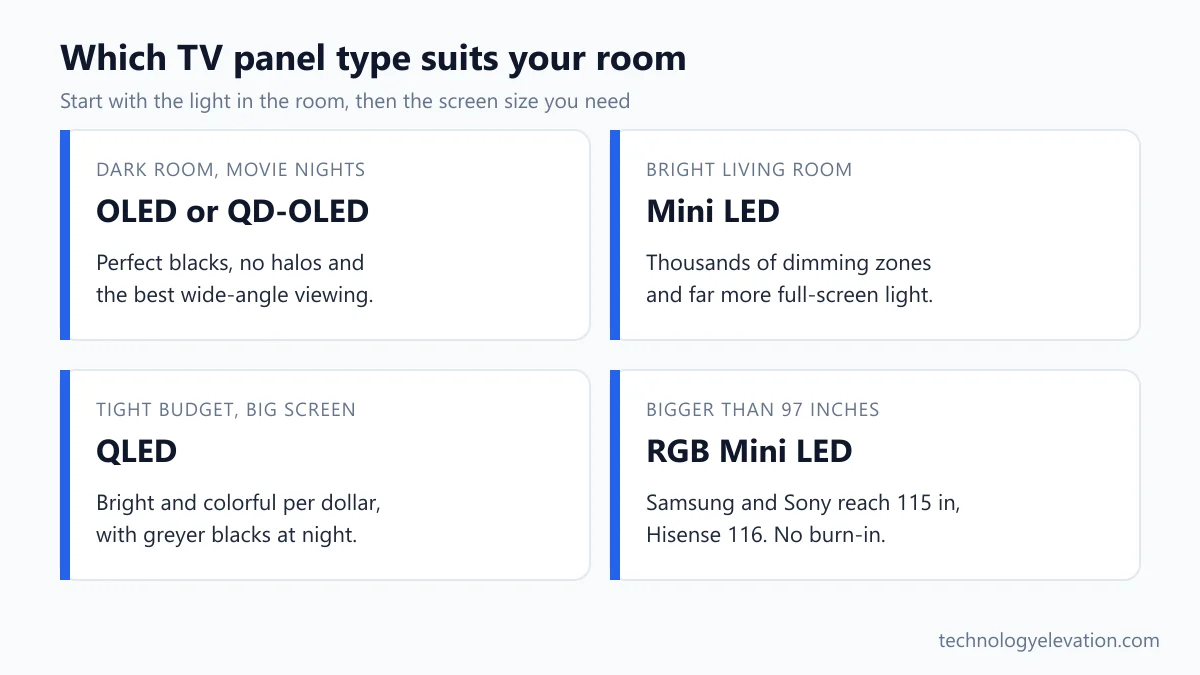
Your room light decides between OLED, QLED and Mini LED
Room light is the single best guide. Dark and dim rooms suit OLED, where perfect blacks shine. Bright rooms with big windows suit Mini LED or RGB Mini LED, which push far more light. QLED suits bright rooms on a tight budget, and anyone after a giant screen.
Samsung’s own buying guide says the same thing in plainer marketing terms: high brightness for sunlit living rooms, and OLED’s contrast for darker spaces. The line has blurred a little, because anti-glare screens such as Samsung’s Glare Free and LG’s Reflection Free Premium now help OLEDs cope with daylight. Still, a glossy OLED opposite a glass door at noon is a mirror with a picture in it.
Movie nights in a dim room are where OLED pulls clearly ahead. Letterbox bars disappear, dark scenes keep their shadow detail, and subtitles never glow. The TVs for dark rooms are nearly all OLED for that reason.
Gaming is closer than people expect. Both OLED and Mini LED TVs support 4K 120Hz, variable refresh rate and low input lag. OLED wins on motion clarity and black levels. Mini LED wins if you play for hours with a static HUD and want zero burn-in worry.
Sound is the same weakness everywhere. Thin TVs of every type tend to sound flat, and a pick from the Dolby Atmos soundbars does more for dialogue than any panel upgrade.
How to choose between OLED, QLED, Mini LED and RGB Mini LED
Choose by room light first, then screen size, then how you watch. Dark room and up to 83 inches points to OLED. Bright room points to Mini LED. Over 97 inches means RGB Mini LED or QLED. A small budget for a big screen means QLED or entry Mini LED.
- Judge the light. Watch mostly at night with lamps low? Go OLED. Daytime viewing with sun on the screen? Go Mini LED.
- Measure the wall. OLED stops at 97 inches. RGB Mini LED reaches 115 and 116 inches. Most homes sit happily at 65 or 75 inches.
- Think about static images. A 24-hour news habit or long sessions with one game point away from OLED.
- Check where you sit. Wide seating favors OLED, which keeps its contrast off to the side.
- Read the panel by size. One model name can hide a WOLED, QD-OLED or tandem panel depending on screen size.
- Count HDMI 2.1 ports. Two consoles and a soundbar need more than the two ports on some Sony models.
- Price the warranty. On an OLED, a longer panel warranty is worth real money.
Match the panel to the content, too. A TV that mostly plays streaming apps benefits from a fast external box, and the best streaming device often matters more than a small step up in panel tech.
Ready to buy? For a dark living room, the LG C6, Samsung S95H and other 2026 OLED TVs cover every budget from the LG B6 up. For a sunny room or a wall over 85 inches, the wider list of best 4K TVs includes the Mini LED options.
Frequently asked questions about OLED vs QLED
Is OLED better than QLED?
OLED is better for contrast, black levels and viewing angles, so it wins in dark rooms and for films. QLED gets brighter for less money, never burns in and suits bright rooms and tight budgets.
Is QLED the same as OLED?
No. QLED is an LCD TV with a backlight and a quantum dot color layer. OLED has no backlight, because each pixel makes its own light. The similar names cause a lot of confusion in stores.
What is the difference between QD-OLED and OLED?
QD-OLED is a type of OLED. It uses blue OLED light and a quantum dot layer to make red and green, while LG’s WOLED uses white OLED light with color filters. QD-OLED usually shows slightly purer, brighter color.
Is Mini LED better than OLED?
Mini LED is better for very bright rooms and for anyone worried about burn-in. OLED is better for contrast, black levels and wide viewing angles. At the 2026 TV Shootout, the top OLED outscored every backlit TV.
What is RGB Mini LED?
RGB Mini LED is an LCD TV whose backlight uses separate red, green and blue LEDs instead of white or blue ones. That widens the color range at high brightness. Samsung calls it Micro RGB and Sony calls it True RGB.
Do OLED TVs still get burn-in in 2026?
Yes, burn-in is still possible on any OLED, but normal mixed viewing rarely causes it. Pixel shifting, logo dimming and panel refresh routines lower the risk. Static images for hours every day raise it.
Can a Mini LED TV get burn-in?
No. Mini LED, QLED and RGB Mini LED TVs are LCD TVs, so their pixels only filter light from the backlight. A static logo cannot age them the way it ages OLED pixels.
Last checked and sources
Last checked on 19 November 2026 by Haris Khan. We compared each panel technology using the makers’ own technology explainers, product pages and press releases, then checked picture claims against independent reviews and the 2026 TV Shootout results.
- Samsung Newsroom, Finding the Perfect TV: A Guide to Samsung TVs, and the 2026 Micro RGB lineup announcement
- Samsung, 2026 OLED TV announcement and warranty notes (news.samsung.com)
- LG, 2026 OLED evo pricing and availability press release, including panel warranty terms
- Hisense, What Is RGB MiniLED (hisense.com)
- TCL, QM8L and QM7L SQD-Mini LED press release and QM8L product page
- Panasonic, 2026 US TV lineup announcement
- Value Electronics 2026 TV Shootout results, reported by ecoustics
- Independent reviews by TechRadar (Samsung S95H panel and brightness), Tom’s Guide (LG C6 vs Samsung S95H panels) and What Hi-Fi (Sony 2026 True RGB lineup)
We update this explainer when a new panel technology reaches US stores or a maker changes its lineup.

GIPHY App Key not set. Please check settings