

 Haris Khan
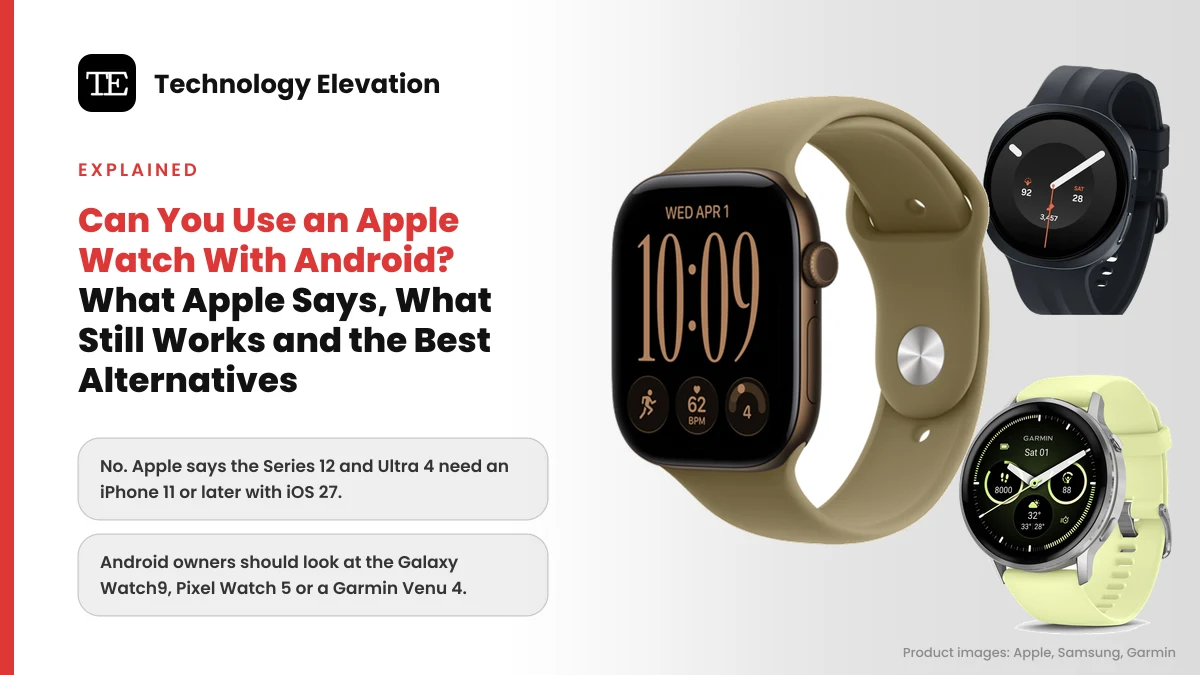
A friend switches from an iPhone to a Galaxy phone, sets the new handset on the table, and holds up her wrist. “So how do I connect this?” The Apple Watch on that wrist is barely a year old, and the honest answer is the one nobody wants to hear on day one with a new phone.
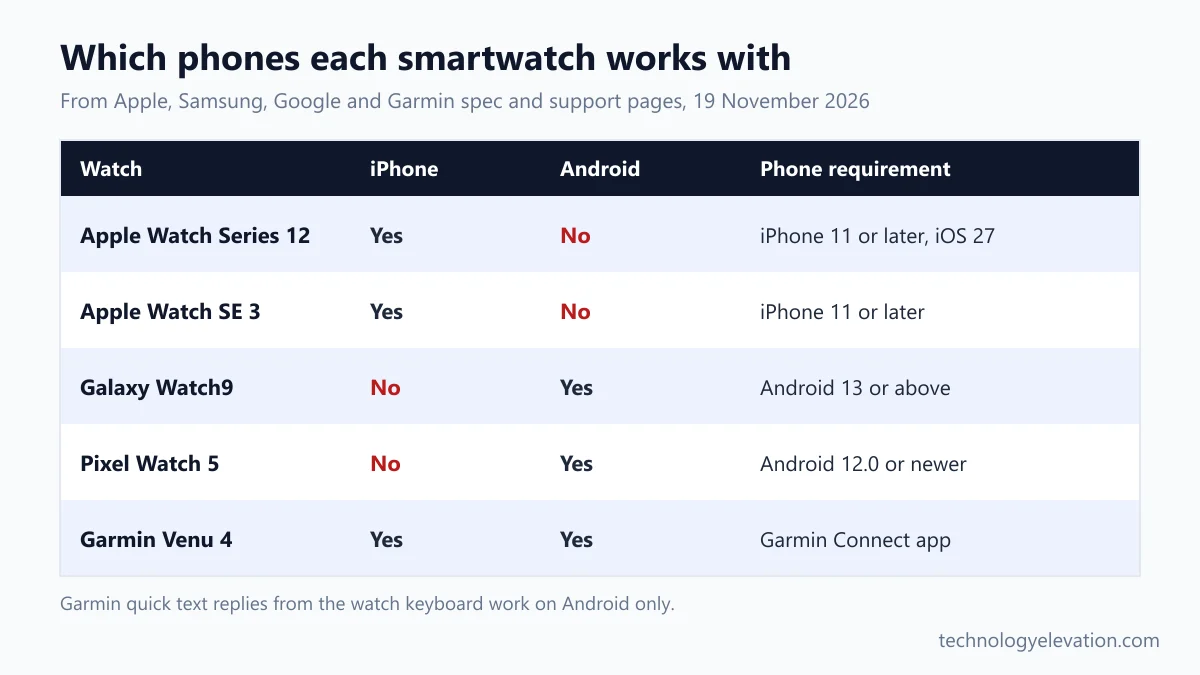
Can you use an Apple Watch with Android? No. Apple’s own Apple Watch setup guide says that to set up an Apple Watch Series 12 or Ultra 4, you need an iPhone 11 or later with iOS 27 or later. Every setup step after that runs on the iPhone.
So the real questions are different ones. What does the watch still do if you keep wearing it after the switch? Is there any family setup that gets around the iPhone? And which watch should an Android owner buy instead?
We checked each point against Apple, Samsung, Google and Garmin support and spec pages on 19 November 2026. The Galaxy Watch question runs the other way too, so iPhone owners eyeing a Samsung watch will find their answer below.
No, an Apple Watch does not work with an Android phone
An Apple Watch cannot pair with an Android phone. Apple says the Series 12, Ultra 4 and SE 3 need an iPhone 11 or later, and its setup steps run inside the Apple Watch app on that iPhone. Apple offers no Android setup route of any kind.
Bluetooth is not the problem. The watch has Bluetooth like any other smartwatch. The lock is the software: pairing, updates, settings, health data and notifications all flow through the paired iPhone.
Here is what that means in practice:
- You cannot set up a new Apple Watch with an Android phone.
- Your Android phone’s texts, calls and app alerts will not reach an Apple Watch.
- Activity, sleep and heart data sync to the paired iPhone, not to any app on your Android phone.
- watchOS updates install from the iPhone’s Apple Watch app or from Settings on the watch over Wi-Fi, never through Android.
Searching an app store for an “Apple Watch for Android” app is a waste of an afternoon. Apple’s setup guide gives one instruction, “Use your iPhone to set up this Apple Watch,” and no alternative.
Every current Apple Watch needs an iPhone 11 or later
All three Apple Watch models on sale in November 2026 need an iPhone 11 or later, including the iPhone SE (2nd generation or later). The Series 12 and Ultra 4 also need iOS 27 or later. Older iPhones and every Android phone are left out.
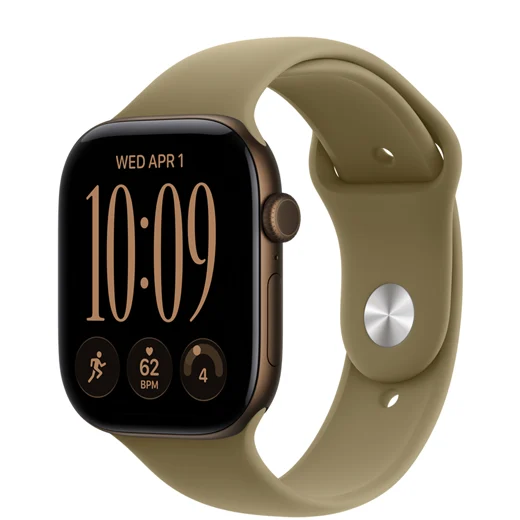
| Apple Watch | Phone it needs | Works with Android? | US launch price |
|---|---|---|---|
| Apple Watch Series 12 | iPhone 11 or later with iOS 27 or later | No | From $399 |
| Apple Watch Ultra 4 | iPhone 11 or later with iOS 27 or later | No | From $799 |
| Apple Watch SE 3 | iPhone 11 or later | No | From $249 |
Older Apple Watch models can be set up with older iPhones and earlier iOS versions, Apple says, but the rule about the phone being an iPhone never changes. A second-hand Series 7 from a marketplace listing is no closer to Android than a new Series 12.
Anyone weighing models and prices with an iPhone in hand can compare all three in which Apple Watch to buy. If your next phone is an Android phone, skip that spend entirely.
What an Apple Watch still does after you switch to Android
An Apple Watch keeps some features with no iPhone nearby: workouts, heart rate, alarms, timers, Apple Pay, Wallet passes and music already stored on it. Over Wi-Fi it can still reach messages and apps. It just never talks to your Android phone.
Apple’s support page on using Apple Watch without its paired iPhone lists what works when the iPhone is off or out of range:
- Track activity and workouts, and check your heart rate.
- Use world clock, alarms, timers and the stopwatch.
- Make purchases with Apple Pay and use cards and passes in Wallet.
- Play music, podcasts and audiobooks stored on the watch.
- See calendar events and photos from synced albums.
- Over Wi-Fi: read and respond to messages, check the weather and control your home.
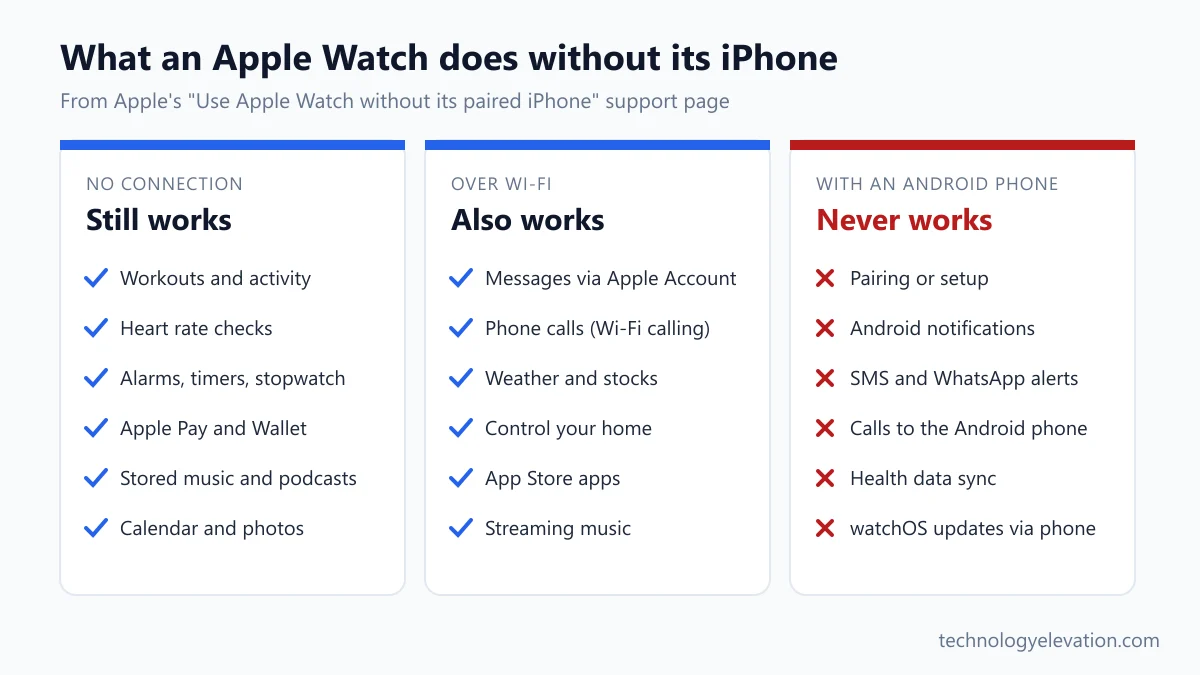
That list sounds generous until you live with it. Messages over Wi-Fi come through your Apple Account, so the SMS and WhatsApp chats now landing on your Android phone never reach the watch. Calls ringing your Galaxy or Pixel never buzz your wrist either.
Keeping the old iPhone at home, switched on and paired, keeps the watch fully working when you are near it. You end up carrying one phone and charging two, which defeats the point of a watch that saves you reaching for a phone.
Unpair the Apple Watch before you sell it or give it away
Unpair your Apple Watch from the iPhone before you hand it on. Unpairing erases the watch, removes it from your Apple Account and turns off Activation Lock, the anti-theft lock that would otherwise stop the next owner from setting it up.
Apple’s steps, from its unpair and erase support page:
- Open the Apple Watch app on your iPhone.
- Tap My Watch, then tap All Watches.
- Tap the info button next to your watch.
- Tap Unpair Apple Watch.
Already wiped the iPhone? You can erase the watch on its own. Open the Settings app on the watch, tap General, then Reset, then Erase All Content and Settings, and enter your passcode. On a cellular model you also choose whether to keep or remove the cellular plan.
Do this before the switch day if you can. Moving from iPhone to Android is fiddly enough without chasing Activation Lock on a watch you have already sold.
Apple Watch For Your Kids still needs a parent’s iPhone
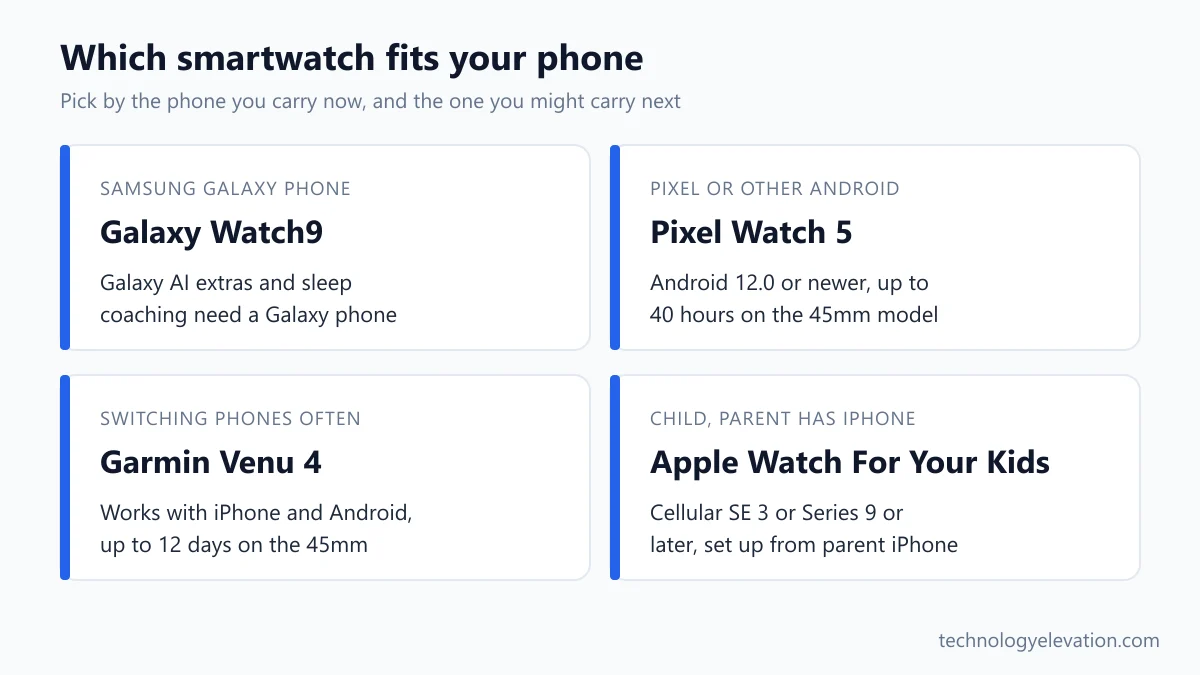
Apple Watch For Your Kids lets a child use an Apple Watch without owning an iPhone, but a parent or guardian’s iPhone sets it up and manages it. A family where every adult carries Android cannot use it, because the setup phone must be an iPhone.
Apple’s support guide says the feature works on a cellular-capable Apple Watch SE 3, or a Series 9 or later, on watchOS 27. The child must belong to your Family Sharing group, and the iPhone used for setup has to be within normal Bluetooth range of the watch.
That makes it a real option in one specific case: a parent with an iPhone and a child who has an Android phone or no phone at all. The child’s own phone simply plays no part. Parents comparing kids’ watches more widely can start with the list of smartwatches for teenagers.
Galaxy Watch9 is the closest Apple Watch alternative on Android
The Samsung Galaxy Watch9 is the nearest thing to an Apple Watch for Android owners. It has a bright 3,000-nit screen, ECG, sleep apnea detection and Gemini built in, and launched from $379.99 in 40 mm and 44 mm sizes, with optional LTE.
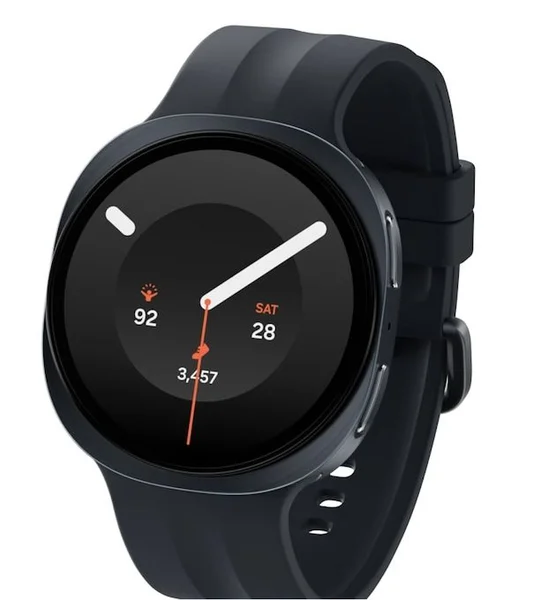
Samsung’s footnotes say the Galaxy Watch9 is available on Android phones running Android 13 or above and requires the Samsung Health app. Samsung adds that the Galaxy Watch Ultra2 must be paired with a phone on Android 13.0 or above with at least 1.5 GB of memory.
Any recent Android phone works. A Samsung phone works best. Samsung says Galaxy AI features need a compatible Galaxy phone, and it pitches sleep score and personalized sleep coaching as insights you get by pairing the watch with a Galaxy smartphone. On a Pixel, Motorola or OnePlus phone, the watch still sets up with a Samsung account and the Samsung Health app, but those Galaxy-only extras drop away.
Owners who want a tougher watch with longer battery should look at the Galaxy Watch Ultra2, which launched at $699.99 with LTE built in. Size, battery and price decide which Samsung Galaxy Watch to buy among the Watch9, Ultra2, Watch8 Classic and Watch8.
Pixel Watch 5 suits Pixel phones and most other Android phones
The Google Pixel Watch 5 works with most phones running Android 12.0 or newer, and needs a Google Account and the Google Pixel Watch app. It comes in 41mm and 45mm sizes, and the 45mm model lasts up to 40 hours with the always-on display.
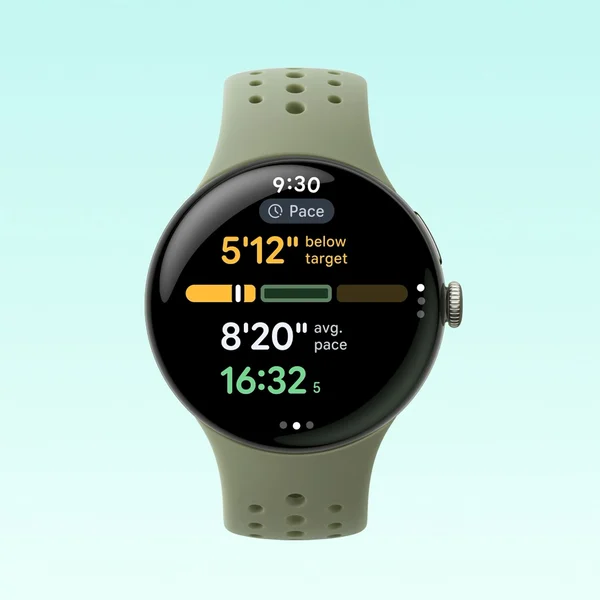
Key specs: 41mm (332 mAh, up to 30 hours always-on) or 45mm (465 mAh, up to 40 hours always-on), Snapdragon W5 Gen 2, 64 GB storage, ECG-compatible sensors, dual-frequency GPS, Satellite SOS, 4G LTE on cellular models. Google says a 15-minute charge takes either size to about 50%.
Battery is the big difference from an Apple Watch Series 12, which Apple rates at up to 24 hours. A Pixel Watch 5 in the larger size can get through a day and a night with sleep tracking, then most of the next day.
Google lists Android only, with no iPhone support on the spec page. Pixel owners get the tightest fit, since watch and phone come from the same company, but a Galaxy or Motorola phone on Android 12 or newer meets Google’s requirement too.
Garmin Venu 4 works with both iPhone and Android
Garmin watches such as the Venu 4 pair with both iPhone and Android phones through the Garmin Connect app. That makes Garmin the safe choice for anyone switching phones, or a household with both. On-wrist text replies work only on Android.
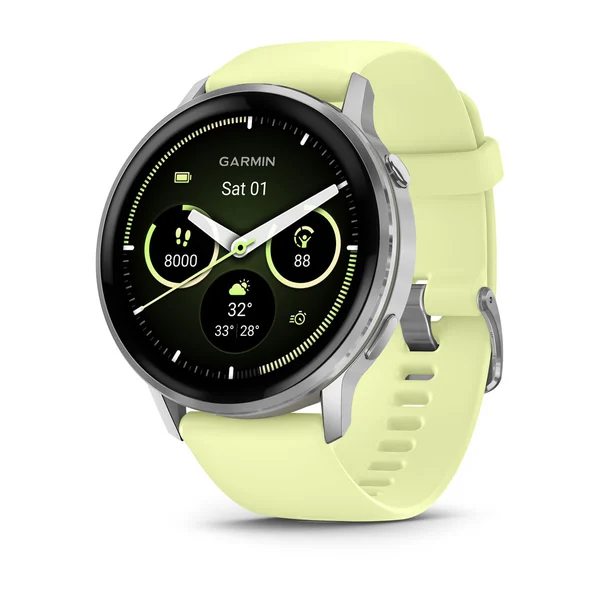
Garmin’s Venu 4 page lists smart notifications for emails, texts and alerts “when paired with your iPhone or Android smartphone.” The keyboard for quick text replies is marked Android only, unless you use Garmin’s own Messenger app. Battery is rated at up to 12 days in smartwatch mode on the 45mm model.
That cross-platform support is the quiet advantage. Buy a Garmin today with an iPhone, switch to a Galaxy next year, and the watch comes with you. An Apple Watch cannot do that, and nor can a Galaxy Watch or Pixel Watch going the other way.
The catch is apps. Garmin’s software is built around fitness and health, with a smaller app store than Wear OS or watchOS. Runners and hikers rarely miss anything. People who want a mini phone on the wrist usually do. The full range is covered in the best Garmin watch picks.
Galaxy Watch and iPhone: support ended with the Galaxy Watch3
Current Galaxy Watches do not work with an iPhone. Samsung’s own iPhone app, Samsung Galaxy Watch (Gear S), supports only the Gear S2, Gear S3, Gear Sport, Galaxy Watch, Galaxy Watch Active, Active2 and Galaxy Watch3. Every Galaxy Watch since then is Android only.
Samsung’s App Store listing says the app “is only for” those seven models. Its pages for the Watch9 and Ultra2 list Android phones only, so a Galaxy Watch4 or anything newer has no official way onto an iPhone.
So the lock-in runs both ways. An Apple Watch needs an iPhone, and a modern Galaxy Watch needs Android. A second-hand Galaxy Watch3 still connects to an iPhone through that app, but it is several generations old, so we would not buy one now.
Third-party apps on the App Store say they bridge Wear OS watches and iPhones, some for a paid subscription. Samsung and Google do not make them, and for anyone with an iPhone the simpler answer is an Apple Watch or a Garmin.
How to choose a smartwatch for an Android phone
Choose an Android smartwatch by your phone brand first, then battery, then the health features you care about. Samsung phones pair best with a Galaxy Watch, Pixel phones with a Pixel Watch, and anyone who might switch phones again should look at Garmin.
- Match the phone brand. A Galaxy Watch on a Galaxy phone unlocks Galaxy AI features and Samsung’s sleep coaching. A Pixel Watch on a Pixel keeps everything in Google’s apps.
- Check the Android version. The Galaxy Watch9 needs Android 13 or above. The Pixel Watch 5 needs Android 12.0 or newer. Look in Settings, About phone.
- Decide on battery. Most Wear OS watches need charging daily or every second day. A Garmin Venu 4 lasts up to 12 days.
- Pick the health features. ECG, sleep apnea alerts and blood oxygen vary by model and country, so read the maker’s feature notes for your region.
- Think about LTE. A cellular watch adds a monthly carrier fee and only earns it if you leave your phone at home.
- Plan for the next phone. If you change platforms every few years, a cross-platform Garmin saves you buying a new watch each time.
Texting is the feature Android owners ask about most, and support varies a lot between brands. The older picks for the best Android smartwatch for texting show how wide that gap used to be. For a lighter option with no screen at all, a smart ring versus a smartwatch comparison is worth a few minutes.
Switching from AirPods too? Most of their features survive the move, and the details are in how to use AirPods with Android.
Frequently asked questions about using an Apple Watch with Android
Can I pair an Apple Watch with a Samsung phone?
No. An Apple Watch can only pair with an iPhone, and the current models need an iPhone 11 or later. Samsung phones run Android, so they cannot set up or connect to an Apple Watch.
Will my Apple Watch still work if I switch to Android?
Partly. The watch still tracks workouts and heart rate, runs alarms and timers, and pays with Apple Pay without its iPhone. It will not get notifications, calls or messages from your Android phone.
Is there an Apple Watch app for Android?
No. Apple sets up and manages every Apple Watch through the Apple Watch app on an iPhone. Its setup guide offers no Android route.
Can a child with an Android phone use an Apple Watch?
Yes, through Apple Watch For Your Kids, but a parent or guardian needs an iPhone to set it up and manage it. The feature works on a cellular-capable Apple Watch SE 3 or a Series 9 or later.
Does a Galaxy Watch work with an iPhone?
Not the current ones. Samsung’s iPhone app supports only older models up to the Galaxy Watch3. The Galaxy Watch4 and every newer Galaxy Watch, including the Watch9 and Ultra2, need an Android phone.
What smartwatch works with both iPhone and Android?
Garmin watches such as the Venu 4 work with both through the Garmin Connect app. Notifications work on either phone, but quick text replies from the watch keyboard are Android only.
What is the best Apple Watch alternative for Android?
The Samsung Galaxy Watch9 is the closest match for most Android owners, especially on a Galaxy phone. Pixel owners should look at the Pixel Watch 5, which lasts up to 40 hours in the 45mm size.
Last checked and sources
Last checked on 19 November 2026 by Haris Khan. We read each maker’s current support articles, spec pages and app listings, and kept only what they state.
- Apple Support: Set up your Apple Watch; Use Apple Watch without its paired iPhone; Unpair and erase Apple Watch; Use Apple Watch For Your Kids
- Apple: Apple Watch Series 12 technical specifications
- Samsung: Galaxy Watch9 and Galaxy Watch Ultra2 product pages and footnotes
- Samsung: Samsung Galaxy Watch (Gear S) app listing on the Apple App Store
- Google Store: Pixel Watch 5 technical specifications
- Garmin: Venu 4 product page
We update this guide when Apple, Samsung or Google change which phones their watches support.

GIPHY App Key not set. Please check settings