

 Haris Khan
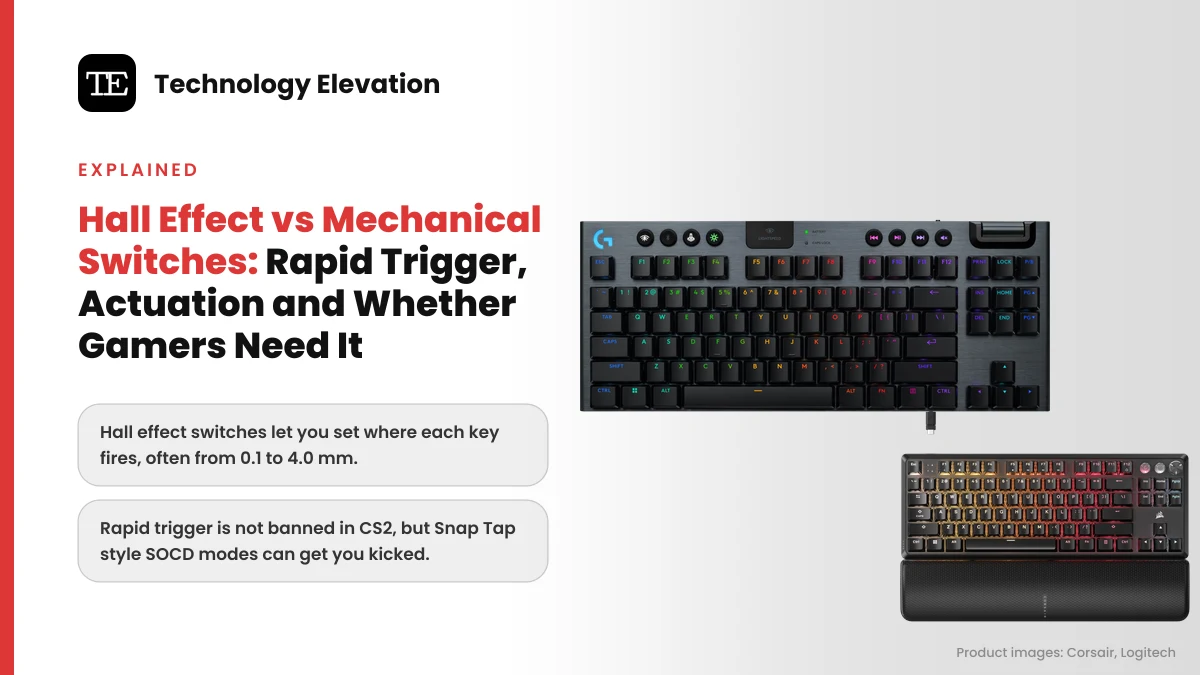
Press a key on a normal gaming keyboard and nothing happens for the first 2 mm. Then a tiny metal contact closes, the PC gets the keypress, and the key has to travel most of the way back up before it can fire again. Most people never notice. Counter-Strike and Valorant players notice every time they try to stop strafing and take a shot.
That gap is the whole fight in Hall effect vs mechanical switches. A Hall effect switch swaps the metal contact for a magnet and a sensor, so the keyboard knows exactly how deep every key is. Once it knows the depth, it can fire a key wherever you like and switch it off the instant your finger lifts. That second trick is called rapid trigger.
Magnetic boards also brought new rules. On August 19, 2024, Valve said players who automate several actions from one input may be kicked from Counter-Strike 2 matches on its official servers, and told owners of keyboards with a “Snap Tap Mode” to turn it off. Rapid trigger and Snap Tap are often lumped together. They are not the same thing, and only one of them gets you kicked.
We read the makers’ own spec pages, support articles and Valve’s announcement to explain how each switch works, what the settings do and who should pay extra for a magnetic keyboard.
Hall effect switches win for shooters, mechanical switches still win on feel and choice
Hall effect switches are better for competitive shooters because you can set where each key fires and use rapid trigger. Mechanical switches still win for typing feel, tactile and clicky options and price. For MMOs, strategy games and office work, a good mechanical keyboard loses almost nothing.
| Feature | Mechanical switch | Hall effect (magnetic) switch |
|---|---|---|
| How a press is detected | Metal contacts touch | Sensor reads a magnet in the stem |
| Actuation point | Fixed (2.0 mm on a Cherry MX Red) | Adjustable, often 0.1 to 4.0 mm |
| Rapid trigger | Not possible | Yes |
| Feel options | Linear, tactile and clicky | Mostly linear |
| Snap Tap or SOCD | Possible in firmware | Possible in firmware |
The last row surprises people. SOCD features like Snap Tap are firmware tricks, not magnet tricks, which is why Razer offers Snap Tap on a mechanical board too. More on that below.
A mechanical switch fires at one fixed point
A mechanical switch closes a metal contact at one fixed depth, then opens it again only after the key rises past a fixed reset point. You choose that depth once, when you buy the switch. Software cannot move it, which is why mechanical keyboards cannot do rapid trigger.
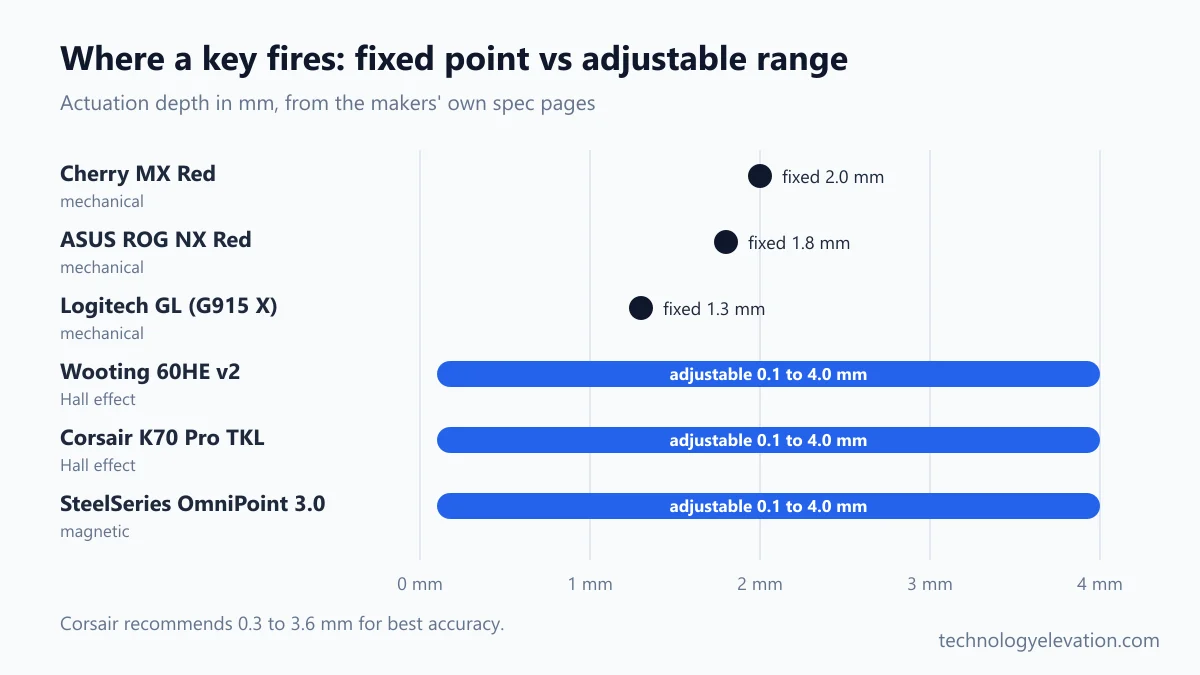
The Cherry MX Red is the classic example. Cherry lists it as a linear switch with a 45 cN operating force, 2.0 mm of pre-travel and 4.0 mm of total travel. In other words, the key fires halfway down and then keeps going another 2 mm into nothing.
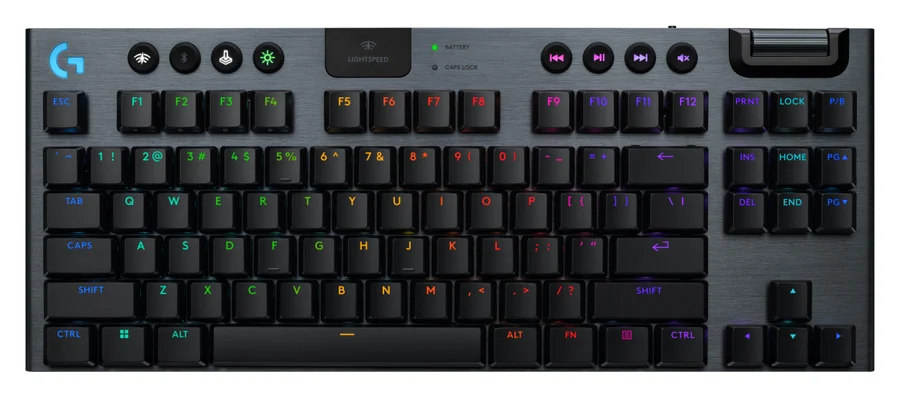
Other mechanical switches simply pick a different fixed point. ASUS sets the ROG NX Red and Snow switches in the ASUS ROG Azoth at 1.8 mm, and Logitech gives the low-profile GL switches in the G915 X a 1.3 mm actuation point. Shallow, yes. Adjustable, no.
None of that makes mechanical switches bad. They come in linear, tactile and clicky styles, they are cheap to replace on hot-swap boards, and the bump of a tactile switch is still the nicest thing to type on for a lot of people.
Magnetic switches measure how far each key is pressed
A Hall effect switch carries a small magnet in its stem. A sensor on the circuit board under it reads the magnetic field, which gets stronger as the key goes down. Because nothing touches, the keyboard sees the key’s exact depth at every moment, not just on or off.
The effect is named after the American physicist Edwin Hall. In a keyboard, the useful part is simple: the sensor turns key depth into a smooth signal, and the firmware decides what counts as a press.
Not every depth-sensing keyboard uses magnets. Razer’s Huntsman V3 Pro range uses Razer Analog Optical Switches Gen-2, which read a beam of light instead, with a 0.1 to 4.0 mm adjustable range. The result is the same family of features: adjustable actuation, rapid trigger and analog input.
Most magnetic switches today are linear, so anyone hooked on a tactile bump will feel the difference straight away. Keycaps and stabilisers still wear like on any keyboard.
Adjustable actuation lets you choose where each key fires
Adjustable actuation means you set the depth at which a key counts as pressed, per key, in the keyboard’s software. Most current magnetic boards span about 0.1 mm to 4.0 mm in 0.1 mm steps, so the same key can be a hair trigger or a deep, deliberate press.
The ranges on the makers’ own pages are close. Wooting’s 60HE v2 goes from 0.1 to 4.0 mm in 0.1 mm steps. Corsair’s K70 Pro TKL does the same with its MGX Hyperdrive switches. SteelSeries says OmniPoint 3.0 has 40 levels from 0.1 to 4.0 mm.
Lower is not always better. Corsair’s K70 Pro TKL page says that for optimal accuracy, the recommended range is 0.3 mm to 3.6 mm, and settings outside it can affect consistency. At 0.1 mm, a finger resting on W can walk you forward by accident.
The real win is mixing depths. Shallow on WASD for movement, deeper on keys you never want to hit by mistake, like the one that drops your weapon or opens the map mid-fight.
Rapid trigger resets a key the moment it starts to rise
Rapid trigger turns a key off as soon as it starts moving up and turns it on again as soon as it moves down, wherever it is in its travel. You no longer wait for a fixed reset point, so stops, taps and repeated presses happen with less finger movement.
Wooting introduced rapid trigger in 2019 on its Wooting Two Lekker Edition, and says other makers, including Razer and SteelSeries, added their own versions from 2023. SteelSeries sums up the benefit plainly: your character stops strafing at the moment you start lifting your finger.
That is why shooter players care. In Counter-Strike, you are only accurate when you are standing still. Let go of D a fraction sooner and the first shot lands where the crosshair is.
Rapid trigger does not add inputs. One press is still one press. It only changes when the keyboard decides a press starts and stops, which is why it sits on the right side of Valve’s line.
Sensitivity matters. Set the release distance too small and a shaky finger can flicker a key on and off. Start around the middle and lower it a step at a time.
Rapid trigger takes a few clicks in the maker’s software
Rapid trigger is switched on in the keyboard maker’s app, usually on a performance or actuation tab, where you pick keys, flip a Rapid Trigger toggle and set the actuation point. Wooting uses Wootility, Corsair uses iCUE or Web Hub, and Razer uses Synapse.
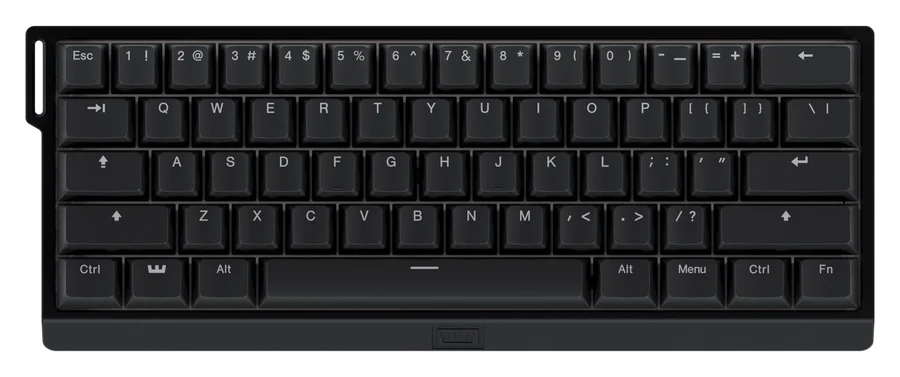
In Wootility, Wooting’s support article lists these steps:
- Open the performance tab of the profile you want to change.
- Flick the switch in the Rapid Trigger section.
- Check your actuation point on the left side of the same tab.
- Set the Rapid Trigger Sensitivity, which decides how far a key must rise before it resets.
- On Hall effect boards, click Set per-key rapid trigger to choose which keys use it.
- Optionally turn on Continuous Rapid Trigger or the separate up and downstroke sensitivity toggle.
Corsair’s steps in iCUE are similar:
- Open the keyboard from the iCUE home screen.
- Go to the Key Actuations tab.
- Select the keys you want to change. You can drag across a group.
- Use the toggle to enable Rapid Trigger.
- Set the actuation point. A lower value makes keys more sensitive.
- Optionally adjust the Rapid Trigger press and release sensitivity.
Corsair’s own setup guide suggests Rapid Trigger on and a 1.0 mm actuation point as a starting point for CS2. Razer owners have one extra step: Razer says Rapid Trigger Mode is not available on the Factory Default profile of the Huntsman V3 Pro TKL 8KHz, so set it up on a different profile in Synapse.
Snap Tap and SOCD are a separate feature, and Counter-Strike 2 kicks for them
SOCD settings decide what happens when you hold two opposite keys, like A and D. Snap Tap and similar modes make the newest key win without you releasing the first. Valve treats that as automation in Counter-Strike 2 and may kick players for it on official servers.
SOCD stands for simultaneous opposing cardinal directions. In most games, holding A and D at once cancels out and you stand still. With “last input wins”, pressing D while still holding A moves you right instantly. That is a perfect counter-strafe the keyboard performs for you.
Valve’s August 19, 2024 post put it in plain words: players “suspected of automating multiple player actions from a single game input may be kicked from their match”, initially only on Valve Official Servers. The release notes the same day said hardware-assisted counter strafing would be detected and result in a kick, and in-game null-binds and jump-throw binds stopped working. On September 9, 2024, Valve added detection options for community servers through the sv_auto_cstrafe console variables.
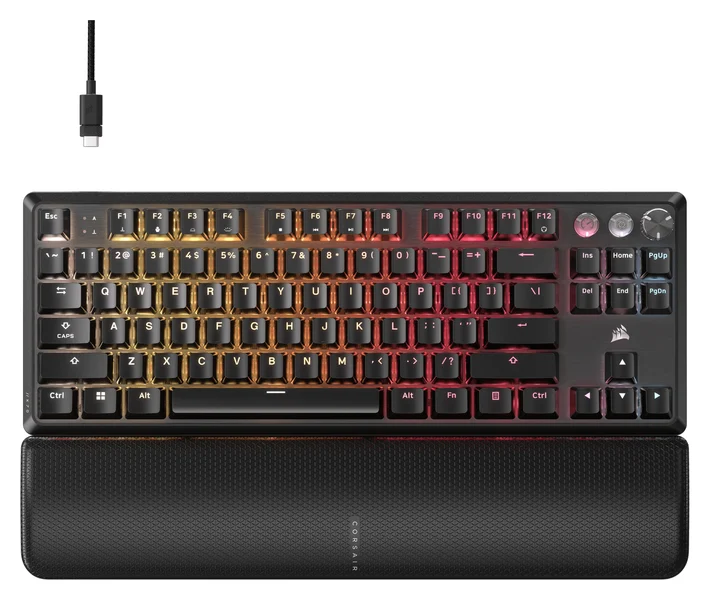
Rapid trigger is not part of that rule. Corsair answers the question directly on its K70 Pro TKL page: rapid trigger keyboards are not banned in CS2, but technologies such as FlashTap are.
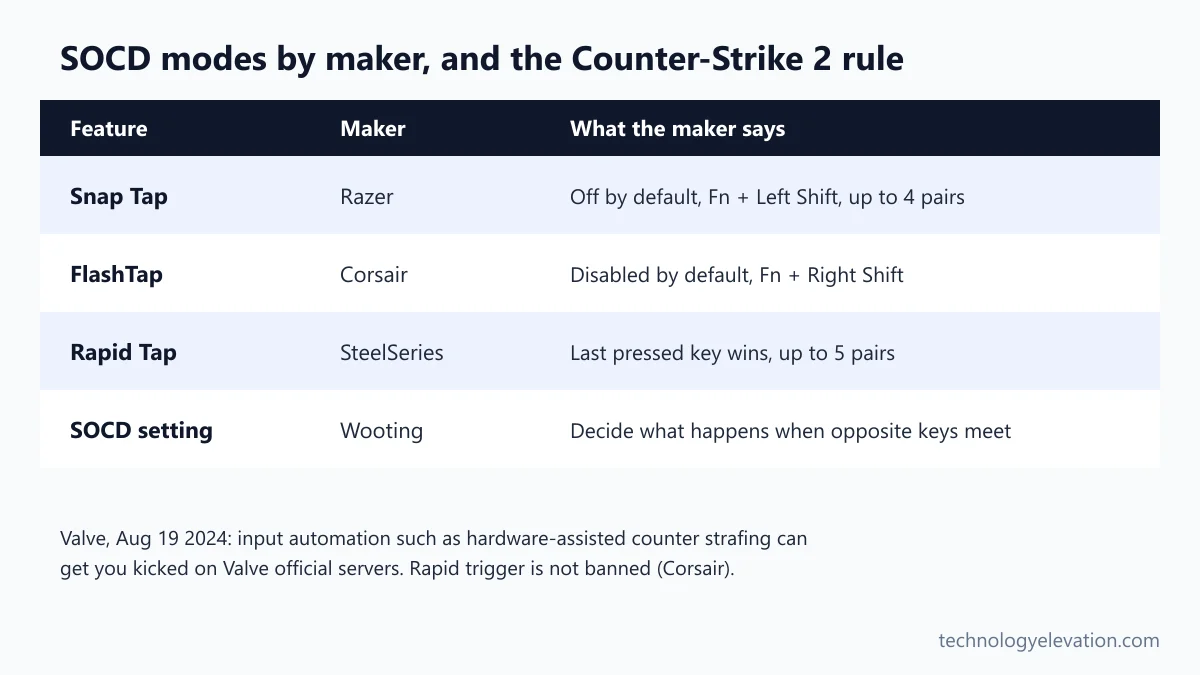
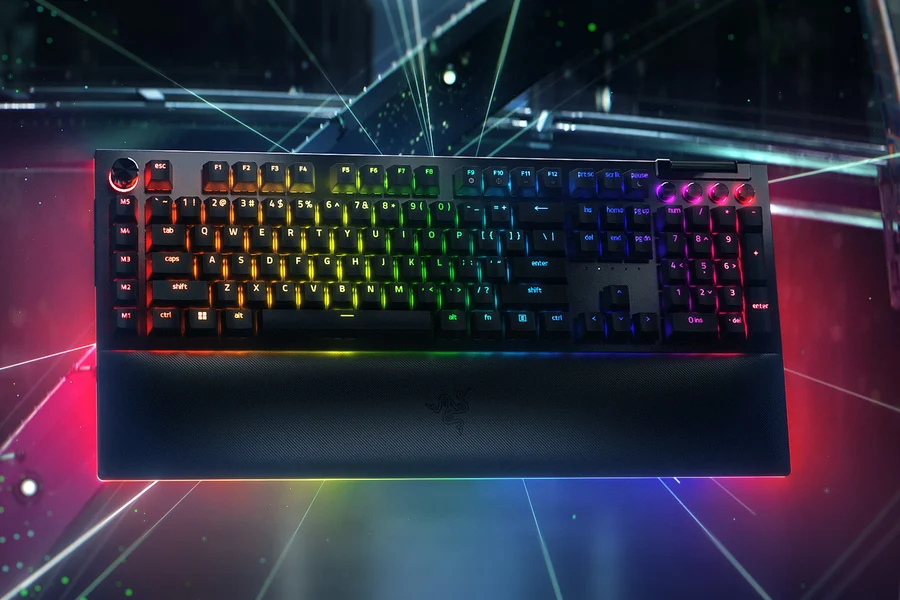
Makers ship these modes switched off. Razer says Snap Tap is off by default on the Huntsman V3 Pro TKL 8KHz, saves up to 4 key pairs, and toggles with Fn and Left Shift. Corsair’s FlashTap is disabled by default, toggles with Fn and Right Shift, and can favor the first, last or neither key. SteelSeries Rapid Tap supports up to 5 key pairs. And the Razer BlackWidow V4 Pro, a mechanical keyboard, supports Snap Tap through Razer Synapse 4, which proves the point: SOCD needs firmware, not magnets.
Other games and tournaments set their own rules. Check the rulebook for your league before a match, not after a kick.
TMR is a newer magnetic sensor, not a new kind of switch
TMR stands for tunnel magnetoresistance, a different type of magnetic sensor that does the Hall sensor’s job under each key. The switch still carries a magnet. Makers pitch TMR as more precise and more power-efficient, which matters most on wireless boards.
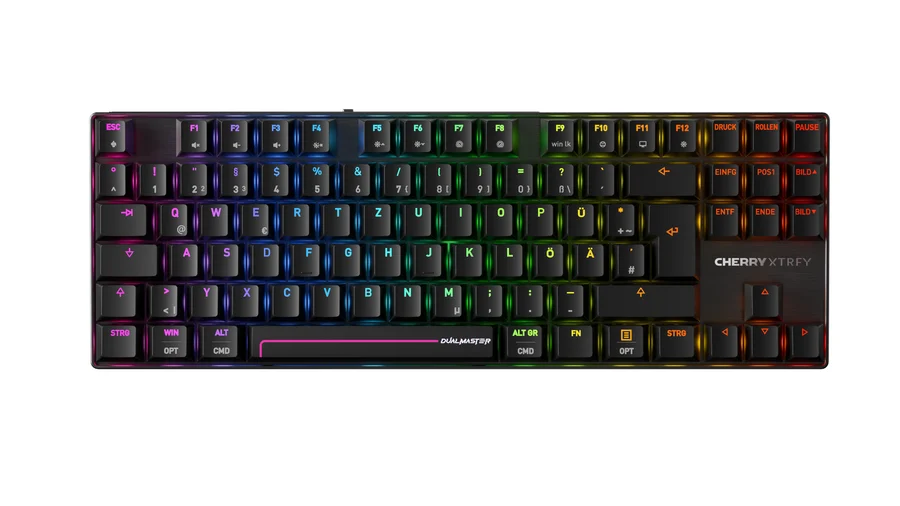
Cherry is the biggest name to adopt it so far. In January 2026, the company announced the CHERRY XTRFY MX 8.2 Pro TMR Wireless, with CHERRY MK Crystal Magnetic switches and TMR sensing that Cherry says delivers greater precision and significantly lower power consumption. Cherry quotes 0.01 mm precision and 8,000 Hz polling, with a $249.99 recommended price.
Cherry’s product page adds one practical touch: the board can hot-swap between magnetic and mechanical switches. Budget brands have TMR boards too, like the MonsGeek FUN60 Ultra TMR covered among the best gaming keyboards for 2026.
For buyers, TMR is a nice spec rather than a must. The features you feel, adjustable actuation and rapid trigger, work the same way on Hall effect and TMR boards.
Both switch types are rated for more than 100 million presses
Magnetic switches have no metal contacts to wear, but good mechanical switches already last for years. Cherry rates the MX Red for over 100 million keystrokes, and Corsair rates its MGX Hyperdrive magnetic switches for 150 million presses. Either figure outlasts most keyboards’ keycaps and cables.
Those are maker ratings, not independent tests. Still, they make the durability argument a weak reason to switch. A spilled coffee or a cat on the desk ends more keyboards than worn switches ever will.
Where magnetic boards do have an edge is consistency. Nothing rubs inside the sensor, so the actuation point you set should stay where you set it. On a mechanical switch, there is no setting to drift in the first place.
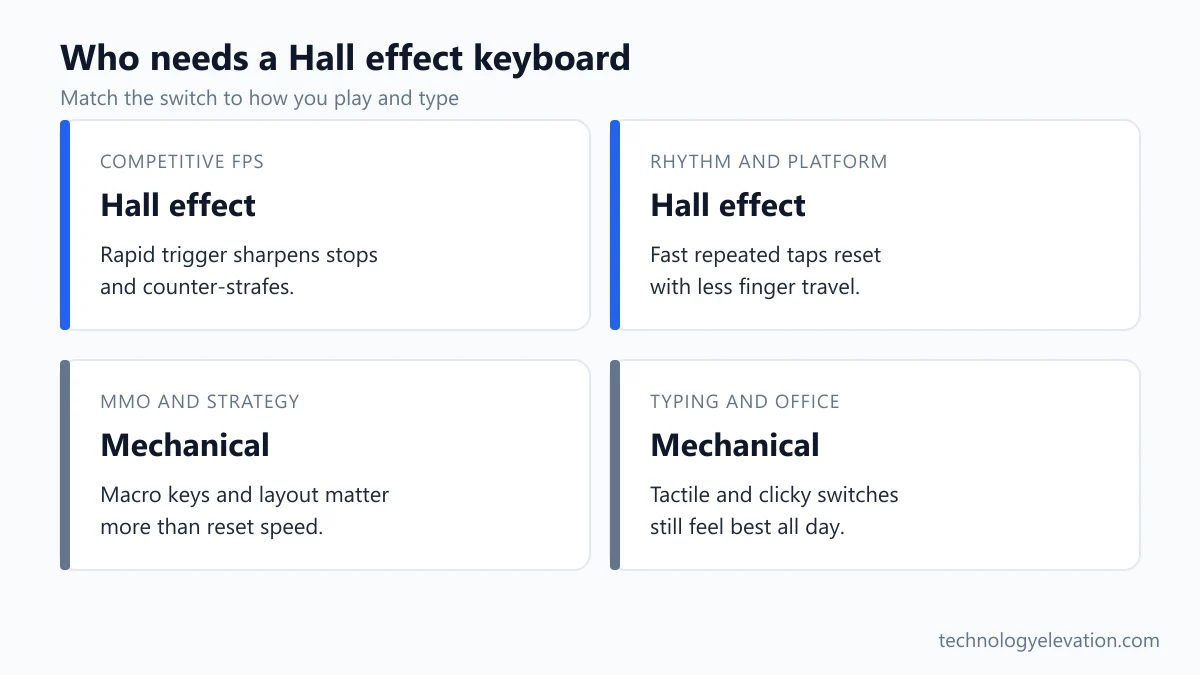
Competitive FPS players need a Hall effect keyboard, most other people do not
Buy a Hall effect or other magnetic keyboard if you play competitive shooters seriously or like rhythm games. Stay mechanical if you mostly type, play MMOs or strategy games, or love tactile and clicky switches. Rapid trigger helps your movement, not your aim or game sense.
- Counter-Strike, Valorant and Apex players: magnetic switches with rapid trigger, and an SOCD mode you can switch off fast.
- Rhythm and platform games: rapid trigger helps fast repeated taps. Wooting’s 60HE v2 page has a whole section on Geometry Dash.
- MMO and strategy players: macro keys and a full layout matter more, so a board like the Razer BlackWidow V4 Pro makes more sense.
- Writers and office workers: a tactile mechanical board, such as those in the list of the best keyboards, will feel better all day.
- Couch and long-session gamers: a low-profile wireless mechanical board like the Logitech G915 family trades hair triggers for comfort.
Price is the other line. Flagship magnetic boards still cost more than a good mechanical board, though cheaper 60% models keep arriving. If you are ready to buy, the picks in the best gaming keyboard rundown cover magnetic, analog optical and mechanical boards side by side, with launch prices.
Frequently asked questions about Hall effect and mechanical switches
Is Hall effect better than mechanical for gaming?
Yes, for competitive shooters. Hall effect switches let you set actuation per key and use rapid trigger, which makes stopping and strafing sharper. For MMOs, strategy games and typing, a good mechanical keyboard is just as useful and often cheaper.
What is rapid trigger on a keyboard?
Rapid trigger turns a key off the moment it starts to rise and on again the moment it moves down. It removes the fixed reset point of a normal switch. It needs magnetic or analog switches that measure how deep each key is.
Is rapid trigger banned in CS2?
No. Valve’s rule targets automating multiple actions from a single input, such as Snap Tap style SOCD modes. Corsair states that rapid trigger keyboards are not banned in CS2, while features like its own FlashTap are.
Is Snap Tap allowed in Counter-Strike 2?
No, not on Valve official servers. Since August 19, 2024, players suspected of hardware-assisted counter strafing may be kicked from their match. Valve tells owners of keyboards with a Snap Tap mode to turn it off before joining.
Can a mechanical keyboard have rapid trigger?
No. A mechanical switch only knows on or off at one fixed depth, so it cannot reset partway up. Some mechanical boards, such as the Razer BlackWidow V4 Pro, do support Snap Tap, because SOCD is a firmware feature.
Do Hall effect switches last longer than mechanical switches?
On paper, slightly. Corsair rates its MGX Hyperdrive magnetic switches for 150 million presses, and Cherry rates the MX Red mechanical switch for over 100 million keystrokes. Both figures outlast most keyboards’ keycaps and cables.
What actuation point should I use?
Start near 1.0 mm for movement keys and adjust from there. Corsair suggests 1.0 mm with rapid trigger for CS2 and recommends staying between 0.3 mm and 3.6 mm for accuracy. Go deeper on keys you never want to hit by accident.
What is a TMR keyboard?
A TMR keyboard uses tunnel magnetoresistance sensors instead of Hall sensors to read the magnet in each switch. It offers the same adjustable actuation and rapid trigger. Makers such as Cherry say TMR is more precise and uses less power.
Last checked and sources
Last checked on 15 November 2026 by Haris Khan. We compared switch specs, settings menus and game rules using the makers’ own product pages, support articles and press releases, and Valve’s Counter-Strike 2 announcements.
- Valve, “Side-stepping Skill” Counter-Strike 2 post and release notes for 8/19/2024 and 9/9/2024
- Wooting, How to Set Up Rapid Trigger support article, Rapid Trigger page and Wooting 60HE v2 product page
- Corsair, K70 Pro TKL product page, K70 Pro TKL launch press release (October 31, 2024) and How to Set Up Rapid Trigger on CORSAIR Keyboards
- Razer, Huntsman V3 Pro Tenkeyless 8KHz and BlackWidow V4 Pro product pages
- SteelSeries, Rapid Trigger explainer (August 2023) and Apex Pro Gen 3 press release (September 2024)
- Cherry, MX Red switch page, MX 8.2 Pro TMR Wireless product page and TMR press release (January 2026)
- ASUS ROG Azoth and Logitech G915 X Lightspeed TKL product pages
We update this explainer when makers change their switch tech or game publishers change their input rules.


GIPHY App Key not set. Please check settings