

 Abdullah Kabeer
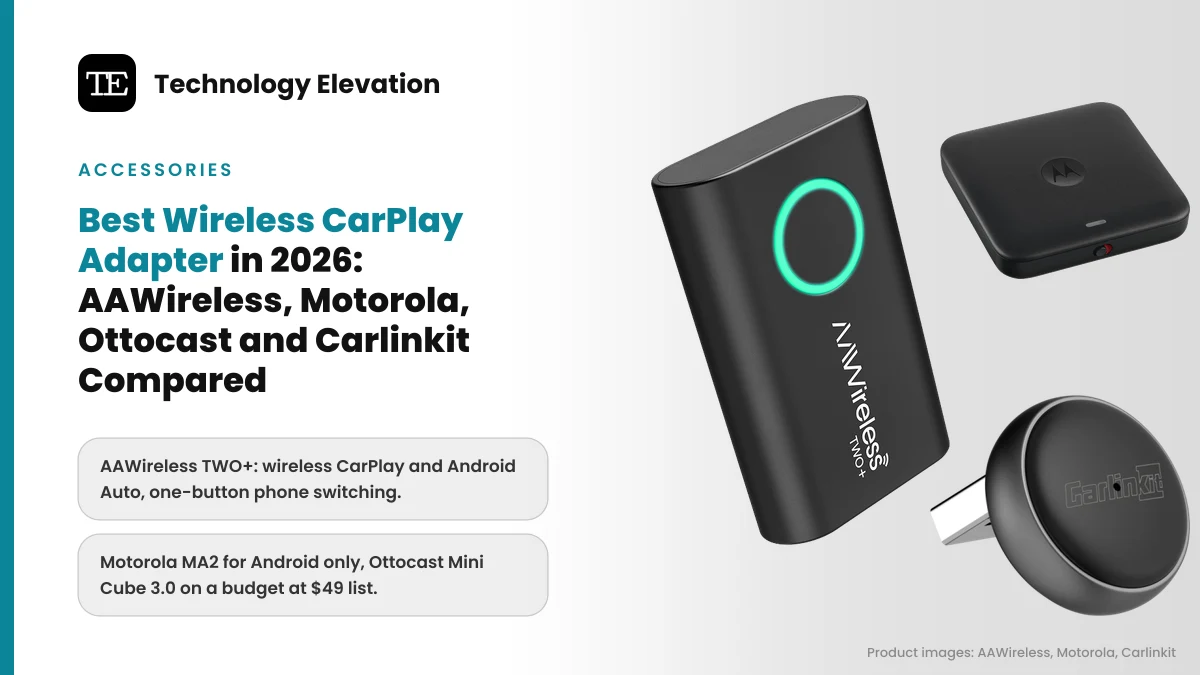
Watch someone get into a car with wired CarPlay and you will see the same small ritual every time. Phone out of the pocket, cable fished out from under the seat, plug in, wait for the screen to wake up. A wireless CarPlay adapter cuts that ritual out. The best wireless CarPlay adapter plugs into the same USB port once, then connects your phone on its own every time you start the car.
Plenty of cars still need one. Apple says more than 800 car models support CarPlay, standard or as an option on many cars from 2016 on, and a lot of them only connect with a cable. The same goes for Android Auto.
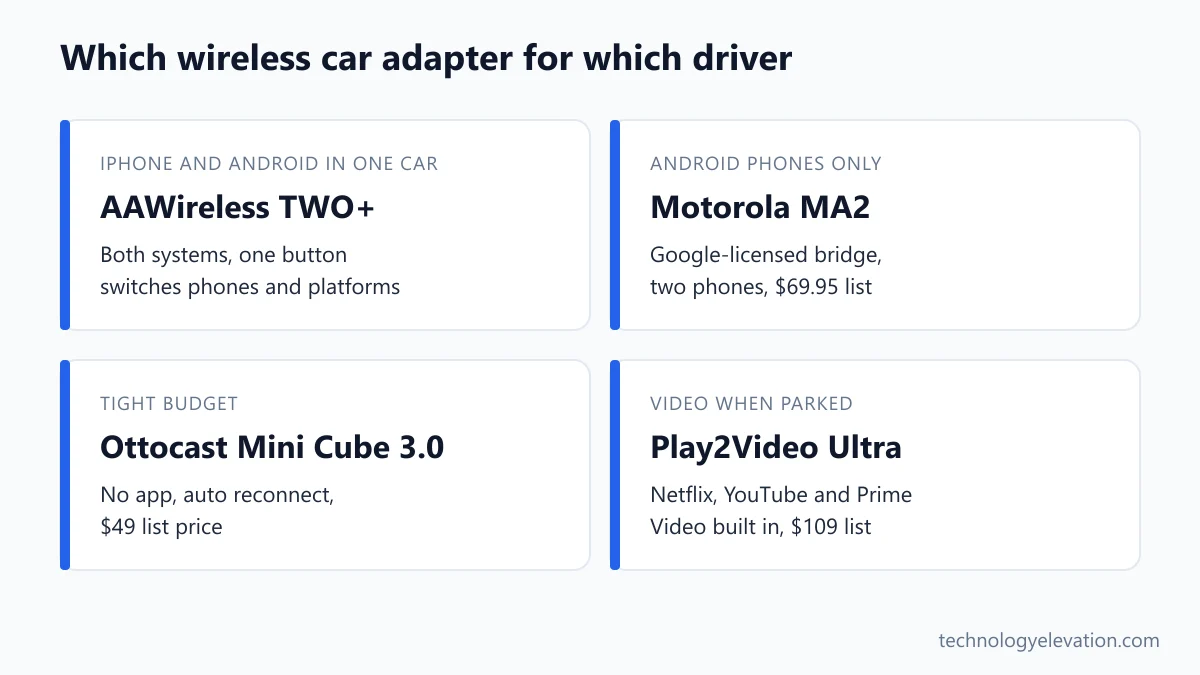
The catch is that adapter marketing is loud and vague. Words like “ultra-low latency” and “instant connection” show up everywhere, but not one of the makers we checked publishes a latency number in milliseconds. So we read the fine print instead: what each adapter really supports, what it needs from your car, and how it gets updates.
We compared the official specs and compatibility notes of current adapters from AAWireless, Motorola, Ottocast and Carlinkit, and sorted them by the job they do best.
The best wireless CarPlay adapter for most people is the AAWireless TWO+
The AAWireless TWO+ is the best wireless CarPlay adapter for most people. It makes both wired CarPlay and wired Android Auto wireless, switches between phones with one button, and gets regular firmware updates through a free app on iPhone and Android.
Every pick, by the job it does best:
- Best overall: AAWireless TWO+
- Best for Android Auto only: Motorola MA2
- Best alternative for iPhone and Android households: Ottocast U2Air Edge
- Best on a budget: Ottocast Mini Cube 3.0
- Smallest adapter: Carlinkit Mini Ultra3
- Best for video when parked: Ottocast Play2Video Ultra
- Best Android Auto adapter with an app: AAWireless TWO
| Model | Wireless CarPlay | Wireless Android Auto | Stand-out feature | Updates |
|---|---|---|---|---|
| AAWireless TWO+ | Yes | Yes | One button switches phones and systems | Companion app |
| Motorola MA2 | No | Yes | Google-licensed bridge, two-phone multipoint | Android Auto app |
| Ottocast U2Air Edge | Yes | Yes | Bluetooth 5.4, one-press iPhone to Android switch | Firmware over the air |
| Ottocast Mini Cube 3.0 | Yes | Yes | 0.85 inch cube, aluminum body | Firmware over the air |
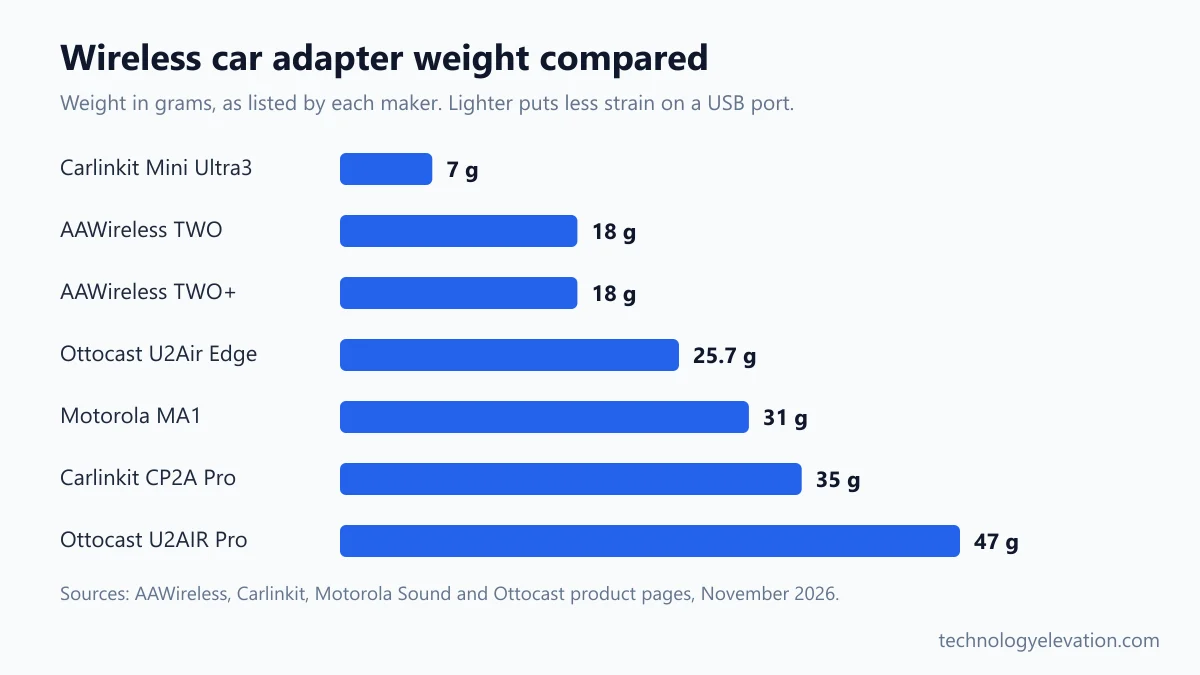
| Carlinkit Mini Ultra3 | Yes | Yes | 7 grams, 5 GHz Wi-Fi | Online upgrade page |
| Ottocast Play2Video Ultra | Yes | Yes | Built-in Netflix, YouTube and Prime Video | OttoPilot app |
| AAWireless TWO | No | Yes | Unlimited paired phones | Companion app |
Adapter prices swing wildly, and Ottocast runs a sale on almost everything most weeks. Where we quote a price below, it is the maker’s own list or launch price, so treat it as a ceiling.
AAWireless TWO+: the best wireless CarPlay adapter overall
The AAWireless TWO+ is the best all-round wireless CarPlay adapter because it does both systems properly. It turns wired CarPlay and wired Android Auto wireless, pairs as many phones as you like, and keeps improving through firmware updates delivered by a free companion app.
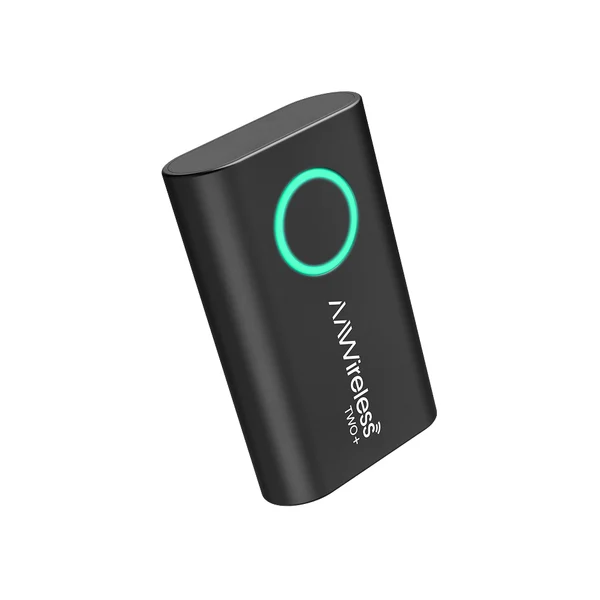
Key specs: Wireless CarPlay and wireless Android Auto, multifunctional button with an LED ring, Bluetooth and Wi-Fi, USB-C port with a USB-C to USB-A cable in the box, 18 grams. Needs iPhone X or newer for CarPlay, or Android 11 or newer for Android Auto. Two-year warranty when bought from Amazon or the AAWireless shop.
AAWireless is the Dutch company behind the first wireless Android Auto adapter, which launched through Indiegogo in 2020. The TWO+ is its first adapter that handles CarPlay too, and the early-access batch on Indiegogo in May 2025 sold 3,000 units in five days.
The button is the part you will use. A press can switch the adapter between paired phones, including from an iPhone to an Android phone, or put it on standby so it stops grabbing your phone when a passenger wants to use the car’s own Bluetooth. You choose what the button does in the app.
The app matters more than it sounds. Wireless adapters live or die on firmware, because every car maker implements CarPlay a little differently. AAWireless pushes updates through the app and adds car-specific fixes, such as GPS passthrough and an audio stutter fix, as settings you can switch on.
The honest catch: setup still depends on your car having factory wired CarPlay or Android Auto. If the screen in your car already connects wirelessly, the TWO+ is not supported.
Buy the AAWireless TWO+ now on Amazon
Motorola MA2: the best wireless adapter for Android Auto only
The Motorola MA2 is the best pick if everyone in the car uses Android. Motorola says it uses Google-licensed bridge technology, gets updates through the Android Auto app itself, and pairs two phones with one-button switching. It lists at $69.95 on Motorola Sound.
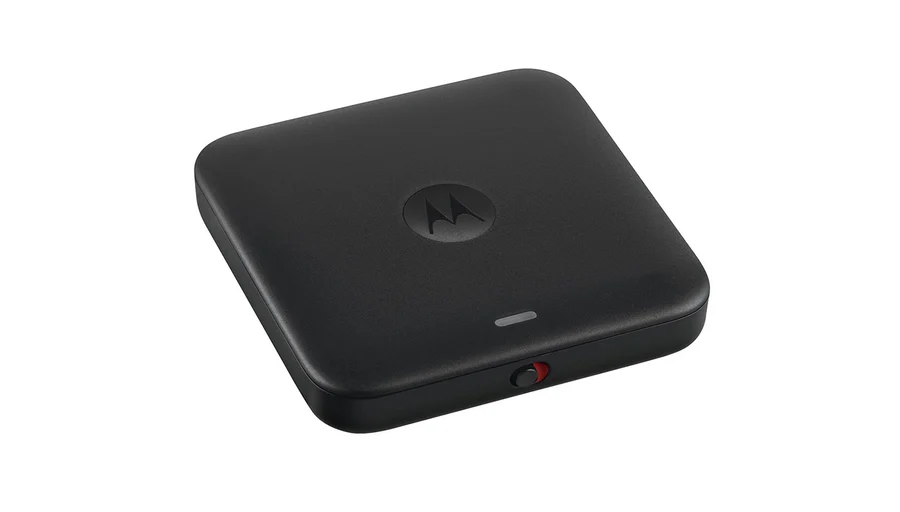
Key specs: Wireless Android Auto only (no CarPlay), 5 GHz Wi-Fi, two-phone multipoint with a switch button, dedicated on/off switch, LED connection light. Works with most cars that shipped with USB-only Android Auto and most phones that shipped with Android 11.
The Google connection is the selling point. Motorola calls the MA2 “still the only one engineered by Google”, and updates arrive through the Android Auto app rather than a separate brand app. You never install anything extra.
The on/off switch is a quietly smart addition. Some cars keep their USB ports powered after you lock up, so an adapter can wake up and grab your phone as you walk past the car in the driveway. Flick the switch and that stops.
The older Motorola MA1 is still on sale at $69.99. It has the same Google-licensed approach and 5 GHz Wi-Fi, with Bluetooth 5.0 and a weight of 31 grams, but no multipoint and no on/off switch. Motorola also lists Mitsubishi as a known incompatible brand for the MA1, which is worth checking before you buy either one. Motorola’s audio products are made by SGW Global under a brand license, and the brand is the same Motorola name you see on Android phones.
The obvious catch: no CarPlay at all. If an iPhone ever rides in your car, skip to the TWO+.
Buy the Motorola MA2 now on Amazon
Ottocast U2Air Edge: the best alternative for iPhone and Android households
The Ottocast U2Air Edge is the best alternative to the TWO+ for homes with both iPhones and Android phones. Ottocast’s newest adapter supports wireless CarPlay and Android Auto, switches between a paired iPhone and Android phone with one press, and uses Bluetooth 5.4.
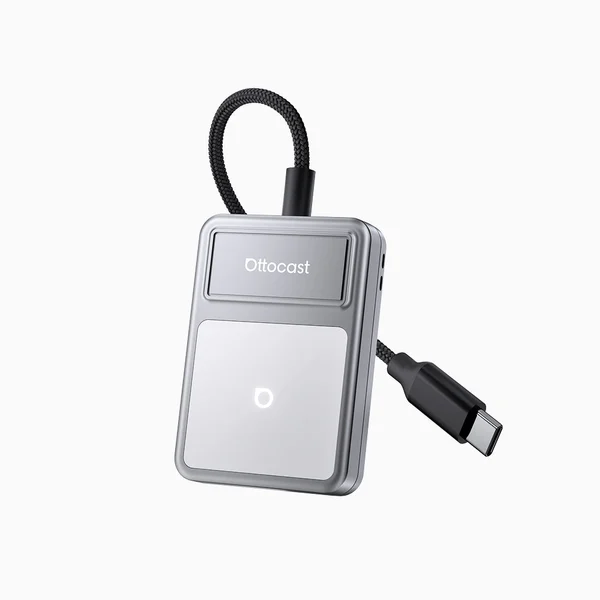
Key specs: Wireless CarPlay and wireless Android Auto, 1.2 GHz processor, Bluetooth 5.4, 25.7 grams, short braided cable, switch button on the side, USB-A or USB-C versions, silver, burgundy or black. List price on Ottocast’s store: $89.
Ottocast added the Edge to its store in September 2026, and it sits above the boxier U2AIR Pro in the range. By Ottocast’s own numbers, it is lighter (25.7 grams against 47), faster (1.2 GHz against 1.0 GHz) and on a newer Bluetooth version (5.4 against 5.2).
The short tethered cable is a practical touch. A heavy adapter hanging straight off a USB port puts strain on the port every time you hit a pothole, while a cable lets the body sit flat in a tray.
Read Ottocast’s pre-purchase notes before ordering. The company says the Edge is not for BMW vehicles and will not work in cars that already have wireless CarPlay or Android Auto. Its quick check is the same as everyone else’s: if CarPlay starts when you plug your iPhone in with a cable, the car is compatible.
Buy the Ottocast U2Air Edge now on Amazon
Ottocast Mini Cube 3.0: the best cheap wireless CarPlay adapter
The Ottocast Mini Cube 3.0 is the best cheap wireless CarPlay adapter. It handles wireless CarPlay and Android Auto, needs no app, reconnects on its own each time you start the car, and lists at $49 on Ottocast’s store.
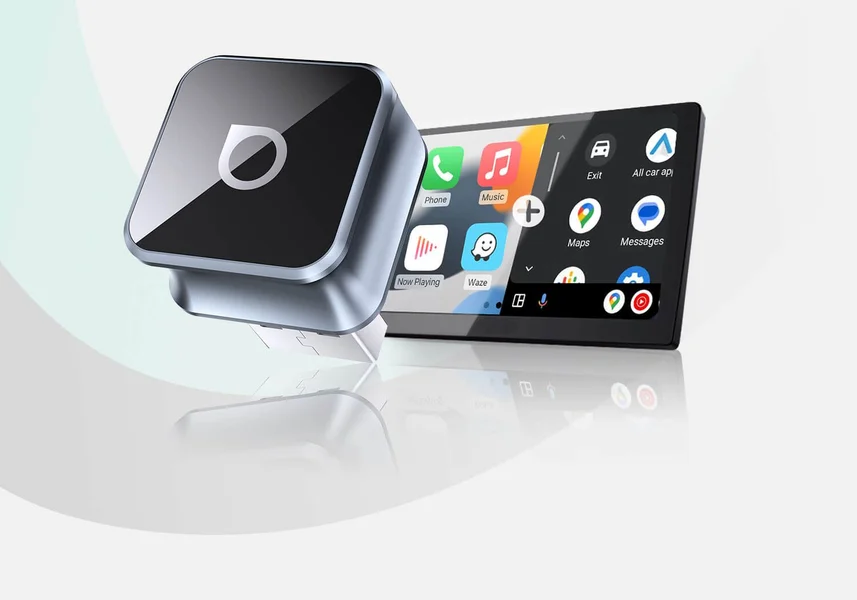
Key specs: Wireless CarPlay and wireless Android Auto, 0.85 x 0.85 x 0.46 inch body, sandblasted aluminum alloy shell, 90-degree USB connector, USB-A or USB-C versions, firmware updates over the air.
Small is the whole idea. The Mini Cube sits almost flush with the USB port, so it does not stick out into a cupholder or get knocked by a bag on the passenger seat.
Plug and play is the other draw. Ottocast says there is no app to install: plug it in once and drive, which suits anyone buying an adapter for a parent’s car who will never open a settings menu.
The trade-off is control. With no app, you cannot fine-tune audio or pick which phone connects first, so a shared car with two drivers is better served by the TWO+ or the U2Air Edge.
Buy the Ottocast Mini Cube 3.0 now on Amazon
Carlinkit Mini Ultra3: the smallest wireless CarPlay adapter
The Carlinkit Mini Ultra3 is the smallest and lightest adapter here at 7 grams. It turns wired CarPlay into wireless CarPlay plus wireless Android Auto, runs on 5 GHz Wi-Fi, and keeps your steering wheel buttons and knobs working as before.
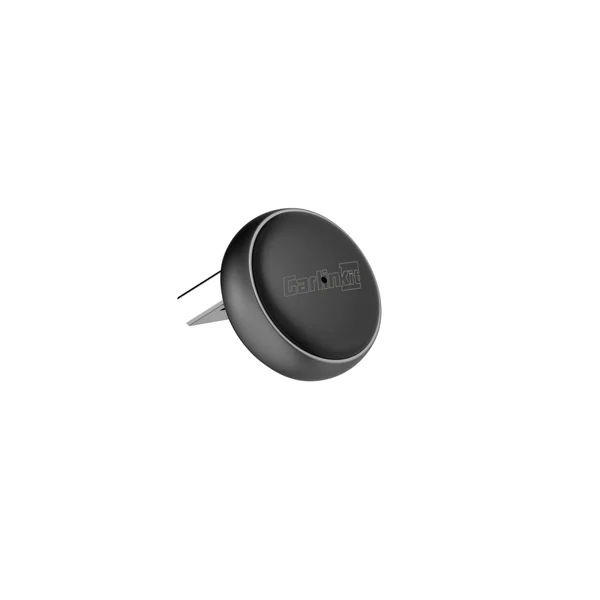
Key specs: Model CPC200-Mini Ultra3, dual-core 1.0 GHz chip, 5 GHz Wi-Fi (5.2 and 5.8 GHz), 0.75 W power draw, 24.98 x 24.98 x 22.35 mm (USB-A version), 7 grams. Supports iPhone 6 or later on iOS 10 or above, and Android 11 or later.
Carlinkit makes the widest range of adapters on the market, and its naming is confusing. The Mini Ultra3 is the plain one: a small cube with an LED, no screen apps and no extras.
Two details stand out on the spec sheet. Power draw is just 0.75 W, against 3.5 W for Carlinkit’s video-streaming CP2A Pro, and the adapter keeps the car’s original resolution rather than scaling it.
Updates are the clunky part. Instead of an app, you type an upgrade address into your phone’s browser, which works but feels a generation behind AAWireless.
Buy the Carlinkit Mini Ultra3 now on Amazon
Ottocast Play2Video Ultra: the best adapter for video when parked
The Ottocast Play2Video Ultra is the best pick if you want video on the car screen while you wait. It makes CarPlay and Android Auto wireless and adds built-in Netflix, YouTube and Prime Video. Use those apps only when parked.
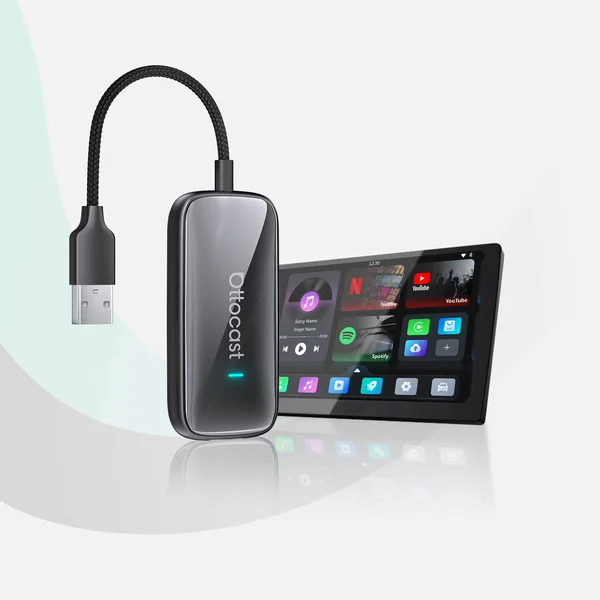
Key specs: Wireless CarPlay and wireless Android Auto, closed Android system, pre-installed Netflix, YouTube, IPTV and Prime Video, room for up to 5 more apps, firmware updates through the OttoPilot app. List price on Ottocast’s store: $109.
Think school pickup lines, charging stops and a passenger waiting outside a store. A car screen is usually bigger than a phone, and the speakers are better.
Ottocast calls this a closed Android system, meaning you cannot install anything you like from an app store. The company says that keeps it more stable, and it does limit what can go wrong.
Watching video while driving is dangerous, so keep the apps for when the car is in park. And for plain CarPlay with nothing extra, a cheaper adapter does the same job.
The Carlinkit CP2A Pro is the closest rival. It runs Android 12 on a quad-core chip and plays video files from a USB drive, but uses older Bluetooth 4.2.
Buy the Ottocast Play2Video Ultra now on Amazon
AAWireless TWO: the best Android Auto adapter with an app
The AAWireless TWO is the best Android Auto adapter for drivers who like to tinker. It pairs an unlimited number of phones, switches and pairs with one button, and gets the same companion app and firmware updates as the TWO+. It launched in the US at $64.99.
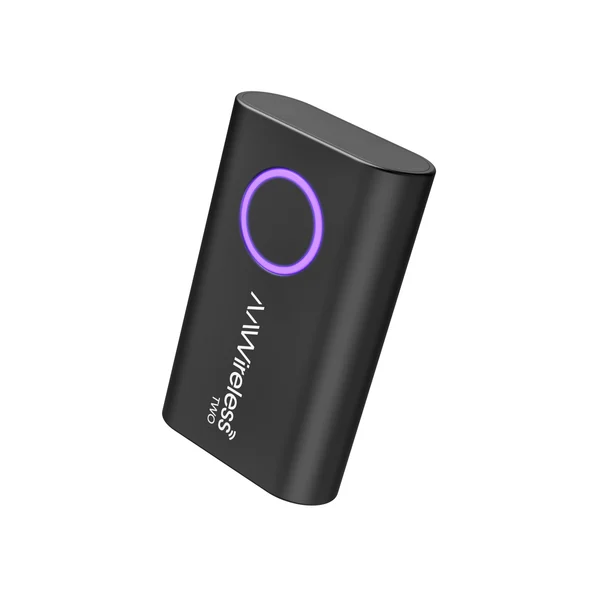
Key specs: Wireless Android Auto only, multifunctional button for pairing, switching and standby, Bluetooth and Wi-Fi, USB-C port, 5.5 x 3.5 x 1.5 cm, 18 grams. Needs Android 11 or newer. Launched October 20, 2024.
The TWO is 30% smaller than the original AAWireless adapter, according to the company, and it is the better buy than the Motorola MA2 for one group: families with three or more drivers. The MA2 handles two phones, while the TWO pairs as many as you like.
The app is the other reason. Car makers each implement Android Auto slightly differently, and AAWireless adds per-car fixes as settings. The Motorola relies on Google’s updates alone.
As with the MA2, there is no CarPlay. AAWireless was clear when it launched the TWO that CarPlay needed new hardware, which became the TWO+.
Buy the AAWireless TWO now on Amazon
Wireless CarPlay adapters add lag, and no maker puts a number on it
Every wireless CarPlay adapter adds some delay, because the phone’s video and audio now travel over Wi-Fi before reaching the car. None of the makers we checked publishes a latency figure in milliseconds, so treat claims like “ultra-low latency” as marketing.
Here is what happens under the hood. The adapter first pairs with your phone over Bluetooth and hands over its Wi-Fi details. AAWireless explains that from then on, the CarPlay or Android Auto stream runs over Wi-Fi, while the adapter talks to the car over the same USB cable your phone used to.
The delay shows up in small places. A tap on the screen can feel a beat slower, and skipping a track can take a moment longer than over a cable. Turn-by-turn directions and phone calls are far less sensitive to it.
Start-up time is the number people actually notice, and it is a different thing. Your car’s screen has to boot first, then the adapter, then the phone has to join its Wi-Fi network. AAWireless says its own adapters connected in about 18 seconds on average in its tests, and it notes that much of any longer wait is the car booting up.
Wi-Fi band matters too. Google says wireless Android Auto needs a phone with 5 GHz Wi-Fi support, and Motorola and Carlinkit both build their adapters around 5 GHz for the same reason: more bandwidth, less crowding.
Your car, your phone and your updates decide the right adapter
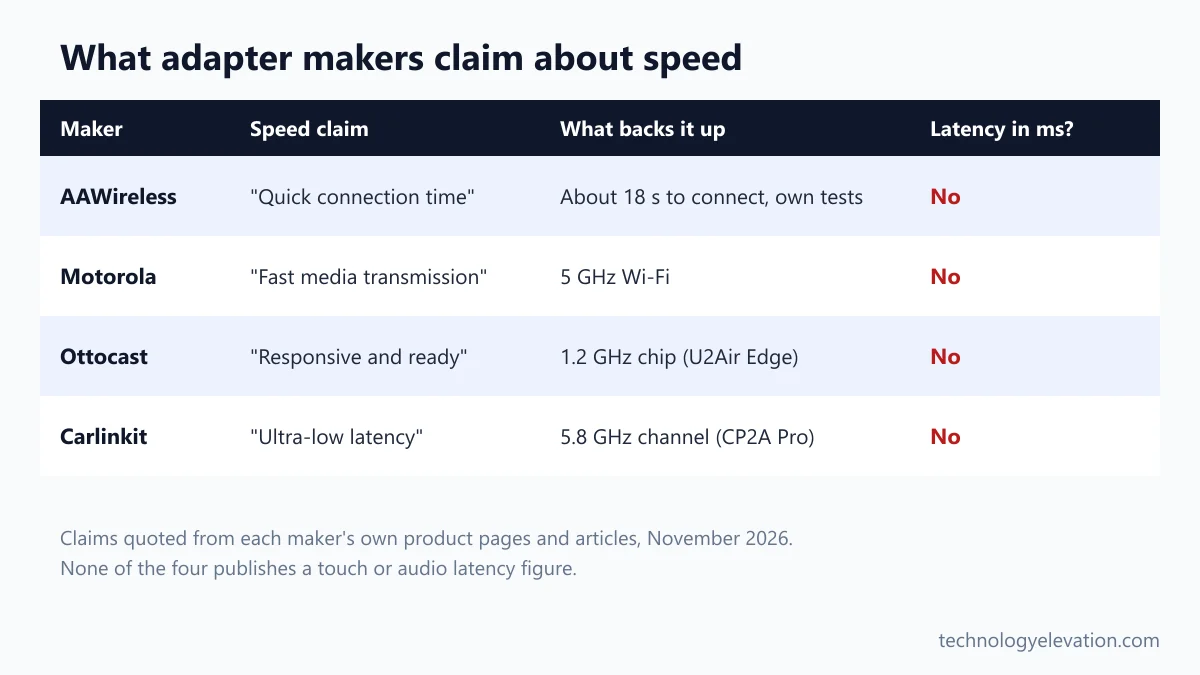
Pick a wireless CarPlay adapter by checking your car first, your phones second, and the update method third. An adapter only works where wired CarPlay or Android Auto already works, so everything else is a choice between features, size and how long the maker keeps it compatible.
- Confirm your car has wired CarPlay or Android Auto. Plug your phone in with a cable. If CarPlay or Android Auto starts, an adapter should work. If your car has no CarPlay at all, no adapter can add it.
- Rule out wireless-ready cars. Cars that already connect wirelessly are not supported by AAWireless or Ottocast adapters.
- Count the systems in your car. iPhone only or mixed phones: TWO+, U2Air Edge, Mini Cube 3.0 or Mini Ultra3. Android only: MA2 or TWO.
- Count the drivers. Two phones suit the MA2. Three or more suit the AAWireless adapters, which pair an unlimited number.
- Check the phone requirements. The TWO+ needs an iPhone X or newer for CarPlay. Google says wireless Android Auto needs Android 11 or newer.
- Prefer an adapter with a clear update path. An app or the Android Auto app beats typing an upgrade address into a browser.
- Check the maker’s car list. Ottocast lists BMW as not compatible with the U2Air Edge, and Motorola lists Mitsubishi as incompatible with the MA1.
Plan for charging as well. A wireless connection does not charge your phone, and running navigation plus music over Wi-Fi drains a battery quickly on a long drive. A good USB-C car charger or a magnetic charging mount fixes that, and the difference between Qi2 and MagSafe charging speeds matters if you go for a wireless pad.
Where the phone sits is the other half. With no cable to reach, it can go anywhere, and a sturdy car phone mount for thick cases keeps it from sliding around in a cupholder.
Some cars need an extra step to work with a wireless adapter
A few car brands need an extra step before a wireless adapter connects. Ottocast notes that some Jaguar models need you to tap the factory CarPlay icon after plugging in, and some newer Korean models need Wired CarPlay mode switched on first.
Most adapters follow the same first-time setup. Plug the adapter into the USB port your phone normally uses for CarPlay, which is often marked with a CarPlay or smartphone icon. Put it in pairing mode, then pair your phone over Bluetooth. Apple’s CarPlay setup page shows how the car side of the connection works.
Use the port that carries data, not a charge-only one. Many cars have two or three USB ports and only one of them runs CarPlay.
Aftermarket stereos are usually fine. AAWireless says its adapters work with aftermarket head units that have wired-only Android Auto or CarPlay, which covers a lot of older cars upgraded with a new touchscreen.
Car still giving you trouble? Two common fixes from the makers are restarting the infotainment system and forgetting the adapter in your phone’s Bluetooth and Wi-Fi lists, then pairing from scratch. And if theft worries you more than cables, a GPS tracker for cars is the smarter car gadget to add next.
Wireless CarPlay adapters make good stocking fillers this Black Friday
Wireless CarPlay adapters are among the easiest tech gifts to get right, as long as you check the car first. They cost far less than a new stereo, fit in an envelope, and makers’ own stores were already running sales in mid-November.
Ottocast’s store had most of its adapters marked down from their list prices when we checked. Treat a “was” price on any adapter with care, since inflated reference prices are one of the oldest Black Friday tech deal tricks.
For the person who has everything, an adapter pairs well with other picks from the best tech gifts of 2026. Write down the car’s make, model and year before you buy. That one detail decides whether the gift works.
Frequently asked questions about wireless CarPlay adapters
What is the best wireless CarPlay adapter?
The AAWireless TWO+ is the best wireless CarPlay adapter for most people. It makes wired CarPlay and wired Android Auto wireless, switches phones with one button, and gets firmware updates through a free companion app.
Do wireless CarPlay adapters have lag?
Yes, every wireless adapter adds a small delay because the signal travels over Wi-Fi. You may notice it on screen taps and track skips, much less on navigation and calls. No maker we checked publishes a latency figure in milliseconds.
Will a wireless CarPlay adapter work in my car?
A wireless CarPlay adapter works if your car already supports wired CarPlay. Plug your iPhone in with a cable, and if CarPlay starts, the car is compatible. Cars with no CarPlay, or with built-in wireless CarPlay, are not supported.
Do wireless CarPlay adapters drain your phone battery?
Yes, a wireless connection does not charge your phone, and streaming maps and music over Wi-Fi uses battery. On long drives, add a car charger or a wireless charging mount.
Is the Motorola MA2 compatible with CarPlay?
No. The Motorola MA2 and MA1 are wireless Android Auto adapters only. For CarPlay, choose an adapter such as the AAWireless TWO+, Ottocast U2Air Edge or Carlinkit Mini Ultra3.
Do wireless CarPlay adapters need an app?
No, most work without one after a one-time Bluetooth pairing. Apps from AAWireless and Ottocast add firmware updates and settings, while the Motorola MA2 updates through the Android Auto app.
Last checked and sources
Last checked on 19 November 2026 by Abdullah Kabeer. We compared the official specs, compatibility notes and update methods of current wireless CarPlay and Android Auto adapters on each maker’s own product pages and press releases, and checked the CPSC recall database for every brand.
- AAWireless, TWO+ and TWO product pages, TWO+ launch release, TWO launch release (October 2024) and adapter comparison (aawireless.io)
- Motorola Sound, MA2 and MA1 product pages (motorolasound.com)
- Ottocast, U2Air Edge, Mini Cube 3.0 and Play2Video Ultra product pages and vehicle compatibility notes (ottocast.com)
- Carlinkit, Mini Ultra3 and CP2A Pro product pages and tech specs (carlinkit.com)
- Apple, CarPlay setup support page and CarPlay available models (apple.com)
- Google, Android Auto phone requirements (support.google.com)
- US Consumer Product Safety Commission recall database: no recalls listed for any adapter brand here
We update this buying guide when adapter makers launch, discontinue or significantly change a model.
Technology Elevation is reader-supported. As an Amazon Associate, we earn from qualifying purchases. When you buy through links on this page, we may earn a small commission at no extra cost to you.

GIPHY App Key not set. Please check settings