

 Haris Khan
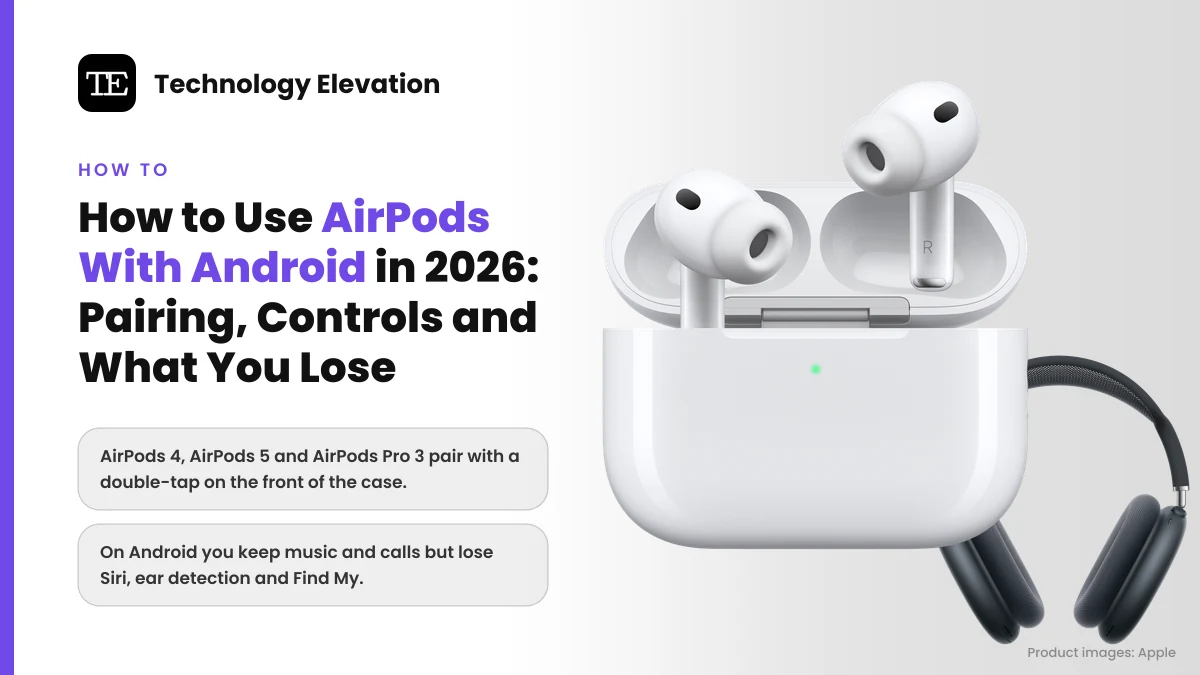
You open the AirPods case next to a Galaxy or a Pixel and nothing happens. No card slides up, no battery ring, no Connect button. Learning how to connect AirPods to Android starts with that small surprise: the phone has no idea these are Apple earbuds, so you pair them the old way, like any other Bluetooth headset.
The good news is that pairing takes under a minute, and the earbuds sound the same as they do on an iPhone. Apple’s own support page puts the deal plainly: on a non-Apple device, “You can’t use Siri, but you can listen and talk.”
What Apple leaves out of that sentence is the longer list of things that quietly disappear. Battery levels, ear detection, hearing features, firmware updates and Find My all live inside an iPhone, iPad or Mac.
Below are the exact pairing steps for every current model, including the new double-tap method on AirPods 5 and AirPods Pro 3, plus an honest list of what you keep, what you lose and when another pair makes more sense.
How to connect AirPods to Android in four steps
To connect AirPods to Android, turn on Bluetooth on the phone, open the AirPods case with both earbuds inside, put them in pairing mode until the status light flashes white, then tap the AirPods in the phone’s Bluetooth list. The whole process takes about a minute.
- Turn on Bluetooth. On a Samsung Galaxy, go to Settings, tap Connections, then tap Bluetooth. On a Pixel, go to Settings, tap Connected devices, then tap Pair new device.
- Open the case. Put both AirPods in the charging case and open the lid. Keep the case close to the phone.
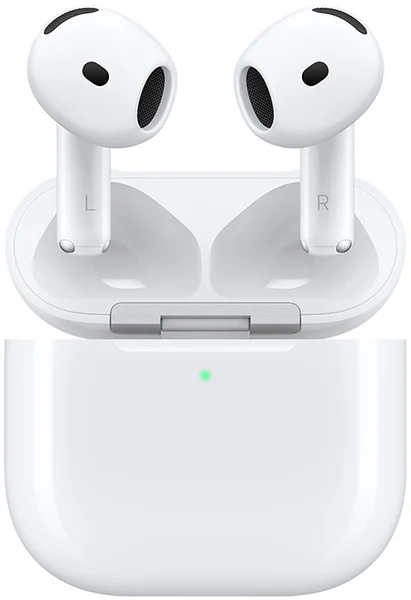
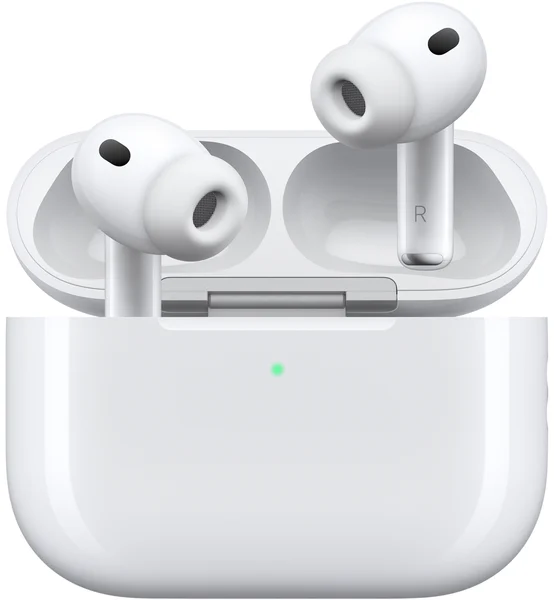
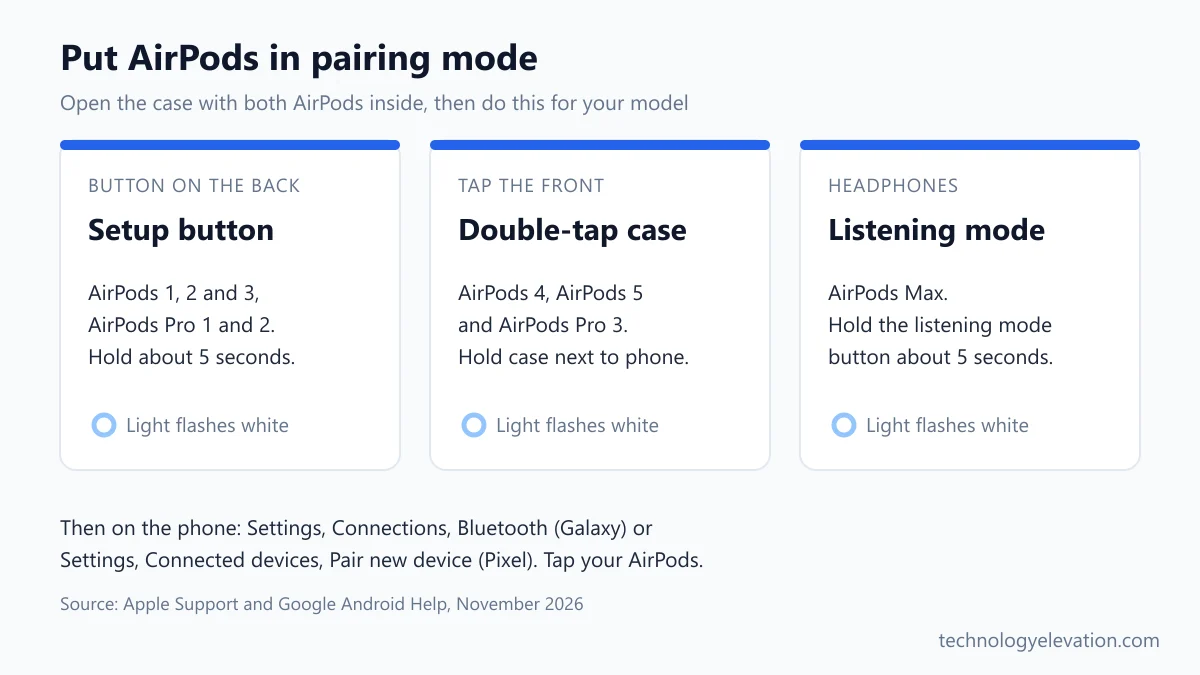
- Start pairing mode. On AirPods 1, 2 or 3 and AirPods Pro 1 or 2, press and hold the setup button on the back of the case for about 5 seconds, until the status light flashes white. On AirPods 4, AirPods 5 and AirPods Pro 3, hold the case next to the phone and double-tap the front of the case until the light flashes white.
- Select the AirPods. When your AirPods appear in the list of Bluetooth devices, tap them and follow the on-screen prompt.
After the first pairing, the AirPods reconnect on their own whenever you open the case near the phone with Bluetooth on. You only repeat these steps after a reset or if you clear them from the phone.
The pairing button depends on which AirPods you own
Older AirPods and AirPods Pro 1 and 2 use the small setup button on the back of the case. AirPods 4, AirPods 5 and AirPods Pro 3 switch to a double-tap on the front of the case instead. AirPods Max use the listening mode button on the right ear cup.
| Model | How to start pairing mode | What you see |
|---|---|---|
| AirPods 1, 2 or 3 | Hold the setup button on the back of the case for about 5 seconds | Status light flashes white |
| AirPods Pro 1 or 2 | Hold the setup button on the back of the case for about 5 seconds | Status light flashes white |
| AirPods 4 or AirPods 5 | Hold the case next to the phone, double-tap the front of the case | Status light flashes white |
| AirPods Pro 3 | Hold the case next to the phone, double-tap the front of the case | Status light flashes white |
| AirPods Max | Press and hold the listening mode button for about 5 seconds | Status light flashes white |
Most failed pairings come down to this table. People who owned AirPods Pro 2 spend a minute hunting for a button on an AirPods Pro 3 case that no longer needs one. A firm double-tap on the front, near the light, is all it takes.
Not sure which pair you have? Apple prints the model number on the underside of each earbud, and under the left cushion on AirPods Max.
Pixel and Galaxy phones use slightly different Bluetooth menus
Samsung Galaxy phones keep Bluetooth under Settings, Connections, Bluetooth. Pixel and most phones running Google’s version of Android use Settings, Connected devices, Pair new device. The fastest route on any recent Android phone is the quick settings panel.
Swipe down from the top of the screen, then touch and hold the Bluetooth tile. Google’s help page says to tap Pair new device from there. If you don’t see Pair new device, look under Available devices or tap More, then Refresh.
One setting is worth changing after you pair. Open Settings, tap Connected devices, then open the AirPods settings under Media devices and set Audio device type to Headphones. Google says the correct device type helps with spatial audio on supported phones and with its hearing health and loudness features.
Don’t wait for a pop-up. Android’s Fast Pair cards only appear for accessories built to support Google’s Fast Pair, and AirPods are not among them. The manual route through Bluetooth settings is the normal path, not a workaround.
What still works when AirPods are paired with Android
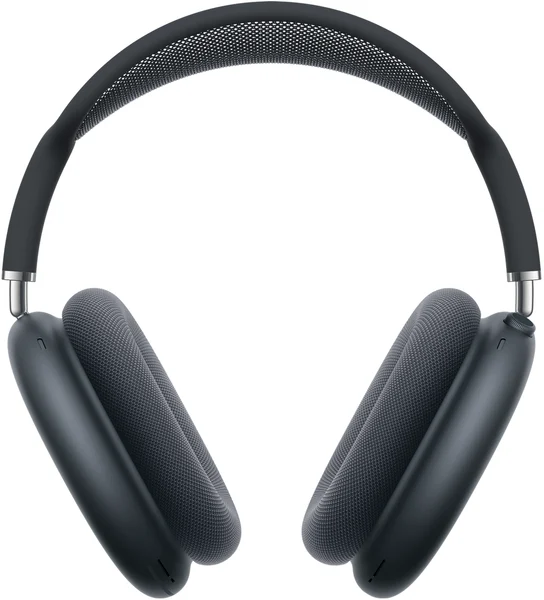
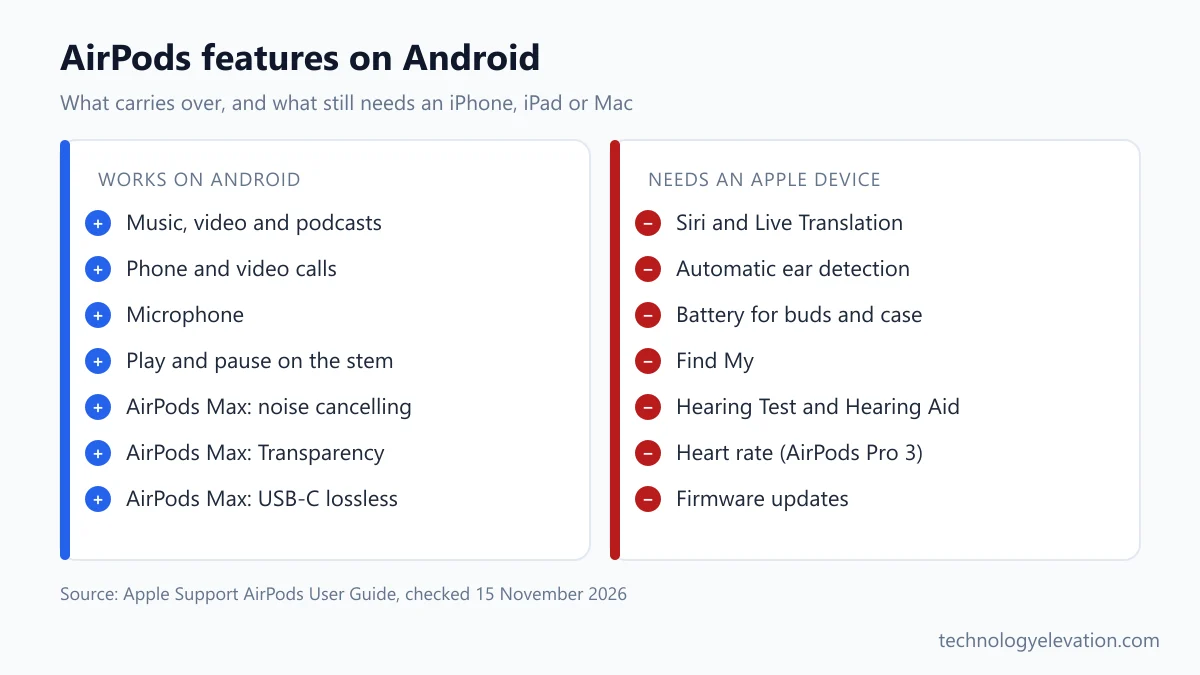
Music, video, calls and the microphone all work on Android, because AirPods behave as a standard Bluetooth headset there. AirPods Max go further: Apple confirms they keep Active Noise Cancellation and Transparency mode on Android and other non-Apple devices.
- Audio and calls: standard Bluetooth playback and two-way calls, the part Apple promises for every non-Apple device.
- Play and pause: a press on the stem (a double tap on AirPods 1 and 2) still plays and pauses music, though Android gives you no way to change what the controls do.
- AirPods Max listening modes: press the listening mode button on the right headphone to move between Active Noise Cancellation and Transparency. A chime confirms the change.
AirPods Max get one extra trick on Android. Apple says AirPods Max 1 (USB-C) and AirPods Max 2 can play lossless and ultra-low latency audio over a USB-C to USB-C cable plugged into an Android phone. Wired listening through a USB-C to 3.5 mm cable also works with Android 12 or later.
What you lose with AirPods on Android
On Android you lose Siri, automatic ear detection, the battery readout for each earbud and the case, Find My, automatic switching between devices, Hearing Test and Hearing Aid, heart rate tracking, Live Translation and the ability to change what the stem controls do.
Most of these features need an iPhone or iPad because the settings simply live there. Apple’s instructions for changing the press-and-hold action, turning on Automatic Ear Detection or choosing which AirPod acts as the microphone all start in the Settings app on an iPhone or iPad, or System Settings on a Mac.
- Ear detection: music keeps playing when you pull an earbud out to talk to someone, a gap independent Android reviews point out again and again.
- Battery levels: Apple has no AirPods app for Android, so there is no official per-earbud and case battery display.
- Find My: Apple says AirPods must be paired with an iPhone or iPad signed in to an Apple Account to show up in Find My.
- Hearing health: the Hearing Test and Hearing Aid setup on AirPods Pro 2 and AirPods Pro 3 run through Settings on an iPhone or iPad.
- Heart rate: AirPods Pro 3 send heart rate data to the Fitness app or other fitness apps on iPhone or iPad only.
- Live Translation: your translated words appear on the iPhone, so the feature needs one.
The hearing features are the loss that matters most. Apple calls the Hearing Aid on AirPods Pro 2 and Pro 3 clinical-grade, for perceived mild to moderate hearing loss. If that is why you want AirPods Pro, an Android phone alone is the wrong partner.
AirPods firmware updates need an Apple device
AirPods only update their firmware through an iPhone, iPad or Mac. Updates arrive automatically while the AirPods charge in Bluetooth range of a connected Apple device on Wi-Fi. Without one, Apple says to book an appointment at an Apple Store or Apple Authorized Service Provider.
Apple lists the latest version for every model on its AirPods firmware updates page. In November 2026 that is 9B47 for AirPods 4, AirPods 5, AirPods Pro 2, AirPods Pro 3 and AirPods Max 2.
Firmware updates fix bugs and sometimes add features, so this matters more than it sounds. The easy fix is a borrowed Apple device. Pair the AirPods with a family member’s iPhone for an evening, leave the case charging next to it with the lid closed for at least 30 minutes, then pair them back to your Android phone.
Third-party apps fill some gaps, with limits
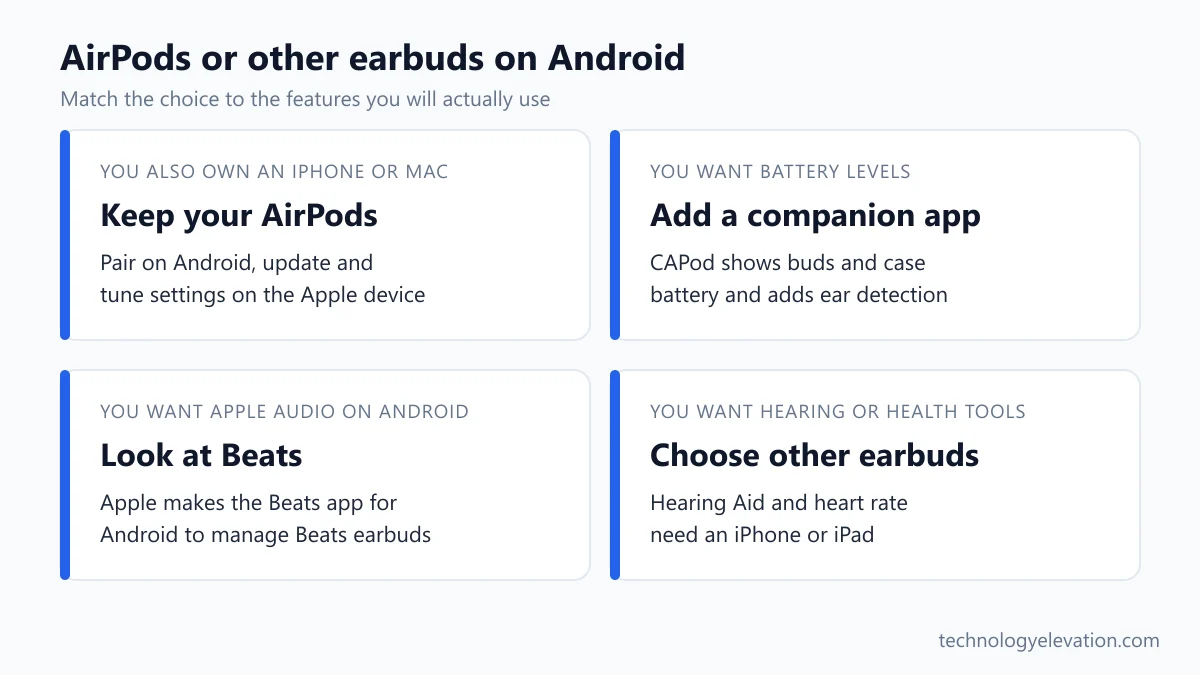
A third-party app can bring back battery levels and ear detection on Android. CAPod on Google Play shows battery and charging status for each earbud and the case, and adds play and pause when you remove an earbud. Nothing restores Siri or the hearing features officially.
CAPod is ad-free, with some features behind an in-app purchase. The Play Store listing shows more than 500,000 downloads, though its average rating sits at 2.3 stars, so expect some patchy behaviour from phone to phone.
LibrePods is the ambitious option. The open-source project lists listening mode changes, ear detection, battery status and head gestures as working on Android. Its more advanced features, such as hearing aid settings, need an Xposed module and a spoofing setting that the project itself labels use at your own risk. LibrePods installs from GitHub rather than Google Play, which puts it in tinkerer territory.
Fixing AirPods that won’t show up on Android
When AirPods don’t appear on Android, they’re usually still connected to another device, not in pairing mode, or out of charge. Disconnect them from any iPhone or Mac nearby, charge the case, then restart pairing mode. A factory reset fixes almost everything else.
Start with a restart. Apple’s advice is simple: put the AirPods in the case and close the lid for at least 10 seconds. Then turn Bluetooth off and on again on the phone.
If that fails, remove the AirPods from the phone. Swipe down, touch and hold Bluetooth, tap Settings next to the AirPods, then tap Forget. Next, reset the AirPods themselves:
- AirPods 1, 2 or 3 and AirPods Pro 1 or 2: close the lid, wait 30 seconds, open it, then hold the setup button for about 15 seconds until the light flashes amber, then white.
- AirPods 4, AirPods 5 and AirPods Pro 3: close the lid, wait 30 seconds, open it, then double-tap the front of the case three times. The light flashes amber, then white.
- AirPods Max: hold the Digital Crown and the listening mode button together for about 15 seconds, until the light changes from flashing amber to flashing white.
Pair them again with the four steps at the top. Apple’s steps cover any non-Apple Bluetooth device, so the earbuds can double as headphones for a Chromebook once they behave on the phone.
When Android owners should pick other earbuds
Keep your AirPods on Android if you also own an iPhone, iPad or Mac, or you got them as a gift. If you’re buying new for an Android phone, earbuds with an official Android app, Fast Pair and adjustable controls give you more for the money.
The clearest test is how much of the AirPods feature list you’d actually use. Someone who only wants music on the commute loses little. Someone buying AirPods Pro 3 for the Hearing Aid, heart rate tracking or Live Translation loses the very features they paid for.
Apple itself has an Android answer: Beats. Apple makes the Beats app for Android, which manages supported Beats headphones and earbuds from the phone, something no AirPods model gets. For calls, the picks in earbuds for phone calls include Samsung and Google models made for their own phones, and anyone after deeper silence on a plane should compare noise cancelling folding headphones.
Gamers should look past AirPods on Android too, since a dedicated pair of gaming earbuds is built around low lag. And if you’re also eyeing a new phone, remember that the makers of the best Android phones, Samsung and Google, sell earbuds of their own.
Students with a school Chromebook and an Android phone have one more angle. Wired and Bluetooth Chromebook headphones plug or pair into both screens, and none of them hide their best features behind an iPhone.
Frequently asked questions about AirPods on Android
Do AirPods work with Android phones?
Yes. AirPods pair with any Android phone as a standard Bluetooth headset, so music, video and calls work. Apple-only features such as Siri, automatic ear detection, Find My and the hearing health tools do not.
How do I put AirPods Pro 3 in pairing mode for Android?
Open the case with the AirPods inside, hold it next to your phone, then double-tap the front of the case until the status light flashes white. The same method works on AirPods 4 and AirPods 5.
Does noise cancellation work on AirPods with Android?
On AirPods Max, yes. Apple confirms they keep Active Noise Cancellation and Transparency mode on non-Apple devices. For AirPods earbuds, Apple promises listening and talking on Android, while settings such as Adaptive Audio tuning stay on iPhone, iPad and Mac.
Can I see AirPods battery levels on Android?
Not officially. Apple makes no AirPods app for Android, so there is no per-earbud and case battery screen. Third-party apps such as CAPod on Google Play add battery and charging status for each earbud and the case.
Can I update AirPods firmware from an Android phone?
No. Firmware updates only install through an iPhone, iPad or Mac on Wi-Fi while the AirPods charge nearby. Without an Apple device, Apple suggests an appointment at an Apple Store or Apple Authorized Service Provider.
Can I use the AirPods Pro Hearing Aid feature with Android?
No. The Hearing Test and Hearing Aid setup for AirPods Pro 2 and AirPods Pro 3 run through Settings on an iPhone or iPad. Android users who need hearing support should look at earbuds built for Android.
Why won’t my AirPods show up on my Android phone?
They are usually still connected to an iPhone or Mac, not in pairing mode, or low on charge. Disconnect them from other devices, charge the case, then start pairing mode again. If that fails, reset the AirPods and pair them fresh.
Last checked and sources
Last checked on 15 November 2026 by Haris Khan. We checked every step, menu name and feature against Apple’s and Google’s current support pages, and used independent reviews only for how AirPods behave on Android phones.
- Apple, Set up AirPods with your Mac and other Bluetooth devices (support.apple.com, published September 14, 2026)
- Apple, AirPods User Guide: Pair AirPods with a non-Apple device; Restart, unpair, or reset AirPods; Change settings for AirPods; Use hearing health features; Find your AirPods; Track your heart rate during workouts
- Apple, Set up AirPods Max with your Mac and other Bluetooth devices (published October 7, 2026)
- Apple, About firmware updates for AirPods
- Apple, Install and set up the Beats app for Android
- Google, Android Help: Find and set up Bluetooth devices, and Automatically connect your Bluetooth devices with Fast Pair
- Google Play listing for CAPod, and the LibrePods project page on GitHub
- Independent reports of AirPods on Android by Android Authority (AirPods 5, November 2026), Android Central and SoundGuys (AirPods Pro 3)
We update this guide when Apple or Google change the pairing steps or release new AirPods.

GIPHY App Key not set. Please check settings