

 Haris Khan
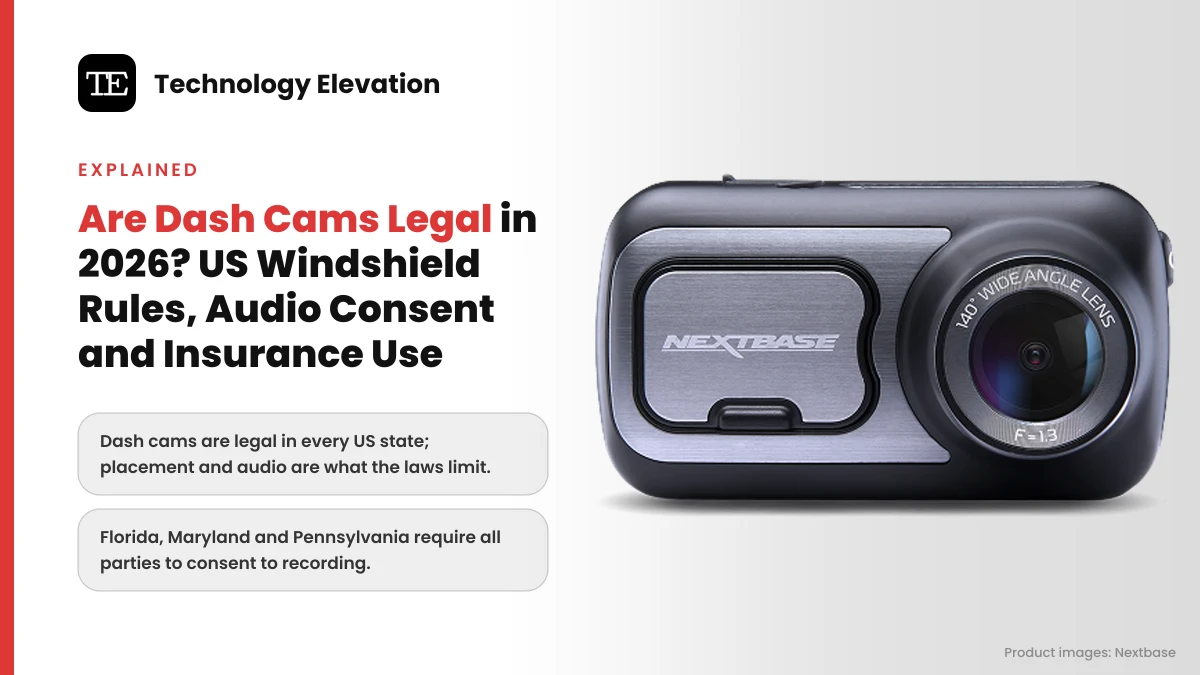
A small camera tucked behind the rearview mirror rarely draws a second look from a traffic officer. A phone-sized screen stuck in the middle of the glass, or a camera quietly recording every word a passenger says, is a different story.
So, are dash cams legal? In the US, yes: no state bans you from owning or using one. The rules that catch drivers out are narrower. They cover where the camera sits on the windshield and whether it records sound.
Virginia is one of the clearest examples. Its windshield law says it does not prohibit a dashboard camera that is wholly or mostly concealed behind the rear view mirror, as long as it adds no other obstruction to the driver’s view.
Below are the mounting rules from state codes we read on official government sites, the audio consent rules that matter most, and how footage helps with an insurance claim. This guide explains the law in general terms. It is not legal advice, and your own state’s code has the final word.
Dash cams are legal in every US state, within two limits
Dash cams are legal to own and use across the US. Trouble comes from two things: mounting the camera where it blocks your view of the road, and recording people’s conversations without the consent your state requires. Get those two right and a dash cam is an ordinary car accessory.
Six habits keep almost any setup on the right side of the law:
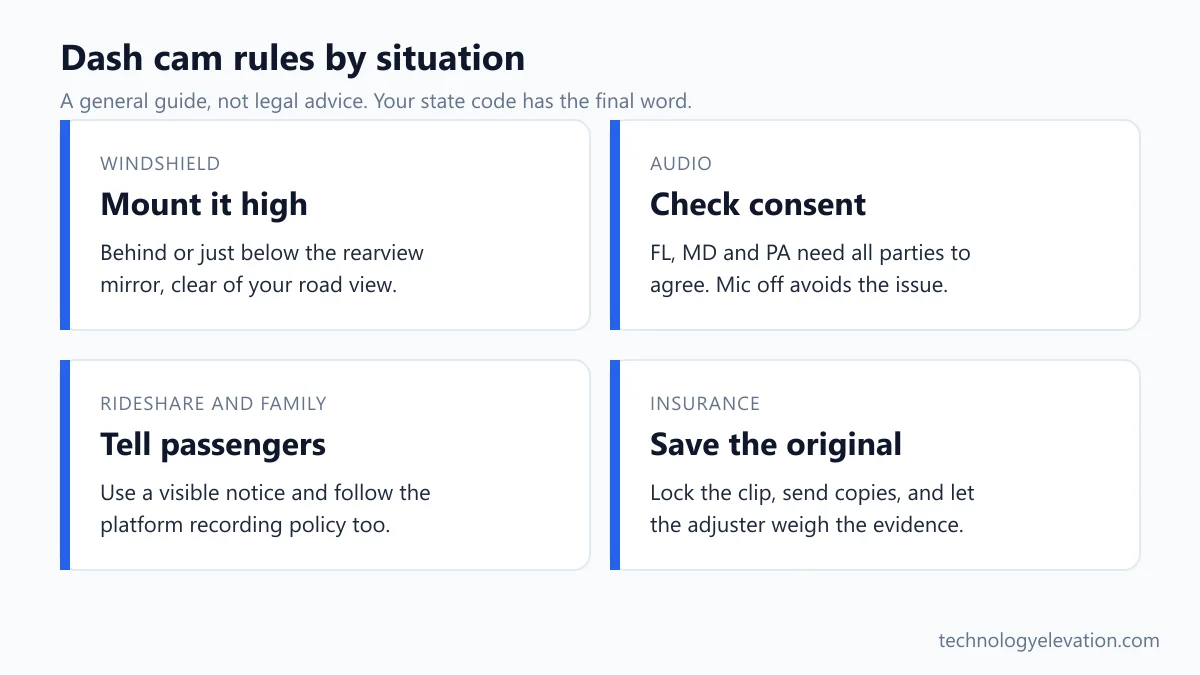
- Mount the camera behind or just below the rearview mirror, not in the driver’s line of sight.
- Keep the camera and its cable out of the area your wipers clear in front of you.
- Find out whether your state requires every party’s consent before you record a conversation.
- Turn the microphone off, or tell passengers that the camera records sound.
- Set up the camera and its app before you drive, never while the car is moving.
- Save and copy any clip you need after a crash, and keep the original file untouched.
Most problems people run into are about step 4, not the camera itself. Video of a public road is the easy part. Audio of a private conversation is where the law gets strict.
Most windshield laws point you to the area behind the rearview mirror
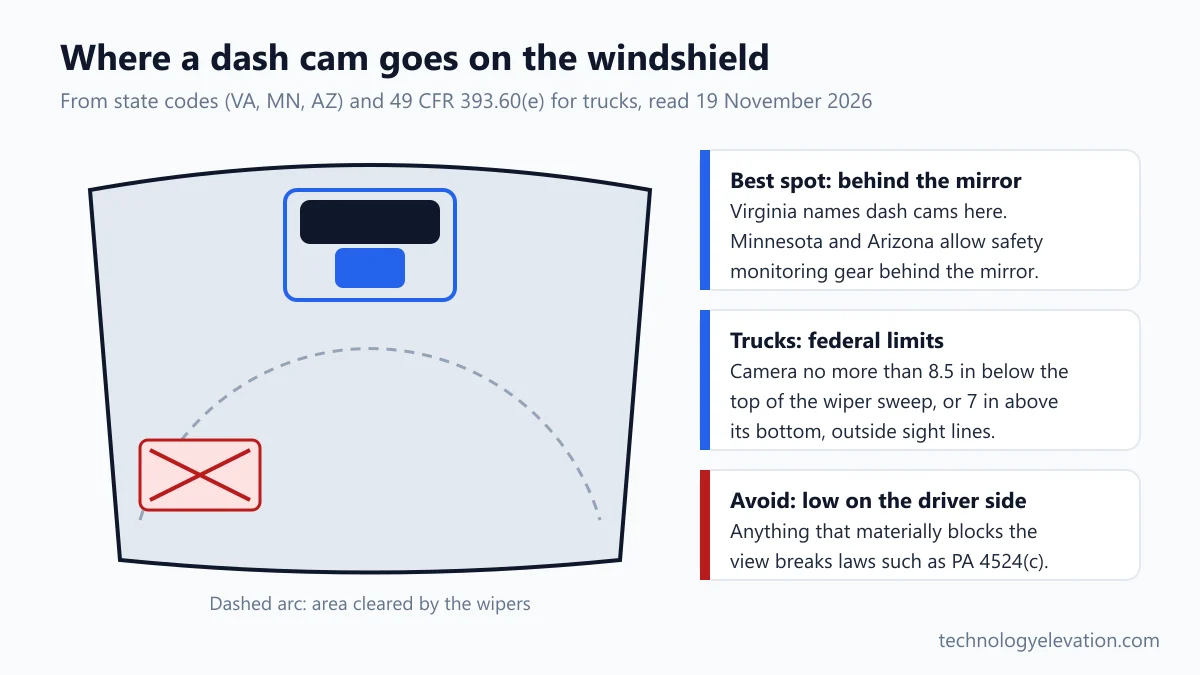
State windshield laws usually ban objects that block the driver’s view, then list exceptions. Several states now name the space immediately behind, slightly above or slightly below the rearview mirror as the allowed spot for safety equipment, which is exactly where a small dash cam belongs.
The wording differs from state to state, so here are four codes we read directly on official sites:
| State | Law | What it says about mounting |
|---|---|---|
| Virginia | Va. Code § 46.2-1054(C) | A dashboard camera is allowed if it and its wires are wholly or mostly concealed behind the rear view mirror |
| Minnesota | Minn. Stat. § 169.71, subd. 1 | Driver feedback and safety monitoring equipment may sit immediately behind, slightly above or slightly below the rearview mirror |
| Arizona | A.R.S. § 28-959.01(A)(12) | Safety monitoring equipment and driver feedback may be mounted immediately behind, slightly above or slightly below the rearview mirror |
| Pennsylvania | 75 Pa.C.S. § 4524(c) | Nothing may be hung or attached in a way that materially obstructs the driver’s vision through the front windshield |
Virginia’s rule is the only one of the four that says “dashboard camera” in plain words. Minnesota’s text, on the Minnesota Revisor of Statutes site, and Arizona’s speak of “safety monitoring equipment”, the category a dash cam most naturally fits. Pennsylvania takes the older approach: no specific zone, just a ban on anything that materially blocks your view.
Virginia adds one more detail worth knowing. Its law says officers may not stop a vehicle for a violation of that section alone.
The pattern is easy to follow even if your state is not listed here. A camera hidden behind the mirror is rarely a problem. A large screen in the middle of the glass, or a suction mount low on the driver’s side, is the kind of setup that invites a ticket.
Trucks and commercial vehicles follow a federal mounting rule
Commercial trucks and buses fall under the Federal Motor Carrier Safety Administration’s windshield rule. Cameras count as vehicle safety technology, which may be mounted no more than 8.5 inches below the top of the wiper sweep or 7 inches above its bottom, outside the driver’s sight lines.
The rule is 49 CFR 393.60(e). Its definition of vehicle safety technology, in 49 CFR 393.5, lists a driver camera system and says the category includes devices that contain cameras or video.
Fleet drivers rarely choose the mount themselves, since the company installs the system. Owner-operators who add their own camera should measure from the edge of the wiper sweep, not from the edge of the glass. Virginia’s dash cam exception also defers to Title 49 of the Code of Federal Regulations, which is where this rule sits.
Audio recording is where a dash cam can break the law
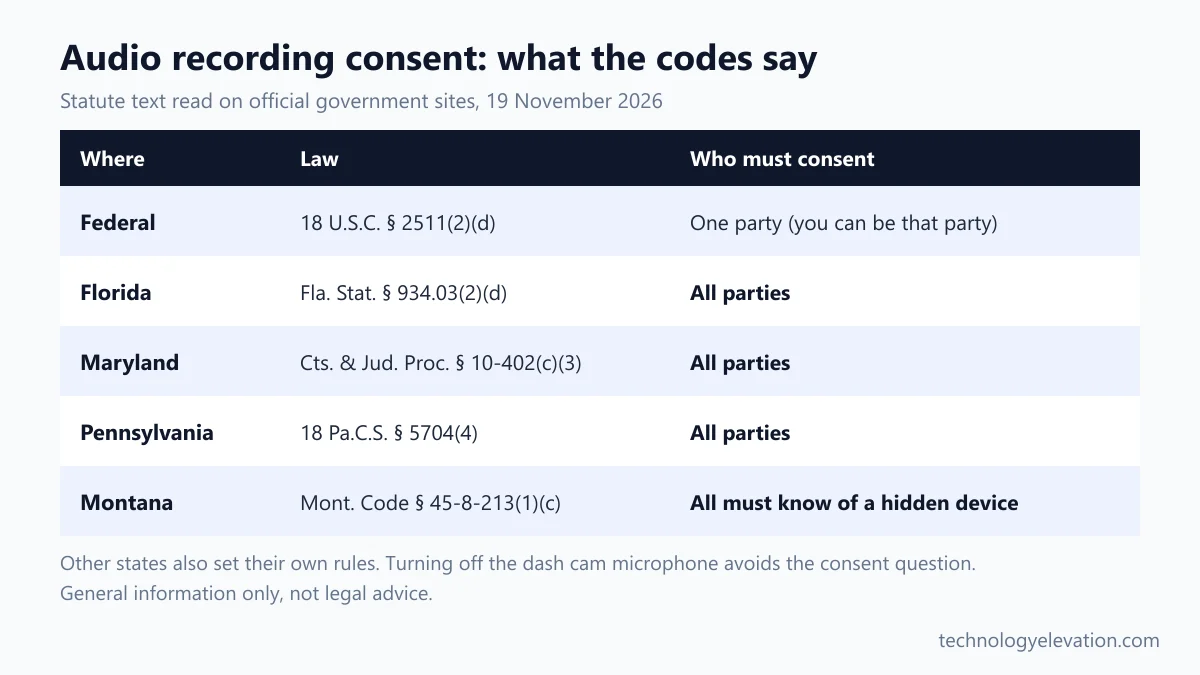
Recording sound is the riskiest dash cam feature. Federal law lets you record a conversation you take part in, but some states require every party’s consent. A cabin microphone that records passengers without telling them can turn a legal camera into an illegal recording.
The federal baseline is in 18 U.S.C. § 2511(2)(d). A person may record a conversation they are part of, or one where a party has consented, unless the purpose is a criminal or tortious act. This is known as one-party consent.
States can set a stricter bar, and several do. These four codes spell it out:
- Florida: Fla. Stat. § 934.03(2)(d) makes interception lawful when all of the parties have given prior consent.
- Maryland: Md. Code, Courts and Judicial Proceedings § 10-402(c)(3) requires that all of the parties have given prior consent.
- Pennsylvania: 18 Pa.C.S. § 5704(4) allows interception where all parties have given prior consent.
- Montana: Mont. Code § 45-8-213(1)(c) bars recording a conversation with a hidden device without the knowledge of all parties.
Read those carefully and a practical answer appears. Consent laws focus on conversations, and a dash cam does not need to hear them. If your camera lets you switch off the microphone, doing so takes the whole question off the table.
Prefer to keep sound, for example to capture a horn or a shouted warning before a crash? Tell anyone who rides with you that the camera records audio. A small sticker on the window does the same job for people you do not know well. Montana’s law turns on whether the device is hidden, so a visible camera with a notice is the safer setup there too.
Rideshare and family drivers should treat the cabin camera differently
A road-facing camera mostly records the street, but an interior camera records people. Rideshare drivers, parents and anyone with a cabin camera should tell passengers they are being recorded, and check whether their state requires everyone’s consent before recording sound inside the car.
Inside the car, conversations feel private, and that is the situation consent laws were written for. A passenger who did not know about the microphone has a fair complaint in an all-party state.
Rideshare drivers have a second set of rules to follow: the platform’s own policy on recording riders. Read it in the driver app before you install an interior camera, because breaking it can cost you the account even where the recording itself is lawful.
Three-channel cameras with a cabin lens suit these drivers, and several of the best dash cam models for 2026 are built for rideshare work. Pair any of them with a visible notice and the microphone setting your state allows.
Parents of new drivers face a softer version of the same question. A teen who knows the camera is there is more likely to drive carefully, and nobody feels spied on later.
Dash cam footage helps an insurance claim, but the insurer decides fault
Dash cam footage can support an insurance claim by showing what happened, when and where. It does not decide fault on its own. The adjuster weighs it with the police report, photos and statements, so the clip should be complete, unedited and saved as soon as possible.
Most dash cams record in a loop, overwriting the oldest files when the memory card fills. Many cameras use a G-sensor (a motion sensor) to lock the clip after a hard jolt, but a minor scrape may not set it off. Lock or download the file yourself before you drive on.
Follow a simple routine after any incident:
- Make sure everyone is safe and follow your state’s rules for reporting a crash.
- Press the camera’s emergency or event button to protect the current clip.
- Copy the clip to your phone through the camera’s app, then to a computer.
- Keep the original file untouched, and send copies to your insurer when the adjuster asks.
- Note the time, place and plate numbers. If your camera has GPS, the file can back them up.
Remember that footage cuts both ways. A clip that shows the other driver ran a red light also shows how fast you were going. Insurers may ask for it whether it helps you or not, so the honest answer is the only safe one.
Don’t buy a camera expecting a premium discount. Ask your insurer directly, and buy the camera for the evidence it gives you.
Sharing dash cam video online carries its own risks
Posting dash cam clips online is common, but recording legally does not make every use of the footage harmless. Before you share a clip, think about faces, plate numbers and audio, and hold back anything tied to an open insurance claim or court case until it is settled.
A clip of a near miss can travel far in a day. If you blur plates and faces and strip out the audio, you avoid most of the trouble a viral clip can bring, including an angry stranger who recognizes their own car.
Keep open claims offline. An adjuster or lawyer on the other side can find a public post, and comments under it can be read as admissions.
Parking mode raises one more thought. A camera that records while you are away also films people walking past. Point it at the road, not into a neighbor’s window, and keep clips only as long as you need them.
A legal dash cam setup takes about 30 minutes
A legal setup comes down to placement, wiring and settings. Mount the camera behind the mirror, route the cable along the headliner and door trim, set the clock and GPS, and choose a microphone setting that fits your state’s consent rule before you leave the driveway.
- Clean the glass behind the rearview mirror and stick the mount there, high and centered.
- Tuck the power cable into the headliner and down the door pillar trim to the power socket.
- Set the date, time and time zone in the app, so the timestamp on every clip is right.
- Turn the microphone off, or leave it on and add a visible recording notice.
- Format the microSD card in the camera, then record a short test drive and play it back.
Plenty of drivers who fit a dash cam also look at a radar detector for the same windshield. Mount the two on opposite sides of the mirror so the pair never creeps into your view of the road.
Phones need a home too. A dash or vent car phone mount for thick cases keeps your navigation low and out of the glass, which leaves the area behind the mirror for the camera.
Power is the last detail. A camera plugged into a cheap socket adapter can reset itself on bumps, so a solid USB-C car charger is worth the few extra dollars. If you want parking mode as well, a hardwire kit fitted at the fuse box is the cleaner route, and the installer can add a GPS tracker for cars while the trim is off.
Still choosing a camera? Compact models are the easiest to hide, and the best dash cam picks for 2026 include a small front-only 4K camera that tucks behind the mirror.
Frequently asked questions about dash cam laws
Are dash cams legal in all 50 states?
Yes, dash cams can be owned and used in every US state. What changes from state to state is where you may mount one on the windshield and whether recording sound inside the car needs every party’s consent.
Where is the legal place to mount a dash cam?
Behind or just below the rearview mirror is the safest place in most states. Virginia, Minnesota and Arizona name that area in their windshield laws, and it keeps the camera out of the driver’s view of the road.
Is it legal for a dash cam to record audio?
That depends on your state. Federal law allows recording a conversation you are part of, but states such as Florida, Maryland and Pennsylvania require all parties to consent. Turning off the microphone or telling passengers avoids the problem.
Do I have to tell passengers about my dash cam?
In states that require all-party consent, you should tell passengers before recording their conversation. Telling them is good practice everywhere, and a visible sticker helps. Rideshare drivers should also follow their platform’s recording policy.
Can dash cam footage be used for an insurance claim?
Yes. Insurers can review dash cam footage as evidence, but the adjuster still decides fault using the police report, photos and statements. Save the original clip, send copies, and expect the footage to be judged on what it shows about both drivers.
Can I get a ticket for a dash cam?
You can if the camera blocks your view through the windshield, because most states ban objects that obstruct the driver’s view. A small camera hidden behind the rearview mirror rarely causes trouble. Virginia does not allow officers to stop a car for that violation alone.
Last checked and sources
Last checked on 19 November 2026 by Haris Khan. We read each statute on the state legislature’s or federal government’s own website and kept only what the text says. Laws change, so check your state’s current code, and speak to a lawyer for advice on your own situation.
- Code of Virginia § 46.2-1054 (Virginia Legislative Information System)
- Minnesota Statutes § 169.71 (Minnesota Office of the Revisor of Statutes)
- Arizona Revised Statutes § 28-959.01 (Arizona Legislature)
- Pennsylvania Consolidated Statutes, 75 Pa.C.S. § 4524 and 18 Pa.C.S. § 5704 (Pennsylvania General Assembly)
- Florida Statutes § 934.03 (The Florida Senate)
- Maryland Code, Courts and Judicial Proceedings § 10-402 (Maryland General Assembly)
- Montana Code Annotated § 45-8-213 (Montana Legislature)
- 18 U.S.C. § 2511 (GovInfo, US Government Publishing Office)
- 49 CFR 393.5 and 393.60 (Electronic Code of Federal Regulations)
We update this guide when states change their windshield or recording laws.


GIPHY App Key not set. Please check settings