

 Abdullah Kabeer
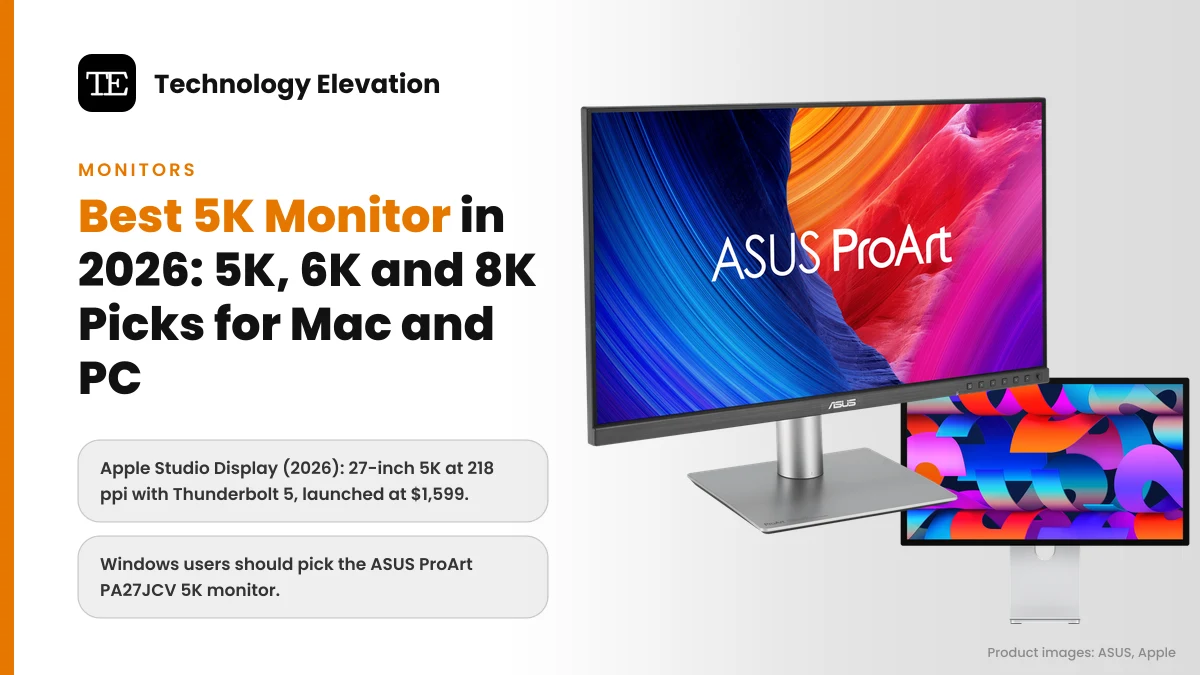
Put a 27-inch 4K monitor next to a 5K one with a page of small text open, and the difference shows up in about two seconds. The letters on the 5K screen look printed. On the 4K screen, they look like they are made of tiny dots, because they are. Choosing the best 5K monitor comes down to how much that sharpness is worth to you, and which computer you plug in.
The market looks very different from a couple of years ago. Apple replaced both of its monitors in March 2026, and the new Studio Display XDR took over from the old Pro Display XDR. BenQ launched a 5K screen built for Macs, LG shipped the first 6K monitor with Thunderbolt 5, and 8K monitors are still close to extinct.
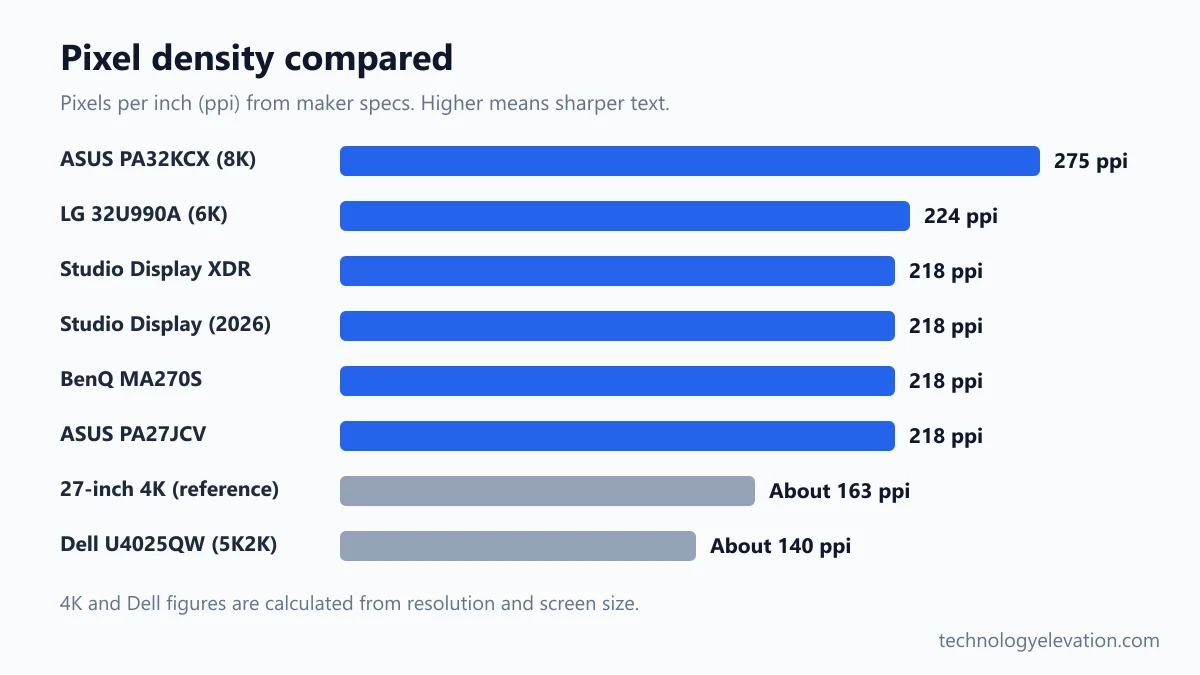
The number that ties all of this together is pixel density. Apple’s own spec sheet gives the Studio Display a density of 218 pixels per inch, and nearly every serious 27-inch 5K screen now matches it exactly.
The best 5K monitor for most people is the Apple Studio Display (2026)
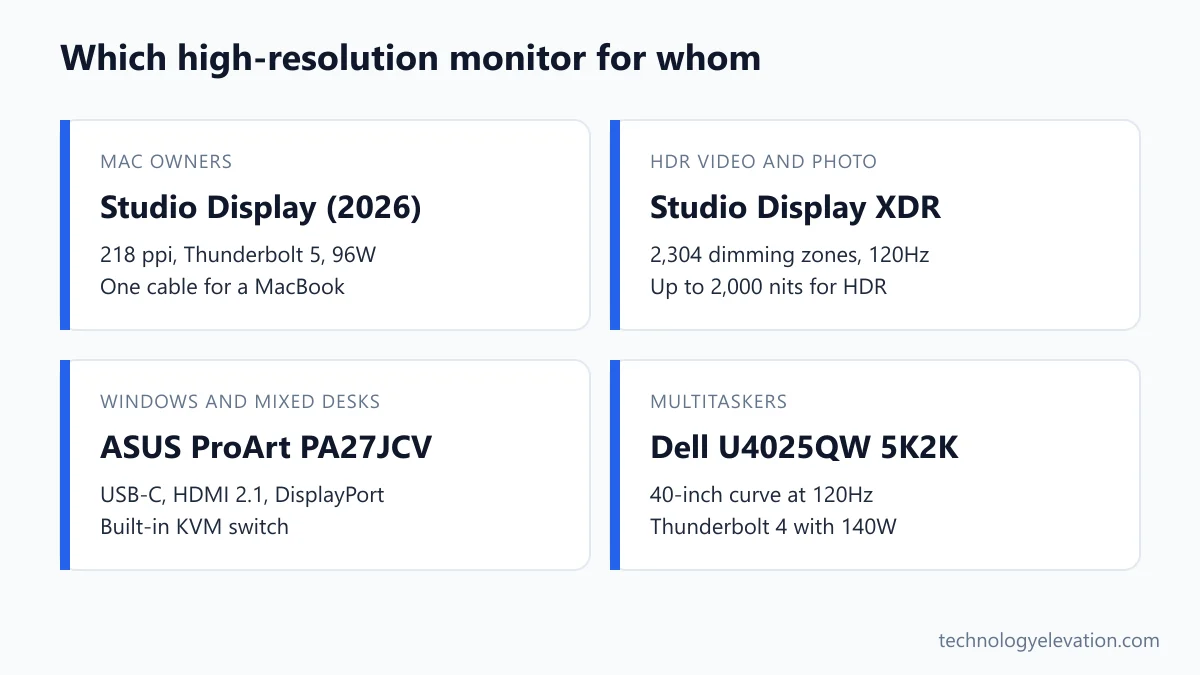
The Apple Studio Display (2026) is the best 5K monitor for most Mac owners. It pairs a 27-inch 5120 x 2880 screen at 218 ppi with Thunderbolt 5, 96W laptop charging and a 12 MP camera, for a launch price of $1,599. Windows users should pick the ASUS ProArt PA27JCV.

Every pick, by the job it does best:
- Best overall for Mac: Apple Studio Display (2026)
- Best for HDR and pro work: Apple Studio Display XDR
- Best value 5K for Mac: BenQ MA270S
- Best 5K for Windows and mixed setups: ASUS ProArt PA27JCV
- Best 5K2K ultrawide: Dell UltraSharp 40 U4025QW
- Best 6K monitor: LG UltraFine evo 6K 32U990A
| Model | Size and resolution | Density | Main connection | Laptop charging | Refresh rate |
|---|---|---|---|---|---|
| Apple Studio Display (2026) | 27 in, 5120 x 2880 | 218 ppi | Thunderbolt 5 | 96W | 60Hz |
| Apple Studio Display XDR | 27 in, 5120 x 2880 | 218 ppi | Thunderbolt 5 | 140W | 120Hz |
| BenQ MA270S | 27 in, 5120 x 2880 | 218 ppi | Thunderbolt 4 | 96W | 70Hz |
| ASUS ProArt PA27JCV | 27 in, 5120 x 2880 | 218 ppi | USB-C (DisplayPort Alt Mode) | 96W | 60Hz |
| Dell UltraSharp 40 U4025QW | 39.7 in curved, 5120 x 2160 | About 140 ppi | Thunderbolt 4 | 140W | 120Hz |
| LG UltraFine evo 6K 32U990A | 32 in, 6144 x 3456 | 224 ppi | Thunderbolt 5 | 96W | 60Hz |
Apple Studio Display (2026): the best 5K monitor for Mac
The Apple Studio Display (2026) is the best 5K monitor for a Mac because everything simply works. Brightness, volume, the camera and firmware updates run through macOS, and the new Thunderbolt 5 ports finally match the speed of current MacBook Pro and Mac Studio models.
Key specs: 27-inch 5K Retina screen, 5120 x 2880 at 218 ppi, 600 nits, 60Hz. One upstream Thunderbolt 5 port with 96W charging, one downstream Thunderbolt 5 port for accessories or a second display, two 10Gb/s USB-C ports. 12 MP Center Stage camera with Desk View. Launch price: $1,599 with the tilt-only stand.
Apple kept the panel from the 2022 model and rebuilt everything around it: a new camera, stronger speakers, and Thunderbolt 5 in place of Thunderbolt 3. Plug in a MacBook Air and one cable carries the picture, charging, webcam, speakers and three extra ports.
Now the catch. At 60Hz, scrolling looks the same as on a monitor from 2015, and 600 nits is fine for an office but nowhere near HDR. The base price also buys a stand that only tilts. Height adjustment and nano-texture matte glass cost extra.
Apple lists only Apple silicon Macs running macOS Tahoe 26.3.1 or later, plus recent iPads. Windows PCs can show a picture, but you lose most of the polish.
Check the Apple Studio Display (2026) price on Amazon
Apple Studio Display XDR: the best 5K monitor for HDR and pro work
The Apple Studio Display XDR is the best 5K monitor for HDR video, photo grading and anyone who wants 120Hz on a Mac. Its mini-LED backlight reaches 1,000 nits in normal use and 2,000 nits for HDR highlights, and Apple includes a height-adjustable stand at $3,299.

Key specs: 27-inch 5K Retina XDR screen, 5120 x 2880 at 218 ppi, mini-LED backlight with 2,304 dimming zones, 1,000 nits SDR and 2,000 nits peak HDR, 120Hz with Adaptive Sync. Thunderbolt 5 upstream with 140W charging, Thunderbolt 5 downstream, two USB-C ports. Launch price: $3,299 with the tilt and height-adjustable stand.
Dimming zones are the key idea. A normal LCD has one light behind the whole screen, so black areas glow grey. The XDR splits that light into 2,304 zones that switch off on their own, so a starfield stays black while the stars stay bright.
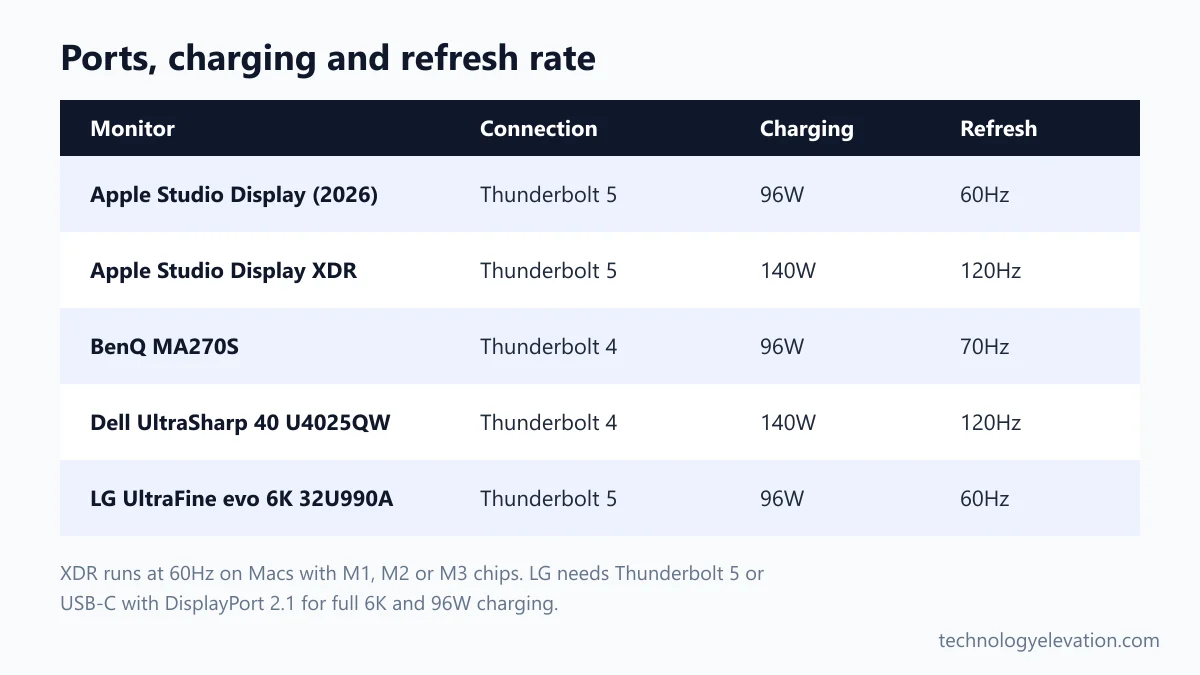
Check your Mac before buying. Apple says Macs with M1, M2 or M3 chips, including Pro, Max and Ultra versions, run the XDR at 60Hz only. You would be paying for a 120Hz panel you cannot use.
Apple says this model replaces the Pro Display XDR, a 32-inch 6K monitor that launched at $4,999 before the stand. If you wanted a 32-inch canvas, Apple no longer makes one.
Check the Apple Studio Display XDR price on Amazon
BenQ MA270S: the best value 5K monitor for Mac
The BenQ MA270S is the best value 5K monitor for a Mac. It matches the Studio Display’s 218 ppi, adds a 70Hz refresh rate, two HDMI 2.1 ports and 96W Thunderbolt 4 charging, and launched at a $999 list price in March 2026.
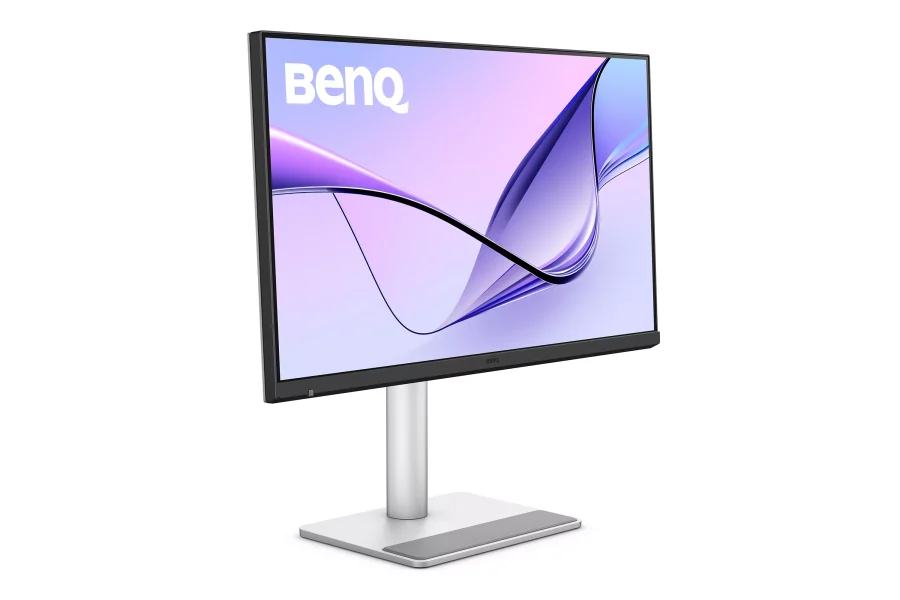
Key specs: 27-inch 5120 x 2880 Nano Gloss IPS screen at 218 ppi, 70Hz, 99% P3 colour, 2000:1 native contrast. Thunderbolt 4 input with 96W charging, Thunderbolt 4 output for daisy-chaining, two HDMI 2.1 ports. List price: $999.
BenQ aimed this one squarely at Mac owners. The panel density matches Apple’s, so macOS renders text at the same crisp 2x scale.
The two HDMI ports are the quiet advantage. Plug a work laptop into Thunderbolt and a game console into HDMI, then switch inputs. The Studio Display has no HDMI input at all.
The trade-off is the camera and the sound. BenQ lists no built-in webcam, and the speakers are a modest pair of 3W drivers, a long way from Apple’s six-speaker setup. For a desk that already has a separate webcam and speakers, that is a small price for saving $600.
Check the BenQ MA270S price on Amazon
ASUS ProArt PA27JCV: the best 5K monitor for Windows and mixed setups
The ASUS ProArt PA27JCV is the best 5K monitor for Windows PCs and desks that switch between a PC and a Mac. It is the cheapest 27-inch 5K pick here, comes factory calibrated, and offers USB-C, HDMI 2.1 and DisplayPort inputs with 96W charging.
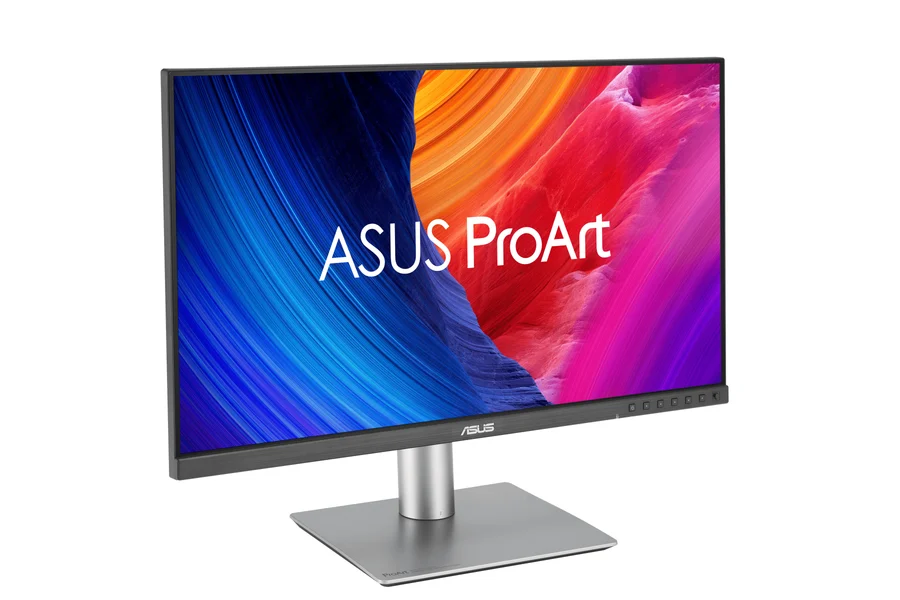
Key specs: 27-inch 5120 x 2880 IPS screen at 218 ppi, 60Hz, 400 nits typical and 500 nits peak, 99% DCI-P3, 95% Adobe RGB and 100% sRGB. One USB-C port with DisplayPort Alt Mode and 96W power delivery, one HDMI 2.1 port, one DisplayPort 1.4 port.
Port choice is why this monitor wins for Windows. A desktop PC runs 5K over DisplayPort, a laptop takes the single USB-C cable, and a built-in KVM switch lets one keyboard and mouse follow whichever computer is on screen.
Colour accuracy is a real strength. ASUS ships each unit Calman Verified, so photo work looks right out of the box, which matters as much as resolution in any monitor for photo editing.
The honest catch is build quality. Reviewers at KitGuru and Cult of Mac both found the plastic body less premium than the price suggests, and there is no Thunderbolt, so you cannot daisy-chain a second screen.
Check the ASUS ProArt PA27JCV price on Amazon
Dell UltraSharp 40 U4025QW: the best 5K2K ultrawide monitor
The Dell UltraSharp 40 U4025QW is the best 5K2K ultrawide monitor. Its 39.7-inch curved screen shows 5120 x 2160 pixels at 120Hz, and its Thunderbolt 4 hub charges a laptop at up to 140W, so one cable can replace a dock.
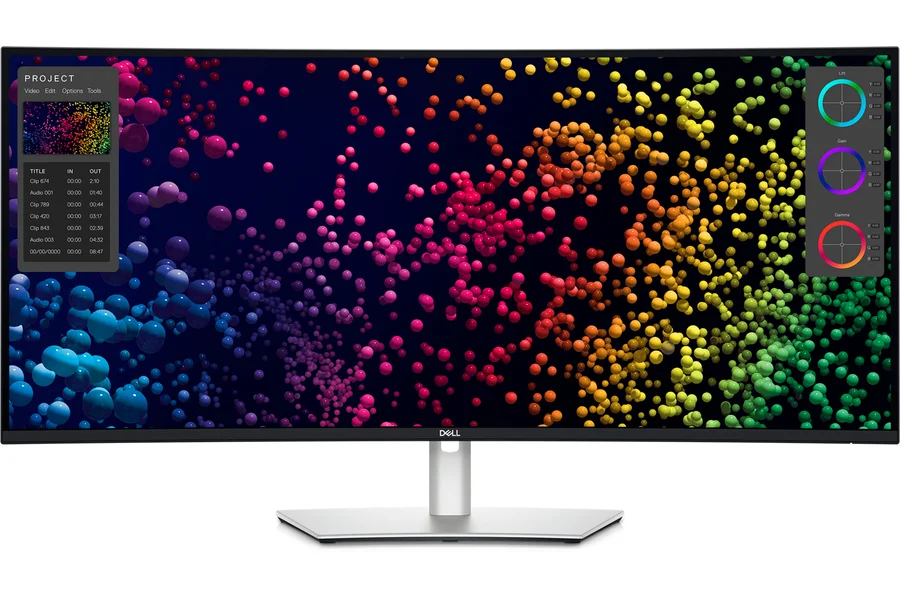
Key specs: 39.7-inch curved IPS Black screen, 5120 x 2160, 120Hz, 2500R curve. Thunderbolt 4 upstream with 140W power delivery, Thunderbolt 4 downstream at 15W for daisy-chaining, HDMI and DisplayPort inputs, built-in speakers.
“5K2K” means 5,120 pixels wide and 2,160 tall. Picture a 4K monitor with an extra third bolted onto the side: room for a code editor, a browser and a chat window without any of them feeling cramped.
Don’t expect 27-inch sharpness, though. Density drops to about 140 ppi, so text looks clean but softer than on the 218 ppi screens, and macOS has to use fractional scaling.
The 120Hz refresh rate is a rare bonus at this resolution. Desk depth is the practical limit, and a sturdy arm from the monitor stands market can free up space. LG’s 40U990A is the Thunderbolt 5 alternative at the same resolution, with 96W charging.
Check the Dell UltraSharp 40 U4025QW price on Amazon
LG UltraFine evo 6K 32U990A: the best 6K monitor
The LG UltraFine evo 6K 32U990A is the best 6K monitor for most buyers. It puts 6144 x 3456 pixels on a 32-inch screen at 224 ppi, was the first 6K monitor with Thunderbolt 5, and launched at $1,999.99, well under what Apple once charged for 6K.
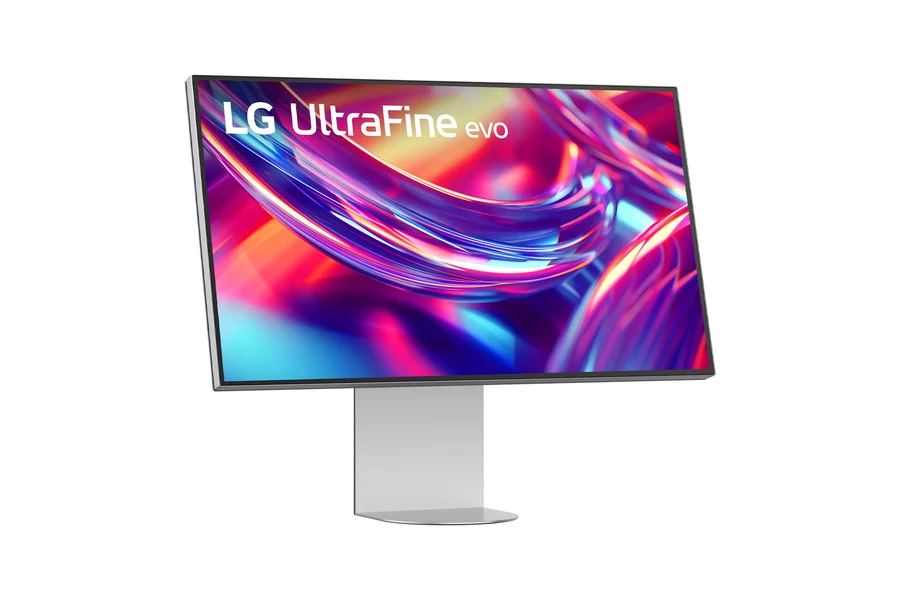
Key specs: 32-inch Nano IPS Black screen, 6144 x 3456 at 224 ppi, 60Hz, 98% DCI-P3 and 99.5% Adobe RGB. Two Thunderbolt 5 ports (one for daisy-chaining a second 6K screen), DisplayPort 2.1, two HDMI 2.1 ports, 96W charging. Launch price: $1,999.99.
Six K on 32 inches gives you 20% more pixels in each direction than 5K on 27 inches, with text just as crisp. Video editors get a full 4K preview with timeline space around it.
Read LG’s small print. LG says full 6K resolution and 96W charging need Thunderbolt 5 or USB-C with DisplayPort 2.1, so older laptops may not drive it at full resolution.
Dell’s UltraSharp 32 6K U3224KB is the other 6K option, with Thunderbolt 4, 140W charging and a 4K webcam, at a higher list price.
Check the LG UltraFine evo 6K 32U990A price on Amazon
8K monitors barely exist, and only two names matter
True 8K desktop monitors are almost impossible to buy in late 2026. Dell’s UltraSharp 32 8K UP3218K, the first 8K monitor, shows as unavailable on Dell’s US store, and the ASUS ProArt PA32KCX is the only current 8K model aimed at professionals.
Dell’s UP3218K shows 7680 x 4320 pixels at 60Hz on a 31.5-inch panel and needs two DisplayPort cables to do it. Refurbished units still turn up.
The ASUS ProArt PA32KCX is the modern answer: a 32-inch 7680 x 4320 mini-LED panel at 275 ppi, 1,200 nits peak HDR, two Thunderbolt 4 ports with 96W charging, DisplayPort 2.1 and two HDMI 2.1 ports. Its audience is 8K video editors and colour graders.
For everyday work, 8K makes little sense. Few graphics cards drive it smoothly, and an 8K TV makes a poor desk monitor. Searching “8K ultrawide” mostly turns up 5K2K screens, or 7680 x 2160 gaming panels that are really two 4K screens side by side.
Pixel density explains why 5K looks sharper than 4K
Pixel density, measured in pixels per inch (ppi), is how tightly pixels are packed. A 27-inch 4K screen sits at about 163 ppi, while a 27-inch 5K screen reaches 218 ppi. More pixels per inch means smoother text, cleaner lines and less visible dot structure.
The Mac reason is simple maths. A 5120 x 2880 screen is exactly twice 2560 x 1440 in each direction. macOS draws everything at 2x, so a 27-inch 5K monitor gives you the workspace of a 1440p screen with four pixels behind every one you would normally see.
On a 27-inch 4K screen, that clean 2x step breaks. You get either a cramped “looks like 1920 x 1080” layout or slightly soft in-between scaling. Windows copes better with fractional scaling, so 4K is still sensible on a PC.
Who actually benefits from 5K? Writers, coders, photographers and designers who stare at fine detail for hours. Gamers mostly do not, since pushing 5K frames is hard work even for the 4K graphics cards on the market.
Cables and bandwidth decide whether a 5K monitor works
A 5K or 6K monitor needs a connection with enough bandwidth, or it falls back to a lower resolution or refresh rate. Thunderbolt 4 carries 40 Gbps, Thunderbolt 5 carries 80 Gbps both ways with a 120 Gbps boost mode for video, and DisplayPort 2.1 reaches up to 80 Gbps.
Bandwidth is how much data a cable moves each second. Adding 120Hz, 10-bit colour or a daisy-chained second screen pushes the need higher. Intel’s Bandwidth Boost for Thunderbolt 5 sends 120 Gbps towards the display and keeps 40 Gbps for the return trip, which suits the lopsided traffic a big monitor creates.
Use the cable in the box where you can. A cheap USB-C cable from a phone charger often carries only USB 2 data and no video at all.
Charging wattage is the other number to match. A MacBook Air runs happily on 96W, while a 16-inch MacBook Pro under load wants 140W. If a monitor’s hub falls short, a USB-C docking station fills the gap, and good HDMI cables for gaming matter on the HDMI 2.1 inputs.
Six steps for choosing a 5K, 6K or 8K monitor
Choose a high-resolution monitor by your computer first, then screen size, then ports and charging. Mac owners should stay at 218 ppi or above, Windows users can be more flexible, and refresh rate only matters if you scroll, edit video or play games.
- Match the computer. Macs pair best with 218 ppi screens. Windows handles fractional scaling well.
- Pick the size. 27 inches for most desks, 32 inches for 6K, a deep desk for a 40-inch ultrawide.
- Check your ports. Thunderbolt 5 or DisplayPort 2.1 for 6K and 120Hz 5K. Thunderbolt 4 covers 5K at 60Hz.
- Match the charging. 96W suits a MacBook Air. Bigger laptops want 140W.
- Decide on HDR. Only the Studio Display XDR and ASUS PA32KCX here pair mini-LED with true HDR brightness.
- Count the extras. A webcam, HDMI inputs or a KVM switch can save buying separate gear.
Lighting is easy to forget. Glossy screens reflect a lot, and one of the slim monitor light bars lights a desk without glare.
Older 5K monitors you will still see for sale
Older 5K monitors still appear on Amazon and in refurbished stores, including the 2022 Apple Studio Display, LG’s UltraFine 5K and Samsung’s ViewFinity S9. All three still make good screens, but each misses something the 2026 picks offer.
The 2022 Studio Display uses the same panel as the 2026 model, with an older camera and Thunderbolt 3. A discounted one suits a single-screen Mac desk.
LG’s UltraFine 5K 27MD5KL is a Thunderbolt 3 design from the Intel Mac era, and several related LG model numbers are marked discontinued.
Samsung’s ViewFinity S9 launched in August 2023 at $1,599.99 with a matte 5K panel, Thunderbolt 4 with 90W charging and a detachable 4K webcam. If you hate glare, look here.
Frequently asked questions about 5K and 8K monitors
What is the best 5K monitor right now?
The Apple Studio Display (2026) is the best 5K monitor for Mac owners. It has a 27-inch 5120 x 2880 screen at 218 ppi, Thunderbolt 5 and 96W charging for $1,599. Windows users should look at the ASUS ProArt PA27JCV.
Is there a true 8K computer monitor?
Yes, but very few. The ASUS ProArt PA32KCX is a 32-inch 7680 x 4320 mini-LED monitor at 275 ppi. Dell’s older UltraSharp 32 8K UP3218K shows as unavailable on Dell’s US store.
What is the highest resolution monitor you can buy?
The highest resolution desktop monitors are 8K, at 7680 x 4320 pixels. The ASUS ProArt PA32KCX is the current example. Below that, 6K monitors such as the LG UltraFine evo 32U990A show 6144 x 3456 pixels.
Is the Apple Pro Display XDR discontinued?
Yes. Apple says the Studio Display XDR, launched in March 2026, replaces the Pro Display XDR. The new model is a 27-inch 5K screen with 120Hz and up to 2,000 nits for HDR, at $3,299 with its tilt and height-adjustable stand.
What does 5K2K mean on an ultrawide monitor?
5K2K means a resolution of 5120 x 2160 pixels on a wide 21:9 screen. You get the height of a 4K monitor with about a third more width. The Dell UltraSharp 40 U4025QW is a 39.7-inch 5K2K model at 120Hz.
Why do Macs look sharpest on 5K monitors?
Macs look sharpest on 5K because 5120 x 2880 is exactly double 2560 x 1440. macOS draws everything at a clean 2x scale, which gives the sharp 218 ppi look of Apple’s own displays without blurry in-between scaling.
Do I need Thunderbolt 5 for a 5K monitor?
No. Thunderbolt 4 or USB-C with DisplayPort handles 5K at 60Hz. Thunderbolt 5 or DisplayPort 2.1 matters for 6K screens, 120Hz 5K and daisy-chaining a second high-resolution display.
Last checked and sources
Last checked on 15 November 2026 by Abdullah Kabeer. We compared the 5K, 5K2K, 6K and 8K monitors sold in the US using the manufacturers’ published specs, launch announcements and press releases, then checked availability, recalls and safety notices on cpsc.gov and the makers’ support pages.
- Apple, Studio Display specs, Studio Display XDR specs and March 3, 2026 announcement
- BenQ, MA270S specs and US launch release
- ASUS, ProArt PA27JCV and PA32KCX specs
- Dell, U4025QW, U3224KB and UP3218K product pages
- LG, UltraFine evo 32U990A product pages
- Samsung Newsroom US, ViewFinity S9 launch
- Intel, Thunderbolt 5 technology brief
- Reviews of the ASUS PA27JCV by KitGuru, Windows Central and Cult of Mac
We update this buying guide when new 5K, 6K or 8K monitors launch or are discontinued.
Technology Elevation is reader-supported. As an Amazon Associate, we earn from qualifying purchases. When you buy through links on this page, we may earn a small commission at no extra cost to you.



GIPHY App Key not set. Please check settings
2 Comments