

 Abdullah Kabeer
Tap Smart View on a Galaxy phone at a friend’s house and you get a list of names: a TV, a soundbar, maybe a printer. Pick the wrong projector and your phone never shows up on that list at all. The best projector for Samsung phone owners is one your Galaxy finds the first time, with no app hunting.
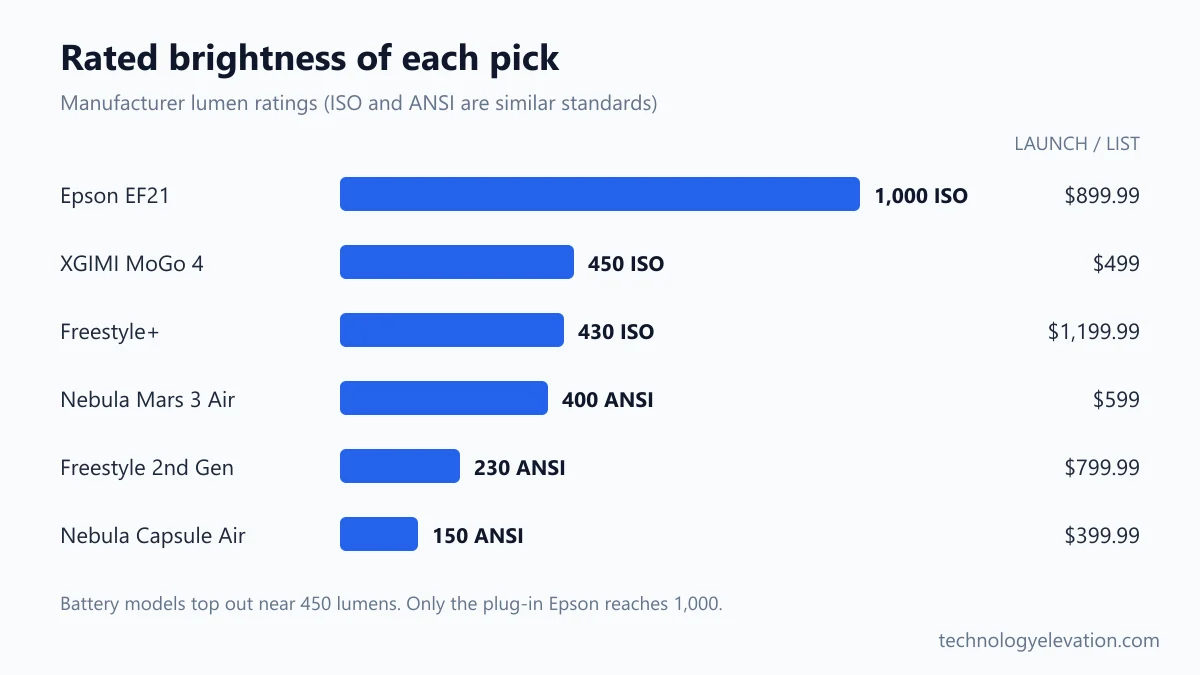
Connection is half the job. Brightness is the other half, and projector boxes are where the wildest numbers in tech live. A $70 mini projector claiming “15,000 lumens” is often dimmer than a $400 one rated at 150.
Streaming apps add one more trap. Samsung’s own support page states that DRM-protected content cannot be mirrored with Smart View, so a projector with its own Netflix app beats one that relies on your phone’s screen.
We compared the projectors on sale in the US in November 2026 on Galaxy connections, rated brightness and list price.
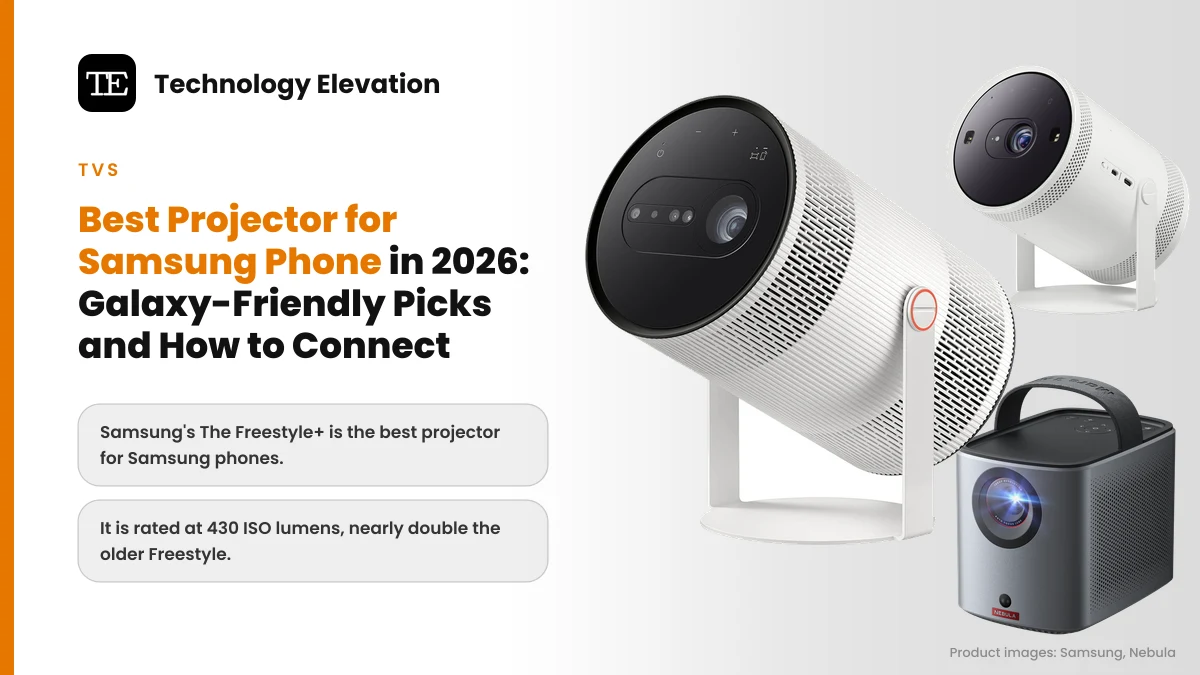
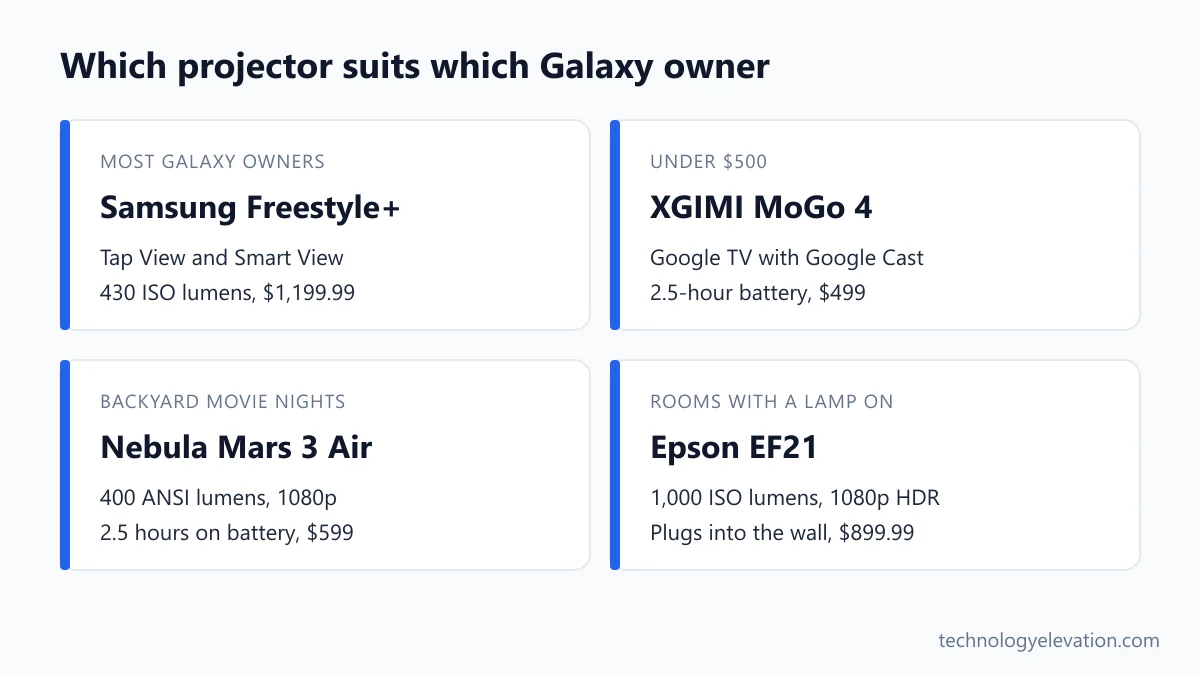
The best projector for Samsung phones is The Freestyle+
Samsung’s The Freestyle+ is the best projector for Samsung phones. Galaxy owners can tap the phone on it to mirror with Tap View, or use Smart View, and it is rated at 430 ISO lumens, nearly double the older Freestyle. It launched at $1,199.99.
Every pick, by the job it does best:
- Best overall for Galaxy phones: Samsung The Freestyle+
- Best value Samsung projector: Samsung The Freestyle 2nd Gen
- Best portable under $500: XGIMI MoGo 4
- Best for backyard movie nights: Nebula Mars 3 Air
- Best pocket-size projector: Nebula Capsule Air
- Best for living rooms with some light: Epson EpiqVision Mini EF21
| Model | Resolution | Rated brightness | Phone connection | Battery | Price |
|---|---|---|---|---|---|
| Samsung The Freestyle+ | 1080p | 430 ISO lumens | Tap View, Smart View, AirPlay 2, HDMI | External USB-C | $1,199.99 launch |
| Samsung The Freestyle 2nd Gen | 1080p | 230 ANSI lumens | Tap View, Smart View, AirPlay 2, Micro HDMI | External USB-C | $799.99 launch |
| XGIMI MoGo 4 | 1080p | 450 ISO lumens | Google Cast, HDMI | Built in, 2.5 hr | $499 list |
| Nebula Mars 3 Air | 1080p | 400 ANSI lumens | Chromecast, HDMI | Built in, 2.5 hr | $599 list |
| Nebula Capsule Air | 720p | 150 ANSI lumens | Chromecast, HDMI | Built in, 2 hr | $399.99 launch |
| Epson EpiqVision Mini EF21 | 1080p | 1,000 ISO lumens | HDMI | None | $899.99 list |
Projector prices drop often, sometimes by a third during sales. Treat the launch and list prices above as a ceiling.
Samsung The Freestyle+: the best projector for Galaxy phones overall
The Freestyle+ is the best overall pick because it is built around Galaxy phones. Tap View starts mirroring when your phone touches the projector, Smart View works from the Quick settings panel, and its 430 ISO lumens make it Samsung’s brightest Freestyle so far.
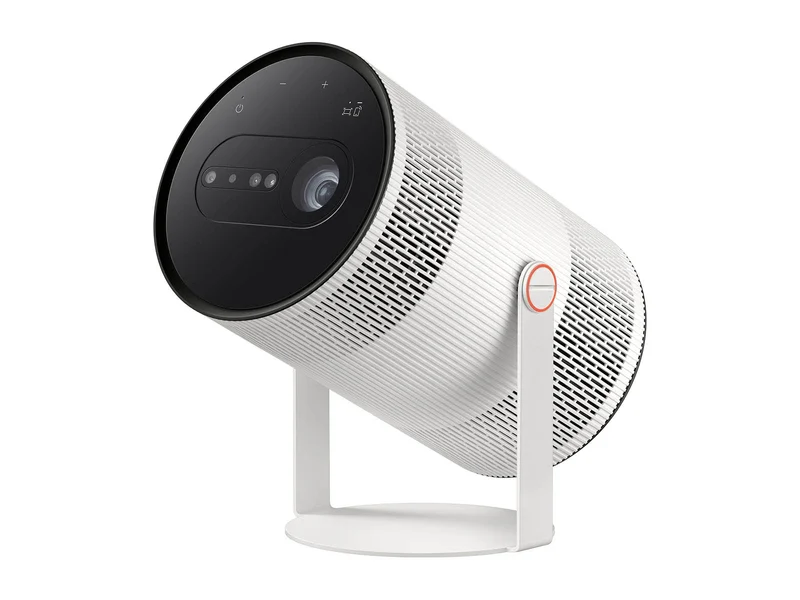
Key specs: Full HD (1080p), up to 430 ISO lumens, HDR10+, picture up to 100 inches, Tap View, Smart View and AirPlay 2, 3D Auto Keystone and Wall Calibration, Tizen smart TV apps with Samsung TV Plus and Gaming Hub, 360-degree speaker. Runs on the Freestyle Battery Base or a compatible USB-C battery (sold separately). Launch price: $1,199.99.
Samsung launched the Freestyle+ (model LFF3H) in the US on 17 July 2026. Its party trick is the AI setup: the projector corrects a tilted image, adjusts to the color of the wall and resizes the picture around obstacles.
Galaxy owners get the smoothest pairing of any projector here. Tap View detects the vibration of a light tap on the projector’s body and starts mirroring with no menus.
The honest catch is price and battery. At $1,199.99 it costs more than twice the XGIMI MoGo 4, and it has no built-in battery. For a camping trip, budget for Samsung’s Battery Base or a USB-C power bank with enough output.
Check the Samsung The Freestyle+ price on Amazon
Samsung The Freestyle 2nd Gen: the best value Samsung projector
The Freestyle 2nd Gen is the best value for Galaxy owners who want Tap View without the newest model’s price. It projects 1080p up to 100 inches, mirrors with Tap View or Smart View, and launched at $799.99, though it now sells for far less.
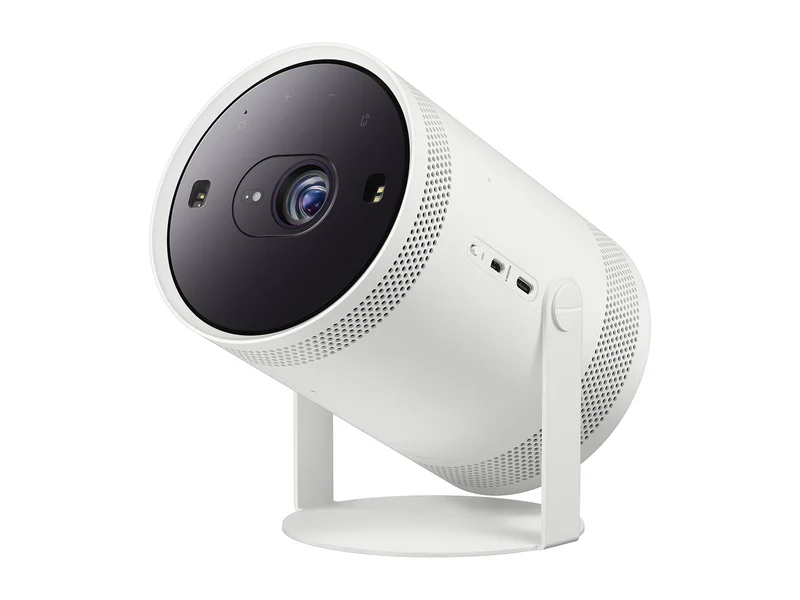
Key specs: Full HD (1080p) DLP with an LED light source, 230 ANSI lumens, 30 to 100 inch picture, 180-degree tilting stand, Tap View, Smart View and AirPlay 2, Micro HDMI input, Tizen apps with Gaming Hub, 360-degree speaker. Runs from the Battery Base or a USB PD battery with 60W/20V output or more. Launch price: $799.99.
The cradle design is still the best idea in portable projectors. Tilt the body up and you get a picture on the ceiling, which suits a kid’s bedtime cartoon better than any wall.
Brightness is the weak point. At 230 ANSI lumens, it needs a properly dark room, so buy it only at a real discount. At well below its launch price, it is a fine bedroom projector.
Check the Samsung The Freestyle 2nd Gen price on Amazon
XGIMI MoGo 4: the best portable projector under $500
The XGIMI MoGo 4 is the best portable projector for a Galaxy phone under $500. It runs Google TV with Netflix built in, accepts Google Cast from your phone, packs a built-in battery and is rated at 450 ISO lumens, all for a $499 list price.
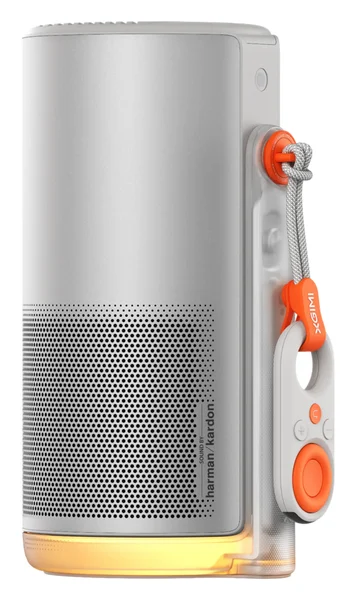
Key specs: 1080p DLP with LED light source, 450 ISO lumens, Google TV with Google Cast, built-in battery rated up to 2.5 hours in Eco mode (up to 5 hours with the 20,000mAh PowerBase Stand), Wi-Fi 5, Bluetooth 5.1, HDMI and USB-A. List price: $499.
Google Cast is the Android-friendly way to send video. Instead of copying your phone’s screen, a cast-enabled app like YouTube tells the projector to stream the video itself. Your phone stays free for texts, and the Google Home app mirrors the full screen when you need it.
Reviewers found it dim in daylight. In a dark room at 60 to 80 inches, 450 ISO lumens is plenty. The MoGo 4 Laser costs $799 and is rated at 550 ISO lumens.
Check the XGIMI MoGo 4 price on Amazon
Nebula Mars 3 Air: the best projector for backyard movie nights
The Nebula Mars 3 Air is the best projector for backyard movie nights with a Galaxy phone. Its 64.8Wh battery runs a full 2.5-hour film, it is rated at 400 ANSI lumens, and it runs Google TV with Netflix and Chromecast for casting.
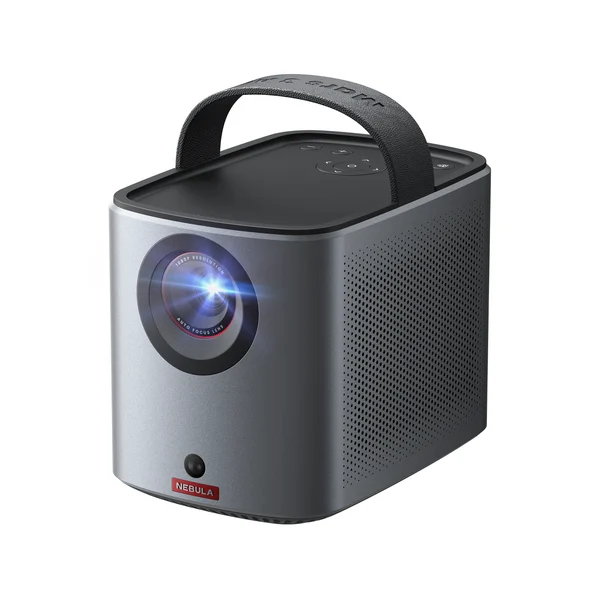
Key specs: 1080p, 400 ANSI lumens, Google TV with Netflix, Chromecast support, 64.8Wh battery rated at 2.5 hours of video or 8 hours as a Bluetooth speaker, picture up to 150 inches, Dolby Digital sound. List price: $599.
Battery is what sets it apart. Most two-hour films finish with power to spare.
Nebula’s own support FAQ confirms Chromecast for mirroring and streaming from Android phones. For Netflix, use the built-in app instead of your phone, since mirrored Netflix often shows a black screen.
Independent measurements by CNET came in below the 400 ANSI figure in the most accurate picture mode. Wait for full dark before you start the film.
Check the Nebula Mars 3 Air price on Amazon
Nebula Capsule Air: the best pocket-size projector
The Nebula Capsule Air is the best pocket projector for Galaxy owners who travel. About the size of a soda can at 650 grams, it runs Google TV with Netflix, supports Chromecast from Android phones, and launched at $399.99. Expect a small, dim picture.
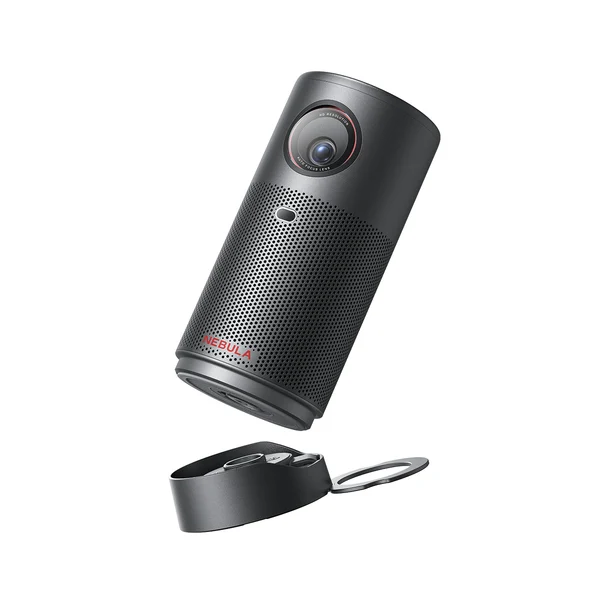
Key specs: 720p DLP, 150 ANSI lumens, picture up to 100 inches, Google TV with Netflix, autofocus and keystone correction, built-in battery rated at about 2 hours. About 140 mm tall and 650 g. Launch price: $399.99.
Think hotel room, not home theater. Point it at a white ceiling, cast a show from your phone or open Netflix on the projector, and you have a 50-inch picture from something that fits in a jacket pocket.
The 720p resolution is the trade-off. Fine text and sports scores look soft, and 150 ANSI lumens needs a properly dark room.
Check the Nebula Capsule Air price on Amazon
Epson EpiqVision Mini EF21: the best for living rooms with some light
The Epson EpiqVision Mini EF21 is the best pick when the room is not fully dark. Rated at 1,000 ISO lumens, more than double any battery projector here, it shows a 1080p HDR picture up to 150 inches and runs Google TV. A Galaxy phone connects by HDMI.
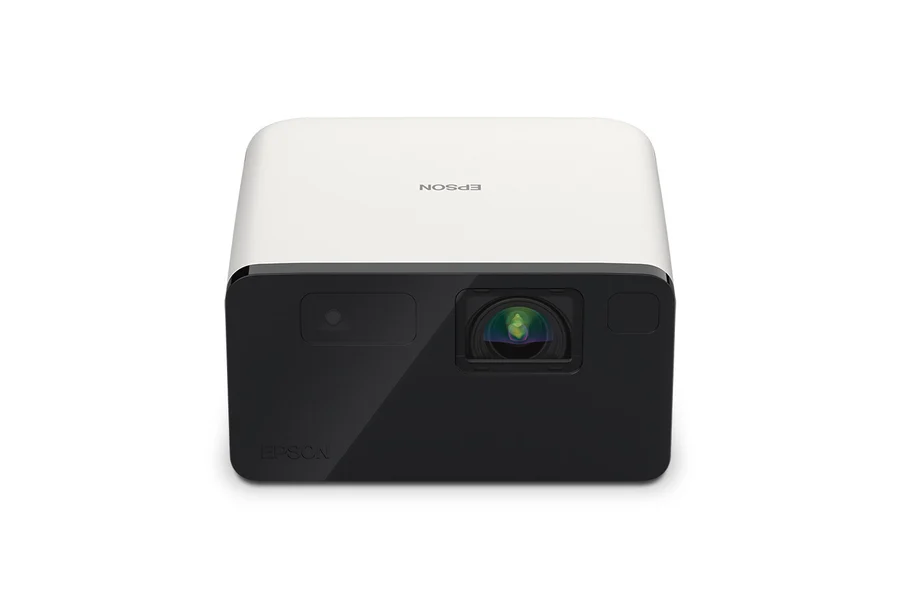
Key specs: 3LCD laser, Full HD (1080p) with HDR, 1,000 lumens white brightness (ISO rated) and 1,000 lumens color brightness, picture up to 150 inches, Google TV with Netflix, HDMI input, stereo speakers with Dolby audio. Plugs into the wall. List price: $899.99.
No battery means no backyard. Instead, this is the small projector for a living room where a lamp stays on during movie night.
For a Galaxy phone, a USB-C to HDMI cable is the simplest route. Run streaming apps on Google TV itself to avoid DRM blocks.
Check the Epson EpiqVision Mini EF21 price on Amazon
Four ways to connect a Samsung phone to a projector
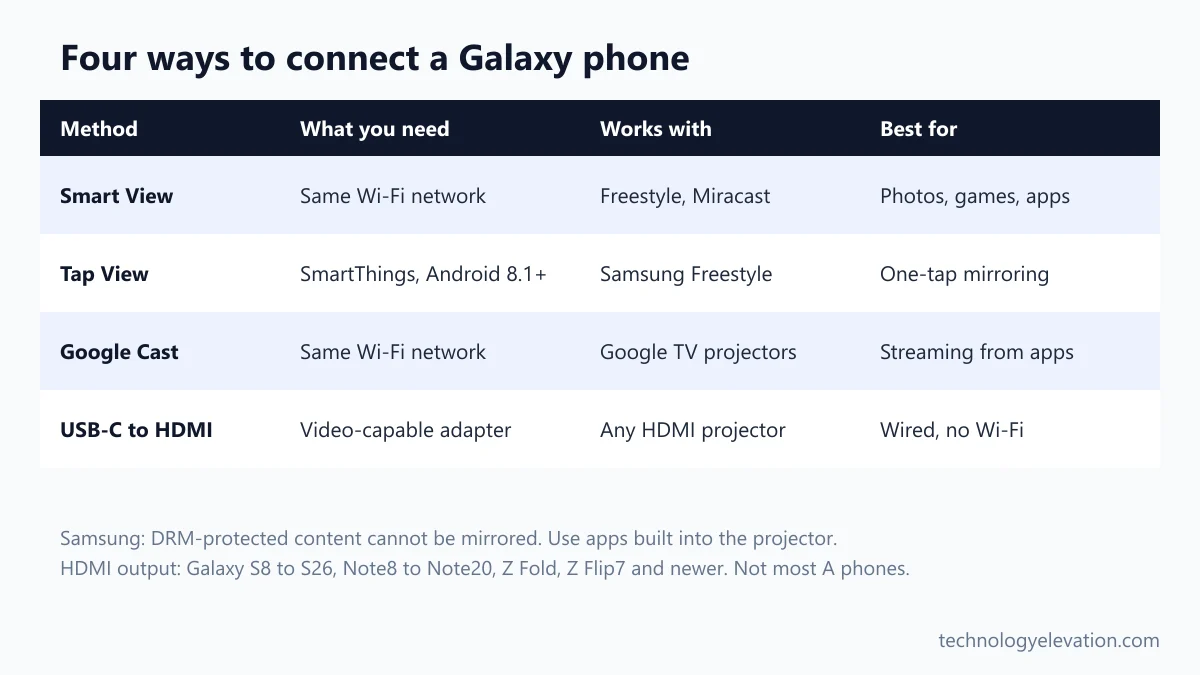
A Samsung phone connects to a projector in four ways: Smart View screen mirroring, Tap View on Samsung’s Freestyle models, Google Cast to Google TV projectors, or a USB-C to HDMI cable. Wireless methods need both devices on the same Wi-Fi network.
- Smart View. Swipe down to Quick settings, tap Smart View, choose the projector and tap Start now. Smart View uses Miracast, the wireless display standard, so it also works with non-Samsung projectors that list Miracast support.
- Tap View. Turn it on in the SmartThings app, then tap your Galaxy phone on a Freestyle projector. Samsung lists it for Galaxy phones on Android 8.1 or later.
- Google Cast. Tap the cast icon inside an app, or cast your whole screen from the Google Home app. Works with XGIMI, Nebula, Dangbei and other Google TV projectors.
- USB-C to HDMI cable. Plug a video-capable adapter into the phone and an HDMI cable into the projector. No Wi-Fi needed, and nothing drops out when the network gets busy.
Not every Galaxy phone sends video over USB-C. Samsung’s DeX support page lists HDMI cable output for the Galaxy S8 through S26 series, the Note8 through Note20, every Z Fold, and the Z Flip7, Z Flip8 and Z TriFold. The Z Flip7 FE and earlier Flips are not compatible, and the only Galaxy A phone on the list is the A90 5G.
A Galaxy A-series owner should therefore go wireless. Charging-only USB-C cables are the other common mistake: the adapter must say it supports video, and a USB-C hub with HDMI from the best USB-C hubs and docking stations works too, with power pass-through to charge the phone. A long run to a ceiling projector also needs good HDMI cables.
Streaming apps often block screen mirroring
Streaming apps often block screen mirroring because their videos are protected by DRM, short for digital rights management. Samsung says DRM-protected content cannot be mirrored with Smart View, so the fix is a projector that runs the streaming apps itself.
The symptom is easy to spot. Sound plays, the picture is black, and your photos and YouTube mirror just fine.
Netflix’s help center says casting or mirroring needs a Standard or Premium plan, and it warns that your device, cable or adapter may not be supported.
Every pick here has streaming apps built in, which sidesteps the problem. Google TV projectors from XGIMI, Nebula and Epson carry the official Netflix app, and Samsung’s Freestyle models run Samsung’s Smart TV apps. Use the phone for photos, games and videos you own.
ANSI lumens matter more than the big number on the box
ANSI lumens are the brightness number to trust because they come from a standard test: light is measured at nine points across the image and averaged. ISO lumens use a similar standard. “Lux,” “LED lumens” and unlabeled lumen claims on cheap projectors are not comparable.
Lux is not a projector rating at all. It measures light landing on a surface, one lumen per square meter, so a seller can quote a big figure measured close to the lens.
Real-world brightness, in rated terms:
- 100 to 250 ANSI lumens: a dark room, 40 to 70 inches.
- 400 to 500: a dark room at 80 to 100 inches, or dusk outside.
- 1,000 or more: a living room with a lamp on.
Treat any $80 projector claiming 9,000 or 20,000 “lumens” with suspicion. Bright rooms need more again, and true daylight projectors are a separate, pricier class.
How to choose a projector for your Galaxy phone
Choose a projector for a Galaxy phone by the room first, then the connection your phone supports, then battery and sound. A dark bedroom suits any pick here, a backyard needs a battery, and a living room with lights needs 1,000 ISO lumens.
- Measure the room’s darkness. Blackout curtains mean 150 to 450 lumens is enough. A lamp on means the Epson EF21.
- Check your phone’s video output. Look up your exact model on Samsung’s DeX page before buying a USB-C to HDMI adapter.
- Prefer built-in streaming apps. Google TV or Samsung’s Tizen apps avoid DRM black screens.
- Decide on battery. Outdoors you want 2.5 hours built in, like the MoGo 4 or Mars 3 Air.
- Plan the screen. A smooth white wall works, but a pull-up portable projector screen gives a sharper, brighter image.
- Add a speaker for groups. Built-in speakers suit a bedroom, not a garden party.
Other projectors you will still see for sale
Older models and a few other brands still show up when you shop for a Galaxy-friendly projector. The Dangbei Freedo, BenQ GV50 and XGIMI MoGo 3 Pro are worth knowing, and one BenQ model is under a fire-hazard recall.
The Dangbei Freedo launched in the US in January 2025 at a $549 list price. It is rated at 450 ISO lumens at 1080p, runs Google TV with Google Cast, and has a battery rated at 2.5 hours, plus a built-in tilting stand.
The BenQ GV50 is a 1080p laser portable rated at 500 ANSI lumens, with Google TV and Google Cast and a battery rated at 150 minutes of video.
Recall notice: BenQ’s older GV31 portable projector is under a US recall announced on 30 July 2026, because its lithium-ion battery can overheat, posing fire and burn hazards. Stop using a GV31 and register at BenQ’s GV31 recall page for a free battery repair or replacement projector. Do not put the projector in household trash or recycling.
The XGIMI MoGo 3 Pro launched at $449 with 450 ISO lumens and Google TV but no built-in battery, which the MoGo 4 adds. Apple owners should compare the best iPhone projectors, and shoppers wanting a wider field can compare more screen projectors for Samsung phones.
Frequently asked questions about projectors for Samsung phones
How do I connect my Samsung phone to a projector?
Connect a Samsung phone to a projector with Smart View, Google Cast or a USB-C to HDMI cable. For wireless, put both on the same Wi-Fi, open Quick settings, tap Smart View and pick the projector. Freestyle owners can also use Tap View.
Which Samsung phone has a built-in projector?
No current Samsung phone has a built-in projector. Samsung’s 2012 Galaxy Beam had a 15-lumen built-in projector, but today’s Galaxy phones send video to an external projector by Smart View, Google Cast or USB-C to HDMI.
Does Smart View work with any projector?
Smart View works with projectors that support Miracast screen mirroring, plus Samsung’s Freestyle models. Google TV projectors usually use Google Cast instead, which you reach from the Google Home app or the cast icon in apps like YouTube.
Why is Netflix black when I mirror my Galaxy phone to a projector?
Netflix goes black because its videos are DRM protected, and Samsung says DRM-protected content cannot be mirrored with Smart View. Use the Netflix app built into the projector instead, as Google TV and Samsung Freestyle projectors include it.
Can I connect a Galaxy phone to a projector with a USB-C cable?
Yes, if your phone supports video output. Samsung lists HDMI output for the Galaxy S8 to S26 series, Note8 to Note20, Z Fold models and the Z Flip7 and later. Most Galaxy A phones and older Z Flip models do not support it.
How many lumens do I need for a phone projector?
Aim for 400 to 500 ANSI or ISO lumens for an 80 to 100 inch picture in a dark room. A bedroom ceiling at 50 inches works with 150. A room with a lamp on needs about 1,000 lumens.
Is the Samsung Freestyle+ worth it over the 2nd Gen?
The Freestyle+ is worth it if brightness matters, since it is rated at 430 ISO lumens against 230 ANSI lumens for the 2nd Gen. A discounted 2nd Gen suits a dark bedroom.
Last checked and sources
Last checked on 15 November 2026 by Abdullah Kabeer. We compared the projectors sold in the US using manufacturer launch announcements, product pages and support documents, cross-checked specs against independent reviews, and checked cpsc.gov and the makers’ sites for recalls and safety notices.
- Samsung Newsroom US, Freestyle+ and Freestyle 2nd Gen announcements
- Samsung US support: Smart View, DeX compatibility and Tap View guides
- Google Streaming Help, casting an Android screen from the Google Home app
- Netflix Help Center, casting and mirroring from a mobile device
- XGIMI, Epson, Nebula, Dangbei and BenQ product pages, support pages and launch announcements
- Reviews and launch coverage by Notebookcheck, What Hi-Fi, TechRadar, CNET, SamMobile and Android Authority
- US Consumer Product Safety Commission recall database and BenQ’s GV31 recall notice
We update this buying guide when new projectors launch or are discontinued.
Technology Elevation is reader-supported. As an Amazon Associate, we earn from qualifying purchases. When you buy through links on this page, we may earn a small commission at no extra cost to you.

GIPHY App Key not set. Please check settings
One Comment