

 Haris Khan
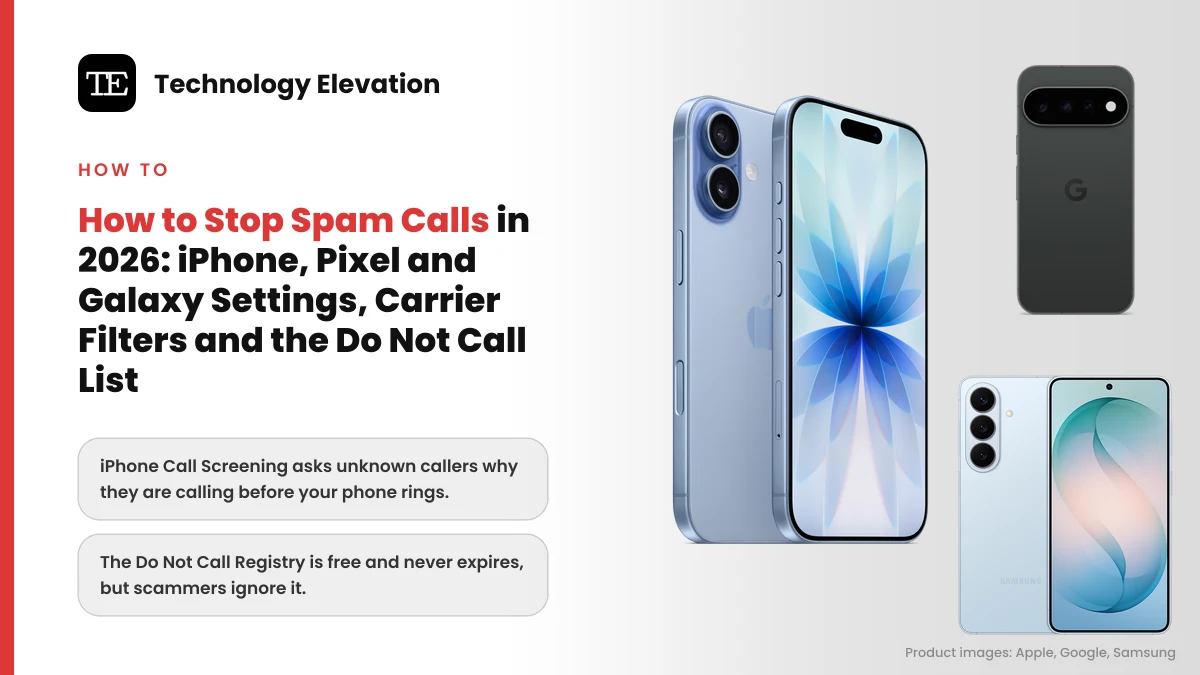
Your phone buzzes during dinner. The caller ID shows a number with your own area code, so you pick up, and a recording starts talking about your car’s extended warranty. You never owned that car. You hang up, and two days later the same voice calls from a different number.
Learning how to stop spam calls means stacking a few layers, because no single switch catches everything. Your phone can screen or silence strangers, your carrier can label and filter known scam numbers, and the law limits who may call you at all. The Federal Trade Commission is blunt about the weak spot: the National Do Not Call Registry stops sales calls from companies that follow the law, but scammers ignore it.
So the phone settings do most of the work. Below are the exact menu steps for iPhone, Google Pixel and Samsung Galaxy phones, checked against each maker’s support pages on 19 November 2026, plus the free carrier filters, the FTC and FCC rules, and where to report the calls that still get through.
How to stop spam calls: the six steps that work on any phone
To stop spam calls, turn on your phone’s call screening or unknown caller filter, switch on carrier spam filtering, add your number to the Do Not Call Registry, block repeat numbers, never press keys on a robocall, and report illegal calls to the FTC.
- Turn on your phone’s built-in screening: Call Screening on iPhone, Call Screen on Pixel, or Call screening on a Galaxy S26.
- Turn on your phone’s spam filter so calls flagged by your carrier go straight to voicemail.
- Activate your carrier’s free spam tool, either in its app or in your account settings.
- Register your number at DoNotCall.gov or by calling 1-888-382-1222 from the phone you want to register.
- Block any number that calls you twice with junk.
- Report illegal robocalls at DoNotCall.gov, or at ReportFraud.ftc.gov if you lost money.
Steps 1 and 2 cut the most calls. Screening hands strangers to a robot before your phone rings, and a recording cannot explain why it is calling.
Step 5 matters less than people think. Spammers rotate numbers constantly, so a block list mostly catches the persistent human callers, like a pushy solar company.
On iPhone, Call Screening asks unknown callers why they are calling
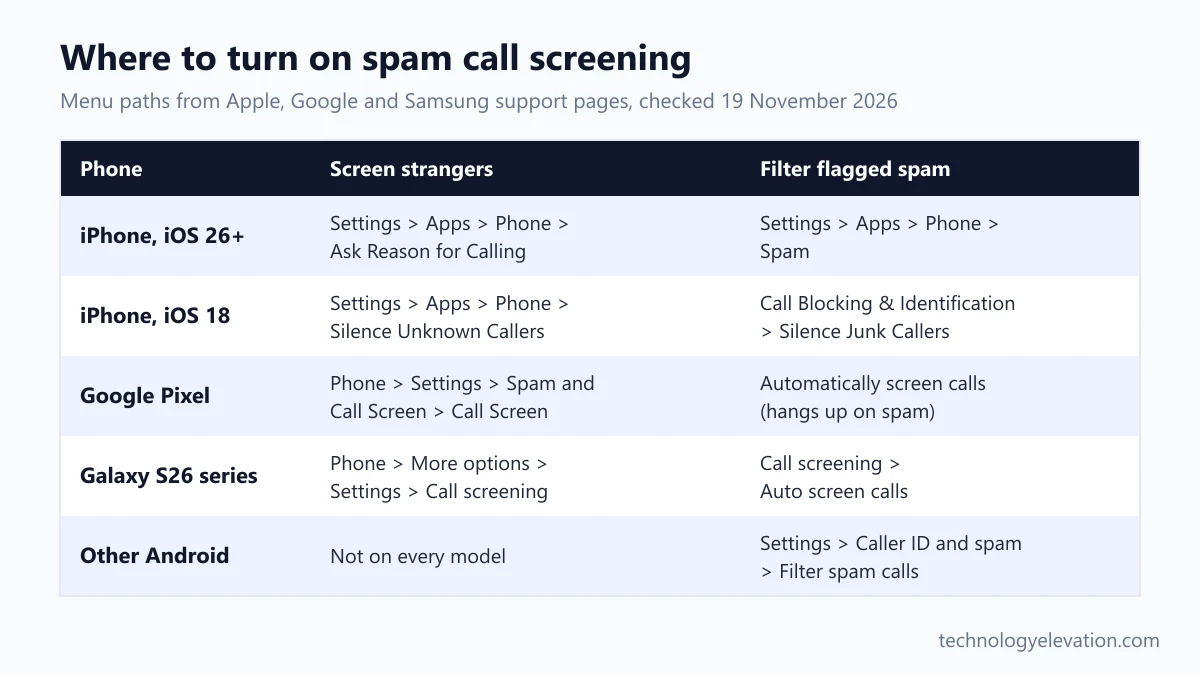
On iPhone with iOS 26 or later, go to Settings, tap Apps, then Phone, and choose a Call Screening option: Never, Ask Reason for Calling, or Silence. Ask Reason for Calling makes unknown numbers explain themselves before your iPhone rings at all.
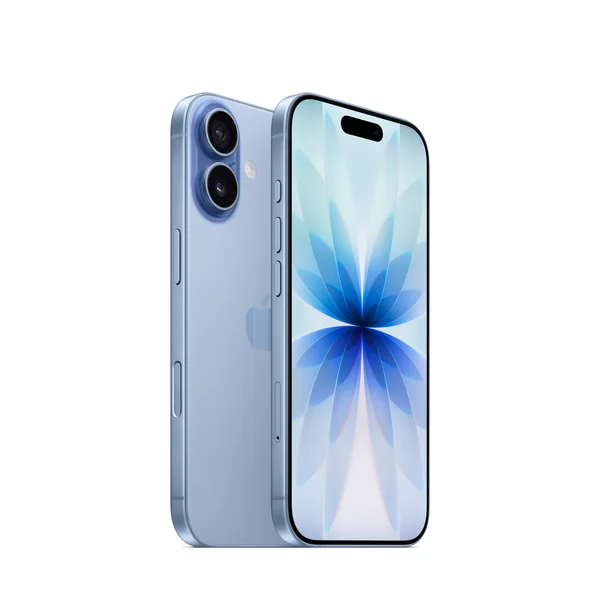
Apple’s iPhone User Guide describes the three options this way:
- Never: screening is off, and your iPhone rings for calls from unsaved numbers.
- Ask Reason for Calling: callers from unknown numbers are asked for more information before your iPhone rings.
- Silence: calls from unsaved numbers are silenced, sent to voicemail and listed in Recents.
Ask Reason for Calling is the best balance for most people. A delivery driver or a new doctor’s office can still reach you, while a robocall just sits there. Siri does the asking in your iPhone’s default language.
Next, turn on the filters in the same Settings, Apps, Phone screen:
- Turn on Spam. Calls your carrier flags as potential spam or fraud are silenced, sent to voicemail and moved to the Spam list.
- Turn on Unknown Callers if you also want calls from unknown numbers moved out of Recents into their own list.
- Tap Call Blocking & Identification and turn on Business Call Identification, plus any caller ID app you have installed.
To check what got filtered, open the Phone app, tap the Filter button, and choose Unknown Callers or Spam. If a real caller lands there, tap Mark as Known next to the call.
On iOS 18, the older setting is called Silence Unknown Callers, in Settings, Apps, Phone. It lets through calls from your contacts, recent outgoing calls and Siri Suggestions, and sends the rest to voicemail. The same iOS 18 screen has Silence Junk Callers under Call Blocking & Identification.
Call Screening needs iOS 26, so an iPhone stuck on an older version misses out. Anyone weighing an upgrade for this and other features can compare models in which iPhone to buy in 2026.
On Google Pixel, Call Screen answers and hangs up on spam for you
On a Pixel, open the Phone app, tap More, then Settings, then Spam and Call Screen (or Call Screen), and tap Call Screen. Choose a protection level. On Pixel 7 and later, turn on Automatically screen calls for spam, possibly faked numbers and first-time callers.
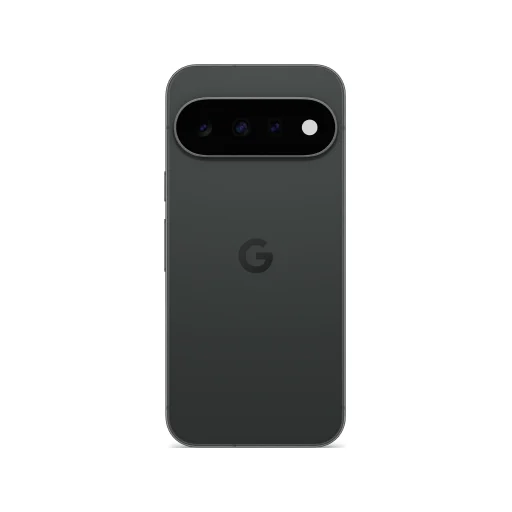
Google lists three levels: Maximum protection, Medium protection and Basic protection. With automatic screening on, Google’s Call Screen help page says spam calls are hung up, while other callers ring through with a note on how they answered the screening question.
Automatic screening works in the US, Canada, the UK, Ireland and Australia. Google says Call Screen runs on the device and uses no Wi-Fi or mobile data, though it will not screen calls while you are roaming.
You can also screen a call by hand. When a call arrives, tap Screen call and read the live transcript as the caller explains. On the Pixel 11 and later, with a US SIM in English, the quick replies are “Report as spam” and “I’ll call you back.”
Pixels have one more layer. Scam Detection listens for scam patterns during a call you already answered and warns you on screen. Turn it on in Phone, More, Settings, Scam Detection. Google says it runs on the device, works on Pixel 6 and later in the US, and plays a beep at the start of the call so everyone knows it is on.
Call Screen is one of the biggest reasons to pick a Pixel over another Android phone, and the newer models get the extra reply options, as which Pixel to buy in 2026 explains.
On Samsung Galaxy S26 phones, Call screening uses an AI assistant
On a Galaxy S26, open the Phone app, tap More options, then Settings, then Call screening. Choose your language and turn on the Call screening switch. For hands-off filtering, turn on Auto screen calls in the same menu and pick the call types to screen.
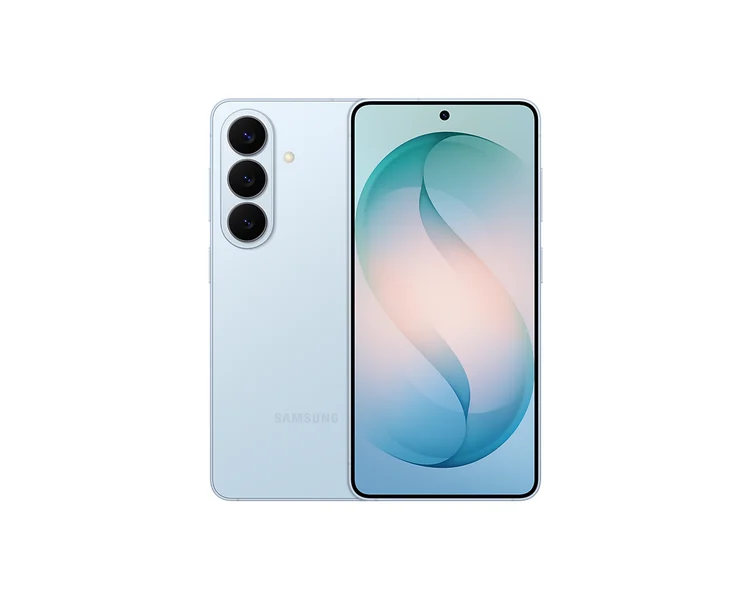
Samsung’s support page for the S26 series says the AI assistant answers, plays a greeting and records what the caller says, and you read both sides of the chat on screen. With Auto screen calls on, suspected spam, phishing and unknown calls are screened automatically.
When a call rings, you can also tap Call assist, then Call screening, read the caller’s name and reason, and tap the Call icon to pick up. If you cannot talk, tap Text call and type a reply, and the assistant speaks it for you.
Samsung notes that menu names can vary by model and software version, so older Galaxy phones may show different labels or lack the feature. Screened calls appear in Phone, Recents, where the Text call icon opens the full conversation.
Shoppers weighing the S26 against older and cheaper Galaxy models can compare the range in which Samsung phone to buy.
Other Android phones can filter spam in the Phone by Google app
Android phones that use the Phone by Google app can filter spam without Call Screen. Open Phone, tap More, then Settings, then Caller ID and spam. Keep See caller ID & spam on, and turn on Filter spam calls to block flagged calls silently.
Filtered calls skip the ring, the missed call alert and the voicemail notification, but they still show up in your call history. If a real number gets marked as spam by mistake, tap Not spam in Recent calls and unblock it.
To block one number, open Phone, tap More, then Call history, tap the call and choose Block / report spam. To stop private and hidden numbers, go to Settings, Blocked numbers and turn on Unknown. That setting only blocks callers with no caller ID, so unsaved numbers still ring.
Phones that already run automatic Call Screen hide the Filter spam calls toggle, because spam blocking moves into the Call Screen settings instead. Owners of older Android handsets still on sale can compare them in the best Android phones roundup.
| Phone | Screening setting | Spam filter setting |
|---|---|---|
| iPhone (iOS 26 and later) | Settings > Apps > Phone > Ask Reason for Calling | Settings > Apps > Phone > Spam |
| iPhone (iOS 18) | Settings > Apps > Phone > Silence Unknown Callers | Call Blocking & Identification > Silence Junk Callers |
| Google Pixel | Phone > Settings > Spam and Call Screen > Call Screen | Automatic screening hangs up on spam |
| Galaxy S26 series | Phone > Settings > Call screening | Call screening > Auto screen calls |
| Other Android (Phone by Google) | Not available on every model | Settings > Caller ID and spam > Filter spam calls |
Carrier spam filters add a free second layer
Your carrier sees every call before your phone does, so its spam filter catches numbers your phone has never met. The FTC says some carrier blocking and labeling services are free and others cost money. Check your carrier’s app and switch the filter on.
Verizon is a good example of how these tiers split. Its free Call Filter includes spam detection, a spam filter, a log of spam and blocked calls, an allow list and spam reporting. Verizon says the free version is included on standard monthly and prepaid plans with a compatible device.
Call Filter Plus costs $3.99 a month, or $10.99 a month for three or more lines, per Verizon’s Call Filter FAQ. The upgrade adds caller ID, spam lookup, a personal block list and blocking by category, such as telemarketers, nonprofits, political calls and surveys.
The Verizon Protect app runs on Android 10 or later and iOS 16.6 or later, and comes preloaded on most Android phones. Basic phones can turn on the filter in My Verizon instead.
For most people the free tier is enough once phone screening is on. The paid tier mostly helps if political or charity calls, which the law allows, are the ones driving you mad.
The Do Not Call Registry stops legal sales calls, not scammers
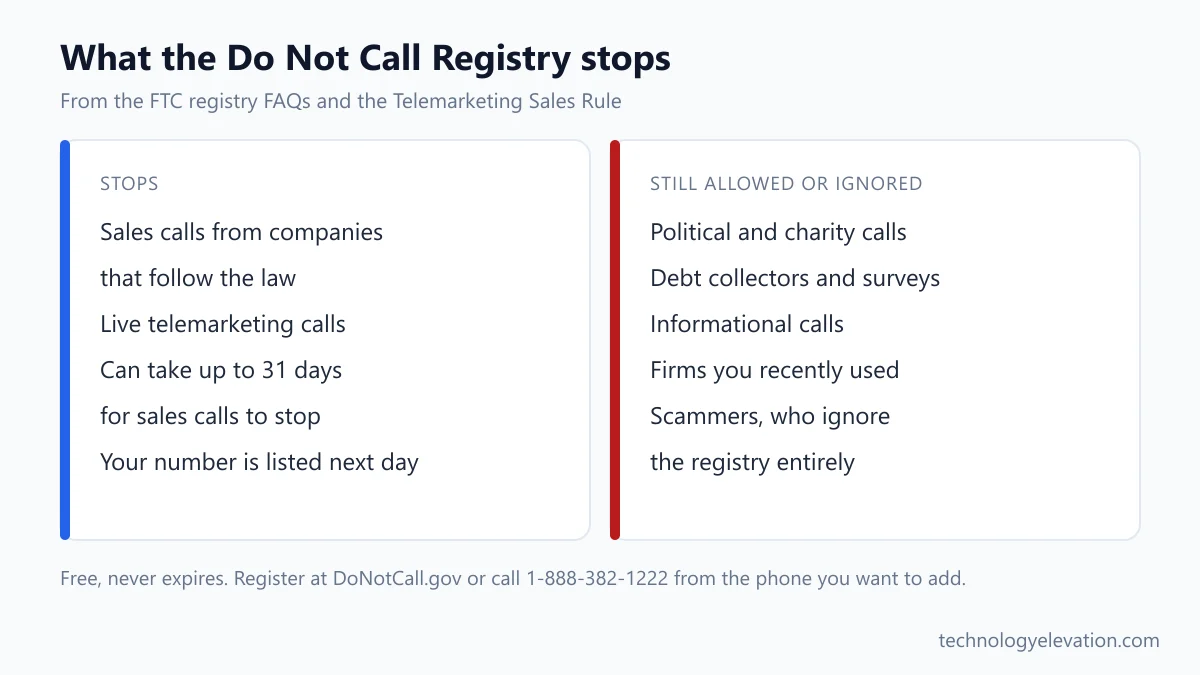
Registering on the National Do Not Call Registry is free, never expires and stops sales calls from companies that obey the law. It takes up to 31 days to work. Scammers ignore it, so the registry reduces calls and makes the remaining ones easier to spot as illegal.
Register at DoNotCall.gov, where you confirm each number through an emailed link within 72 hours, or call 1-888-382-1222 from the phone you want to add. Your number shows up on the registry the next day.
The registry still allows some calls. Political calls, charities, debt collectors, purely informational calls and surveys are permitted, as long as they do not include a sales pitch. A company you recently did business with, or one you gave written permission to, can also call.
Federal rules add two more limits. Under the FTC’s Telemarketing Sales Rule, telemarketers may only call between 8:00 a.m. and 9:00 p.m. at your local time unless you agreed otherwise. A prerecorded sales call needs your express written agreement, whether or not you joined the registry.
FCC rules make most robocalls illegal and caller ID harder to fake
The FCC enforces the Telephone Consumer Protection Act, which bans most calls using an artificial or prerecorded voice without your prior consent. In February 2024, the FCC confirmed that AI-generated voices count as artificial voices under that law, so AI robocalls need consent too.
The ruling was adopted on 2 February 2024 and released on 8 February 2024. Under it, a cloned voice of a celebrity or a politician is treated the same as an old-fashioned recording.
The FCC has also gone after fake caller ID. Its rules required voice providers to fully implement STIR/SHAKEN, a system that digitally signs calls to confirm the caller ID is real, across their internet-based networks by 30 June 2021. That signature helps carriers decide which calls to label as likely spam.
STIR/SHAKEN covers internet-based networks, so spoofing still happens on calls that travel other routes. “Neighbor spoofing” is the common trick: the FTC says scammers often fake a number with your area code that matches the first six digits of your own.
What to do when a spam call gets through
When a robocall gets through, hang up and do not call back. Do not press any number, even one the recording says will remove you from the list, because the FTC warns that pressing keys may lead to more calls. Then block the number and report it.
A live caller is trickier. If someone says they are from your bank, a delivery company or a government agency, hang up and call the organisation back on a number you find yourself, such as the one on your card. Caller ID can lie, and a real bank will not mind.
Watch for payment requests. The FTC says scammers often tell people to buy a gift card and then ask for the card number and PIN, and that the FTC itself will never threaten you or tell you to move money to “protect it.”
If you shared personal details on a scam call, go to IdentityTheft.gov for a recovery plan. If you lost money, report it at ReportFraud.ftc.gov.
Report spam calls and texts so carriers can block them
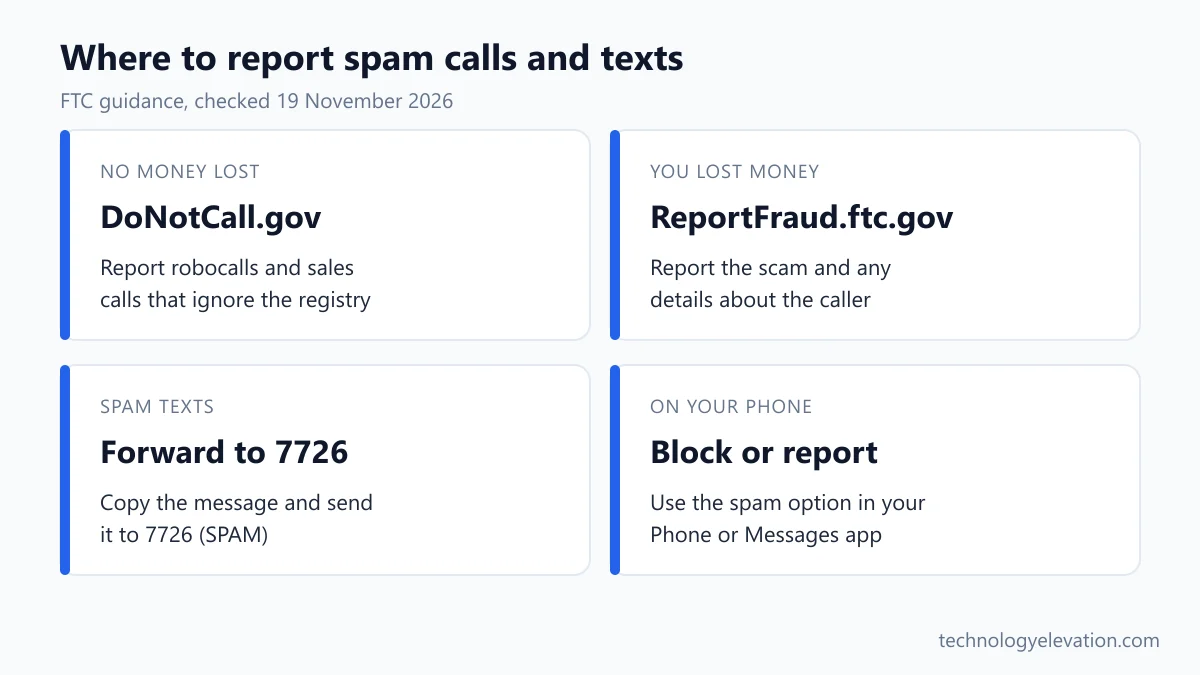
Report unwanted sales calls and robocalls at DoNotCall.gov if you lost nothing, and at ReportFraud.ftc.gov if you lost money. Forward spam texts to 7726 (SPAM). The FTC shares reported numbers with phone companies each business day to improve blocking.
Each report should include the number that called, the number shown on caller ID even if it looks fake, any callback number the caller gave you, and the date and time.
Texts work the same way. Copy the message and forward it to 7726, and your carrier uses it to catch similar texts. Most phones also have a Report Junk or spam option right in the messaging app.
Reporting feels pointless when one number is gone tomorrow. The value is in volume: thousands of reports on the same campaign are what get it labeled as spam on everyone else’s phone.
A newer phone is sometimes the simplest spam fix
If your phone cannot run iOS 26, Pixel Call Screen or Galaxy Call screening, a newer phone may be the most effective fix. Built-in screening stops more spam than any carrier app or block list, and it costs nothing once you own the phone.
iPhone owners get Ask Reason for Calling on every model that runs iOS 26, and the 2026 iPhone lineup includes the iPhone 17e, from $599 at launch, for tight budgets.
Pixel phones have the most mature screening, with automatic hang-ups on spam and Scam Detection on top. The Pixel 11 range also gets the newest manual screening replies.
Moving to a new phone is less work than it used to be. iPhone switchers can follow the steps in how to transfer data to a new iPhone, then switch on Call Screening before the first spam call arrives.
Frequently asked questions about stopping spam calls
Why am I suddenly getting so many spam calls?
A sudden jump usually means your number landed on a new calling list, and the FTC warns that pressing a key on a robocall may lead to more calls. Turn on your phone’s screening and carrier filter, and avoid answering unknown numbers for a few weeks.
Does the Do Not Call Registry actually work?
The registry works on legal telemarketers, who must stop sales calls within 31 days of your registration. Scammers ignore it, so it reduces your calls rather than ending them. A prerecorded sales call without your written permission is illegal either way.
Should I answer spam calls and say nothing?
No, it is better not to answer at all and let screening or voicemail handle unknown numbers. If you do pick up a robocall, hang up without pressing any keys, because the FTC says pressing a number may lead to more calls.
How do I stop spam calls on iPhone?
On iOS 26 or later, go to Settings, Apps, Phone and set Call Screening to Ask Reason for Calling or Silence, then turn on Spam. On iOS 18, turn on Silence Unknown Callers and Silence Junk Callers instead.
How do I stop spam calls on Android?
On a Pixel, turn on Call Screen in Phone, Settings, Spam and Call Screen. On other phones with the Phone by Google app, turn on Filter spam calls under Caller ID and spam. On a Galaxy S26, turn on Call screening and Auto screen calls.
Are call blocking apps safe to use?
Most are, but some apps ask for access to your contacts, so the FTC suggests reading the privacy policy first. Some are free and others charge a fee. Your phone’s built-in screening and your carrier’s free filter cover most people without a third-party app.
Last checked and sources
Last checked on 19 November 2026 by Haris Khan. We followed each step against the phone makers’ current support articles and checked the rules against FTC, FCC and federal regulation texts, keeping only what they state.
- Apple: iPhone User Guide, “Screen and block calls on iPhone” (iOS 26 and iOS 18 versions)
- Google: Phone app Help, Call Screen, caller ID and spam protection, blocking numbers, and Scam Detection articles
- Samsung UK Support: Call screening with AI assistant on the Galaxy S26 series
- Verizon: Call Filter FAQs
- Federal Trade Commission: How To Block Unwanted Calls, National Do Not Call Registry FAQs, spam text reporting guidance, DoNotCall.gov and ReportFraud.ftc.gov
- Federal Communications Commission: Declaratory Ruling FCC 24-17 on AI-generated voices; Report and Order FCC 20-42 mandating STIR/SHAKEN
- Electronic Code of Federal Regulations: 16 CFR 310.4 (Telemarketing Sales Rule) and 47 CFR 64.6301 (caller ID authentication)
We update this guide when Apple, Google or Samsung change their call settings, or when the FTC or FCC change their rules.

GIPHY App Key not set. Please check settings